
Workflows can now use OpenRouter actions and triggers to send requests and receive responses from supported AI models. This allows more flexible automation logic, advanced content generation, and intelligent processing directly inside workflow sequences.
What’s New
• New workflow triggers connected to OpenRouter events
• New workflow actions that send prompts to OpenRouter
• Ability to receive and use AI-generated responses in workflows
• Expanded automation options using external AI models
• Greater flexibility for advanced AI-driven use cases
Tips
• Use OpenRouter actions for advanced content generation tasks
• Keep prompts clear to ensure accurate AI responses
• Store AI outputs in field notes or messages for reuse
• Combine AI responses with conditions for smarter workflows
• Test workflows thoroughly before using them in production
How to Set It Up
Step 1
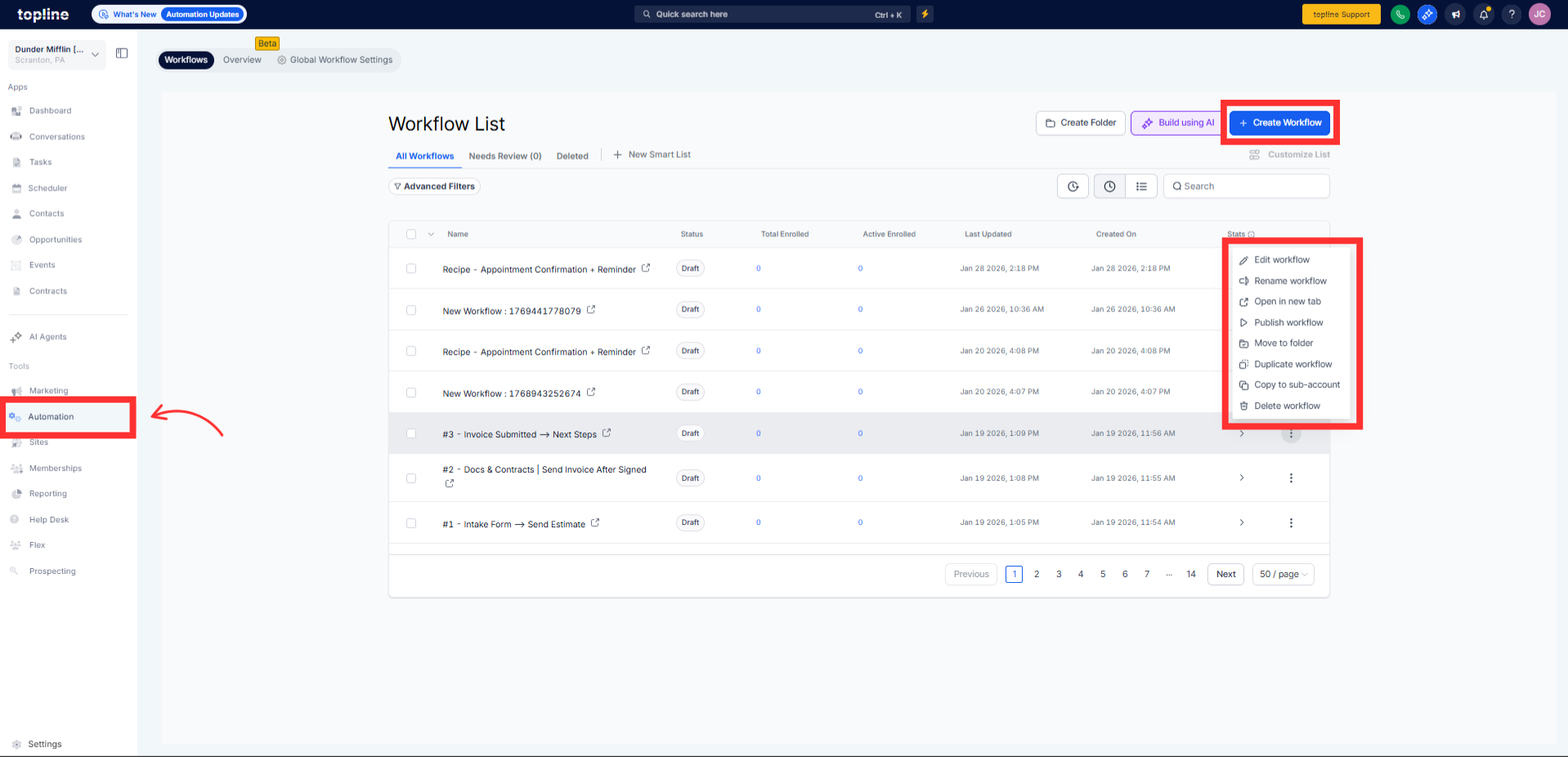
Navigate to your automation section and create a new workflow.
Step 2
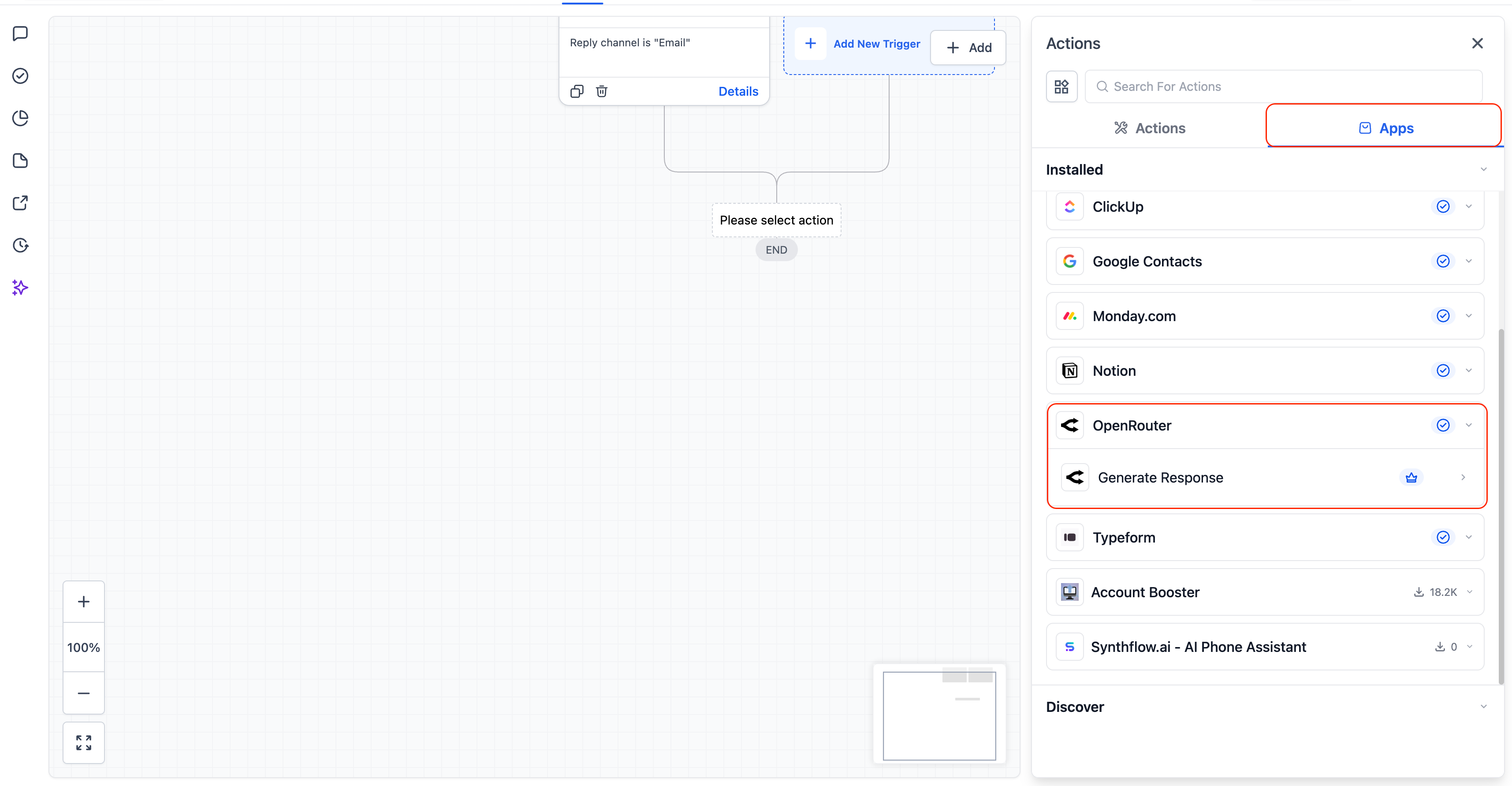
Select the OpenRouter trigger or action from the workflow options.
Step 3
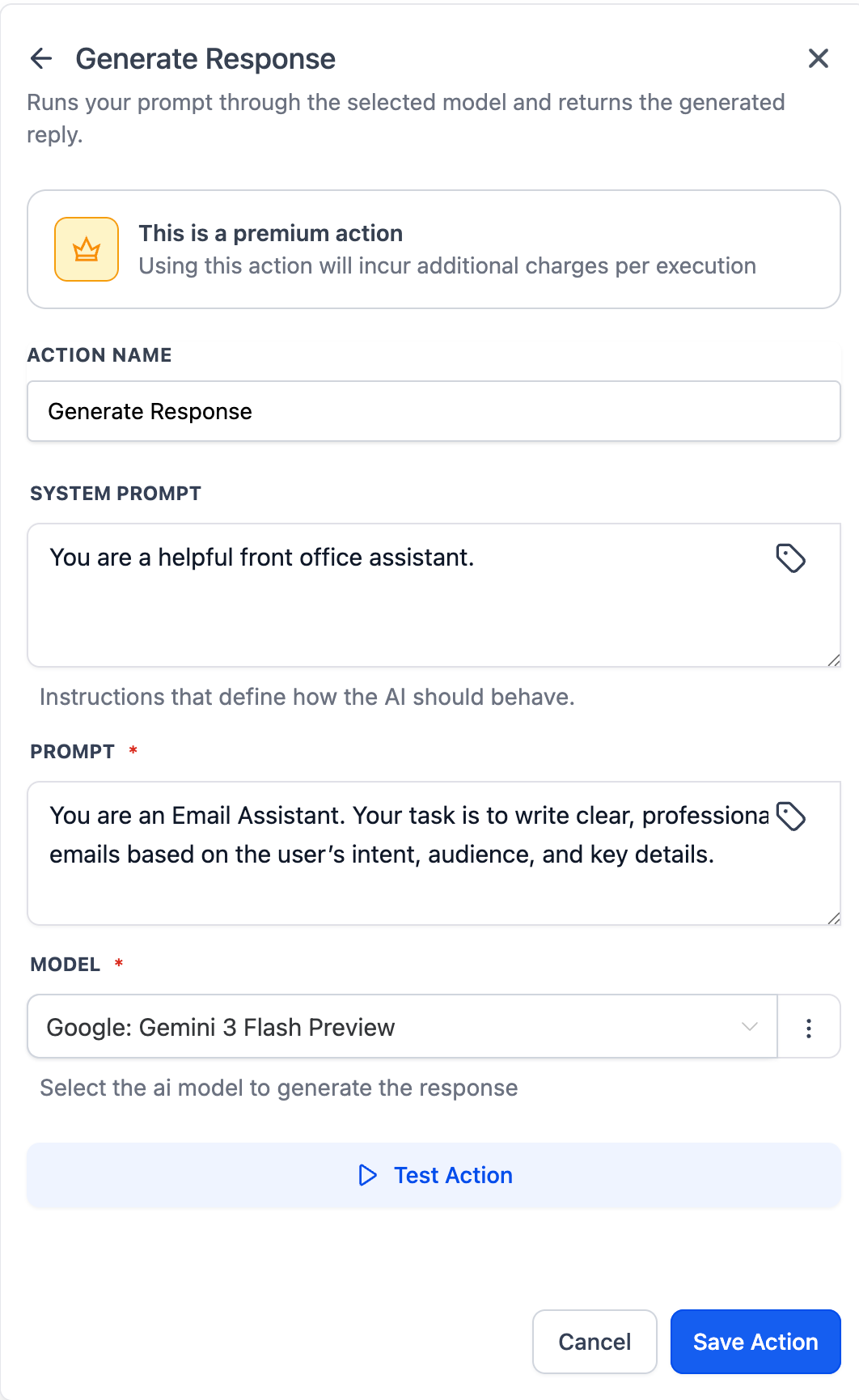
Define the input instructions and expected output. Choose where the AI generated response should be stored or used.
FAQ’s
What are OpenRouter actions and triggers?
• They allow workflows to send prompts to AI models and use the responses.Do I need to enable this feature manually?
• Yes, you must add OpenRouter actions or triggers to a workflow.Can AI responses be used in workflow logic?
• Yes, outputs can be mapped and used in conditions or actions.Does this work with existing workflows?
• Yes, OpenRouter steps can be added to new or existing workflows.Are responses generated in real time?
• Yes, responses are generated during workflow execution.