
You can now assign different payment providers depending on the channel being used. This enables better control over transaction routing, improves financial organization, and supports businesses that operate across multiple sales channels with different processing needs.
What’s New
• Ability to configure payment providers by channel
• Greater flexibility in payment processing setup
• Improved control over transaction routing
• Better organization for multi-channel sales
• Enhanced customization for payment workflows
Tips
• Assign payment providers based on channel requirements
• Review transaction fees when choosing providers per channel
• Test payment flows after configuration changes
• Keep channel settings clearly documented
• Monitor reporting to ensure payments route correctly
How to Set It Up
Step 1
Navigate to your payment configuration area.
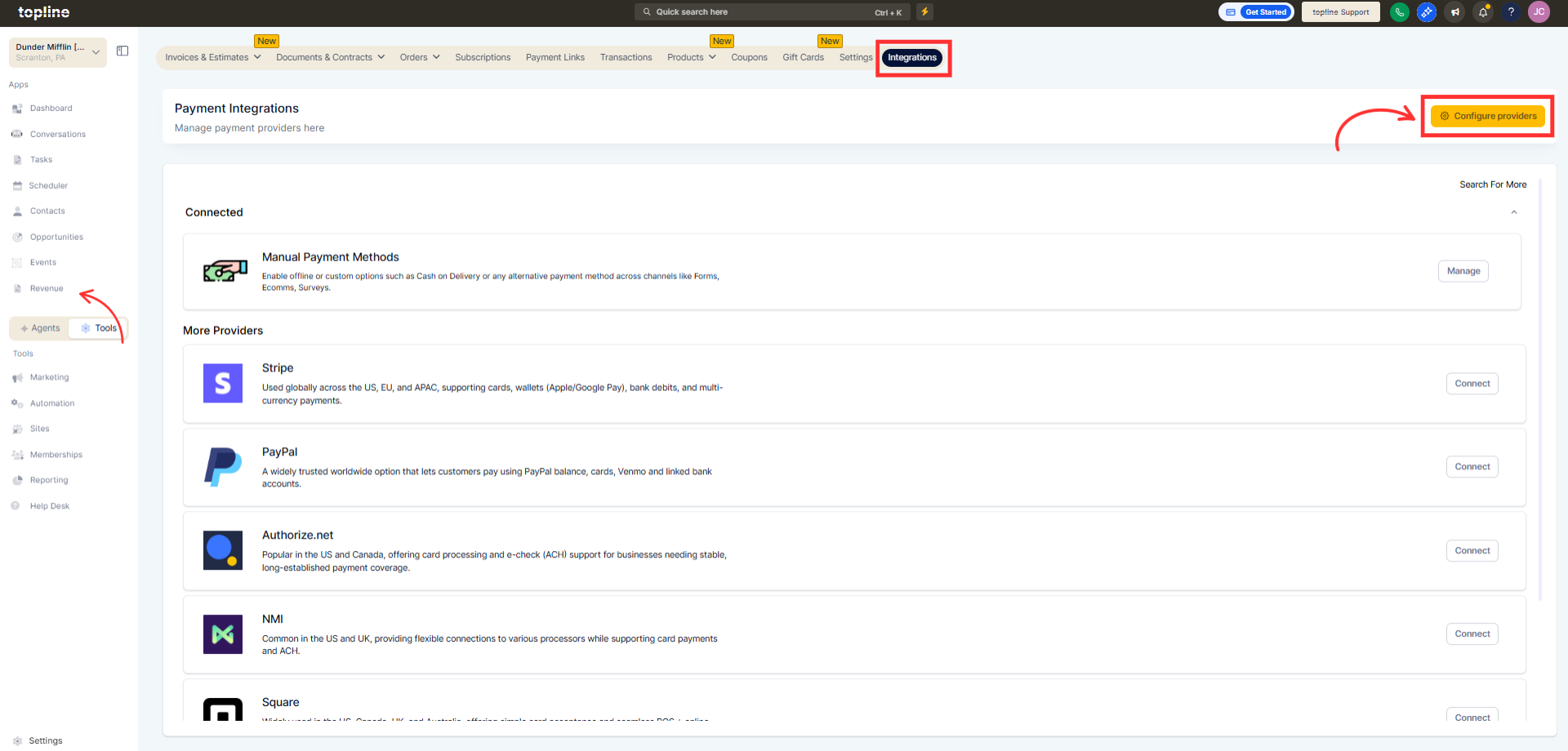
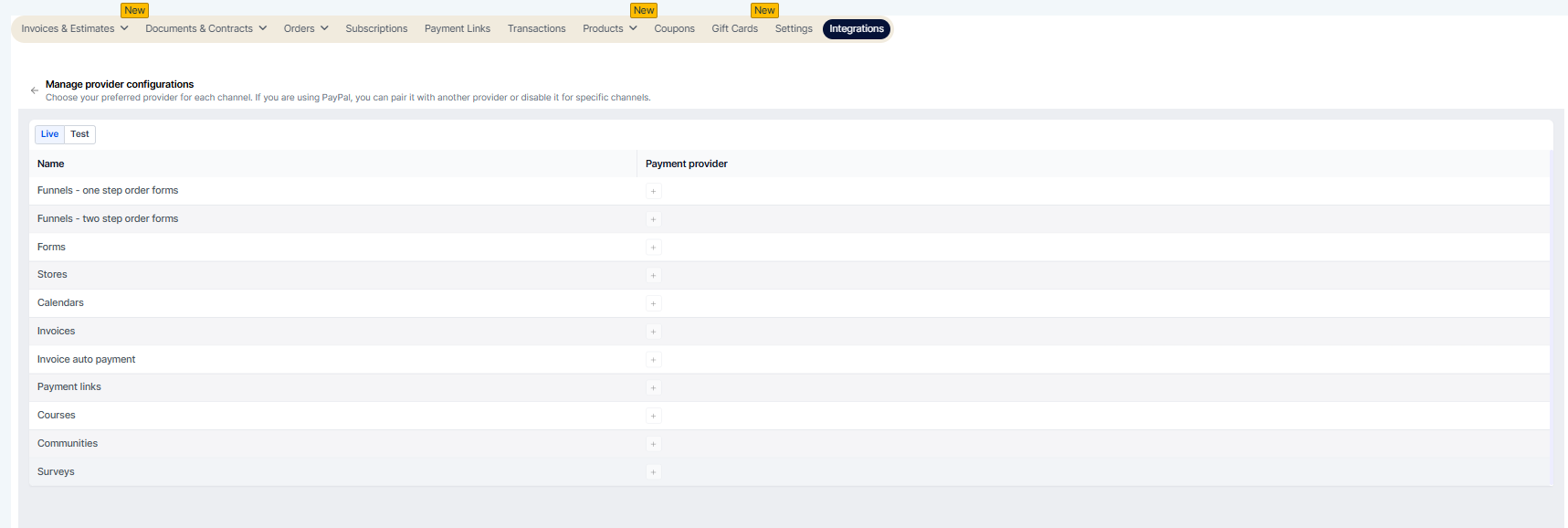
Step 2
Locate the section where sales channels are managed. Choose the channel you want to configure. Select the preferred payment provider for that channel.
FAQ’s
What does configuring a payment provider by channel mean?
• It allows different payment providers to be assigned to specific sales channels.Do I need to enable this feature manually?
• Yes, payment providers must be assigned within settings.Can different channels use different providers?
• Yes, each channel can have its own assigned provider.Does this affect existing transactions?
• No, it applies to transactions after configuration changes.Can I change the provider later?
• Yes, payment provider assignments can be updated at any time.