Conversation AI can now produce structured summaries and full transcripts of conversations. This helps teams quickly understand key points, review interactions, and maintain accurate records without manually reading through entire message threads.
• Automatic generation of conversation summaries
• Full conversation transcript creation
• Faster review of long conversations
• Improved documentation and record keeping
• Better visibility into key discussion points
• Use summaries to understand customer context quickly
• Review transcripts for detailed follow-up actions
• Store summaries in notes for future reference
• Use transcripts for training and quality review
• Combine summaries with workflow actions for automation
Step 1
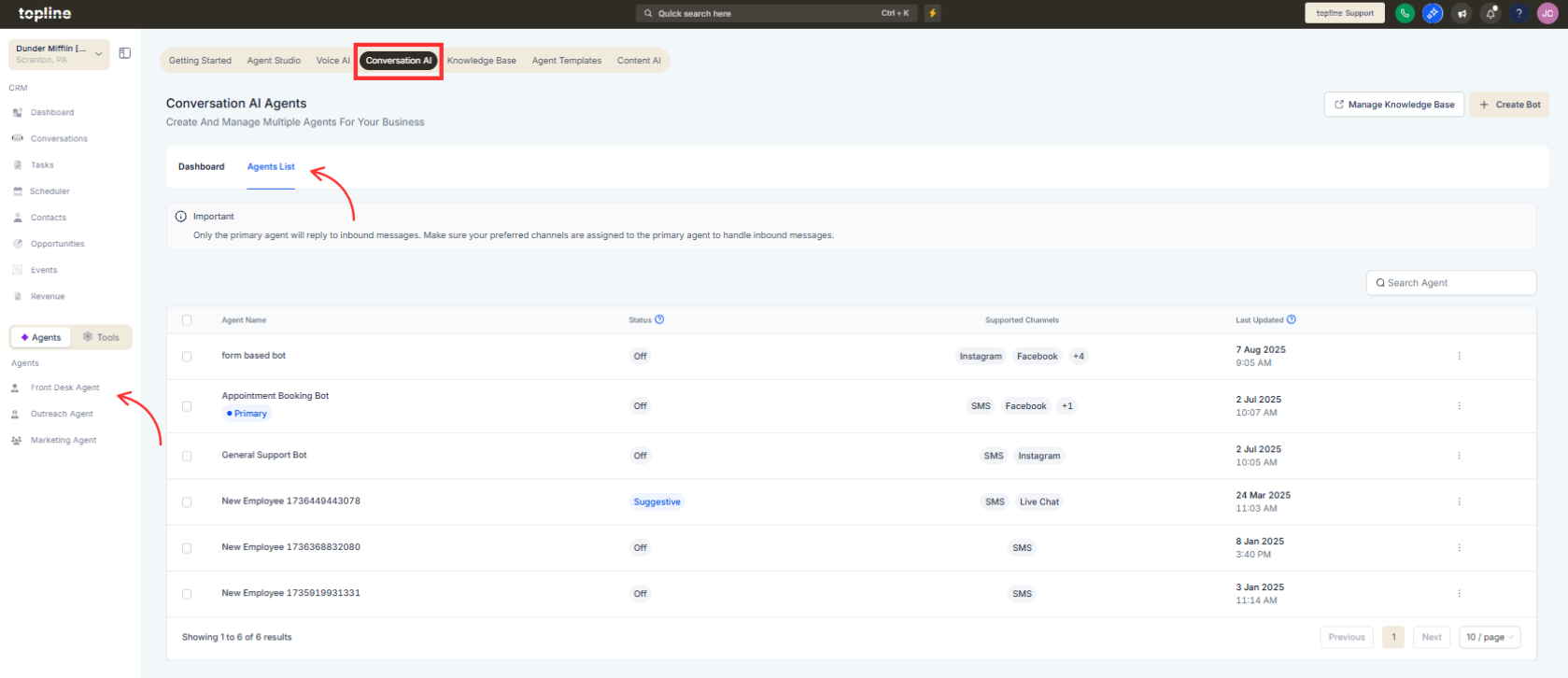
Navigate to the Front Desk Agent, then Conversation AI, and check the Agent List.
Step 2
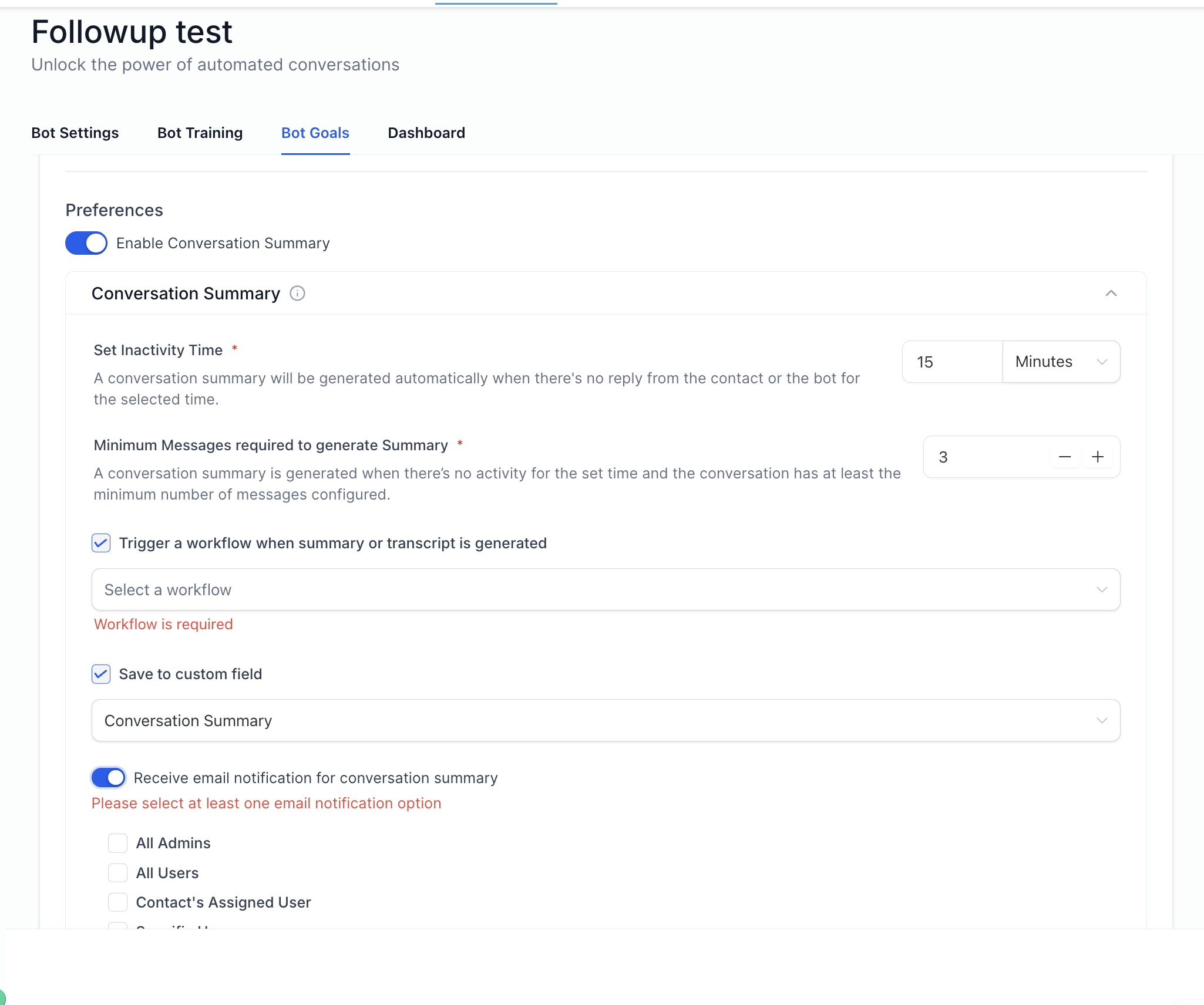
Locate the option to generate a summary or transcript. Select the desired option to create the summary or full transcript.
What does Conversation AI generate?
• It creates conversation summaries and full transcripts.
Do I need to enable this feature manually?
• No, it is available within supported conversations.
Can transcripts include all messages?
• Yes, transcripts reflect the full conversation history.
Are summaries automatically created?
• They are generated when selected by the user.
Can summaries be saved for later use?
• Yes, they can be stored in notes or records.
