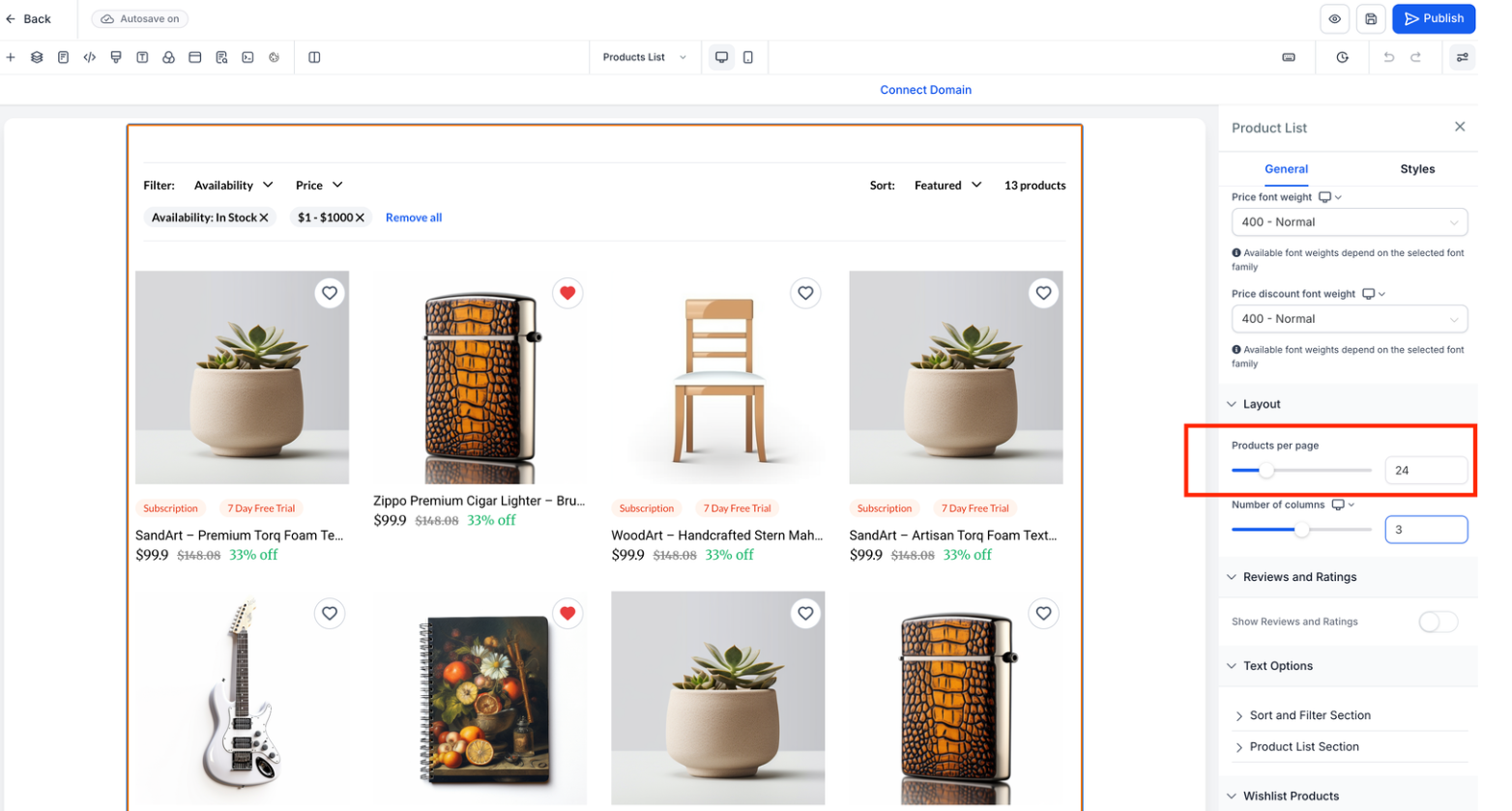
You can now display more products per page in the product list view. This enhancement reduces the need for pagination and allows faster navigation and management of large product catalogs.
• Increased product count per page on the product list page
• Reduced need to navigate between multiple pages
• Faster browsing of large product catalogs
• Improved efficiency for product management
• Smoother experience when viewing multiple products
• Increase product count when managing large inventories
• Use search and filters alongside higher page limits
• Monitor page load speed after increasing the count
• Adjust view settings based on screen size
• Use higher counts for bulk editing tasks
Step 1
Navigate to the products or store management area.
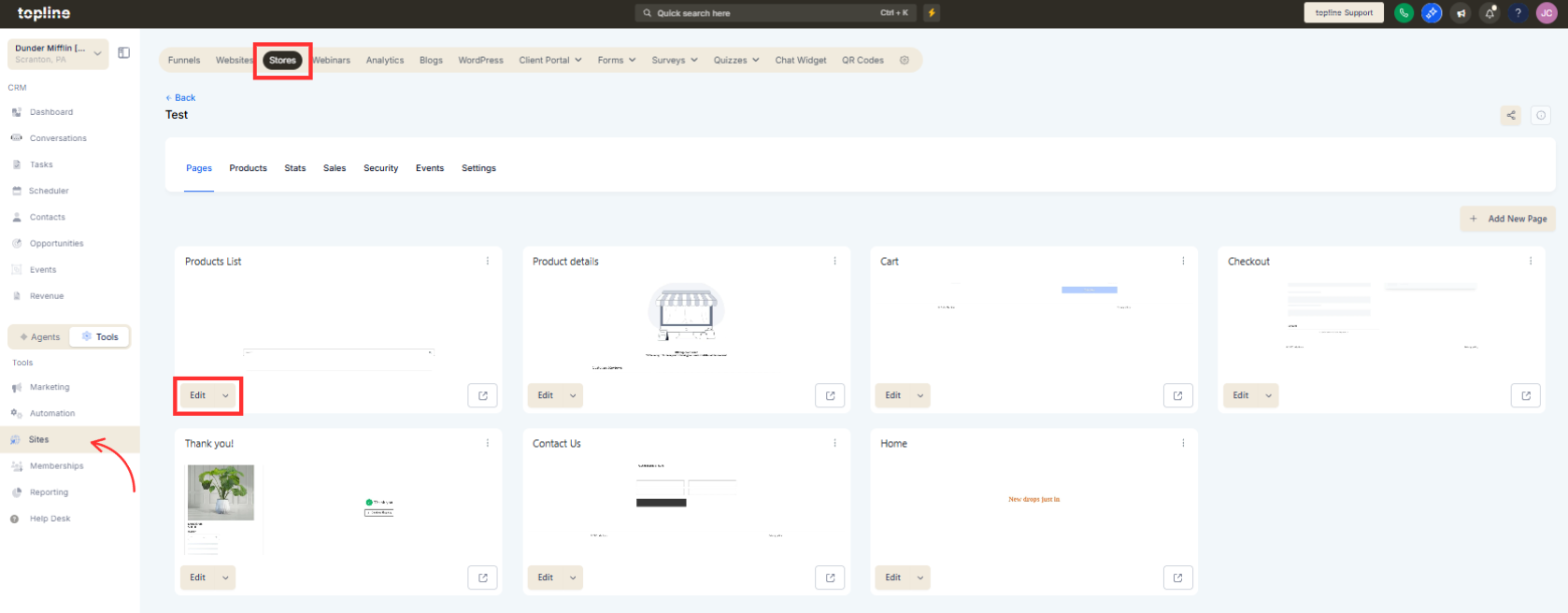
Step 2
Open the product list view. Select the desired number of products to display per page.
What does increasing products per page do?
• It allows more products to appear on a single list page.
Do I need to enable this feature manually?
• Yes, you must adjust the products per page setting.
Does this affect product data?
• No, it only changes how products are displayed.
Can I change the number later?
• Yes, the display count can be adjusted anytime.
Will this impact performance?
• Larger counts may slightly affect loading time depending on catalog size.
