You can now use voice dictation inside the AI builder assistant to create workflows and automation instructions. This makes it faster to capture ideas, build logic, and generate workflows hands-free while maintaining accuracy and control.
• Voice dictation support in AI builder assistant
• Ability to speak instructions instead of typing
• Faster workflow creation through voice input
• Improved accessibility and convenience
• Smoother idea capture during automation setup
• Speak clearly for more accurate transcription
• Keep instructions concise and structured
• Review generated text before finalizing workflows
• Use voice input for quick brainstorming sessions
• Combine dictation with manual edits for precision
Step 1
Navigate to the AI builder assistant in your automation section.
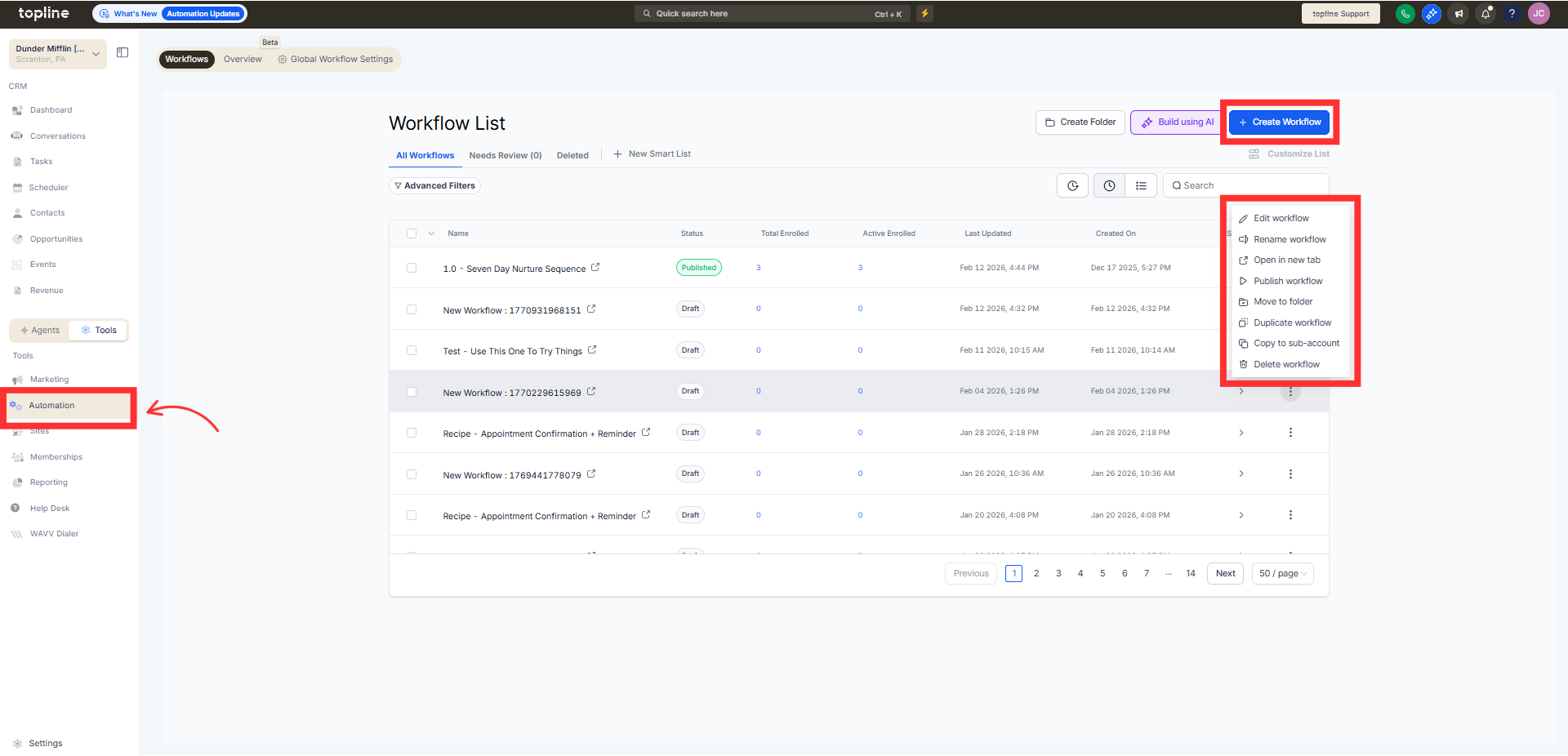
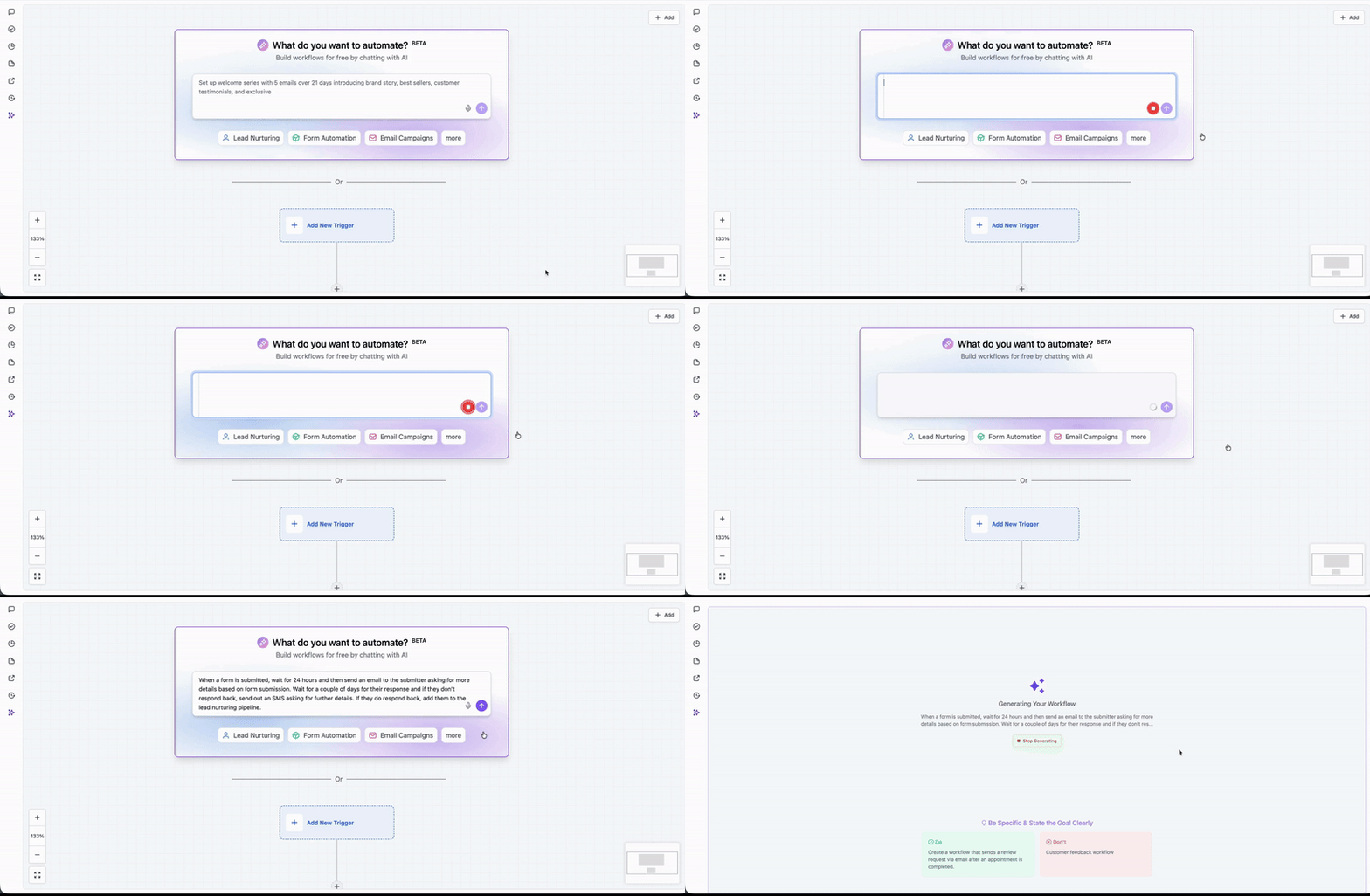
Step 2
Select the microphone option to begin voice input. Clearly describe the workflow or automation you want created.
What does voice dictation do in the AI builder assistant?
• It converts spoken instructions into text for workflow creation.
Do I need special equipment to use voice dictation?
• A device with a microphone is required.
Is voice dictation enabled automatically?
• It is available within the AI builder assistant when supported.
Can I edit the text after dictating?
• Yes, the transcribed text can be edited before generating workflows.
Does this affect existing workflows?
• No, it only changes how instructions are entered.
