Workflows can now start based on Manus events and automatically perform actions within Manus. This integration improves operational efficiency by reducing manual updates and keeping systems aligned through automated task execution.
• New workflow triggers based on Manus events
• New workflow actions that interact with Manus
• Automatic synchronization between Manus and workflows
• Reduced manual task management
• Improved automation for operational processes
• Use triggers to start workflows when Manus events occur
• Automate status updates to keep records accurate
• Map fields carefully to ensure correct data flow
• Test workflows with sample Manus activity
• Use automation to reduce repetitive operational steps
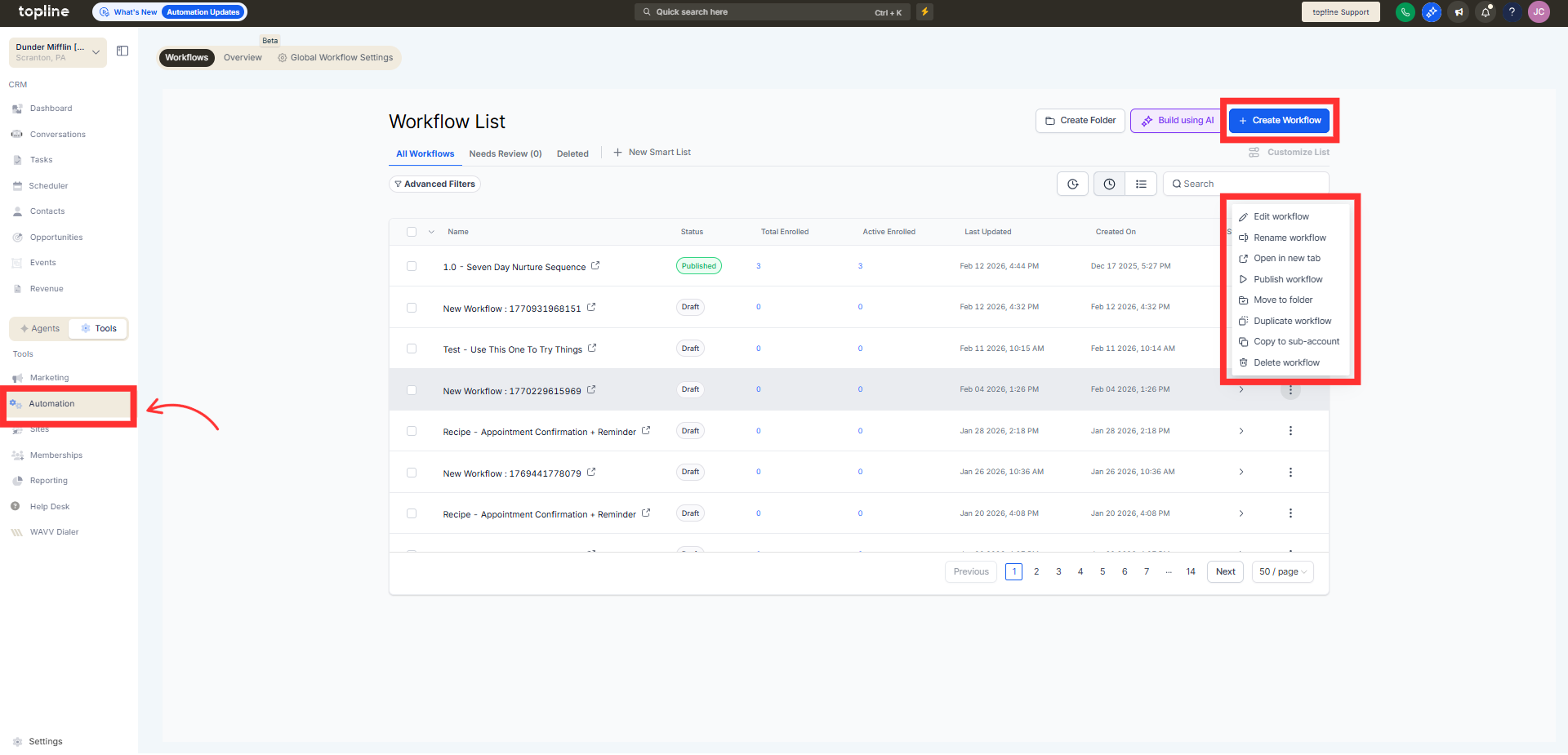
Step 1
Navigate to your automation section and create a new workflow.
Step 2
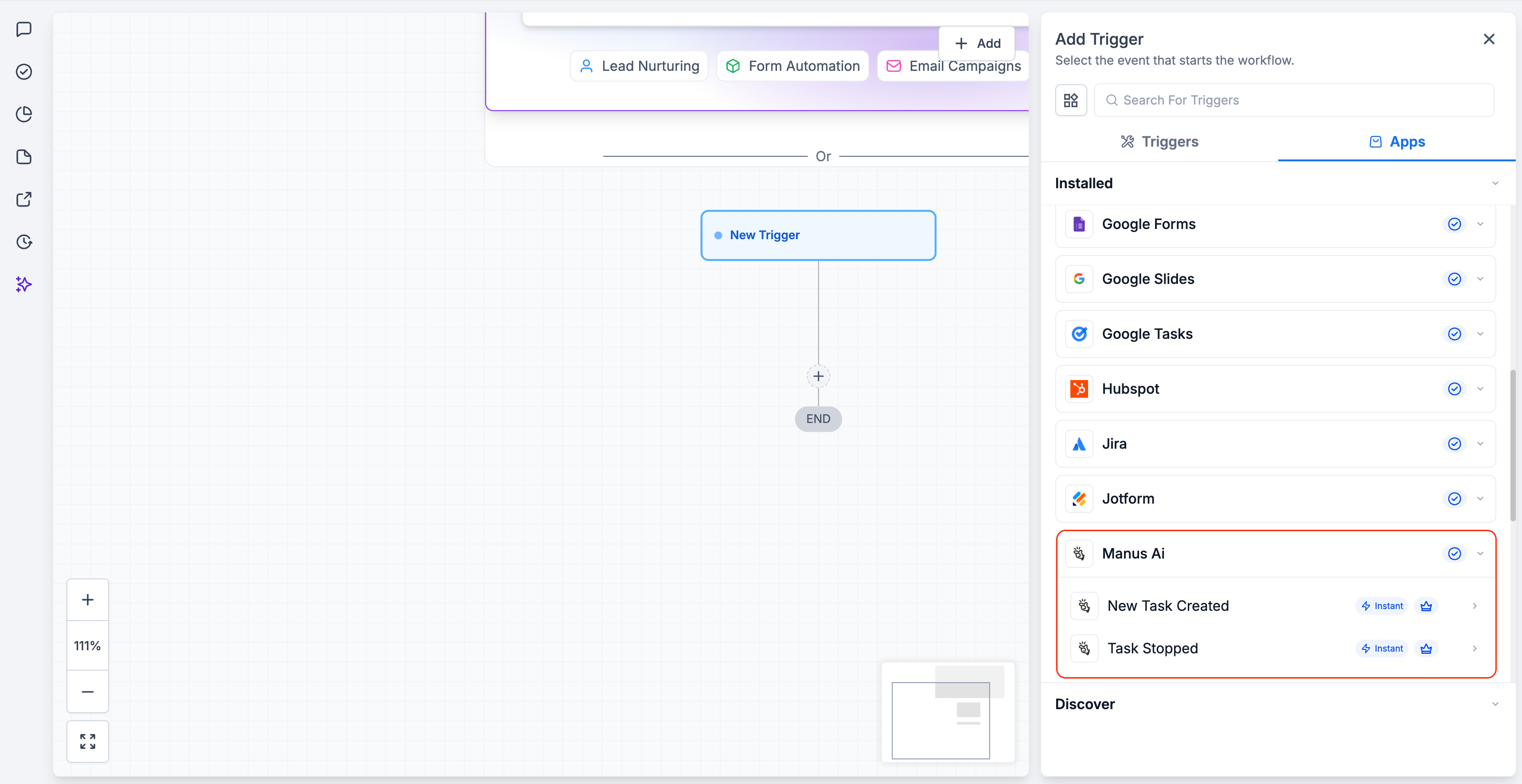
Select a trigger based on Manus activity. Define which Manus events should start the workflow.
Step 3
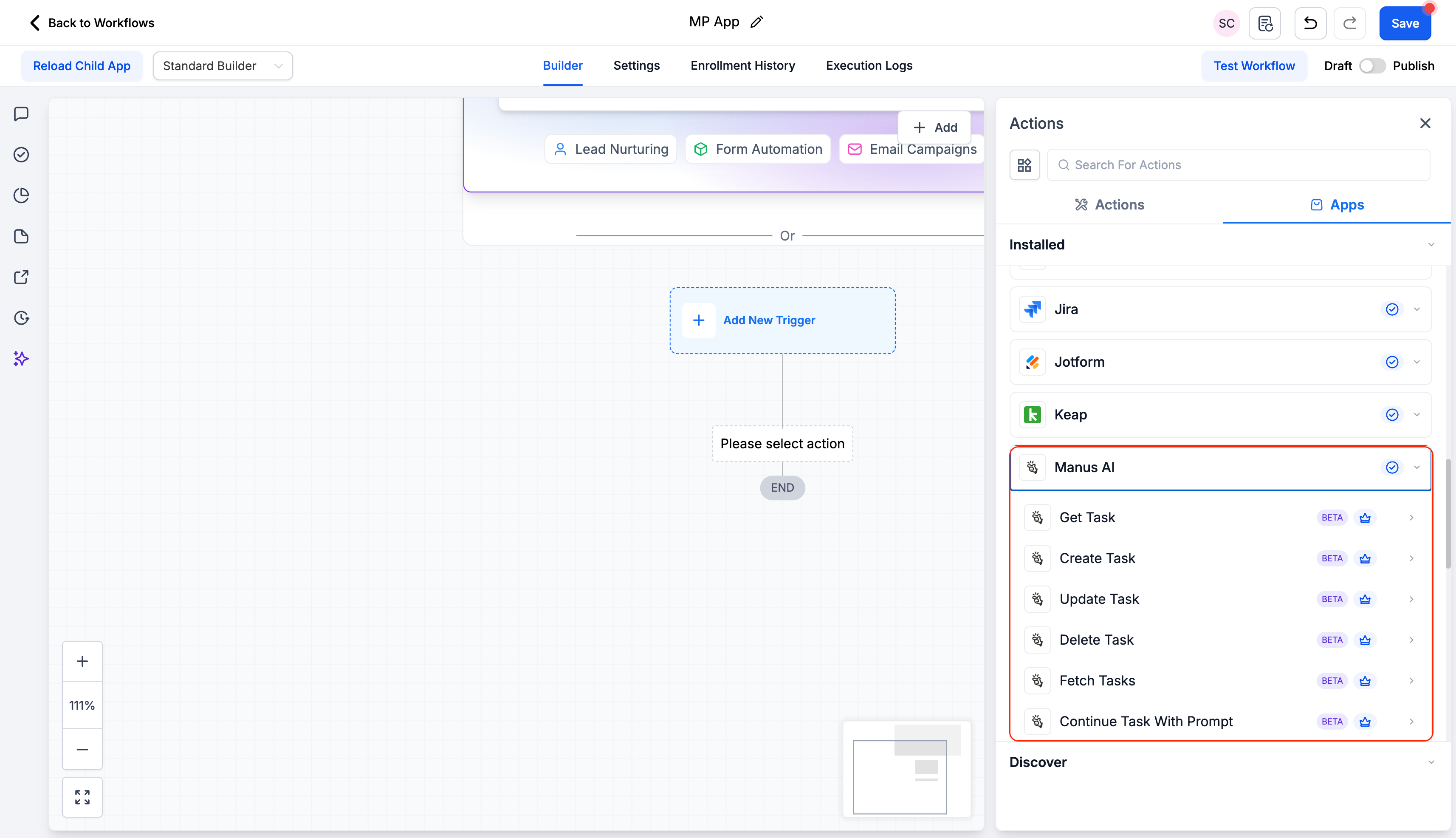
Insert actions to create, update, or manage records in Manus.
What do Manus triggers and actions do?
• They allow workflows to respond to and update Manus activity automatically.
Do I need to enable this feature manually?
• Yes, you must add Manus triggers or actions to a workflow.
Can workflows update Manus records?
• Yes, actions can create or update Manus records.
Does this work with existing Manus setups?
• Yes, existing accounts can be connected.
Can multiple workflows use Manus integration?
• Yes, different workflows can respond to different Manus events.
