Invoices and estimates are now available in a separate tab, rather than replacing the current view. This makes it easier to review financial documents while keeping your original workspace open, reducing back-and-forth navigation, and improving productivity.
• Invoices open in a new browser tab
• Estimates open in a new browser tab
• Improved navigation between financial documents
• Reduced disruption to the current workspace
• Faster multitasking when reviewing billing information
• Keep your main billing view open while reviewing documents
• Use multiple tabs to compare invoices or estimates
• Close unused tabs to stay organized
• Review document details before sending
• Use tab navigation shortcuts for faster movement
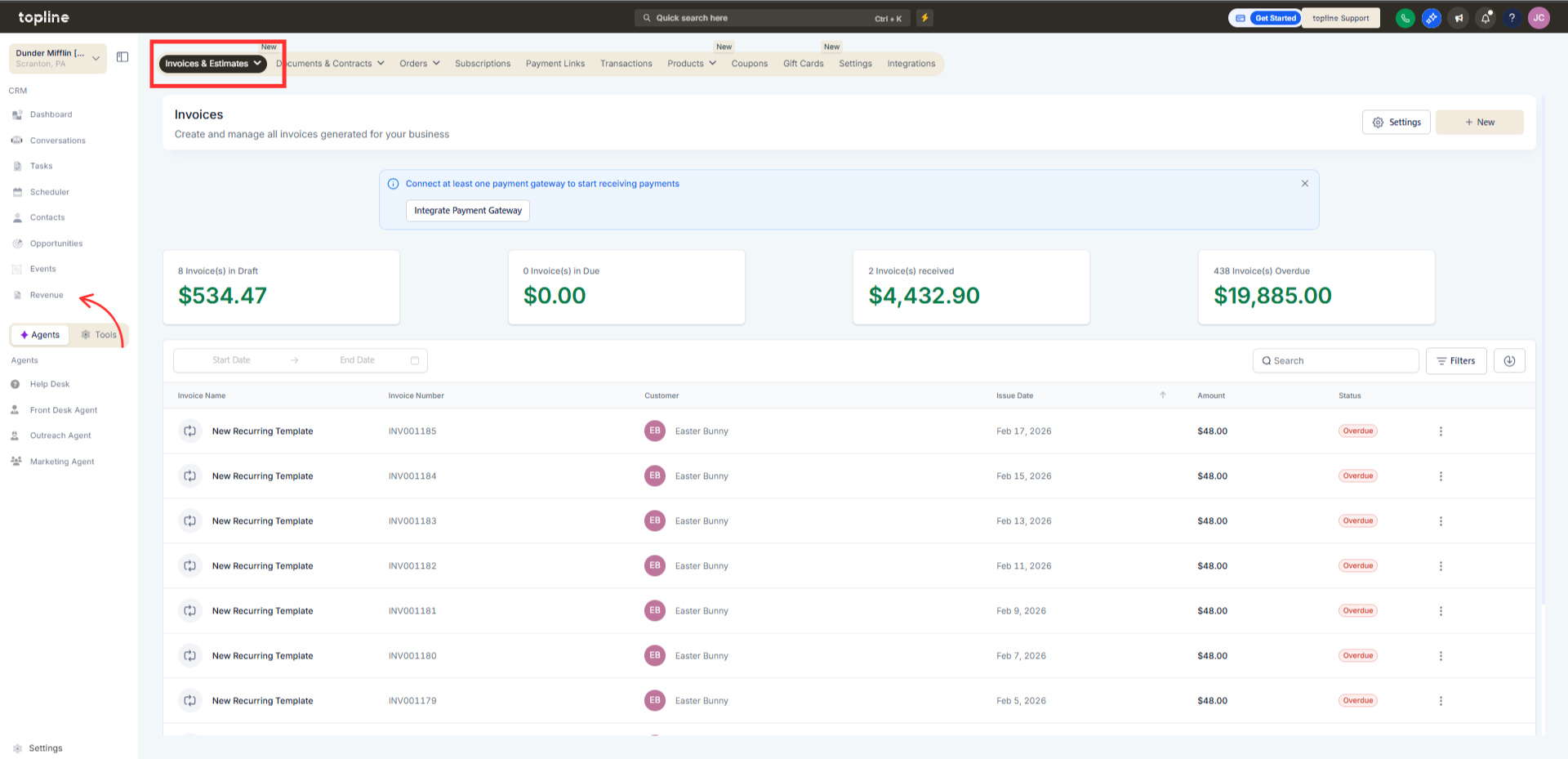
Step 1
Navigate to Revenue > Invoices
Step 2
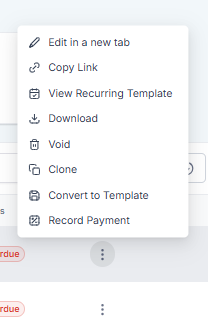
Click on the document you want to review. The selected document will automatically open in a separate tab.
What changed with invoices and estimates?
• They now open in a new browser tab.
Do I need to enable this feature?
• No, the behavior is applied automatically.
Does this affect invoice data?
• No, it only changes how documents open.
Can I still navigate back to the list view?
• Yes, your original tab remains open.
Does this apply to both invoices and estimates?
• Yes, both document types open in a new tab.
