You can now predefine or select staff members inside the document and contract templates. This ensures the correct team member is associated with the document during sending or signing, reducing manual adjustments and improving operational efficiency.
• Staff selection available within document templates
• Staff selection available within contract templates
• Improved assignment accuracy during document creation
• Reduced need for manual reassignment
• Better alignment between documents and responsible team members
• Assign staff within templates to streamline document workflows
• Review staff roles before setting template defaults
• Use consistent naming for easier staff identification
• Test templates to confirm correct staff assignment
• Update templates if team roles change
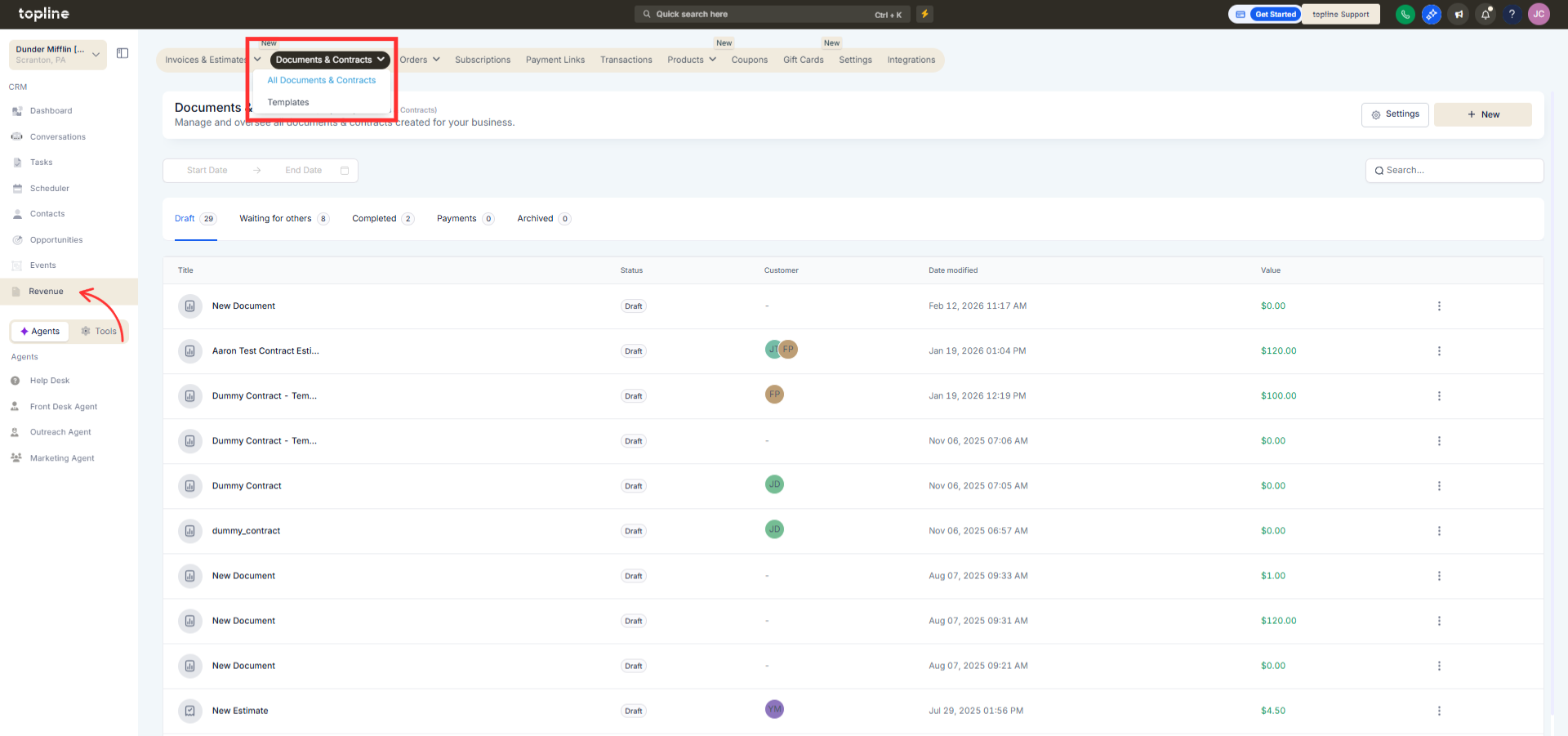
Step 1
Navigate to your documents or contracts template section.
Step 2
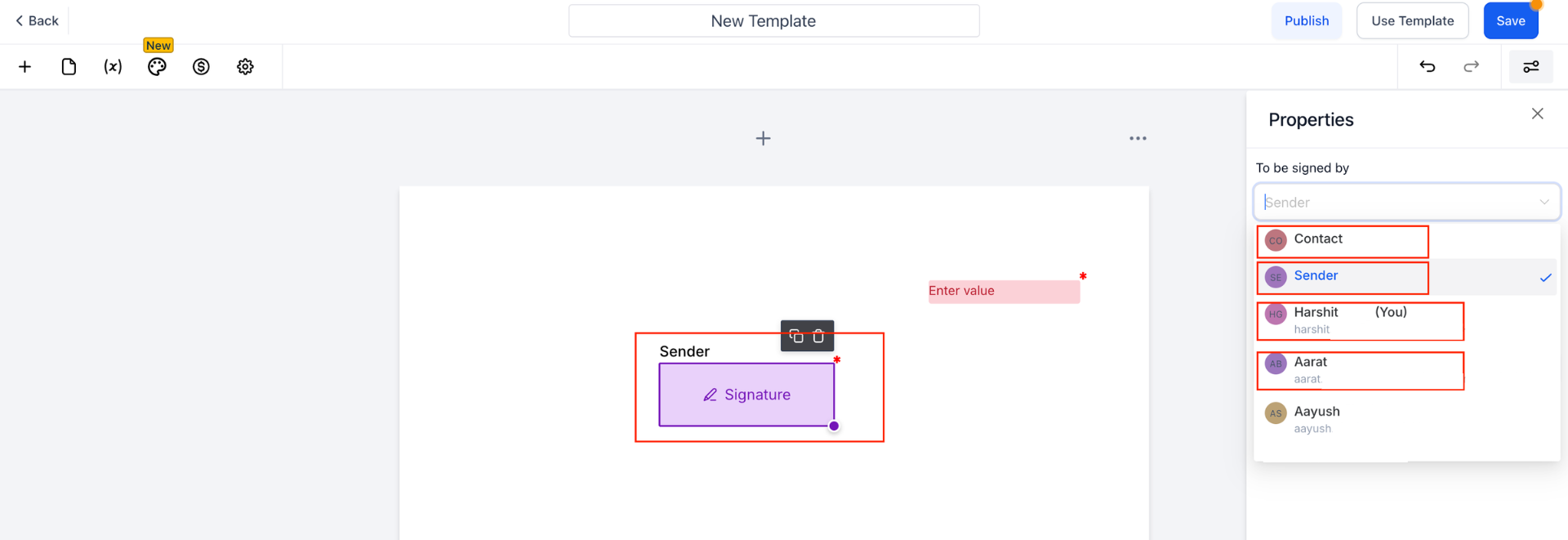
Select an existing template or create a new one. Choose the appropriate staff member within the template settings.
What does staff selection in templates allow?
• It allows assigning a staff member directly within document or contract templates.
Do I need to enable this feature manually?
• Yes, staff must be selected within each template.
Does this affect existing documents?
• No, it applies to documents created after template updates.
Can I change the assigned staff later?
• Yes, staff assignments can be updated in the template.
Does this improve workflow efficiency?
• Yes, it reduces manual assignment during document creation.
