Prospects can now be added straight into selected pipelines without manual reassignment. This streamlines the sales process, ensures faster follow-up, and keeps opportunity tracking organized from the very beginning.
• Prospects can be sent directly into pipelines
• Faster lead routing into opportunity stages
• Reduced manual movement of prospects
• Improved organization of sales workflows
• Better visibility into pipeline entry points
• Define clear pipeline stages before routing prospects
• Use automation to send prospects into the correct pipeline
• Monitor new entries to ensure correct stage placement
• Align prospect routing with your sales process
• Test routing logic before launching live campaigns
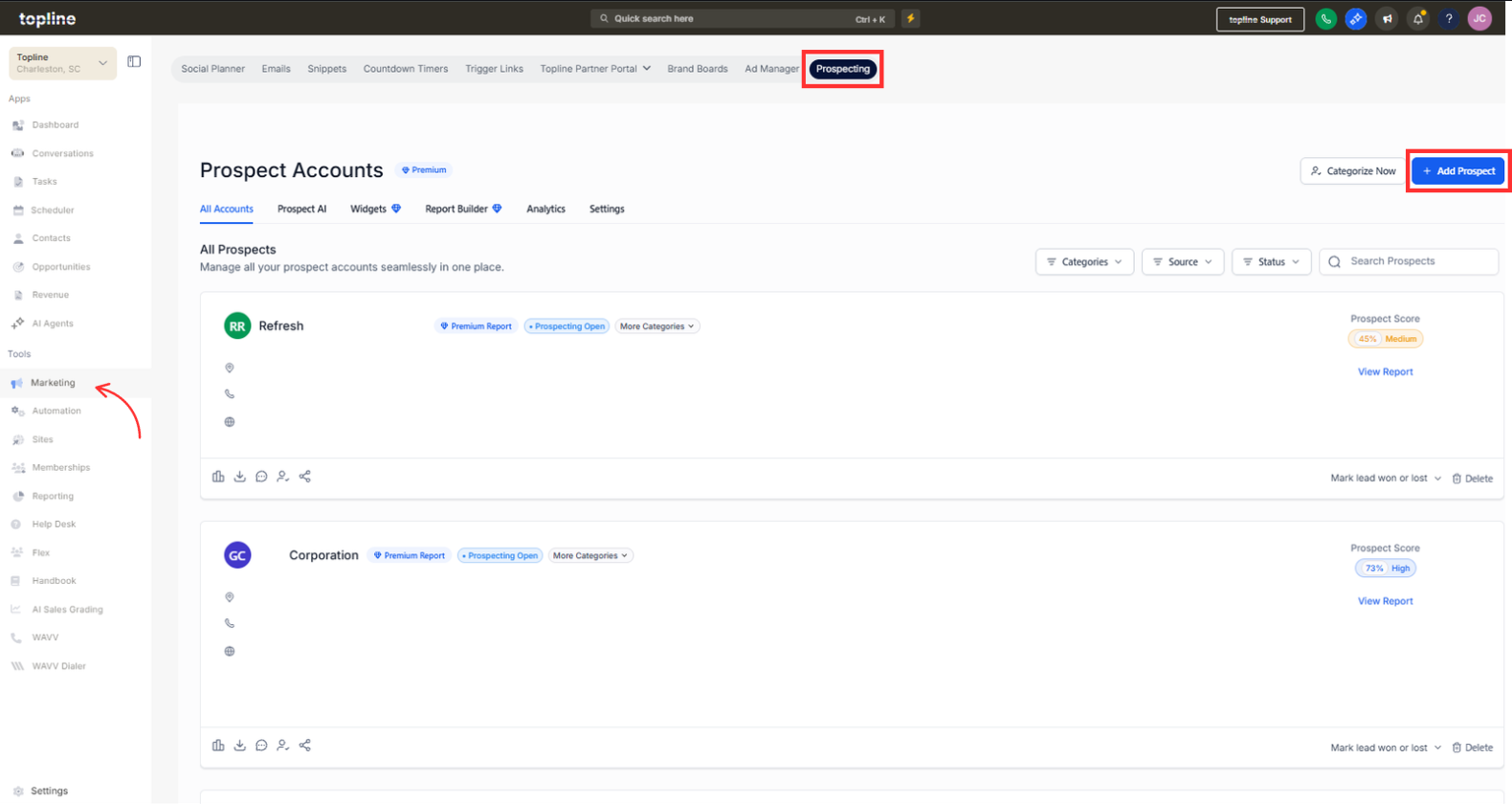
Step 1
Navigate to your pipelines or opportunities section.
Step 2
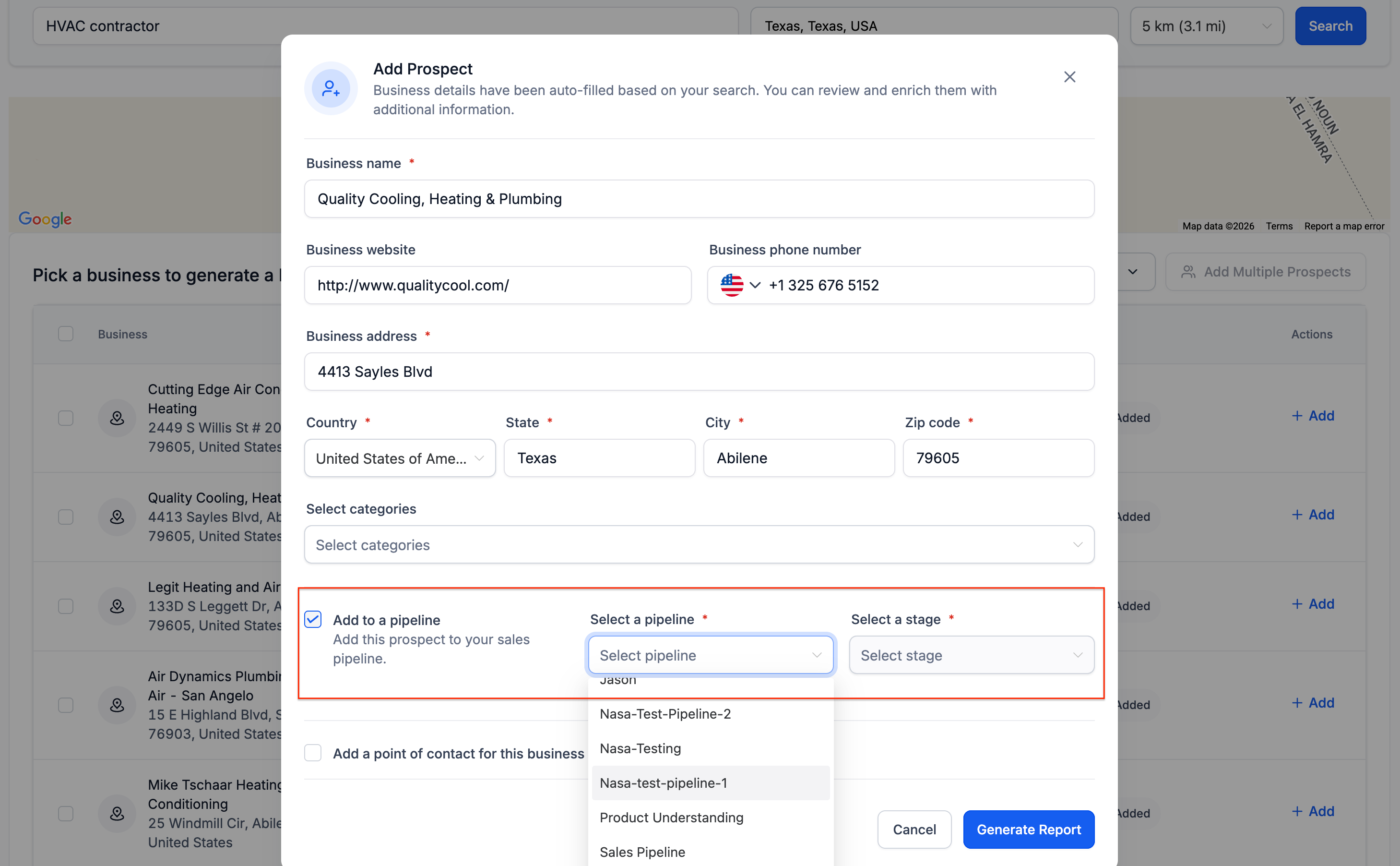
Choose the pipeline where prospects should be sent.
What does sending prospects directly to pipelines do?
• It adds prospects straight into selected pipeline stages.
Do I need to enable this feature manually?
• Yes, routing must be configured through settings or automation.
Can I choose which pipeline prospects enter?
• Yes, you can select the desired pipeline and stage.
Does this affect existing prospects?
• No, it applies to new routing actions.
Can automation send prospects to pipelines?
• Yes, workflows can be used for automatic routing.
