The customer replied that the trigger now supports messages from the all-in-one chat widget. This ensures workflows can start correctly when customers respond through the unified chat experience, allowing faster follow-up and more reliable automation across channels.
• Customer replied, trigger now supports all-in-one chat widget
• Improved detection of chat-based replies
• More accurate workflow activation from chat responses
• Better automation coverage across messaging channels
• Enhanced reliability for conversation-driven workflows
• Use the customer replied trigger for chat follow-ups
• Test replies from the chat widget to confirm trigger behavior
• Combine with conditions to filter specific reply types
• Review workflow timing to ensure prompt responses
• Monitor conversation logs for accurate trigger execution
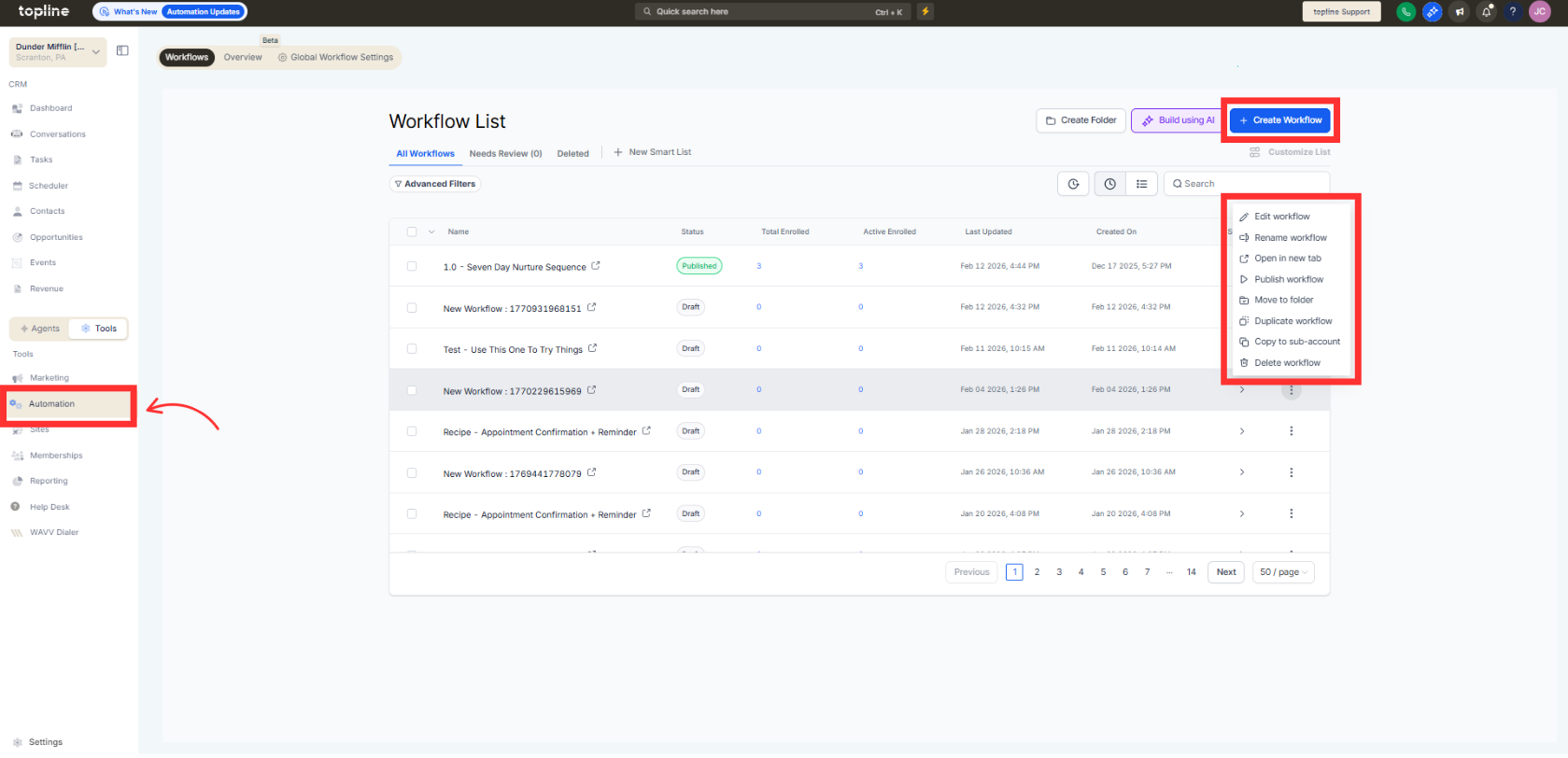
Step 1
Navigate to your automation section and create or edit a workflow.
Step 2
Choose the customer replied trigger as the workflow entry point.
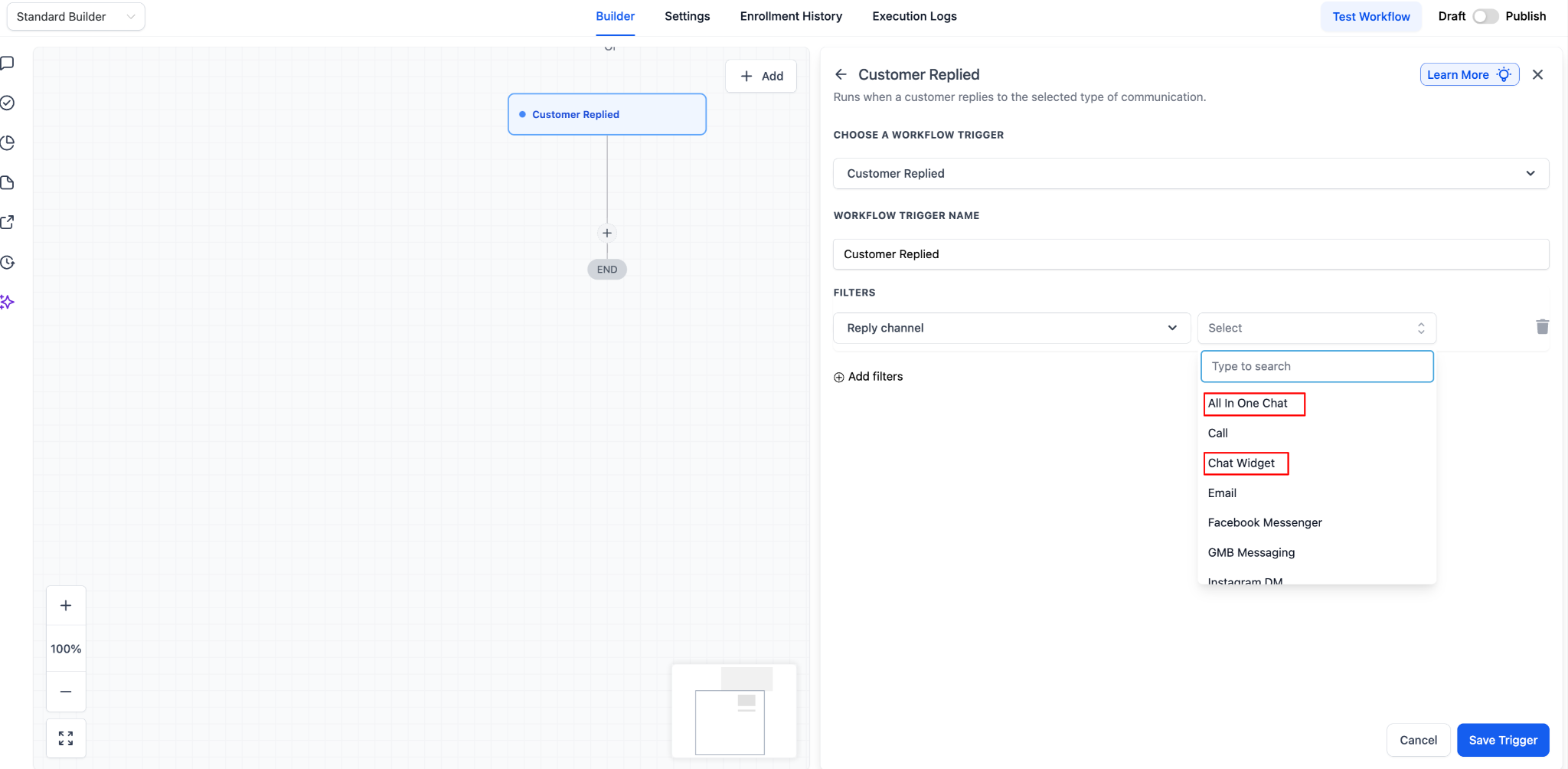
Step 3
Confirm that the all-in-one chat widget is active. Add any filters or timing conditions as needed.
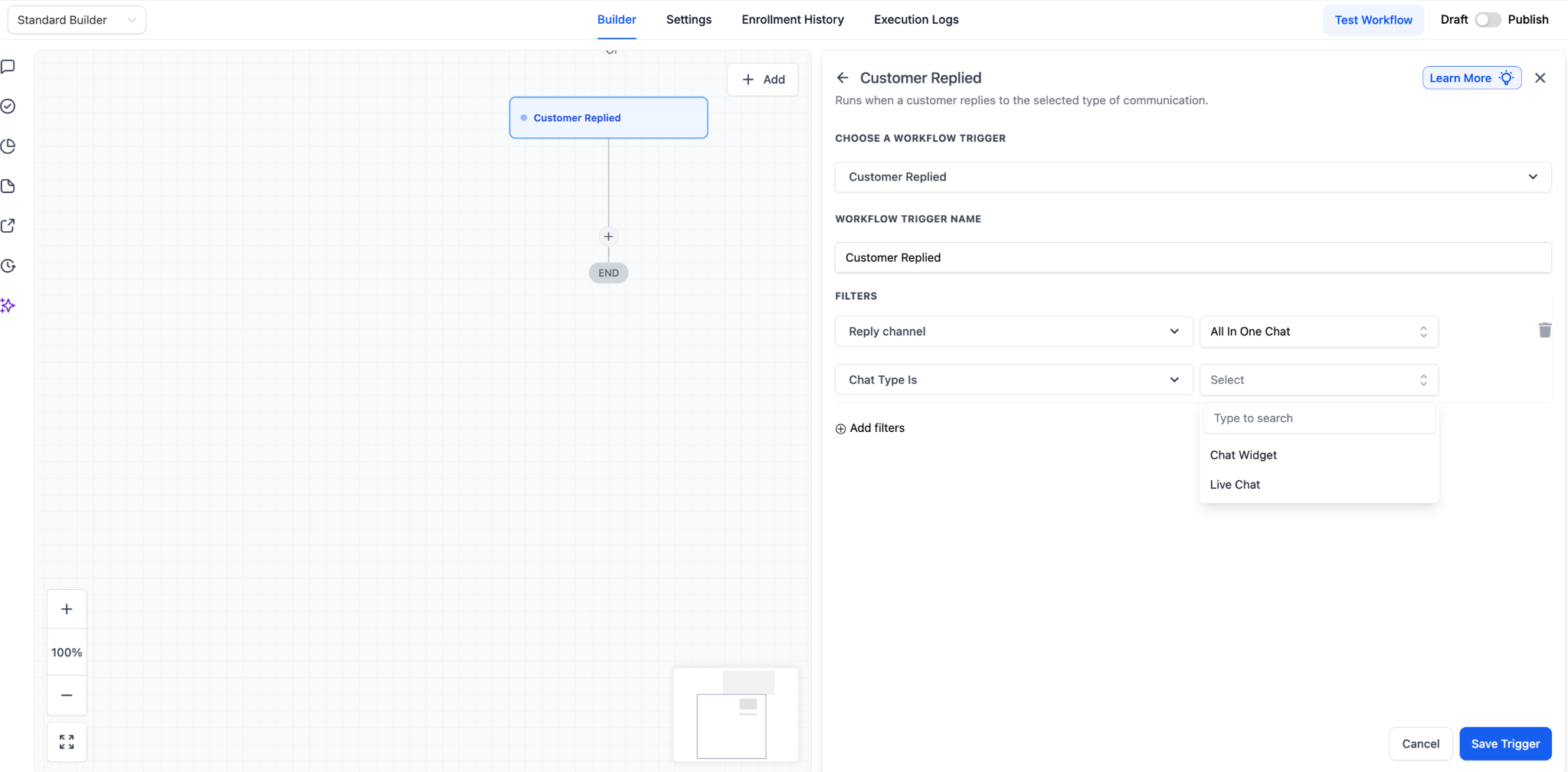
FAQ’s
What does support for the all-in-one chat widget mean?
• It allows the customer reply trigger to detect replies from the unified chat widget.
Do I need to enable this update manually?
• No, the trigger now supports chat replies automatically.
Does this affect existing workflows?
• Existing workflows using the customer replied trigger benefit from improved detection.
Can I filter which replies trigger automation?
• Yes, conditions can be added to refine trigger behavior.
Does this work across all chat channels?
• It works for messages coming through the all-in-one chat widget.
