You can now export multiple company records at once instead of handling them individually. This improves efficiency when creating reports, sharing data with teams, or maintaining external backups of company information.
• Bulk export option for company records
• Faster data extraction for reporting and analysis
• Reduced manual effort when exporting multiple companies
• Improved data portability
• Better support for large datasets
• Apply filters before exporting to narrow results
• Review exported data for completeness
• Use exports for reporting or external analysis
• Schedule exports during low activity periods
• Store exported files securely
Step 1
Navigate to the companies management area.
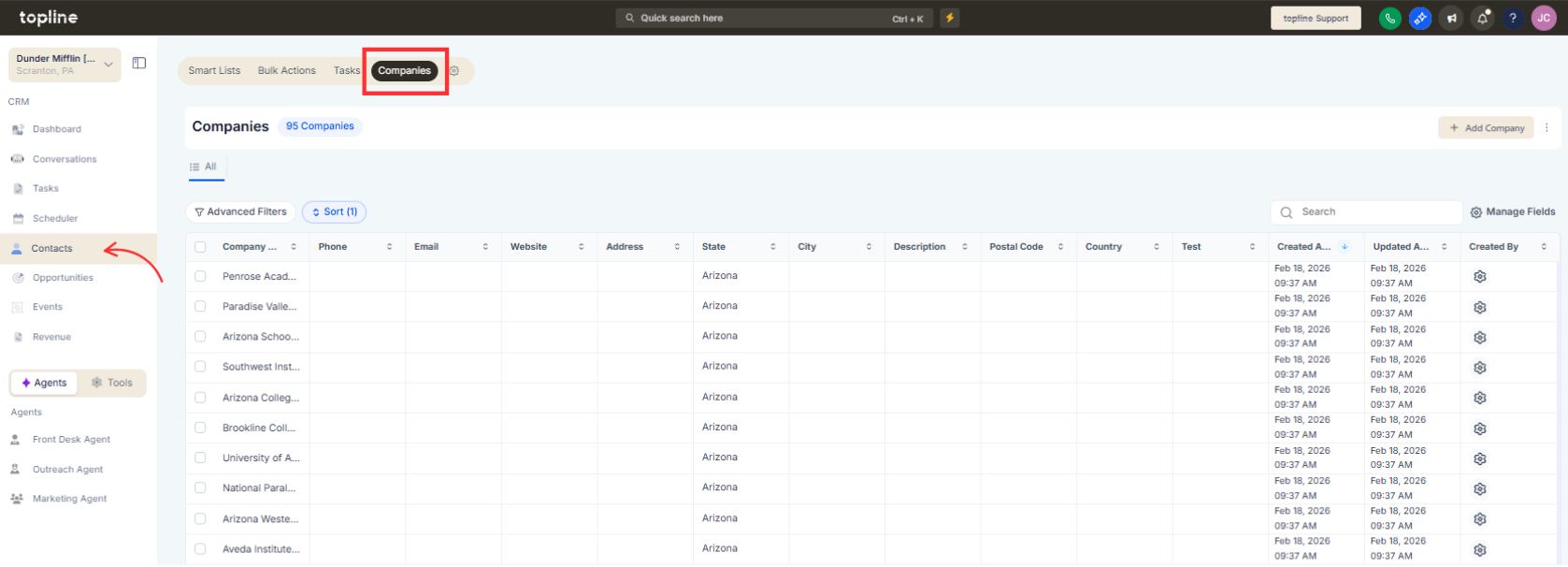
Step 2
Use filters to define which companies to export. Choose the companies you want to include.
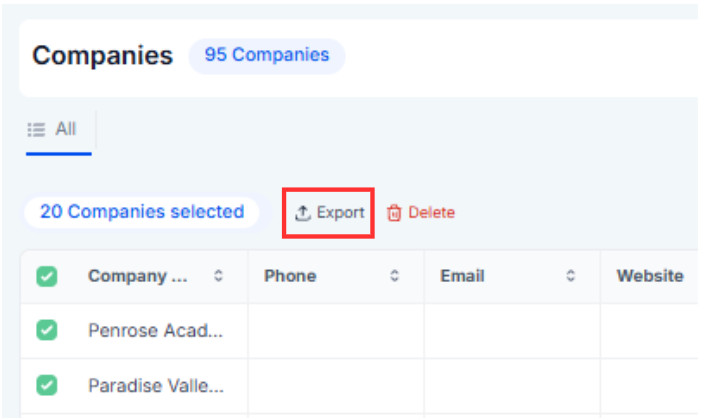
Step 3
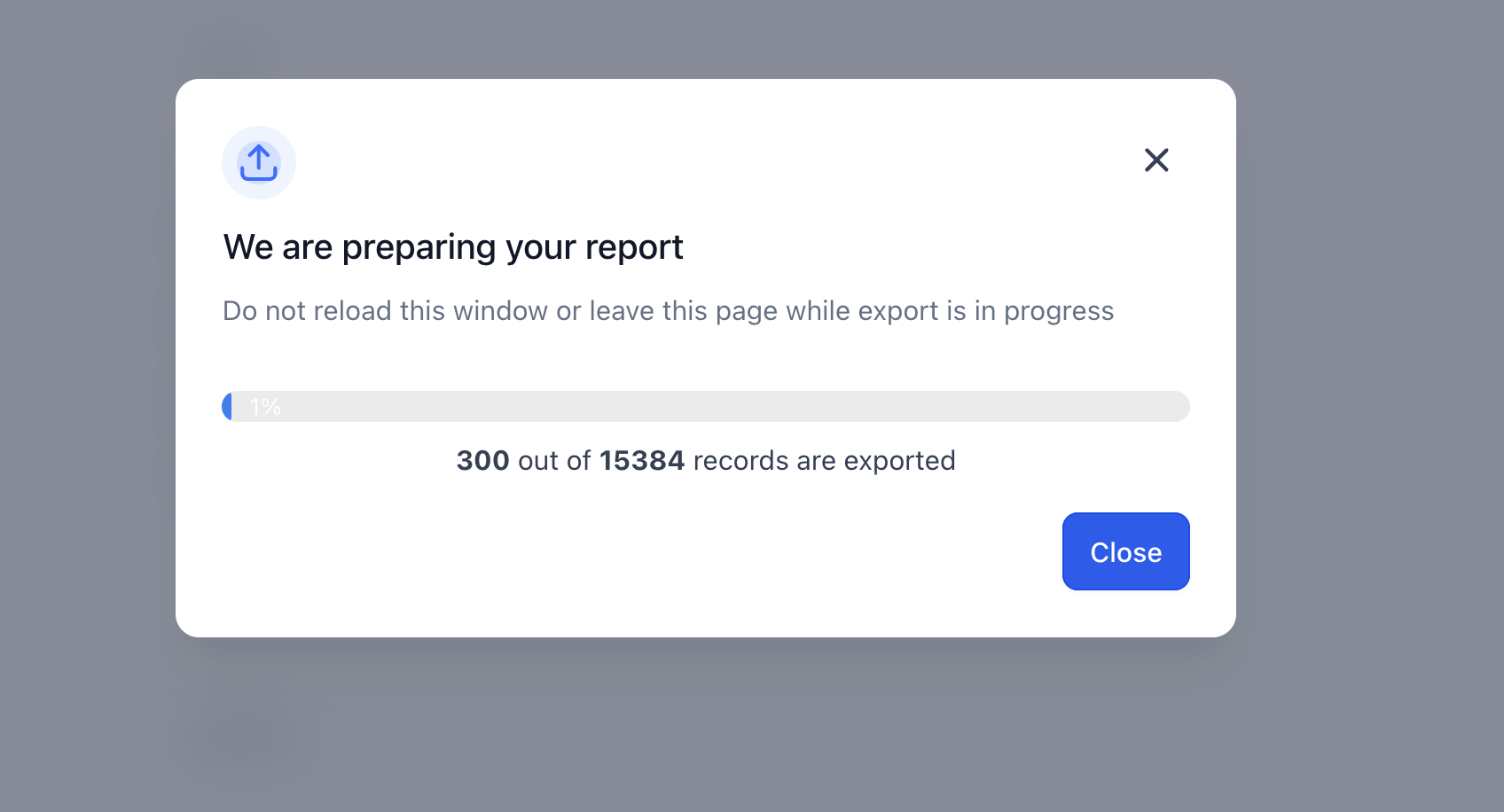
Select the bulk export action from the available options. Save the generated file to your device.
What does a bulk company export allow?
• It enables exporting multiple company records at once.
Do I need to enable this feature?
• No, the export option is available automatically.
Can I export filtered company lists?
• Yes, filters can be applied before exporting.
What format is the exported file in?
• The export format follows standard data file options available in the system.
Does exporting affect company data?
• No, exporting does not modify existing records.
