You can now sort custom object records using custom fields. This makes it easier to organize data prioritize records and quickly find the information you need based on specific criteria defined in your custom setup.
• Sorting support for custom fields in custom objects
• Improved data organization capabilities
• Faster access to prioritized records
• Better visibility into structured custom data
• Enhanced flexibility in record management
• Use sorting to prioritize high value or urgent records
• Combine sorting with filters for refined views
• Keep custom field naming clear for easier management
• Review sorting order before exporting data
• Test different sort options to optimize workflows
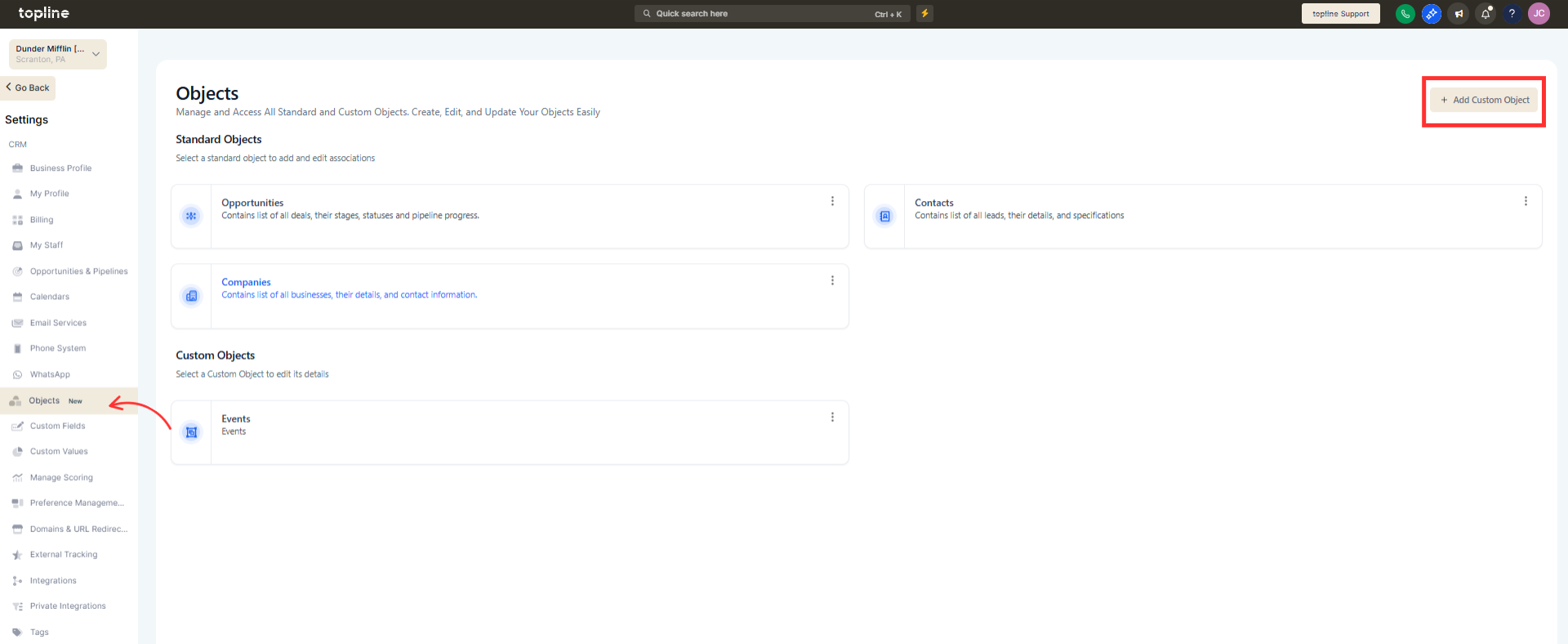
Step 1
Navigate to the custom objects area.
Step 2
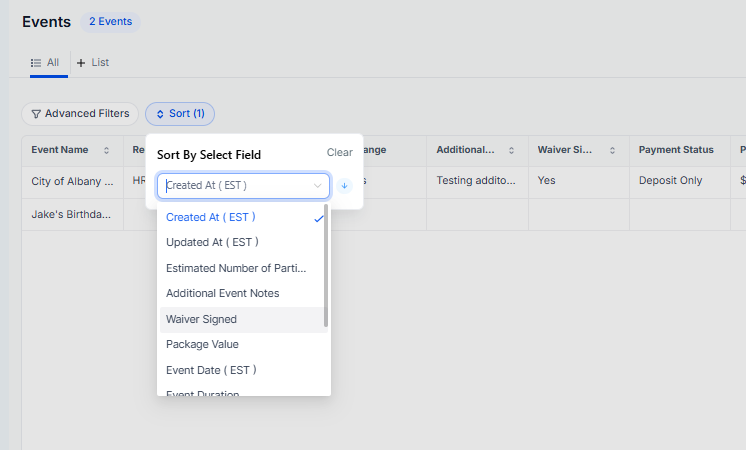
Open the list view of the desired custom object. Locate the custom field you want to sort by. Click the column header to sort ascending or descending.
What does sorting on custom fields allow?
• It allows records to be ordered based on custom field values.
Do I need to enable this feature?
• No, sorting is available automatically for supported fields.
Does this affect existing data?
• No, it only changes how records are displayed.
Can I sort both ascending and descending?
• Yes, sorting can be applied in either direction.
Does this work for all custom objects?
• It works for custom objects that include sortable custom fields.
