You can now customize how Conversation AI responds by adjusting response style settings. This helps ensure automated replies match your brand voice communication goals and customer expectations while maintaining consistency across conversations.
• Response style settings for Conversation AI
• Greater control over tone and structure
• Improved alignment with brand voice
• More consistent automated replies
• Enhanced personalization of AI responses
• Choose a tone that reflects your brand personality
• Keep responses clear and professional
• Test different styles to see what performs best
• Monitor conversations to ensure quality
• Update style settings as communication needs evolve
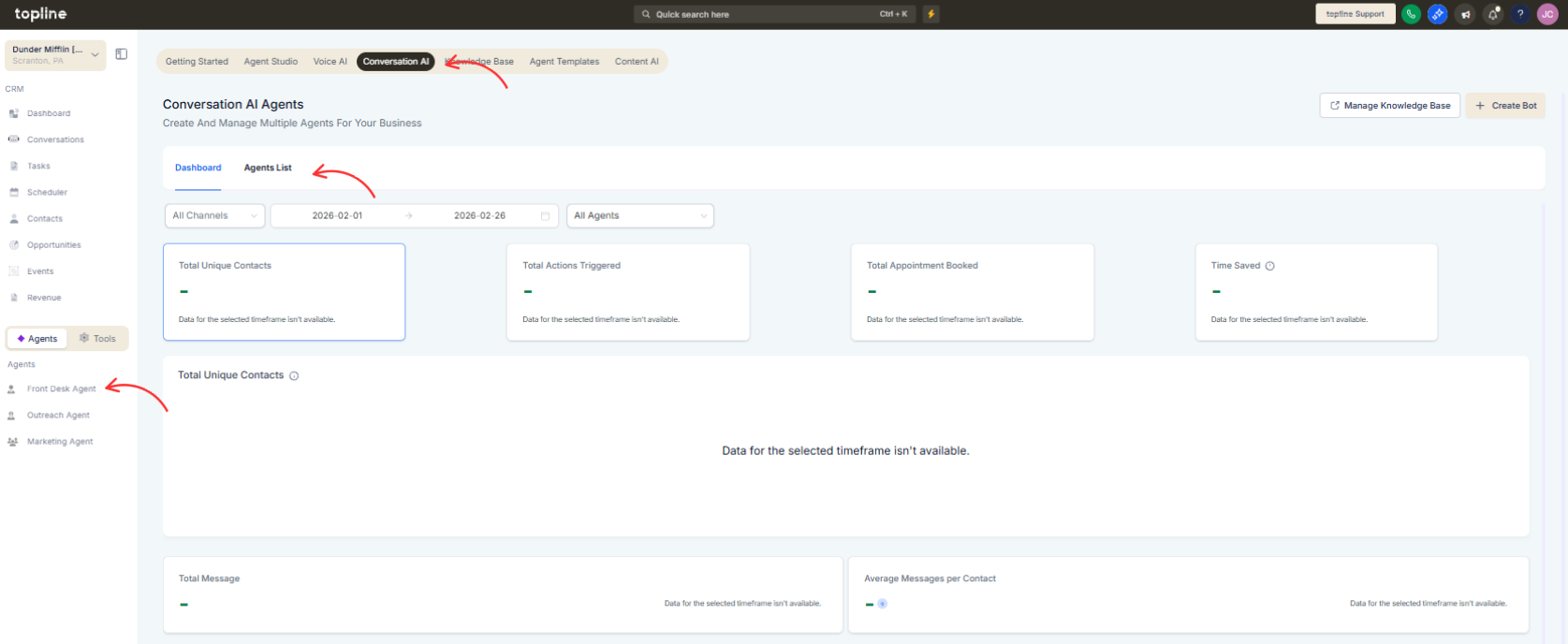
Step 1
Navigate to the Conversation AI configuration area.
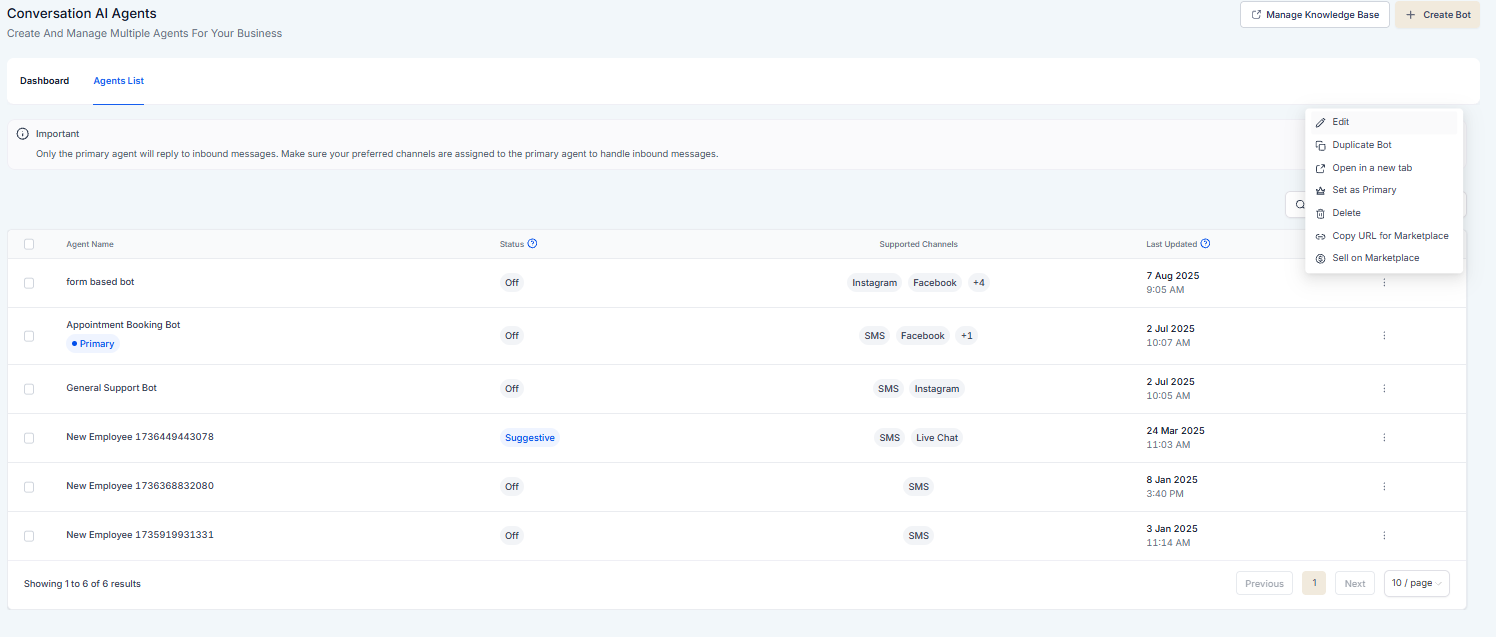
Step 2
Locate the section for adjusting response style.
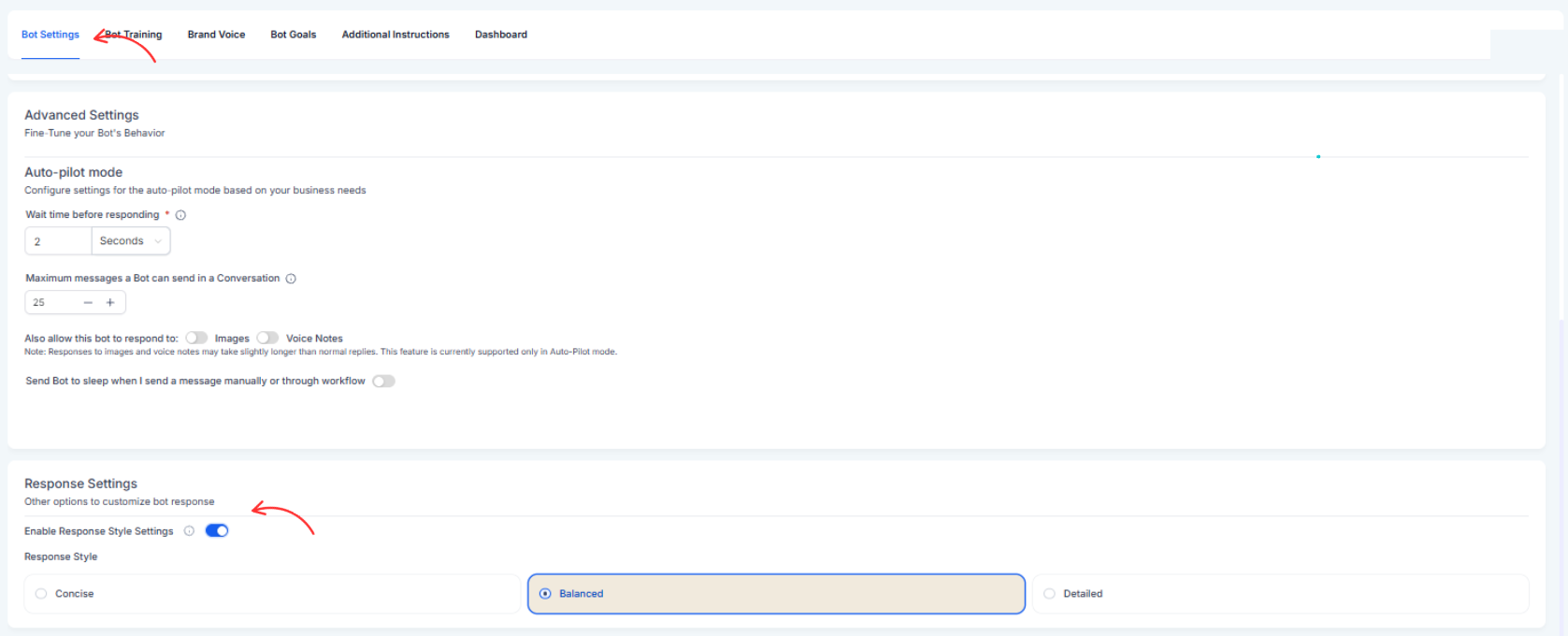
Step 3
Choose the style settings that best match your goals.
What are Conversation AI response style settings?
• They allow you to control the tone and structure of AI replies.
Do I need to enable this feature manually?
• Yes, style preferences must be configured in settings.
Does this affect existing conversations?
• It applies to responses generated after the setting is updated.
Can I change the style later?
• Yes, response style can be updated at any time.
Does this impact manual replies?
• No, it only affects AI-generated responses.
