You can now import custom object records in bulk and choose whether to create new records or update existing ones. This improves efficiency when managing large datasets and reduces manual entry errors while keeping custom data structured and accurate.
• Bulk import support for custom objects
• Option to create new records during import
• Option to update existing records during import
• Faster management of large custom datasets
• Improved accuracy through structured data uploads
• Prepare your import file with clean and consistent data
• Use unique identifiers to update the correct records
• Test with a small sample before full import
• Double check field mapping before confirming upload
• Keep a backup of your original data file
Step 1
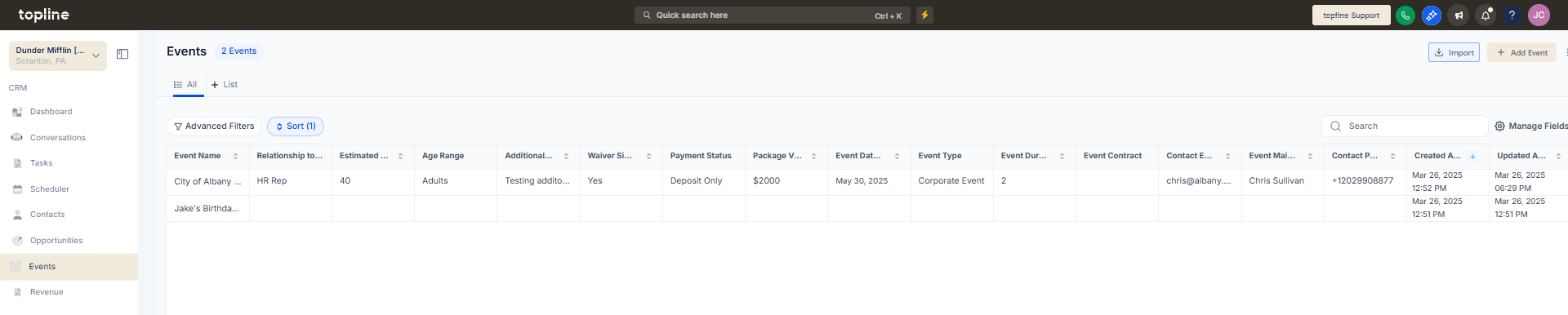
Navigate to the custom objects area.
Step 2
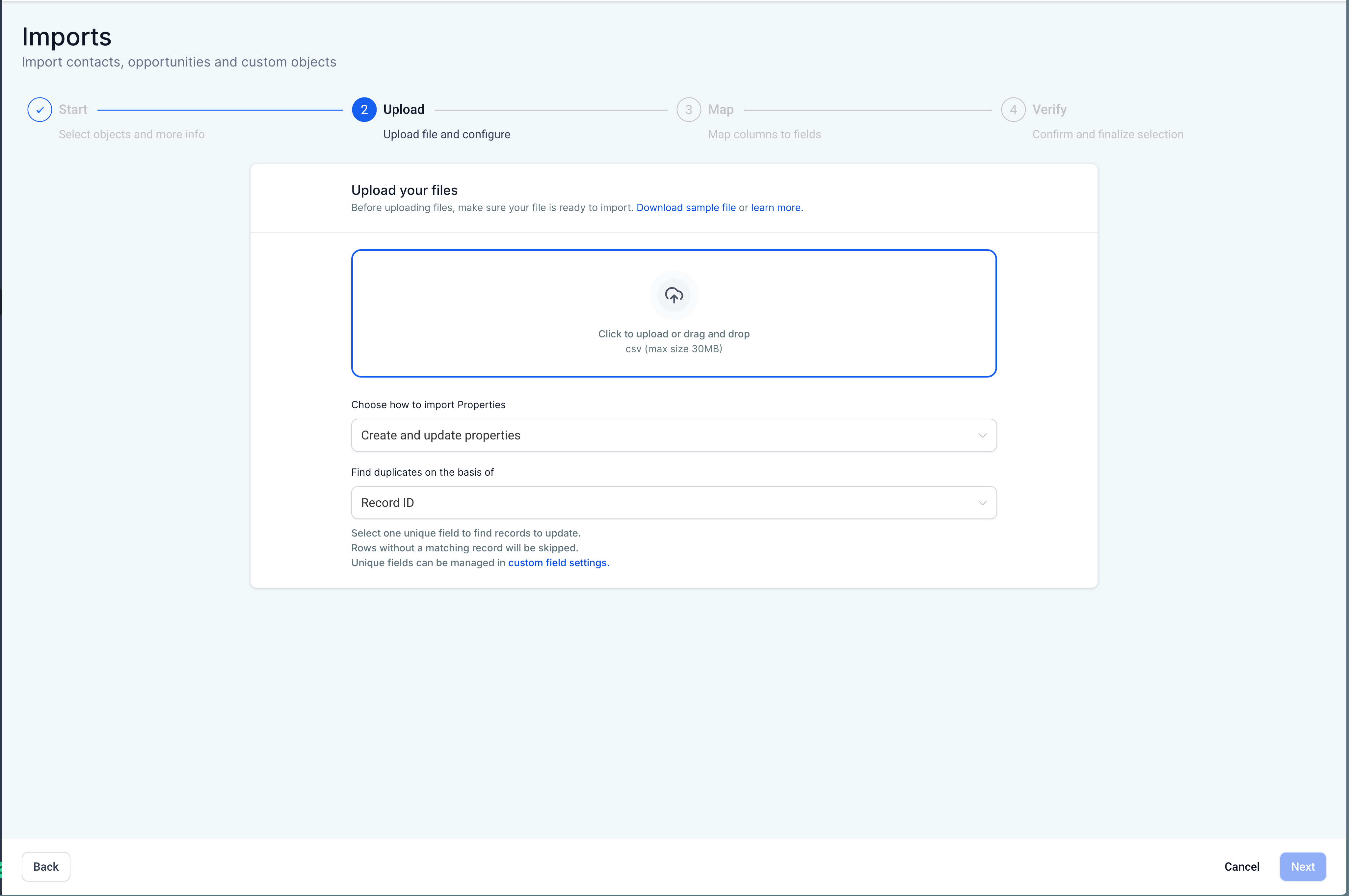
Choose the bulk import action. Upload your prepared file containing custom object records.
Step 3
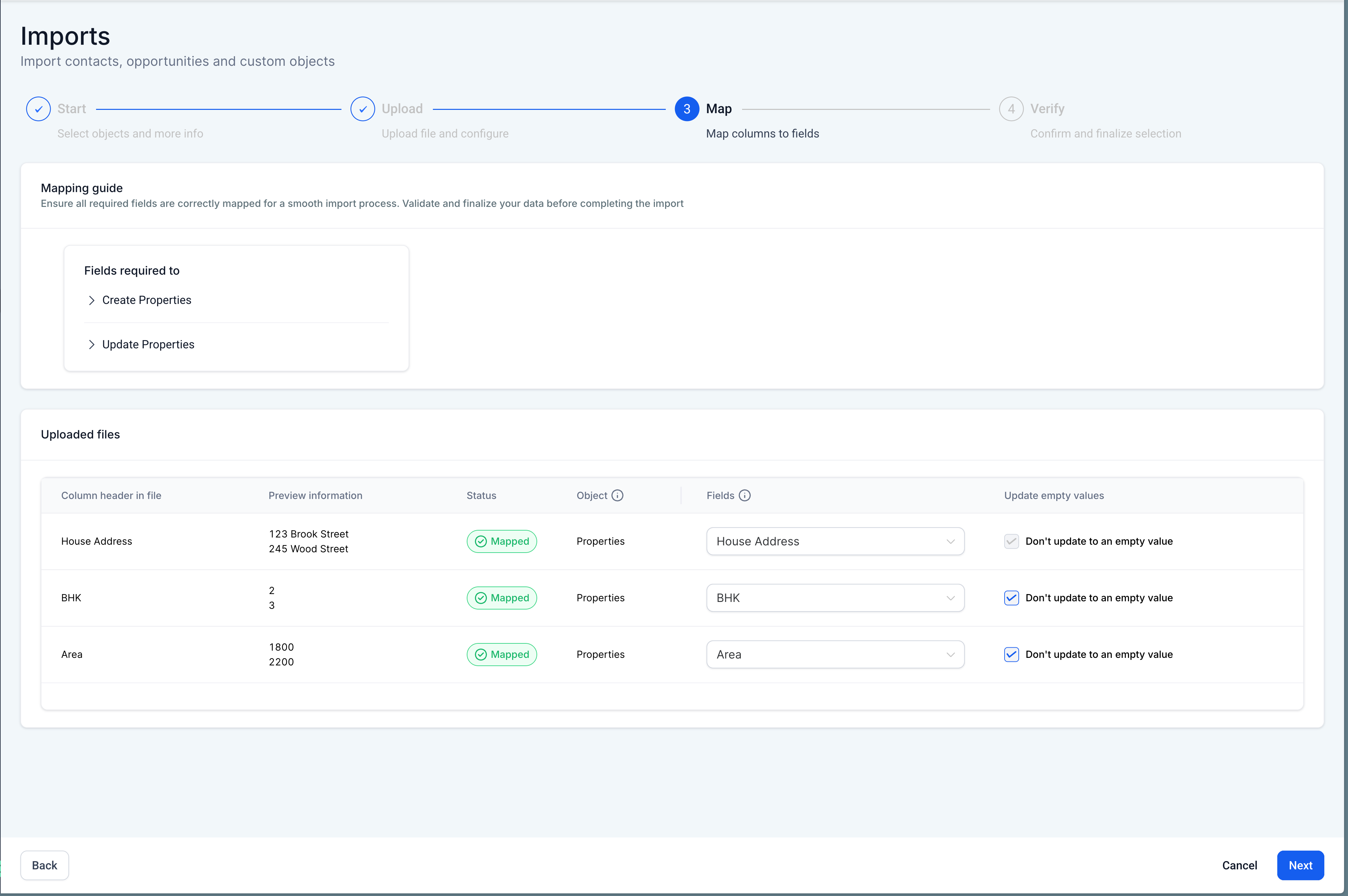
Match file columns to the correct custom object fields. Select whether to create new records or update existing ones.
What does bulk import for custom objects allow?
• It allows creating or updating multiple custom object records at once.
Do I need to enable this feature manually?
• No, the bulk import option is available automatically.
Can I update existing records with this feature?
• Yes, you can choose to update records during import.
What is needed to update records correctly?
• A matching unique identifier must be included in the import file.
Does importing affect other data?
• No, only the selected custom object records are impacted.
