Workflow generation inside the AI builder is now significantly faster, reducing wait time and improving productivity. With up to 52% faster performance, users can build, refine, and deploy automations more efficiently without compromising quality.
• Up to 52% faster workflow generation
• Reduced waiting time during AI builds
• Improved responsiveness in the AI builder
• Faster iteration for workflow adjustments
• Better overall automation creation experience
• Use faster generation to test multiple workflow ideas
• Refine prompts clearly for optimal results
• Review generated workflows before activating
• Combine fast generation with visual editing for accuracy
• Take advantage of speed improvements for complex automations
Step 1
Navigate to the AI builder in your automation section.
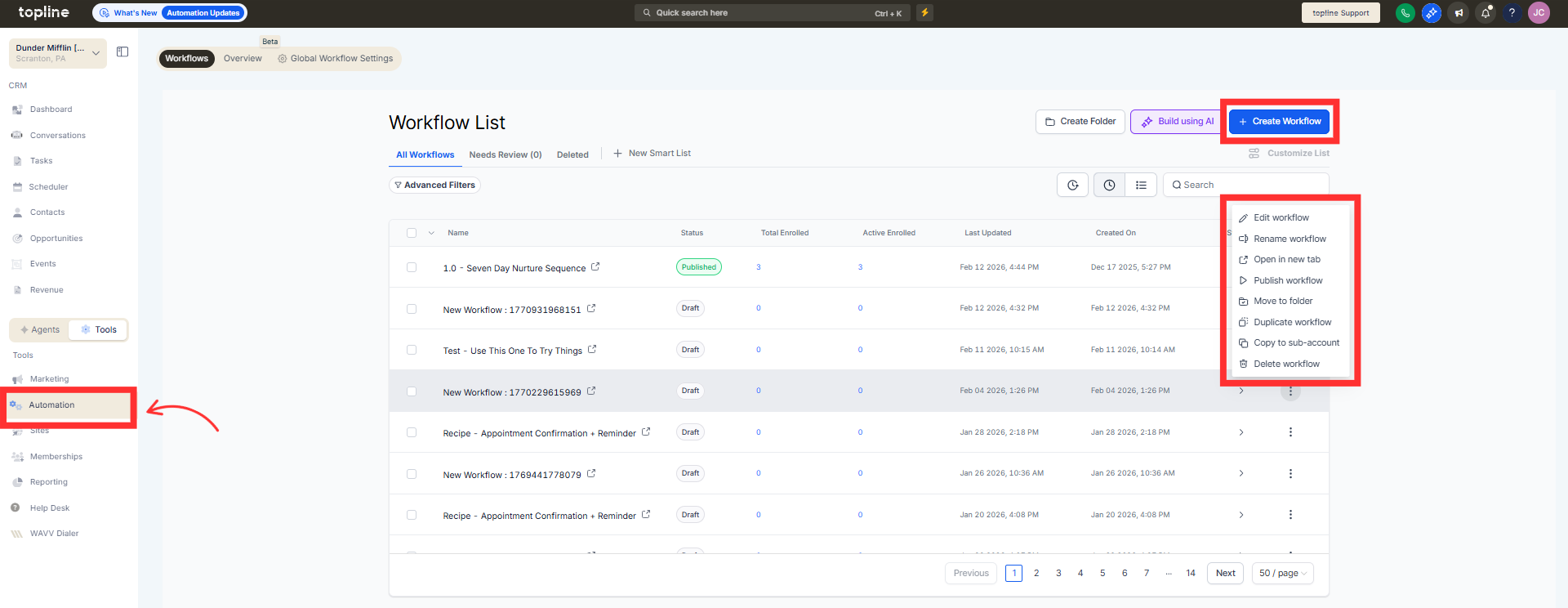
Step 2
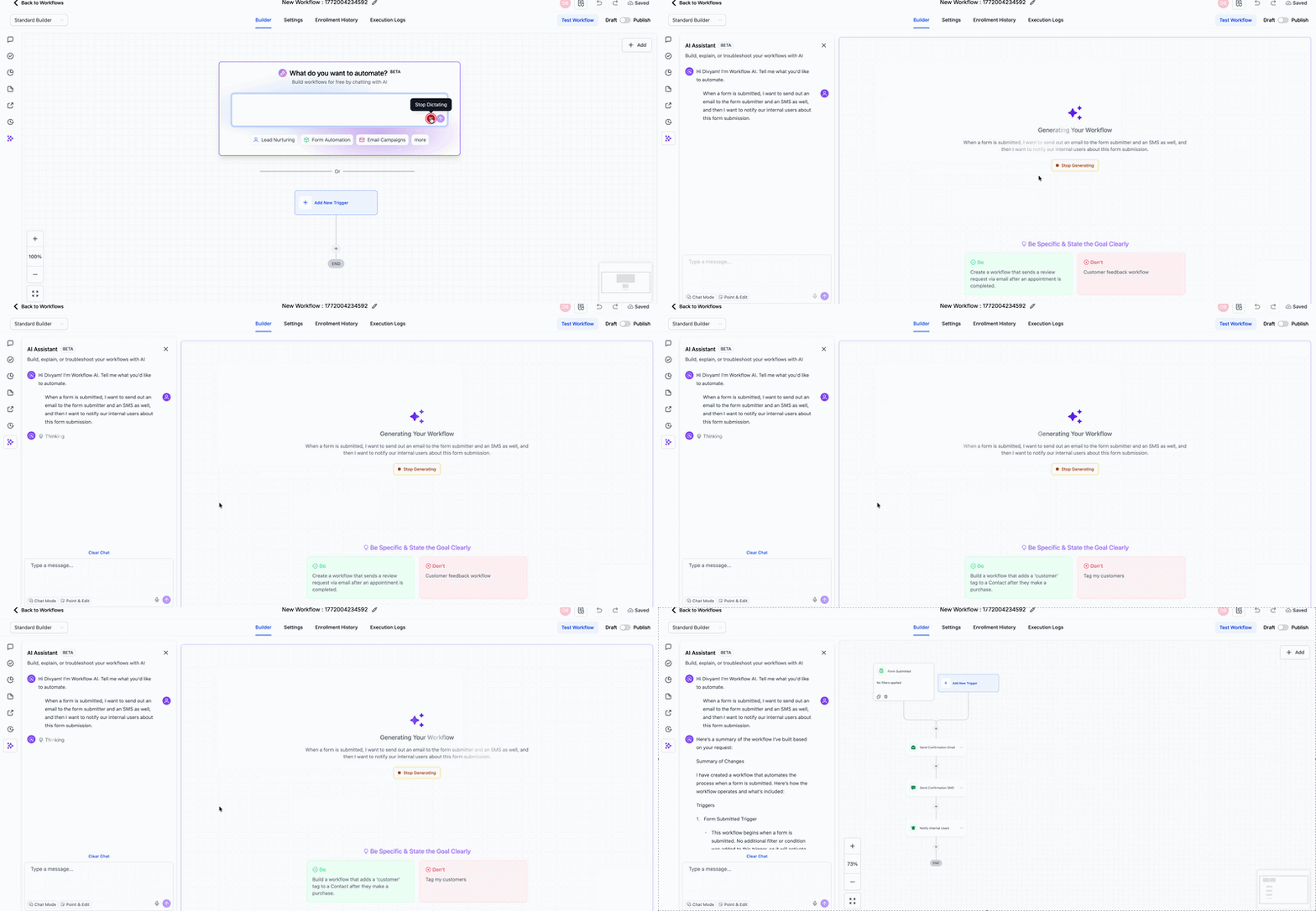
Describe the workflow you want to generate. Allow the AI builder to create the automation with improved speed.
What does 52% faster workflow generation mean?
• Workflows are generated significantly faster than before.
Do I need to enable this improvement?
• No, performance enhancements are applied automatically.
Does faster generation reduce quality?
• No, workflow quality remains consistent.
Will existing workflows change?
• No, existing workflows remain unaffected.
Is this useful for complex builds?
• Yes, speed improvements are especially helpful for larger workflows.
