You can now import company records in bulk instead of adding them individually. This streamlines data entry, improves accuracy, and saves time when migrating or updating large company datasets.
• Bulk import option for company records
• Faster onboarding of multiple companies
• Reduced manual data entry
• Improved efficiency for large datasets
• Structured field mapping during upload
• Clean and format your data before importing
• Use consistent company naming conventions
• Double-check field mapping before confirming import
• Start with a small test file before full upload
• Keep a backup of your original data file
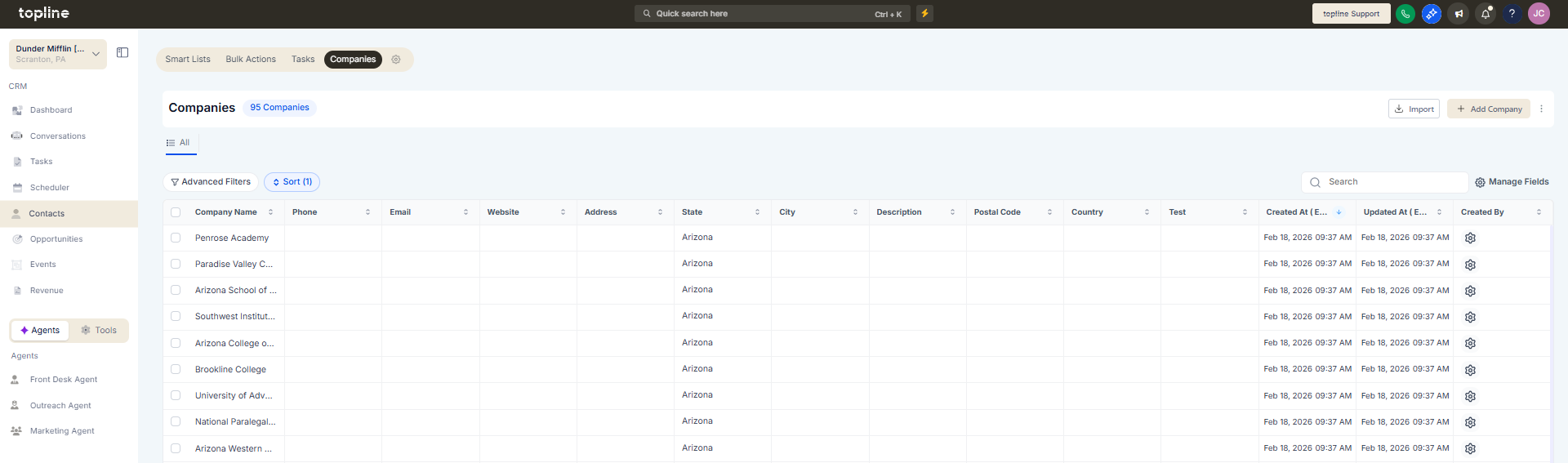
Step 1
Navigate to the companies management area.
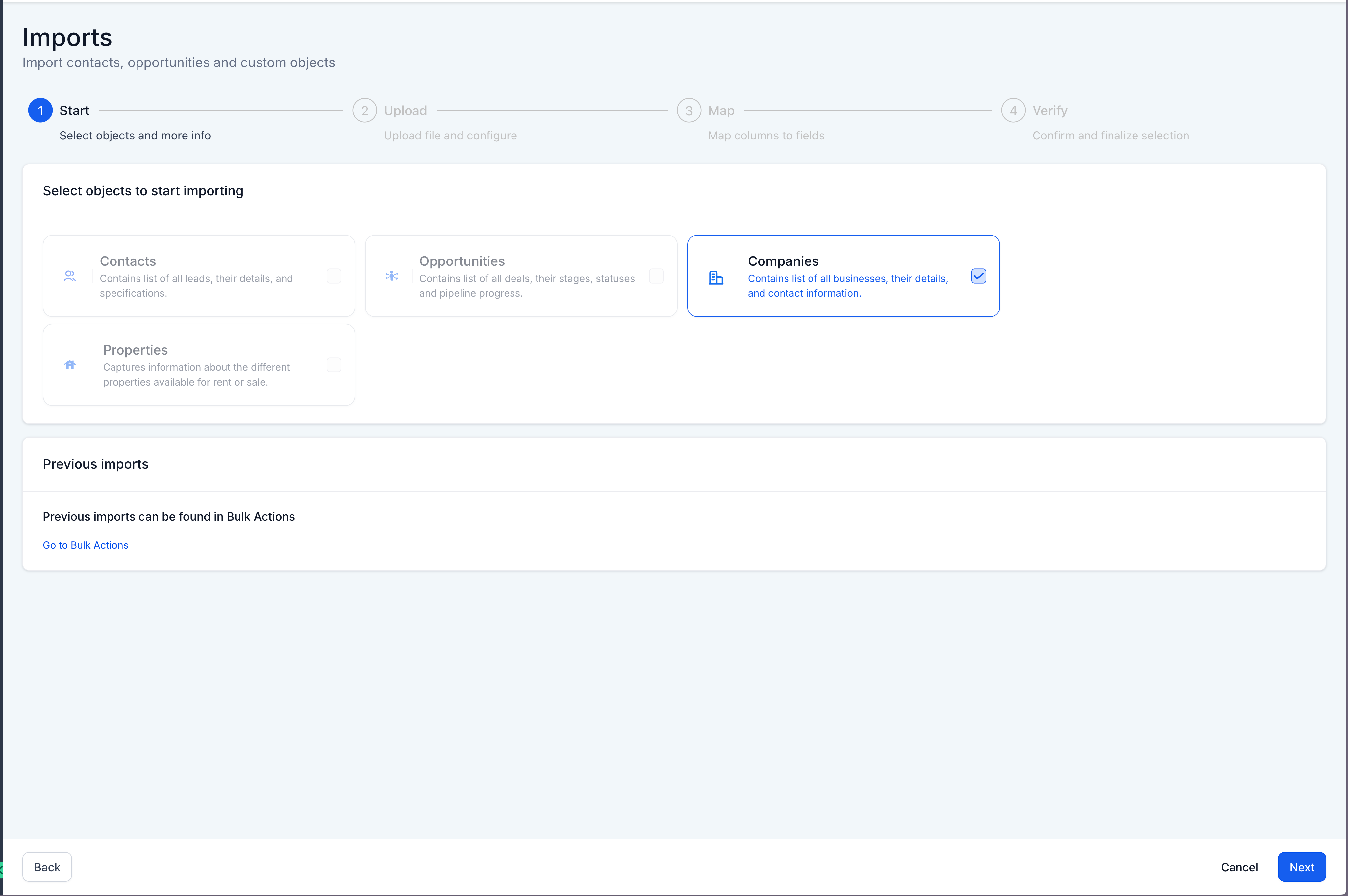
Step 2
Choose the bulk import action.
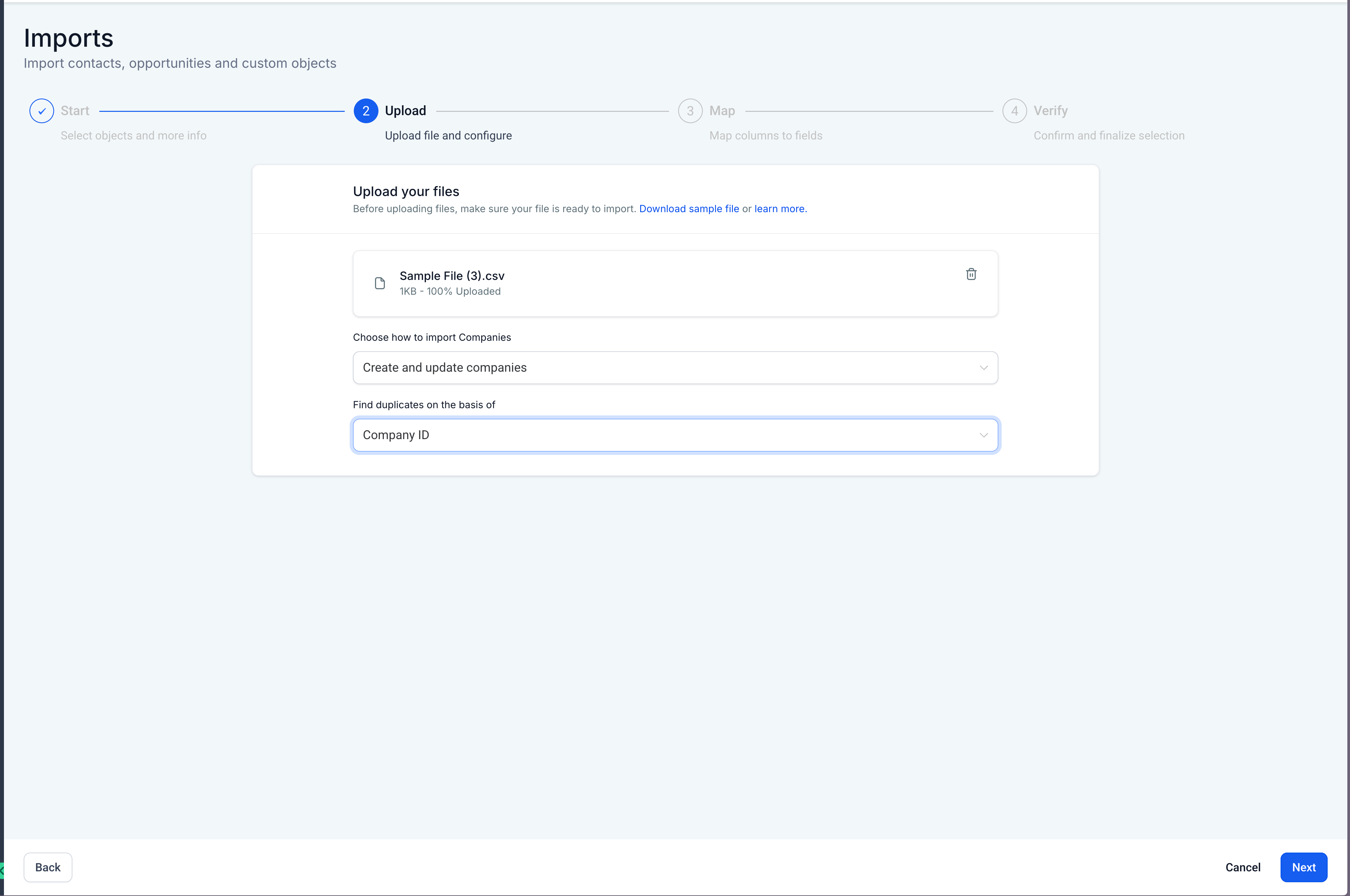
Step 3
Upload your prepared file containing company records.
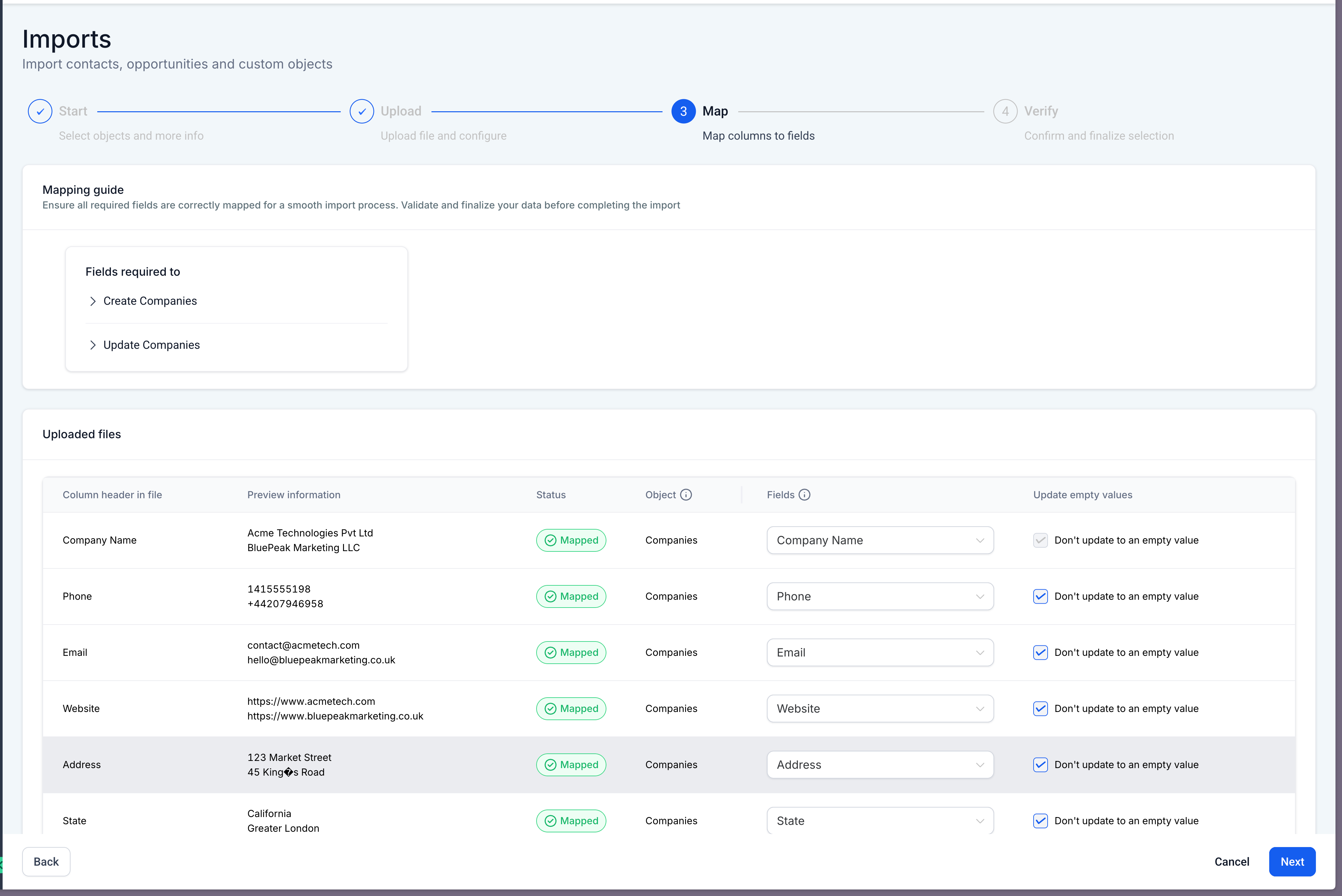
Step 4
Match file columns to the appropriate company fields.
What does bulk import for companies allow?
• It allows multiple company records to be uploaded at once.
Do I need to enable this feature?
• No, the bulk import option is available automatically.
Can I update existing companies through import?
• Updates depend on matching identifiers provided in the file.
What file format is required?
• Standard structured data file formats supported by the system can be used.
Does importing overwrite existing data?
• It only updates records when matching identifiers are present.
