Rentals now support multi-day bookings, allowing businesses to offer services or resources for longer periods instead of single time slots. This improvement simplifies scheduling for equipment rentals, property bookings, and other use cases that require extended availability.
• Multi-day booking support for rentals
• Flexible reservation duration options
• Improved scheduling for extended bookings
• Better management of rental availability
• More use cases for service-based businesses
• Define clear rental durations before publishing
• Review availability rules for longer bookings
• Add buffer time between rentals if needed
• Use clear descriptions for rental services
• Test booking flow before offering to customers
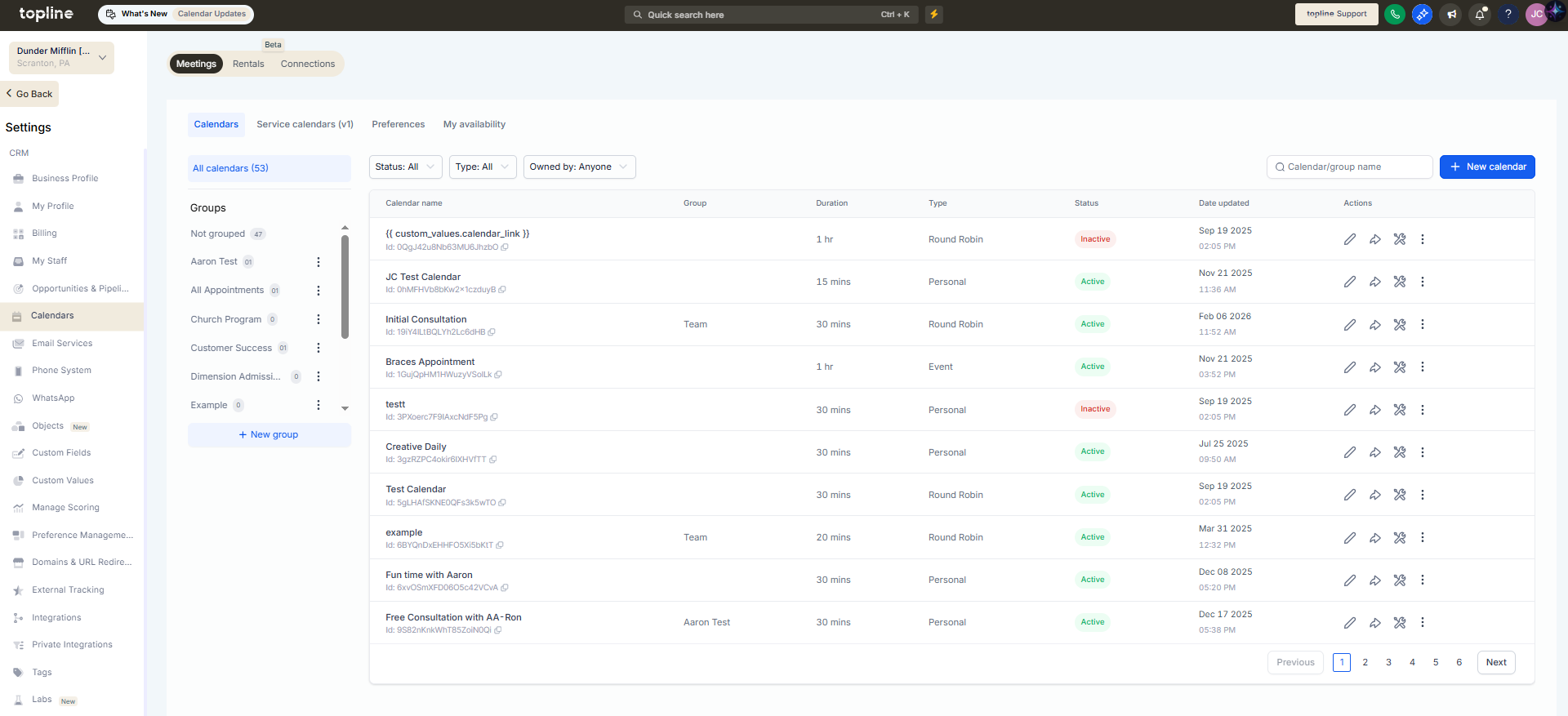
Step 1
Navigate to the Settings, then Calendar, and select an existing service or create a new rental offering.
Step 2
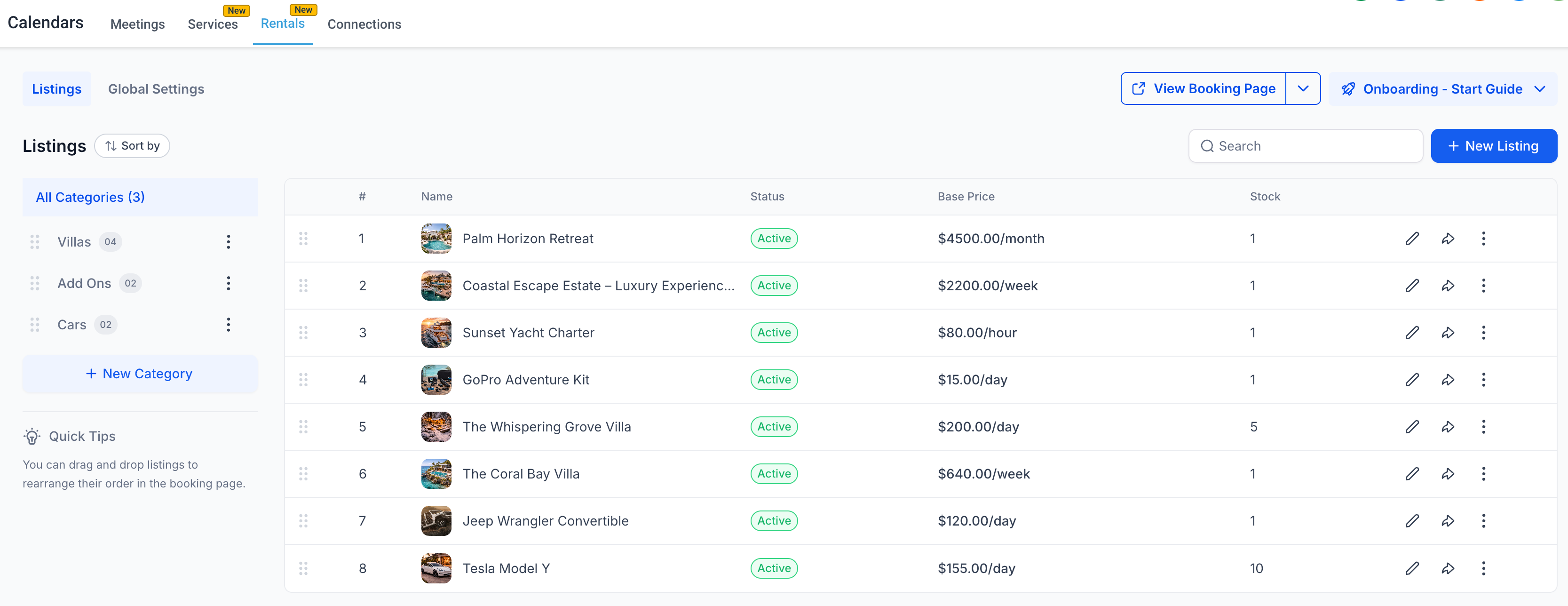
Configure the service to allow bookings across multiple days.
Step 3
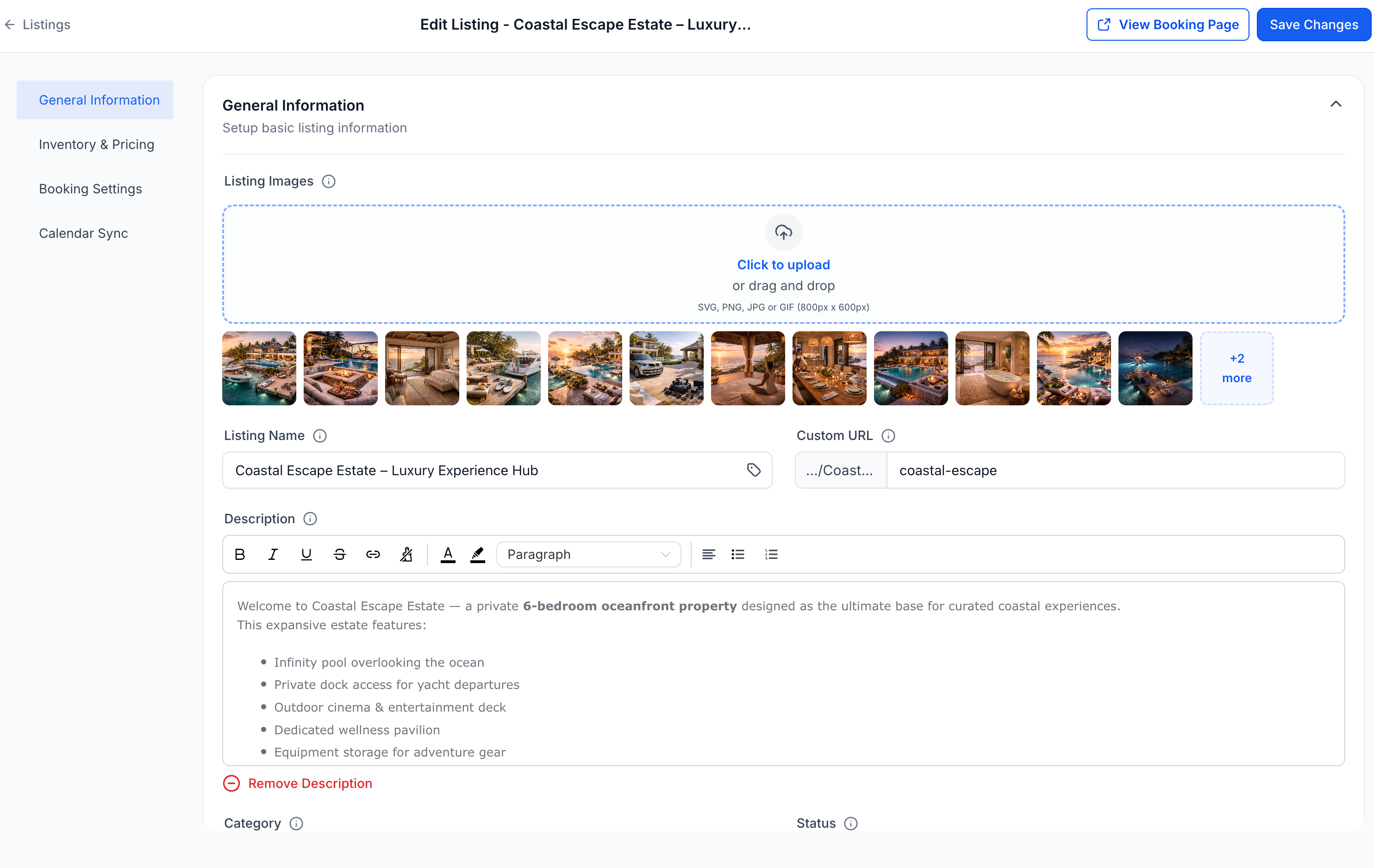
Define available dates, time windows, and duration limits.
What does multi-day rental booking allow?
• It allows customers to reserve services or resources for multiple days.
Do I need to enable this feature manually?
• Yes, multi-day booking must be configured within the service settings.
Can I limit how long a rental lasts?
• Yes, you can define duration rules and availability limits.
Does this work with existing services?
• Existing services can be edited to support rental bookings.
Can availability be restricted to certain dates?
• Yes, availability rules can be customized.
