Rental listings now support smarter booking periods with time selection controlled at the listing level. This allows businesses to define exactly when bookings can start and end, improving scheduling accuracy and preventing conflicts across rental reservations.
• Listing level control for time selection in rentals
• Smarter booking period management
• Improved control over reservation start and end times
• Reduced scheduling conflicts for rental services
• More flexible booking configuration for rental listings
• Define clear start and end times for each rental listing
• Use consistent booking periods across similar rentals
• Review availability rules regularly
• Test booking flow before launching publicly
• Adjust time controls if scheduling needs change
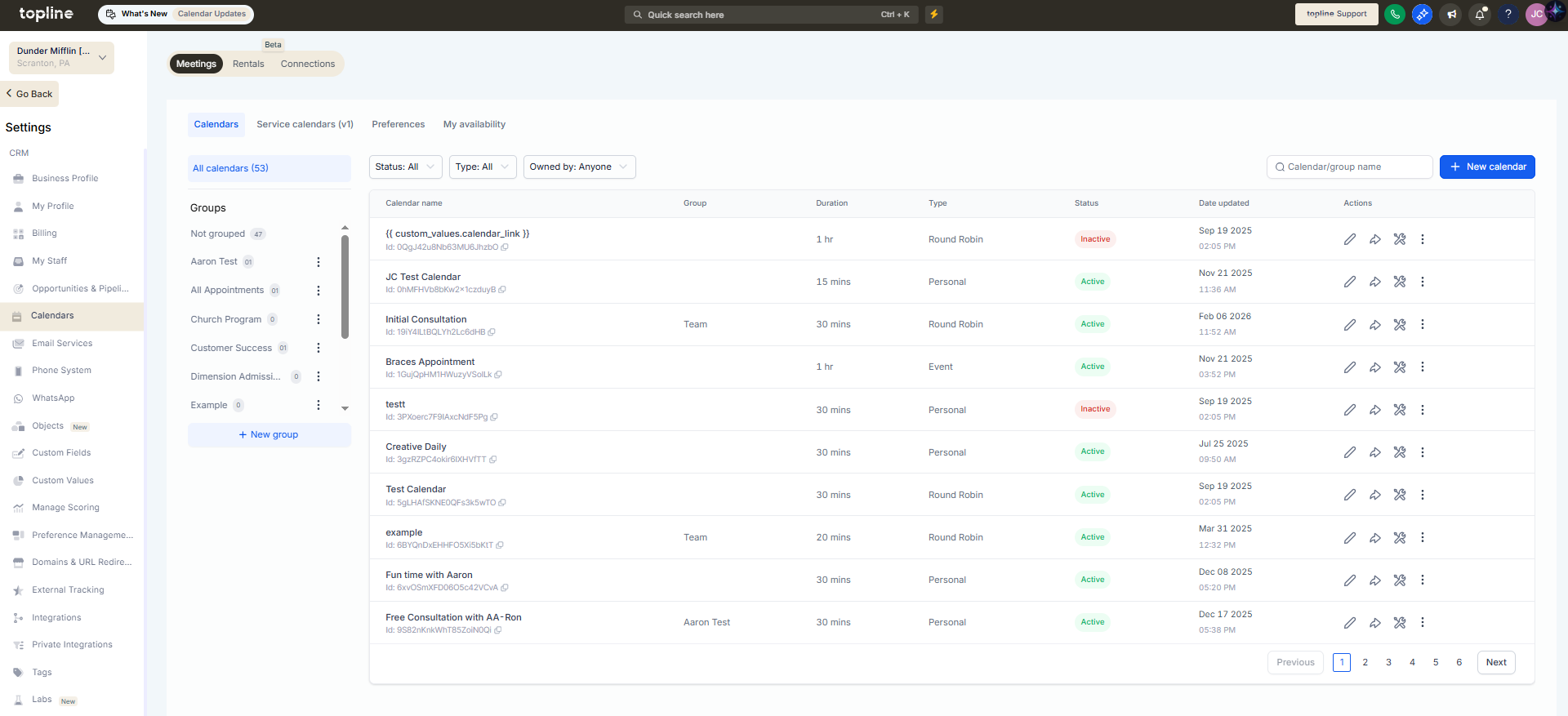
Step 1
Navigate to the section where rental listings are managed.
Step 2
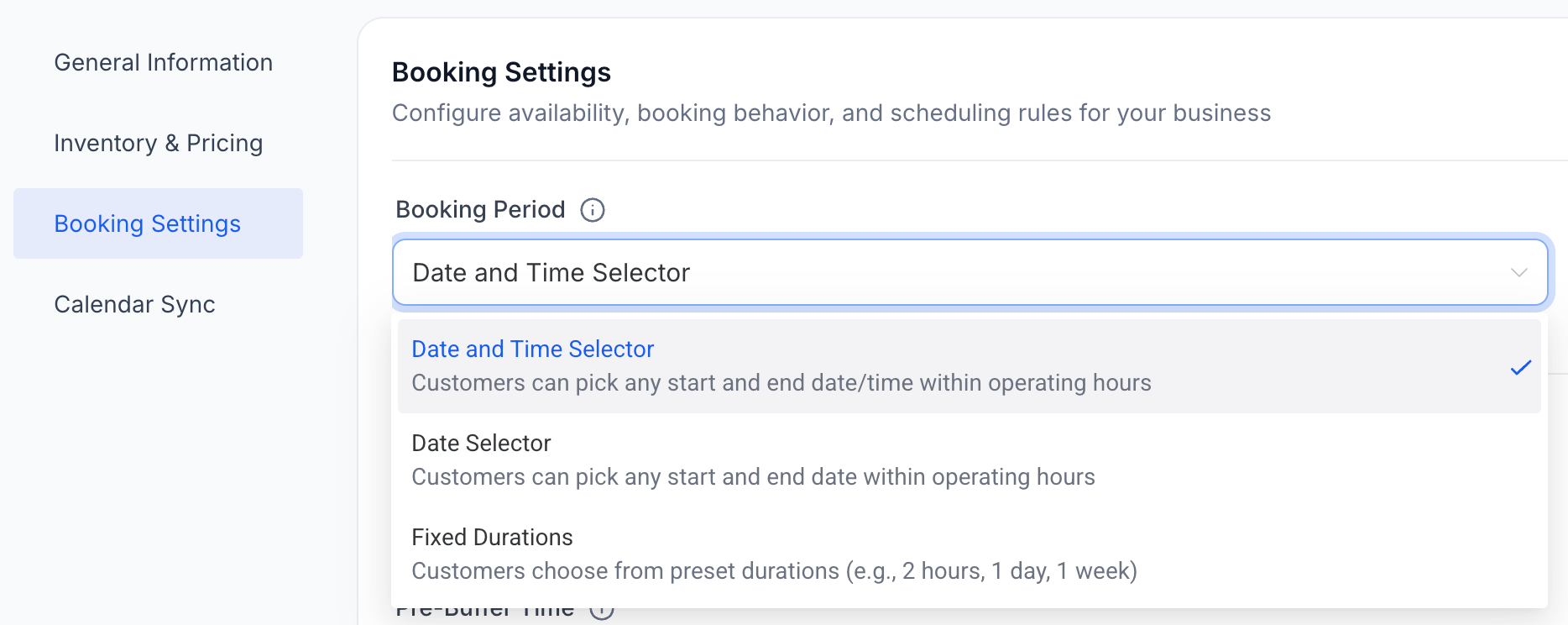
Choose the listing you want to configure. Define the allowed start and end times for bookings.
Step 3
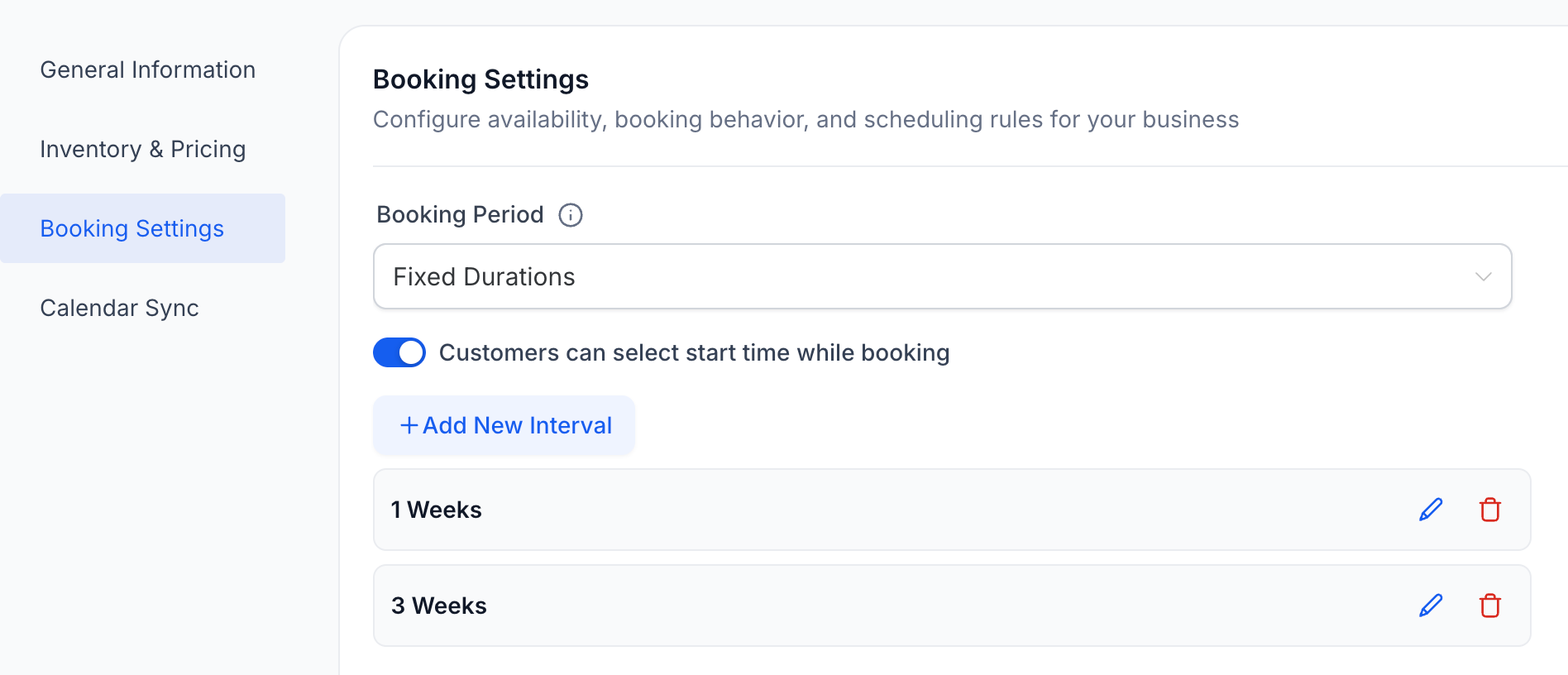
Adjust the booking period settings to match rental availability.
What are the listing-level time selection controls for rentals?
• They allow each rental listing to define specific times when bookings can start or end.
Do I need to enable this feature manually?
• Yes, time selection controls must be configured within each rental listing.
Can different listings have different booking times?
• Yes, each rental listing can have its own time settings.
Does this prevent booking conflicts?
• Yes, controlling booking periods helps reduce scheduling conflicts.
Can time rules be changed later?
• Yes, listing time settings can be updated at any time.
