Workflows can now access and use company variables, making it easier to personalize automation and automate processes based on company information. This improves flexibility when building automations that rely on company-level data.
• Company variables supported inside workflows
• Ability to personalize automation using company data
• Expanded dynamic field options in workflow actions
• Improved automation for company-based processes
• Greater flexibility when building workflow logic
• Use company variables to personalize messages and notifications
• Ensure company records contain accurate data before using variables
• Combine company variables with conditions for better targeting
• Test workflows to confirm variables populate correctly
• Keep company data organized for reliable automation
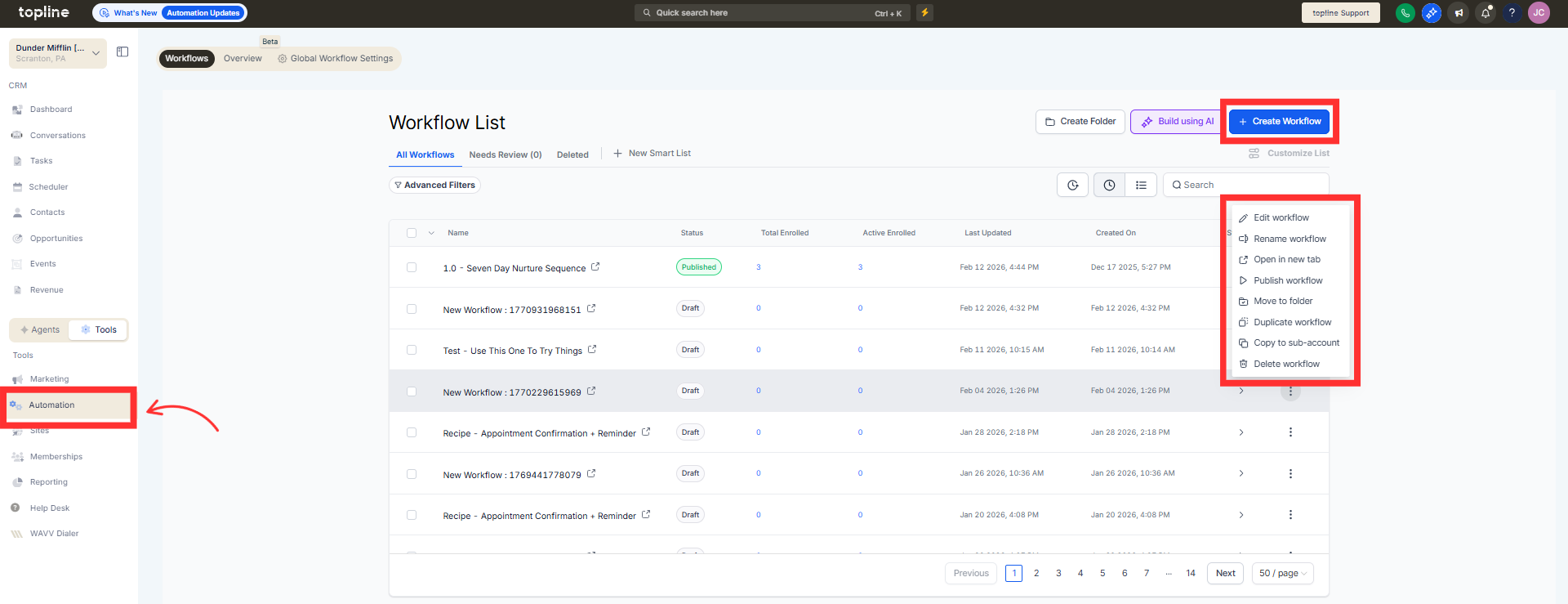
Step 1
Navigate to the automation section and create or edit a workflow.
Step 2
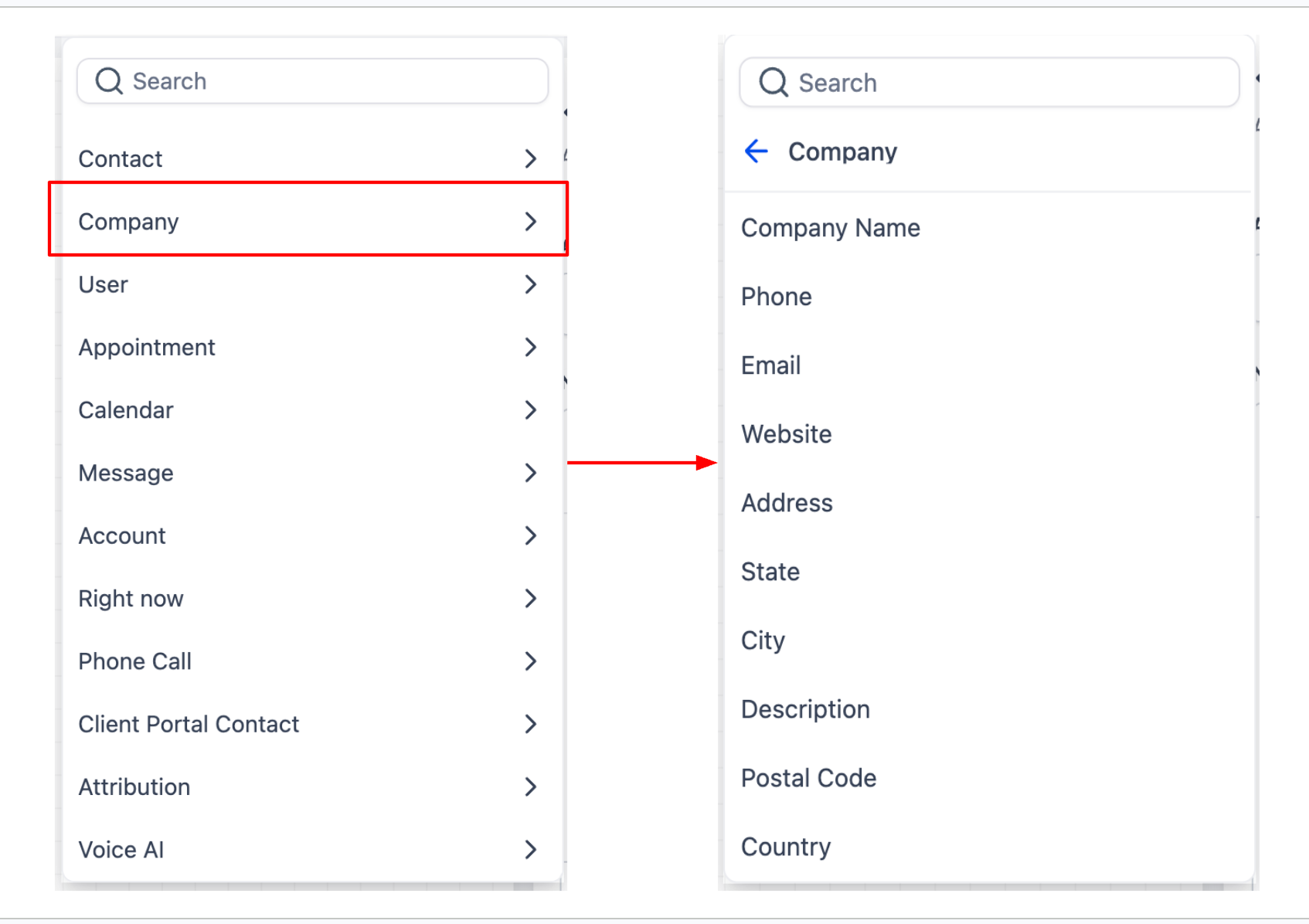
Insert an action where dynamic company information is needed. Select the company variable from the dynamic data options.
What are company variables in workflows?
• They are dynamic fields that pull company information into automation steps.
Do I need to enable this feature manually?
• No, company variables are available when supported in workflow fields.
Can company variables be used in messages?
• Yes, they can personalize messages and other workflow actions.
Does this affect existing workflows?
• Existing workflows remain unchanged unless company variables are added.
Can company data trigger workflows?
• Variables are mainly used inside actions but can support workflow logic.
