The connect call IVR action now includes call whisper functionality. This feature plays a short message to the receiving agent before the call connects, giving context about the caller and improving call preparation for better conversations.
• Call whisper support added to connect call IVR action
• Agents hear a short message before the call connects
• Improved context for incoming calls
• Better preparation for customer conversations
• Enhanced call handling experience
• Use whisper messages to identify call sources
• Keep whisper messages short and clear
• Include useful context such as campaign or inquiry type
• Test whisper messages before deploying live
• Review call flow to ensure smooth transitions
Step 1
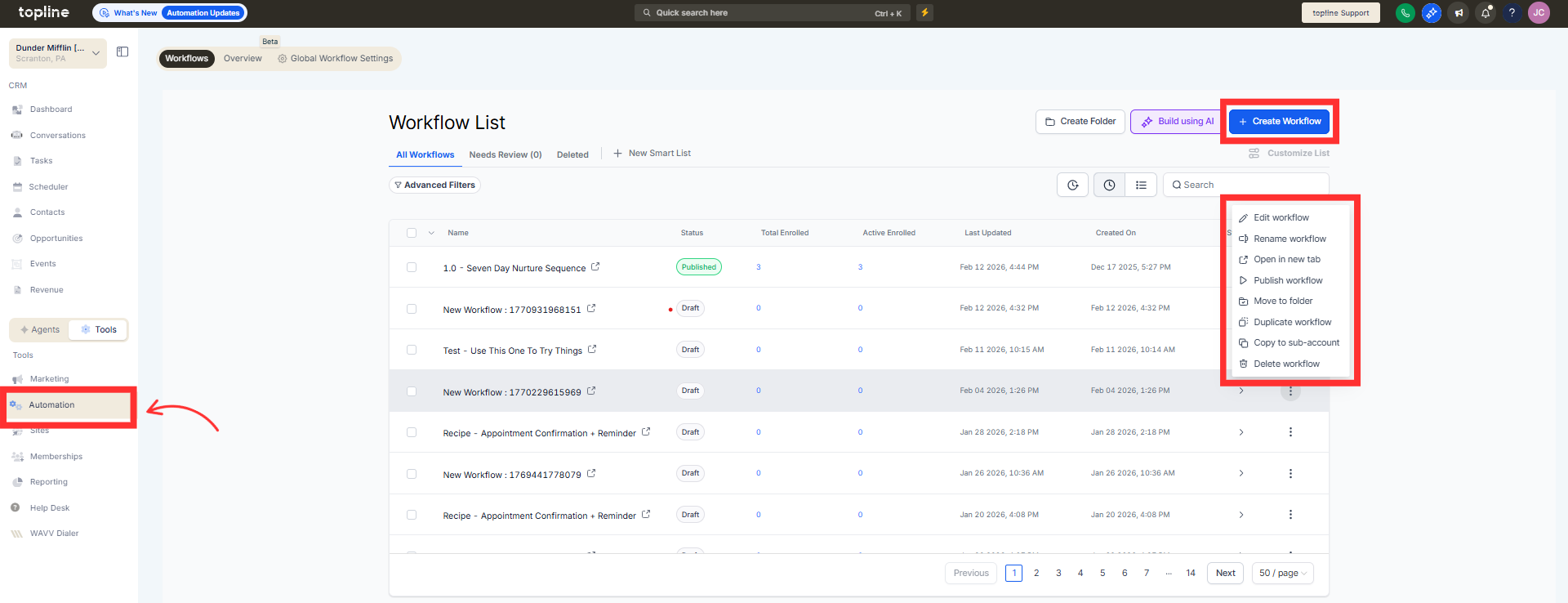
Navigate to the automation section and create or edit a workflow.
Step 2
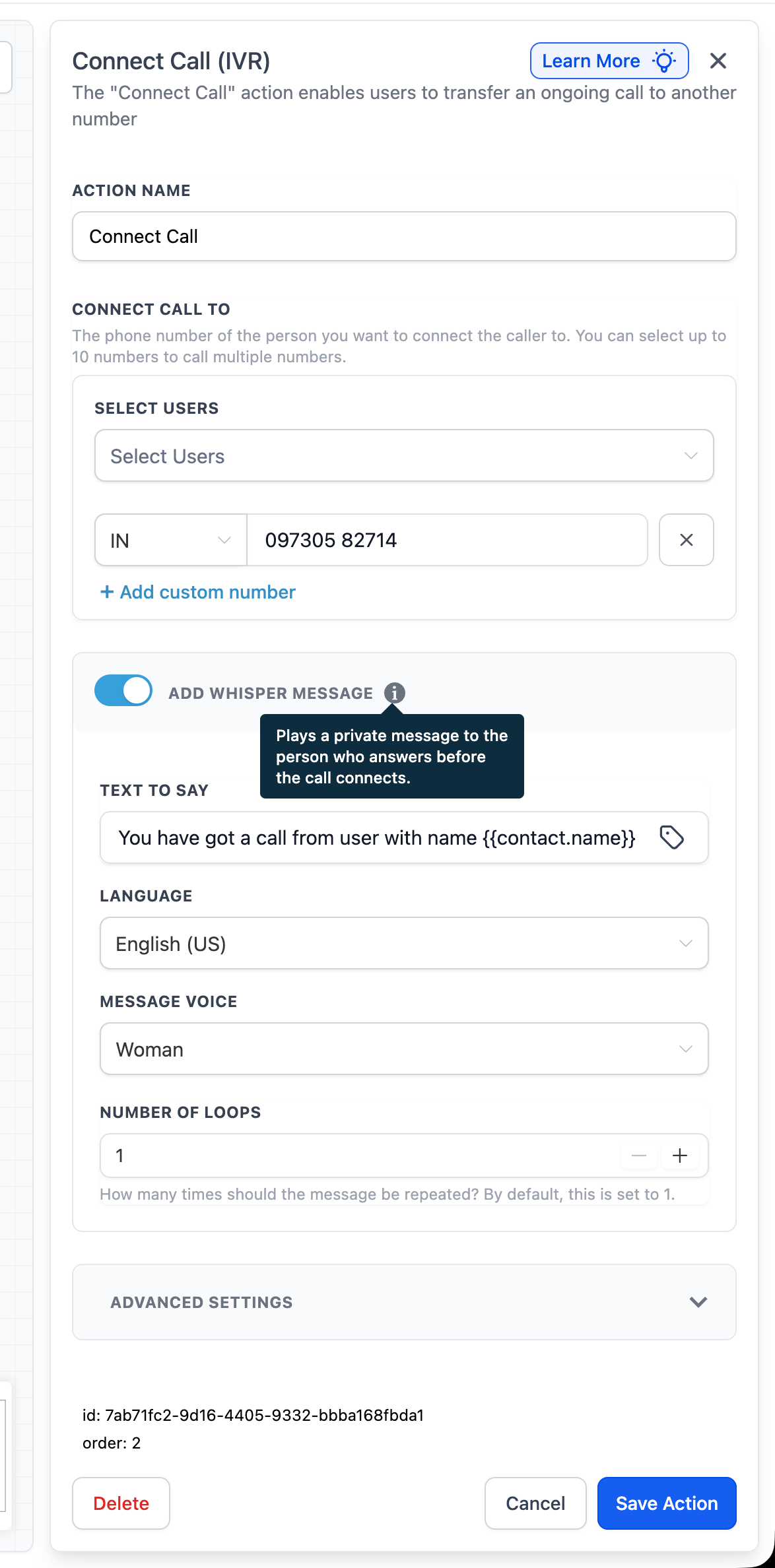
Insert the connect call IVR action into your workflow. Activate the call whisper option within the action settings.
What is call whisper in the connect call IVR action?
• It plays a short message to the agent before the call connects.
Do callers hear the whisper message?
• No, only the receiving agent hears the whisper message.
Can the whisper message be customized?
• Yes, you can define the message within the action settings.
Does this affect call routing?
• No, it only adds context before the call connects.
Can this be used in existing workflows?
• Yes, the connect call IVR action can be updated to include call whisper.
