Workflows can now assign users based on the IVR responder using custom variables. This allows automation to dynamically route contacts or tasks to the correct user who handled the call through IVR, improving response time and ownership tracking.
• Assign user action can now be assigned to the IVR responder
• Support for custom variables in user assignment
• More dynamic routing based on call interactions
• Improved ownership tracking after calls
• Better automation for call-based workflows
• Use IVR responder assignment to maintain call ownership
• Combine custom variables with routing logic for accuracy
• Test workflows to confirm correct user assignment
• Keep IVR routing organized for consistent results
• Review assignment behavior after major workflow updates
Step 1
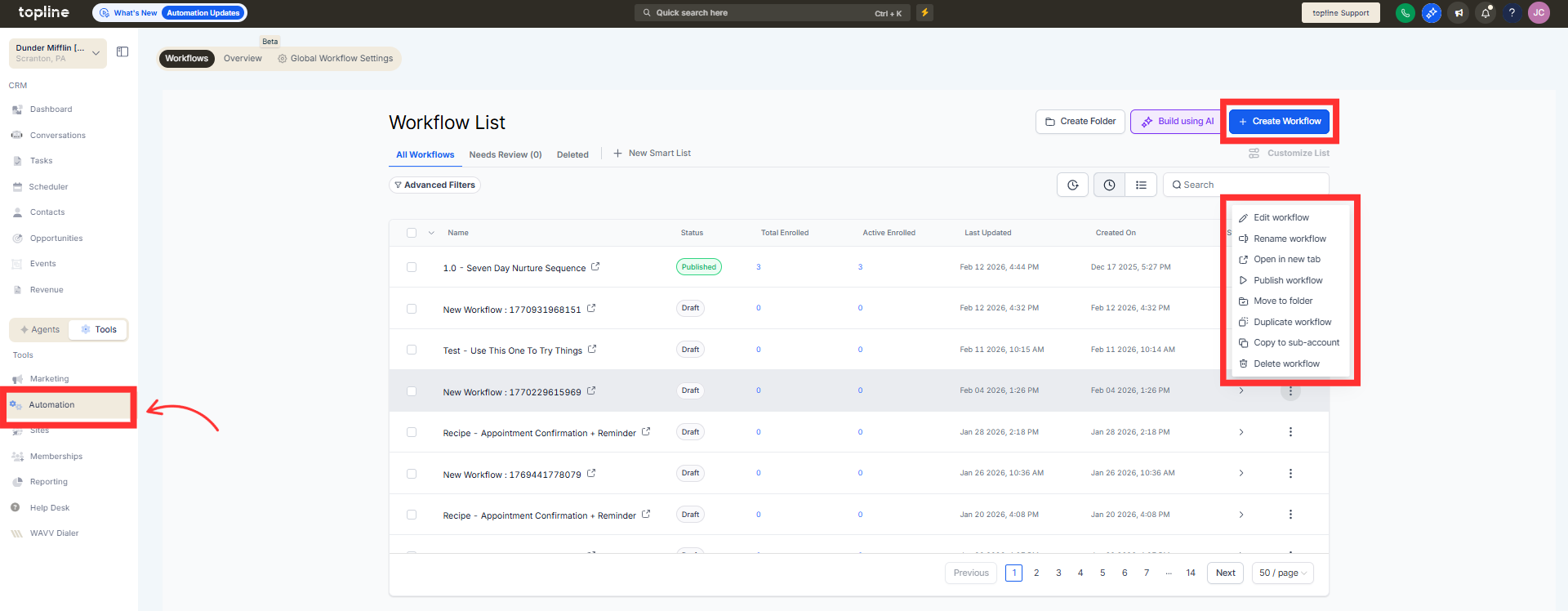
Navigate to the automation section and create or edit a workflow.
Step 2
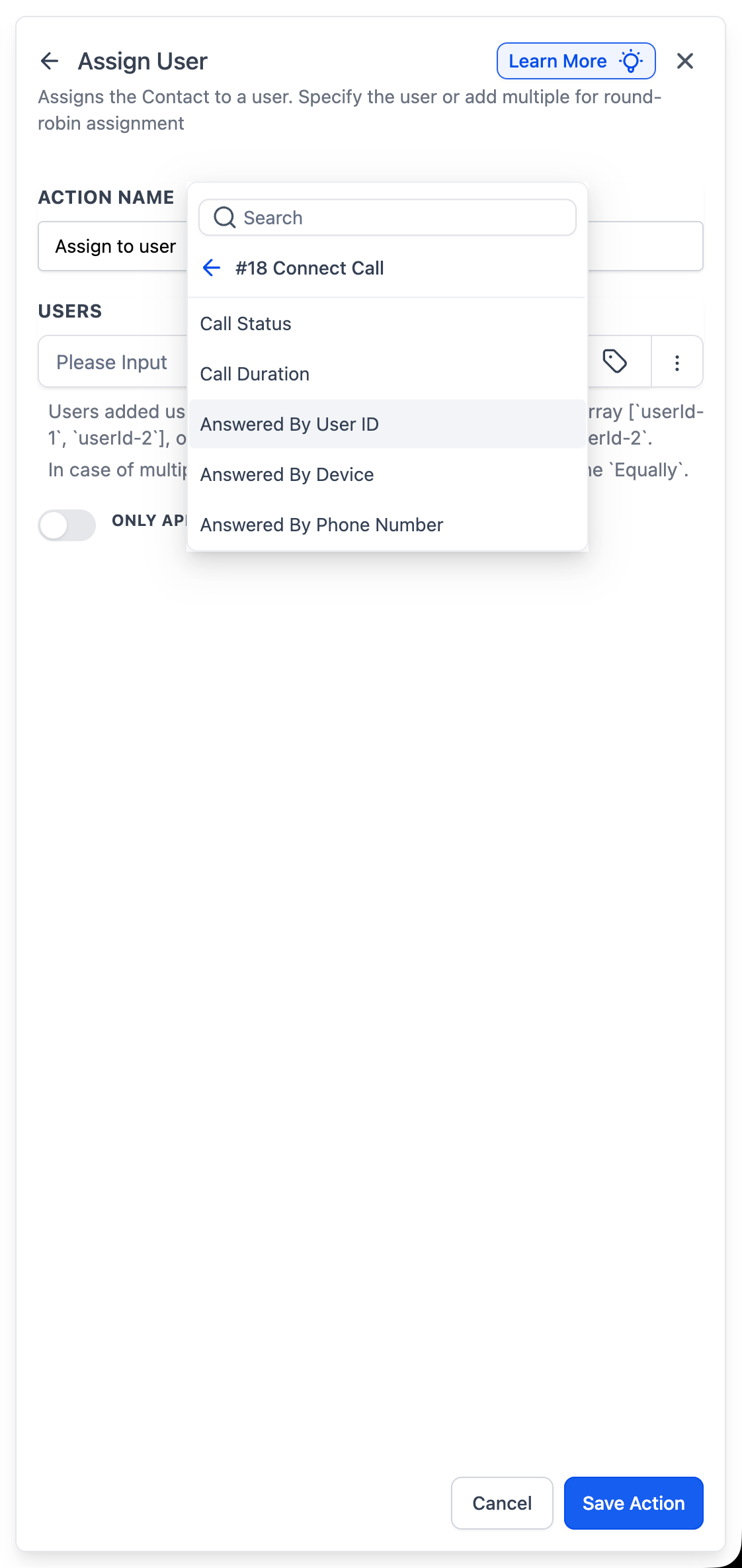
Insert the assign user action into the workflow. Choose the option to assign the user based on the IVR responder.
What does assigning to the IVR responder mean?
• It assigns the user who answered or handled the call through IVR.
Do I need to configure custom variables?
• Yes, custom variables help identify the correct responder.
Can this be used in existing workflows?
• Yes, the assign user action can be updated to use the IVR responder.
Does this affect call routing?
• No, it affects ownership assignment after the call interaction.
Can workflows still assign users manually?
• Yes, manual assignment options remain available.
