Fields across the platform can now display AI-powered tooltips that explain what each field does and how it should be used. This helps users understand settings faster, reduces confusion, and improves the overall setup experience without needing external documentation.
• AI-powered tooltips available on supported fields
• Instant explanations and guidance within settings
• Improved clarity when configuring features
• Faster learning for new users
• Reduced reliance on external documentation
• Hover over fields to view helpful explanations
• Use tooltips when configuring unfamiliar settings
• Review tooltip suggestions before saving changes
• Encourage teams to explore tooltips during setup
• Combine tooltip guidance with internal documentation when needed
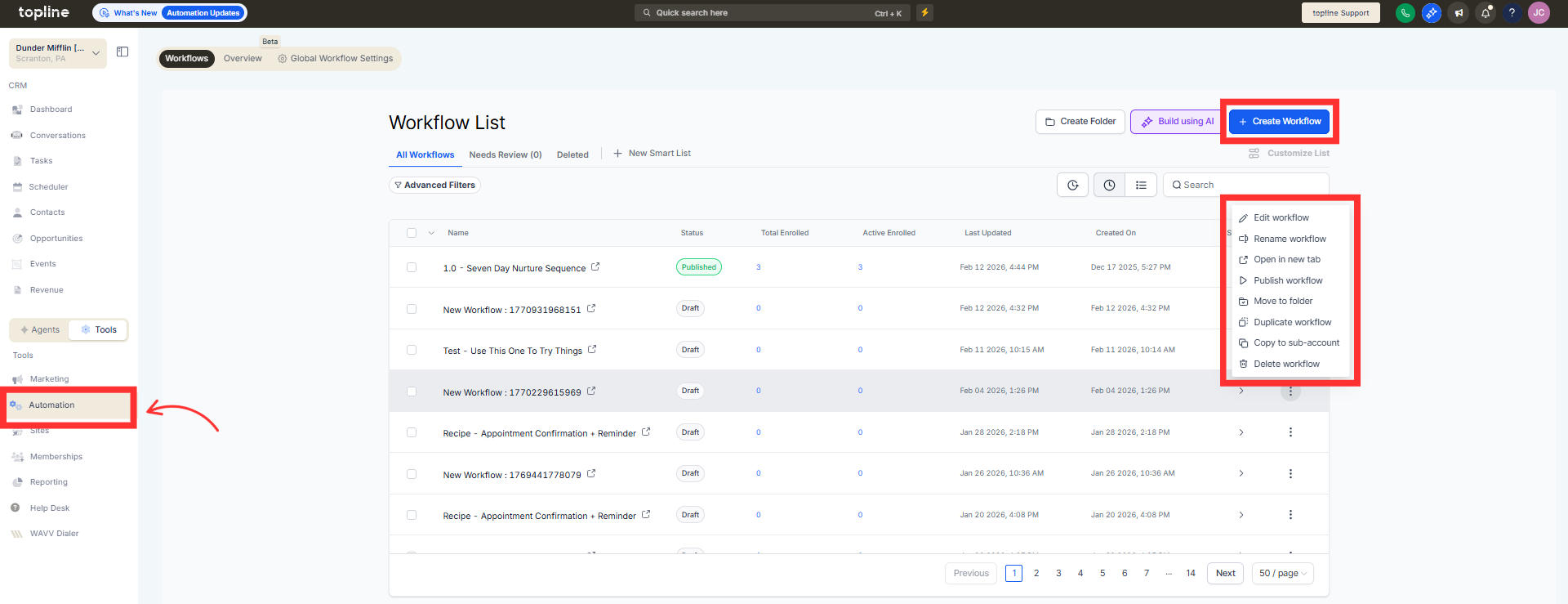
Step 1
Navigate to any workflow or create a new one and pick an action.
Step 2
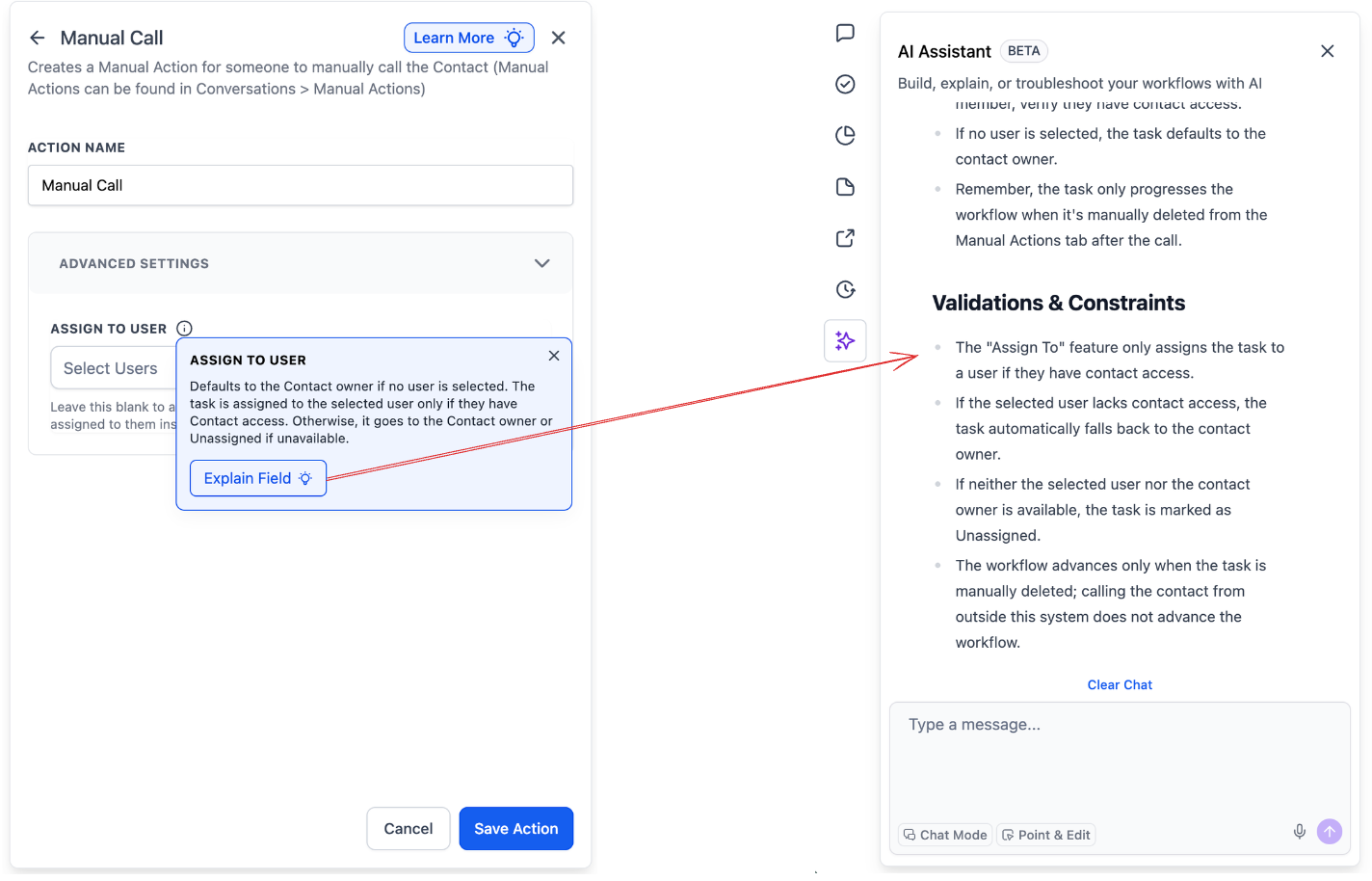
Look for fields that display tooltip indicators. Move your cursor over the icon to reveal the AI generated explanation.
What are AI-powered field tooltips?
• They are AI-generated explanations that appear next to fields to guide users.
Do I need to enable this feature manually?
• No, AI tooltips appear automatically on supported fields.
Where can these tooltips be found?
• They appear within fields across different configuration pages.
Can the tooltip content change?
• Yes, explanations may improve as the AI system evolves.
Do tooltips affect how fields function?
• No, they only provide guidance.
