Sticky Notes 2.0 improves how users document and organize workflows in the standard builder. You can add notes directly within the workflow canvas to explain logic provide instructions or highlight important sections, making complex automations easier to understand and maintain.
• Sticky Notes 2.0 available in the standard builder
• Ability to add notes directly on the workflow canvas
• Improved documentation for automation logic
• Better collaboration between team members
• Easier maintenance of complex workflows
• Use sticky notes to explain complex conditions or logic
• Add notes when workflows require manual review or context
• Organize workflows with notes for better readability
• Update notes whenever workflow changes are made
• Use notes to guide team members working on the automation
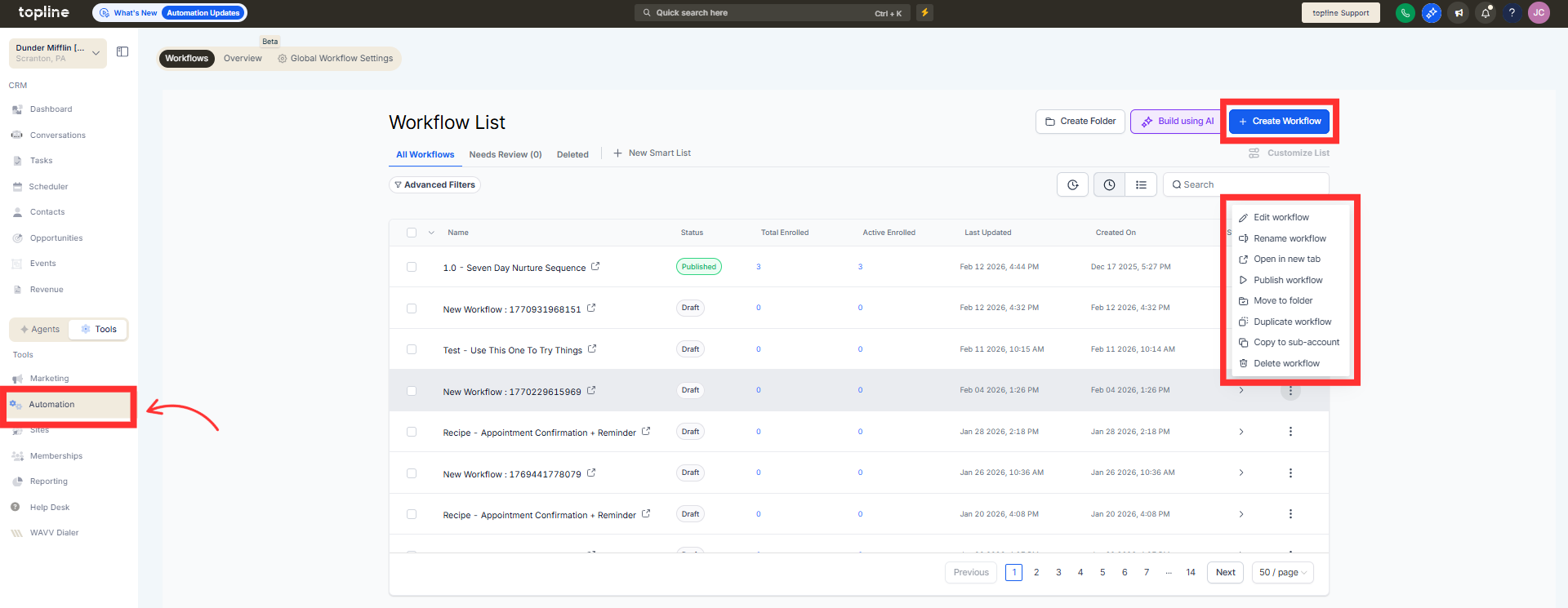
Step 1
Navigate to the automation section and open the standard builder.
Step 2
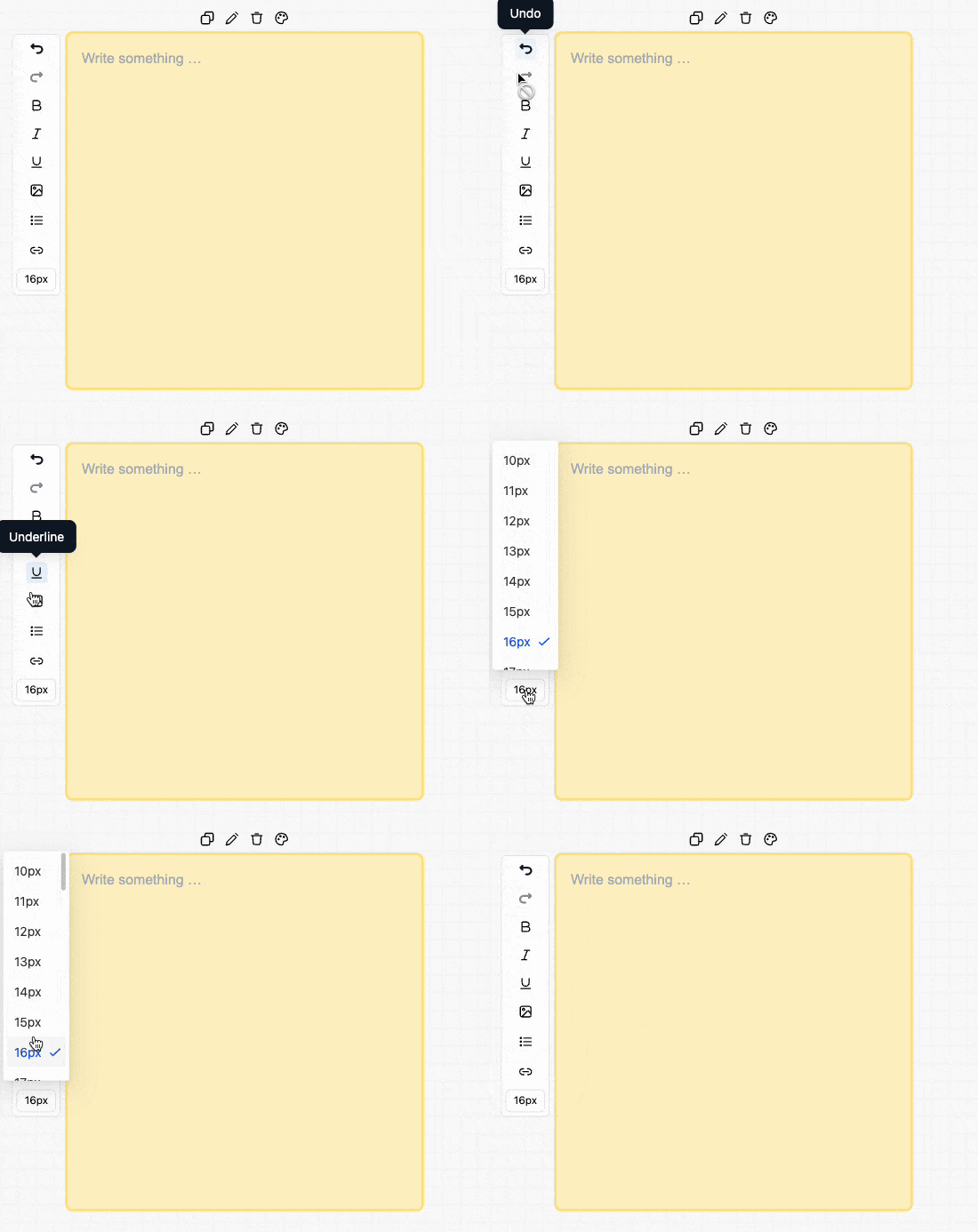
Select the option to add a sticky note to the workflow canvas. Enter instructions explanations or reminders related to the workflow.
Step 3
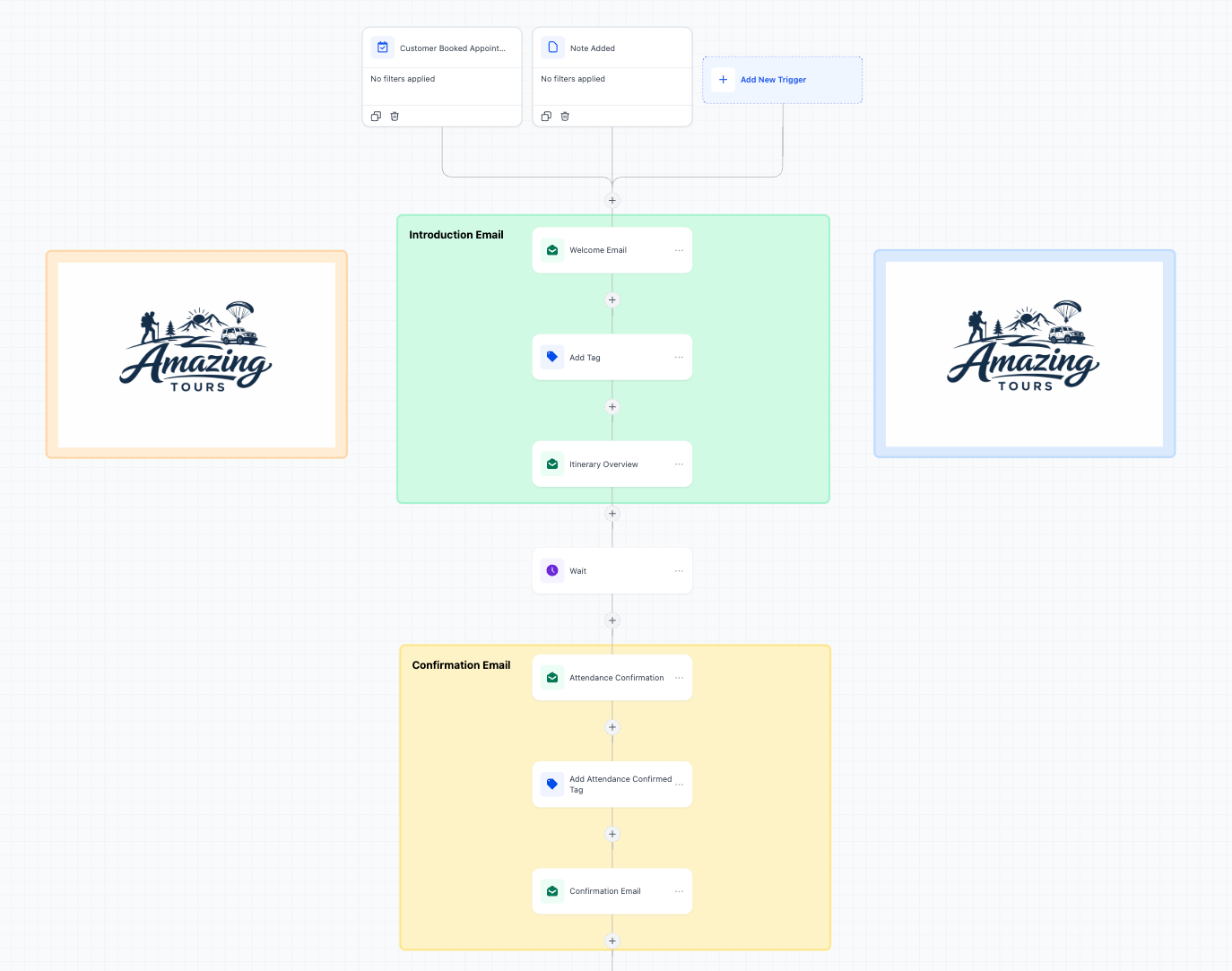
Place the sticky note near the relevant workflow steps.
What are Sticky Notes 2.0 in the standard builder?
• They are notes added to the workflow canvas to document automation logic.
Do sticky notes affect workflow execution?
• No, they are only for documentation and organization.
Can sticky notes be edited later?
• Yes, notes can be updated or removed at any time.
Are sticky notes useful for team collaboration?
• Yes, they help explain workflow structure and logic.
Do existing workflows support sticky notes?
• Yes, notes can be added to both new and existing workflows.
