You can now export email marketing data to review campaign performance outside the platform. This makes it easier to analyze metrics, share reports with teams, and maintain backups for marketing insights and reporting.
• Export option for email marketing data
• Access to campaign performance data in a downloadable format
• Improved reporting and external analysis capabilities
• Easier sharing of email marketing insights
• Better data management for marketing teams
• Export data regularly for reporting and analysis
• Use exports to track long-term campaign performance
• Filter campaigns before exporting to narrow results
• Store exported reports securely for future reference
• Combine export data with other marketing reports for deeper insights
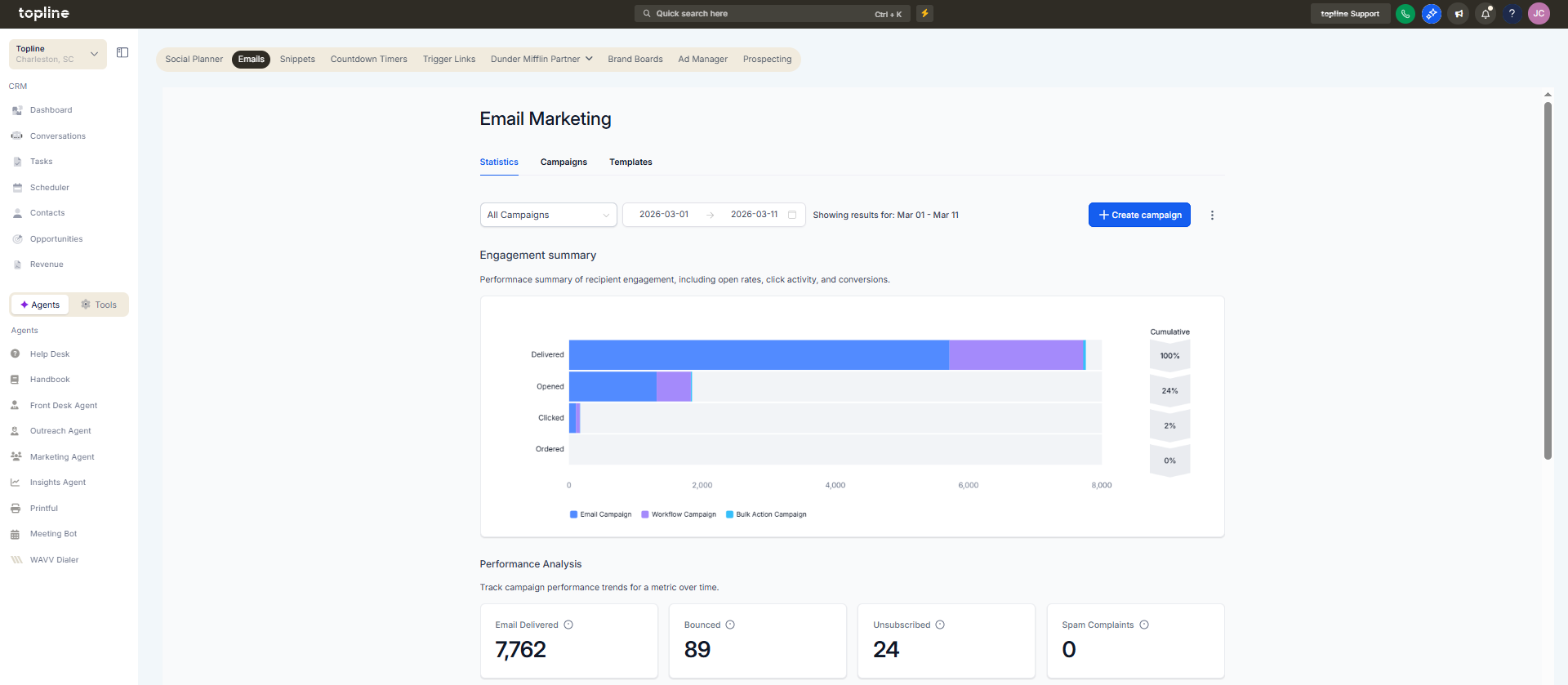
Step 1
Navigate to the email marketing or campaign management area.
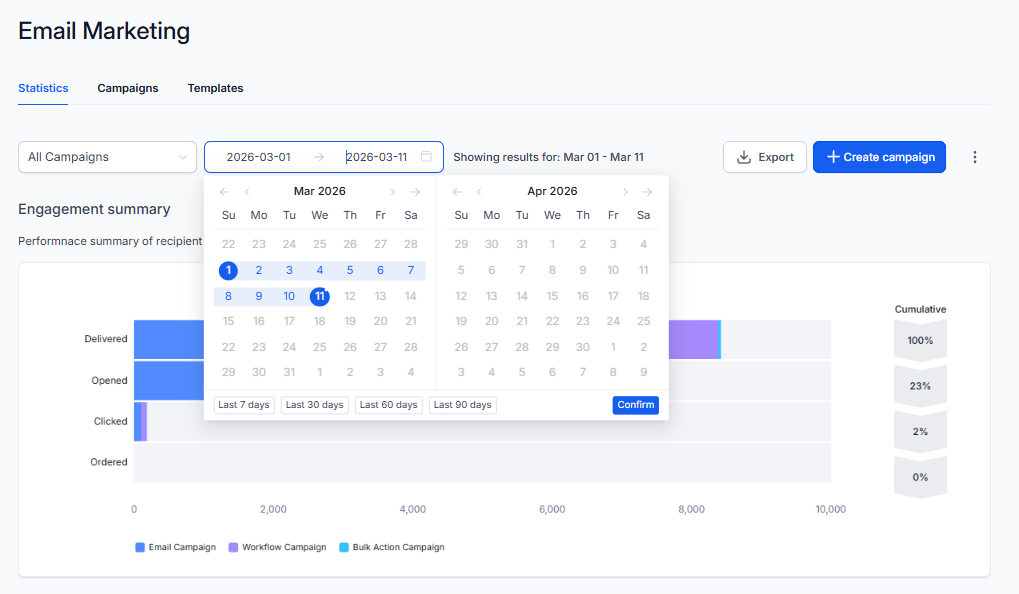
Step 2
Choose the campaigns or time period you want to export.
Step 3
Select the option to export email marketing data.
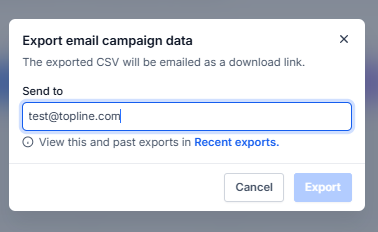
Step 4
Save the generated report to your device.

What does exporting email marketing data allow?
• It allows downloading campaign performance data for analysis.
Do I need to enable this feature manually?
• No, the export option is available automatically.
What type of data can be exported?
• Campaign metrics and performance information related to email marketing.
Can I export data for specific campaigns?
• Yes, you can select campaigns or time ranges before exporting.
Does exporting affect campaign data?
• No, exporting only downloads a copy of the data.
