Custom objects now support notes, enabling teams to document important details, conversations, or updates related to specific records. This improves collaboration visibility and record-keeping when working with custom structured data.
• Ability to add notes to custom object records
• Improved documentation for custom data entries
• Better collaboration when managing custom objects
• Clearer tracking of updates and context
• Enhanced record-level information management
• Use notes to document updates or key decisions
• Add context when modifying custom object records
• Keep notes clear and relevant for team visibility
• Review notes before making major record changes
• Use notes to track communication related to records
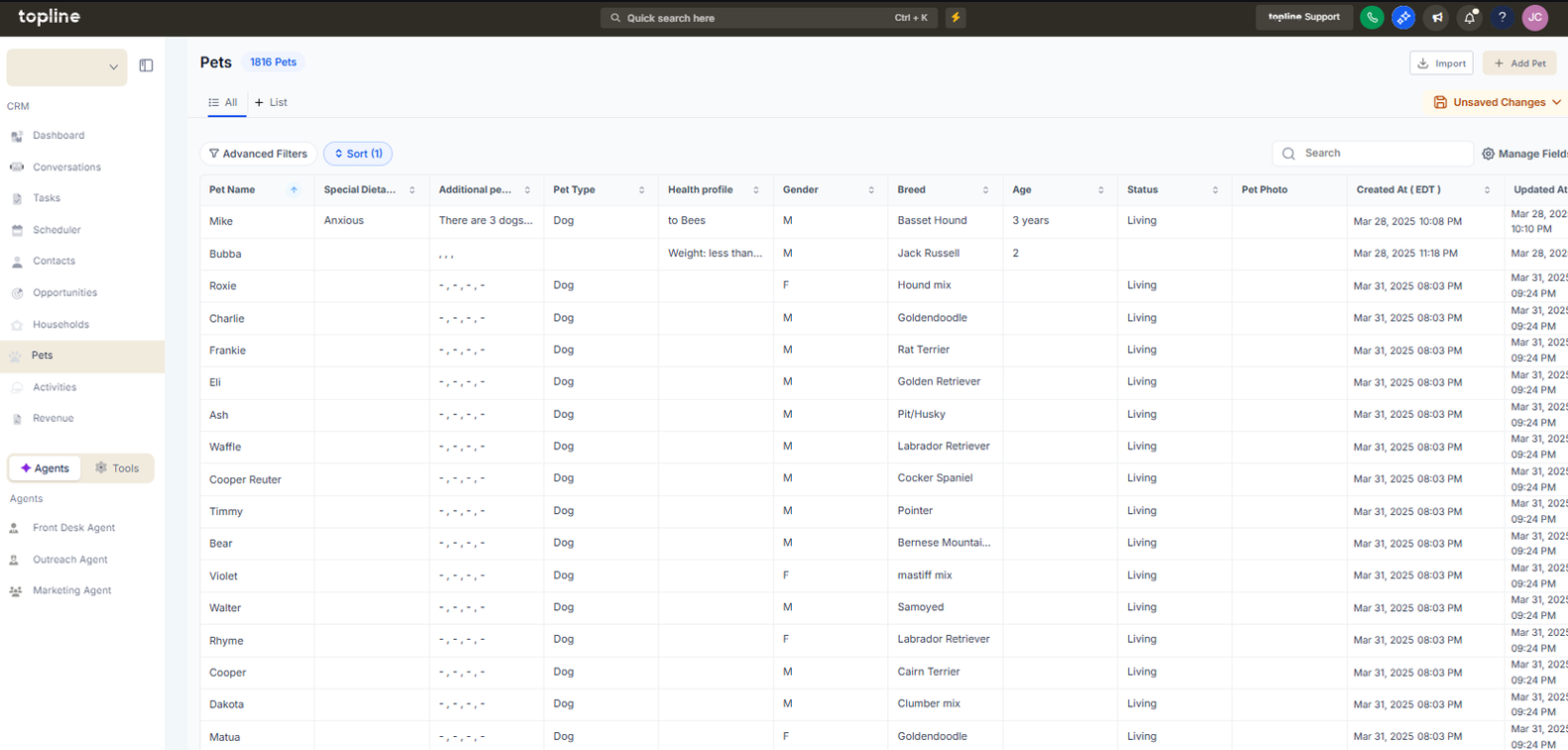
Step 1
Navigate to the area where custom objects are managed.
Step 2
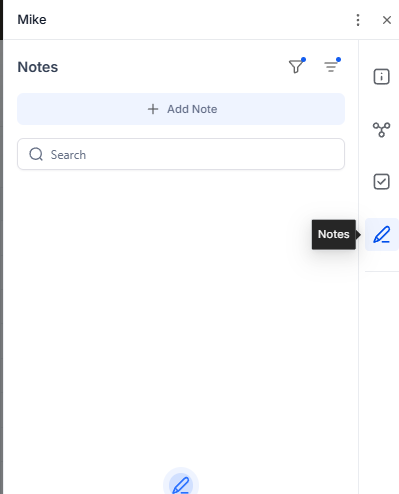
Open the specific record you want to document.
Step 3
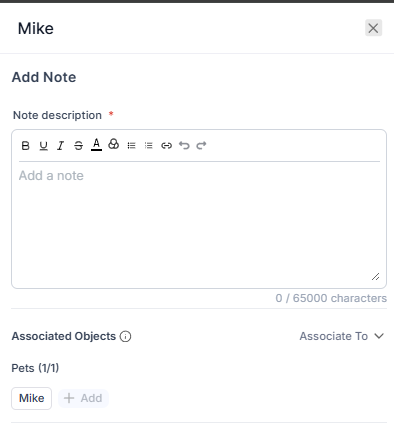
Locate the notes area within the record view. Enter relevant information or updates.
What are notes for custom objects?
• They allow users to attach written notes directly to custom object records.
Do I need to enable this feature manually?
• No, notes are available automatically within supported custom objects.
Can multiple notes be added to a record?
• Yes, you can add multiple notes over time.
Are notes visible to team members?
• Visibility depends on user permissions within the system.
Can notes be edited or updated?
• Yes, notes can be modified or expanded as needed.
