You can now track additional goal events when an invoice is paid or when a review request is clicked. These new events provide deeper insight into customer behavior and help measure important milestones in payment and reputation workflows.
• New goal event for invoice paid
• New goal event for review request clicked
• Improved tracking of payment related actions
• Better visibility into reputation engagement
• Expanded performance measurement for workflows
• Use invoice paid events to track revenue milestones
• Monitor review request clicks to measure engagement
• Combine goal events with automation for follow-ups
• Review analytics regularly to understand customer behavior
• Test event tracking to confirm correct reporting
Step 1
Navigate to the section where goals and tracking are configured.
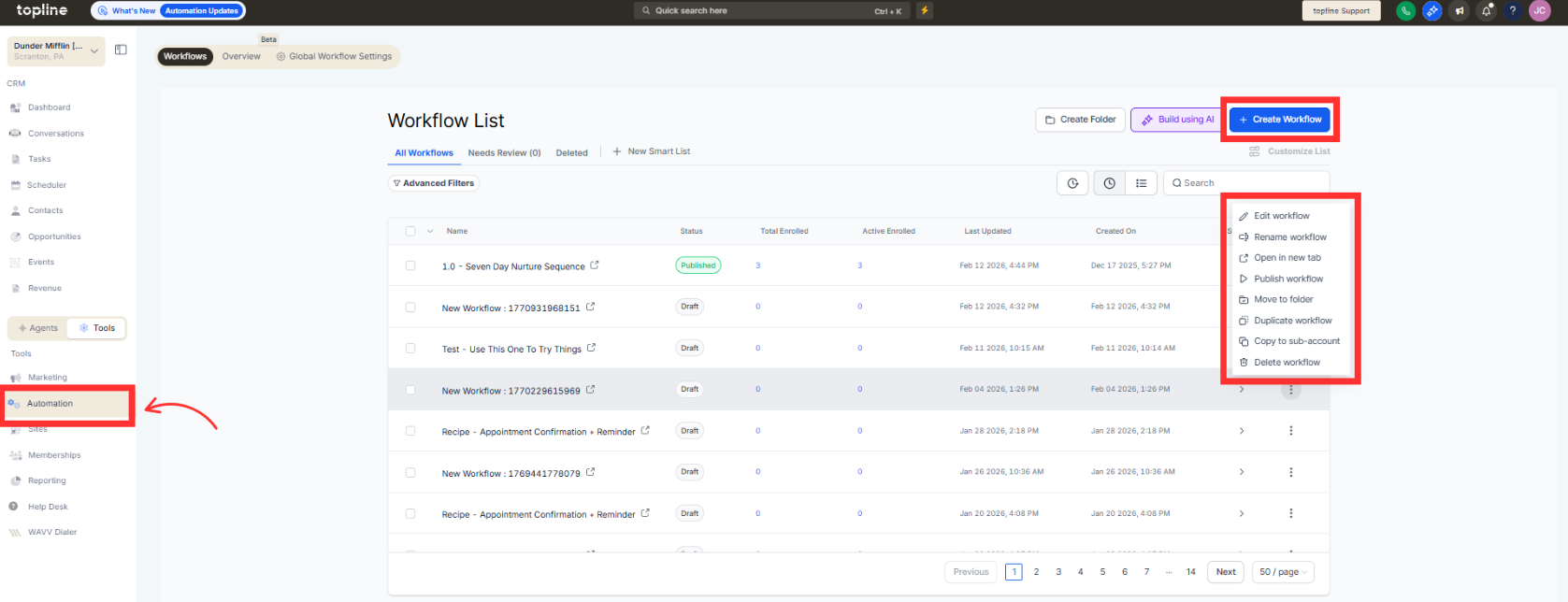
Step 2
Select the option to add or modify goal events. Select one of the new goal event options.
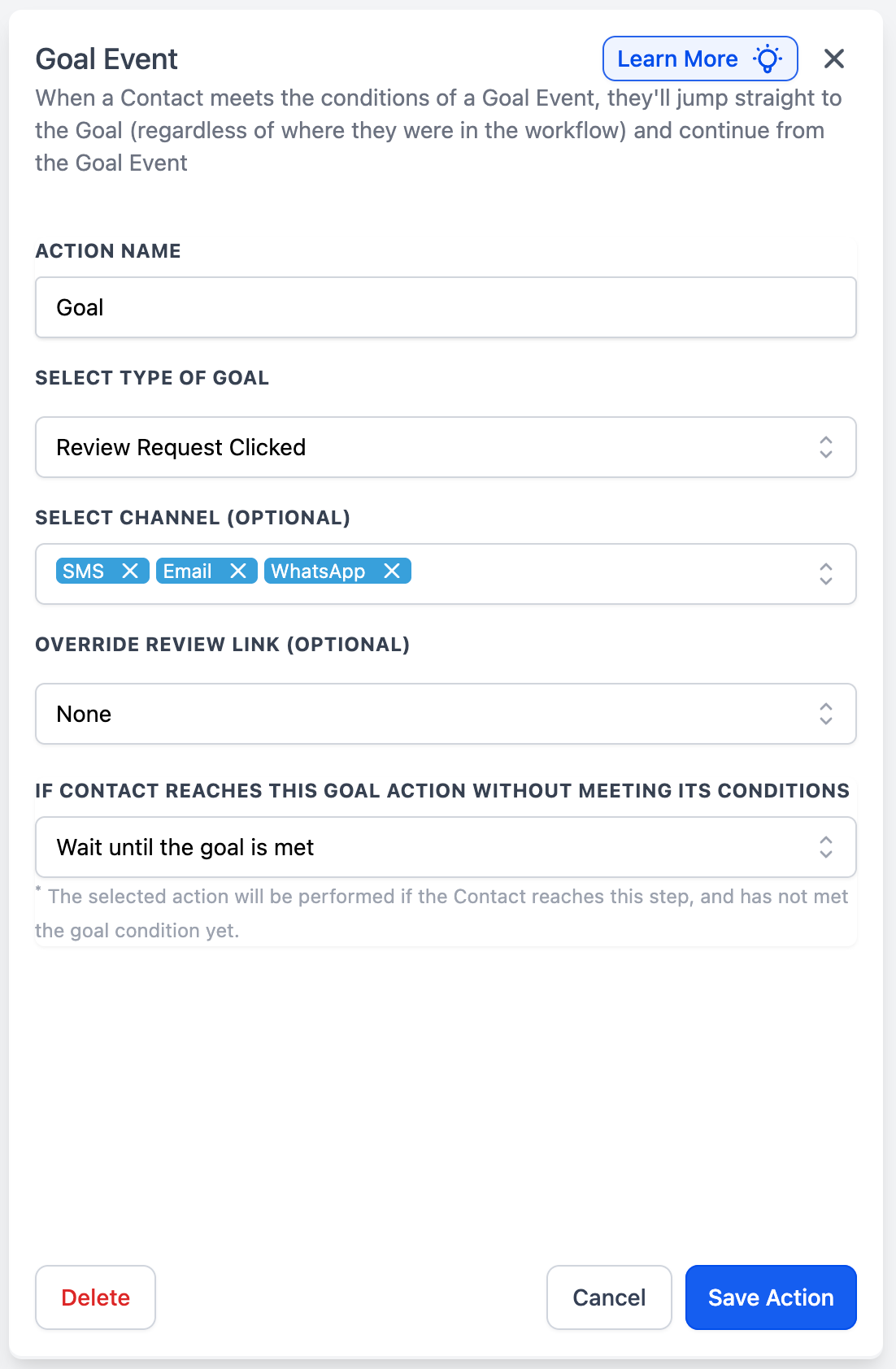
Step 3
Define when the goal should be recorded.
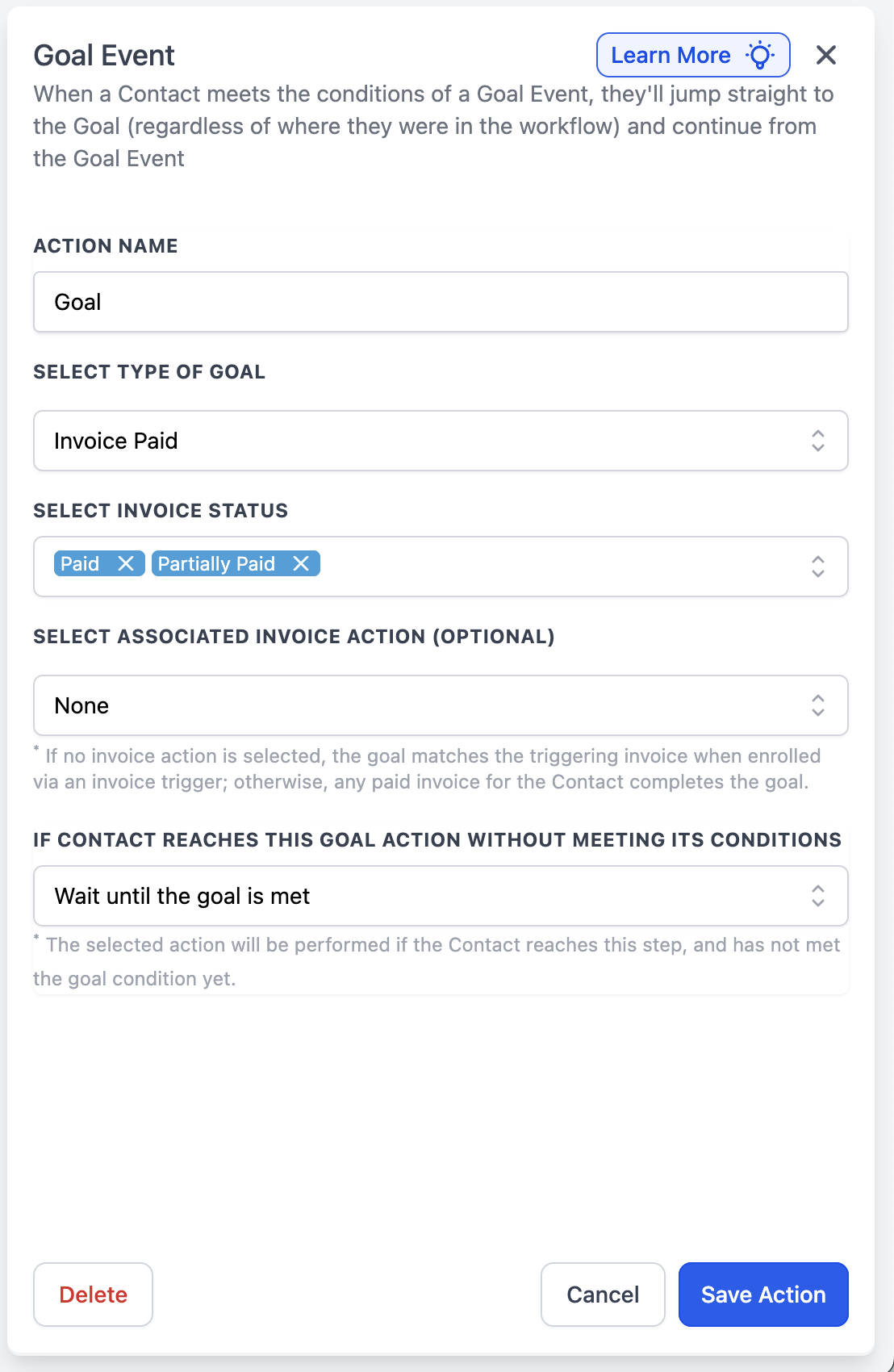
What new goal events are available?
• Invoice paid and review request clicked.
Do I need to enable these events manually?
• Yes, they must be selected when configuring goals.
Can these events trigger automations?
• Yes, they can be used within automation logic and reporting.
Does this affect existing goal tracking?
• No, existing goals remain unchanged.
Can I track both events at the same time?
• Yes, multiple goal events can be configured.
