
Rental services can now include taxes in pricing and checkout calculations. This improvement helps businesses maintain accurate financial records comply with tax requirements and ensure customers see correct totals during booking.
What’s New
• Tax support added for rental bookings
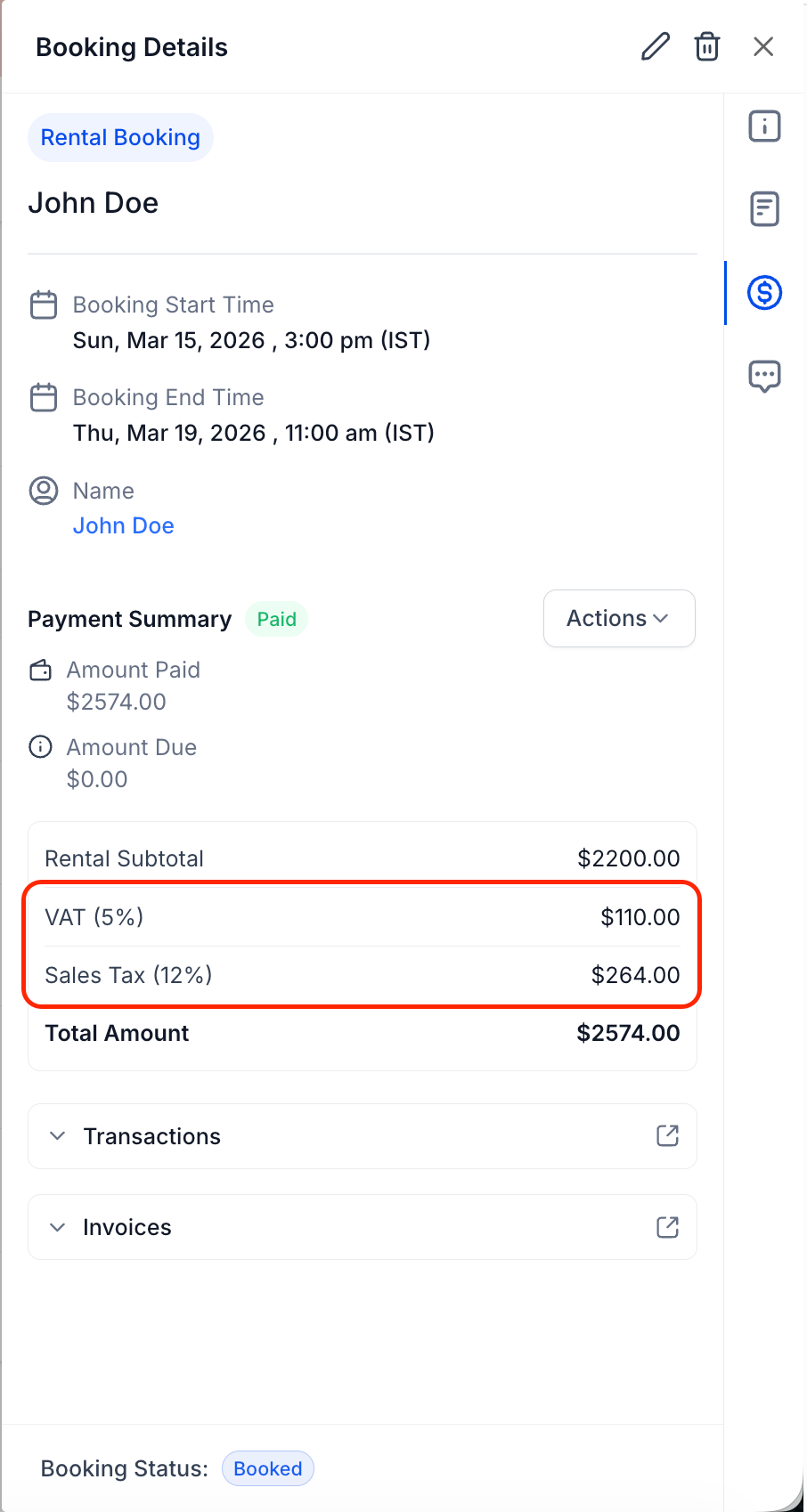
• Automatic tax calculation during checkout
• Improved financial accuracy for rental transactions
• Better compliance with tax requirements
• Clearer pricing visibility for customers
Tips
• Configure tax rules before enabling rentals publicly
• Review tax rates regularly to ensure accuracy
• Test booking flow to confirm tax calculation
• Display clear pricing breakdown for customers
• Align rental tax settings with accounting practices
How to Set It Up
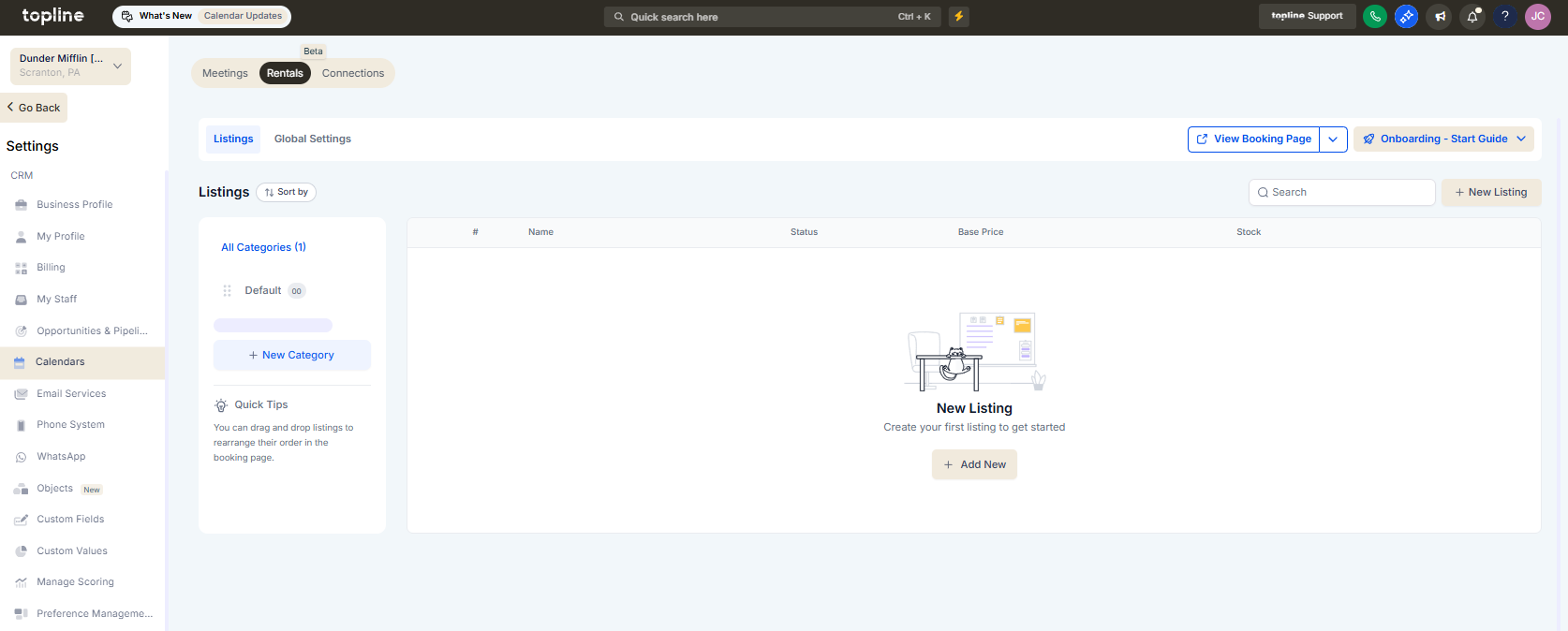
Step 1
Navigate to the section where rental services are configured.
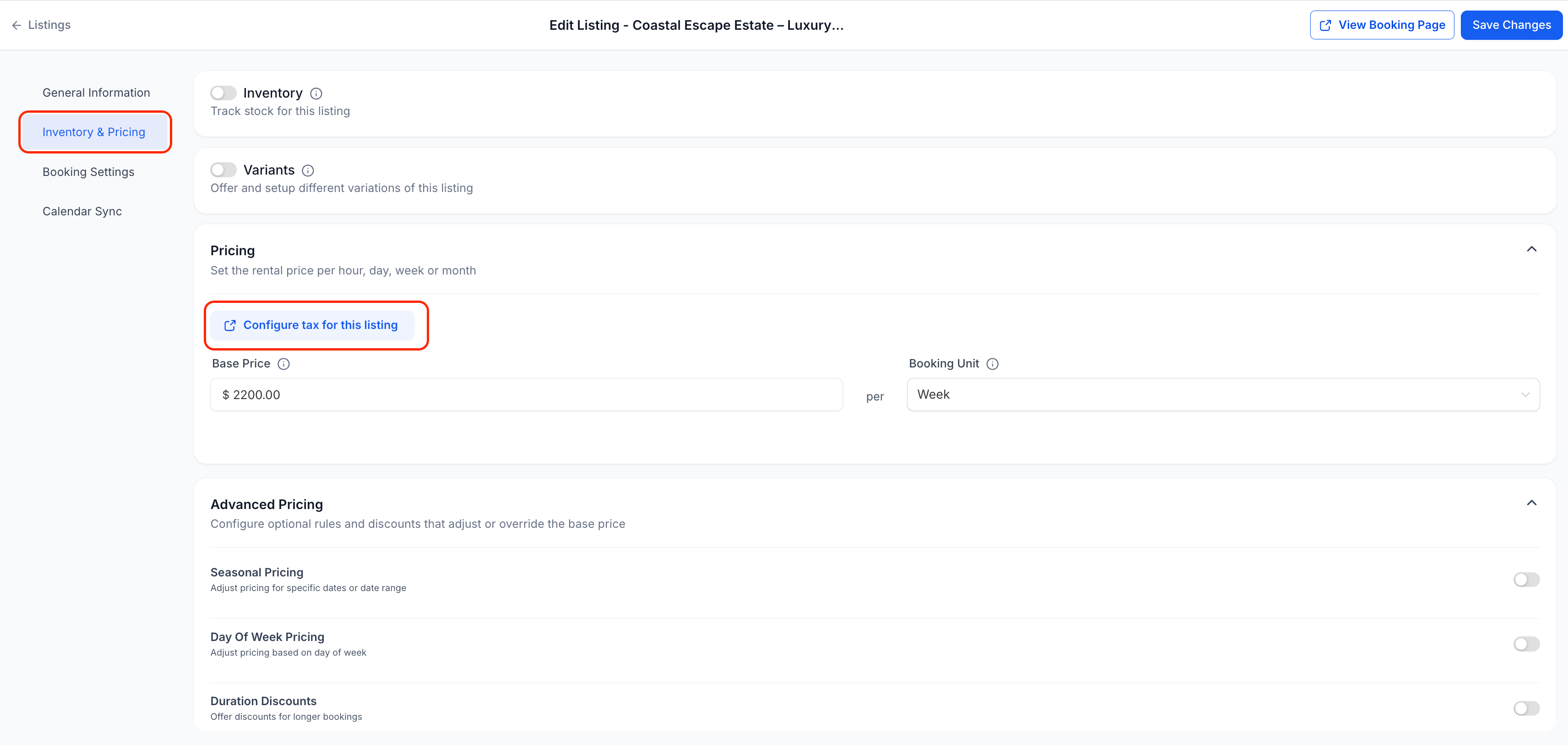
Step 2
Locate the tax settings for rental services.
Step 3
Enter the applicable tax percentage or tax rule. Enable tax calculation for the selected rental service.
FAQ’s
What does tax support for rentals allow?
• It allows taxes to be applied to rental bookings automatically.Do I need to configure tax settings manually?
• Yes, tax rates must be defined in the rental settings.Are taxes shown during checkout?
• Yes, taxes are calculated and displayed during the booking process.Does this affect existing rental bookings?
• Existing bookings remain unchanged unless reprocessed.Can different rentals have different tax rules?
• Yes, tax settings can vary depending on configuration.