Courses now support automatic welcome badges that are issued when a student enrolls. This helps create a more engaging learning environment by acknowledging new members from the start and encouraging participation in the course experience.
• Automatic welcome badge issuance when a student enrolls
• Immediate recognition for new course participants
• Simplified badge management for course creators
• Improved engagement at the start of the learning journey
• Better onboarding experience for students
• Use welcome badges to encourage new students to begin learning
• Pair badges with onboarding messages for better engagement
• Choose clear badge names that reflect the course experience
• Test badge delivery before launching a course
• Include badges as part of a broader learning reward system
Step 1
Navigate to the course management section.
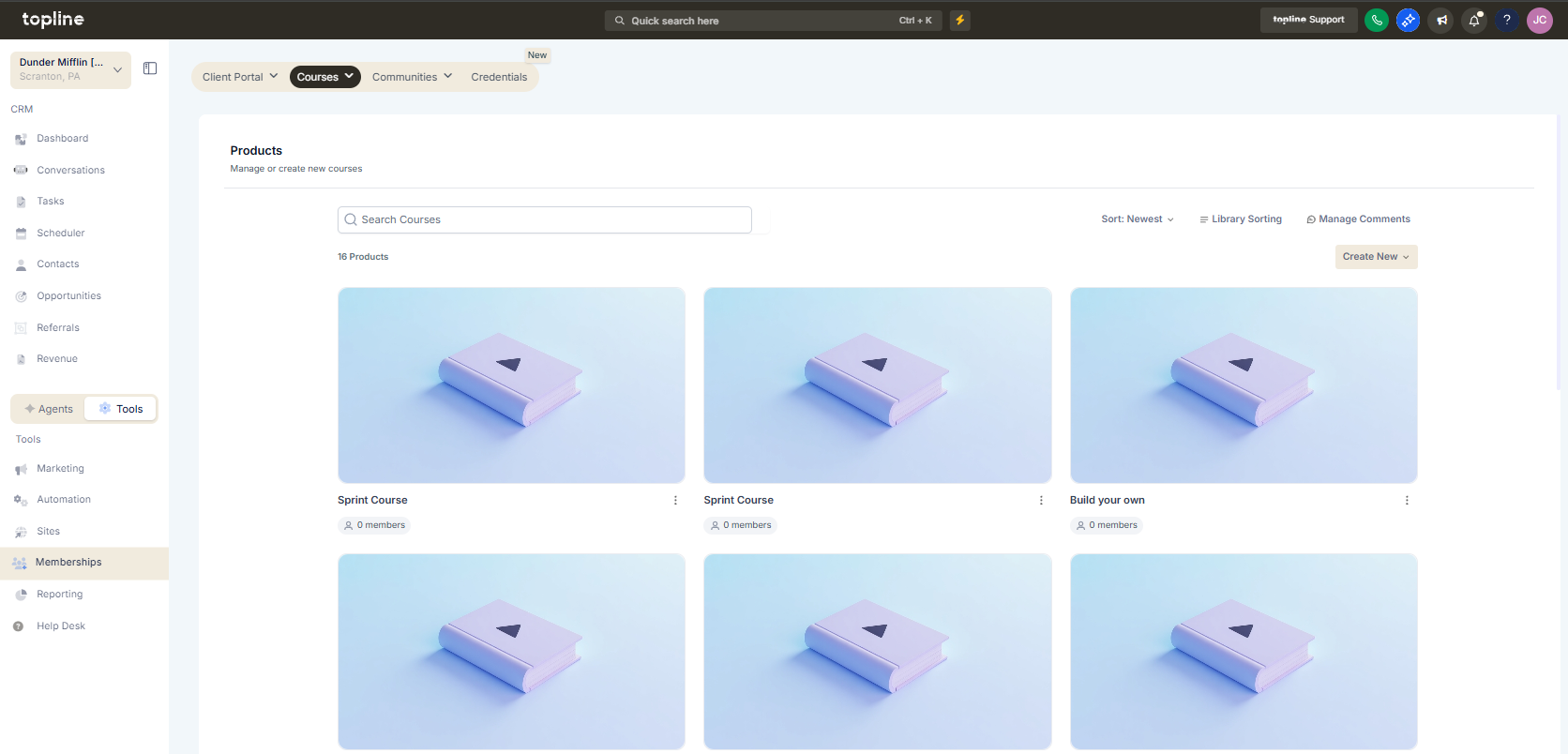
Step 2
Choose the course where the welcome badge will be applied. Activate the option to issue a badge upon enrollment.
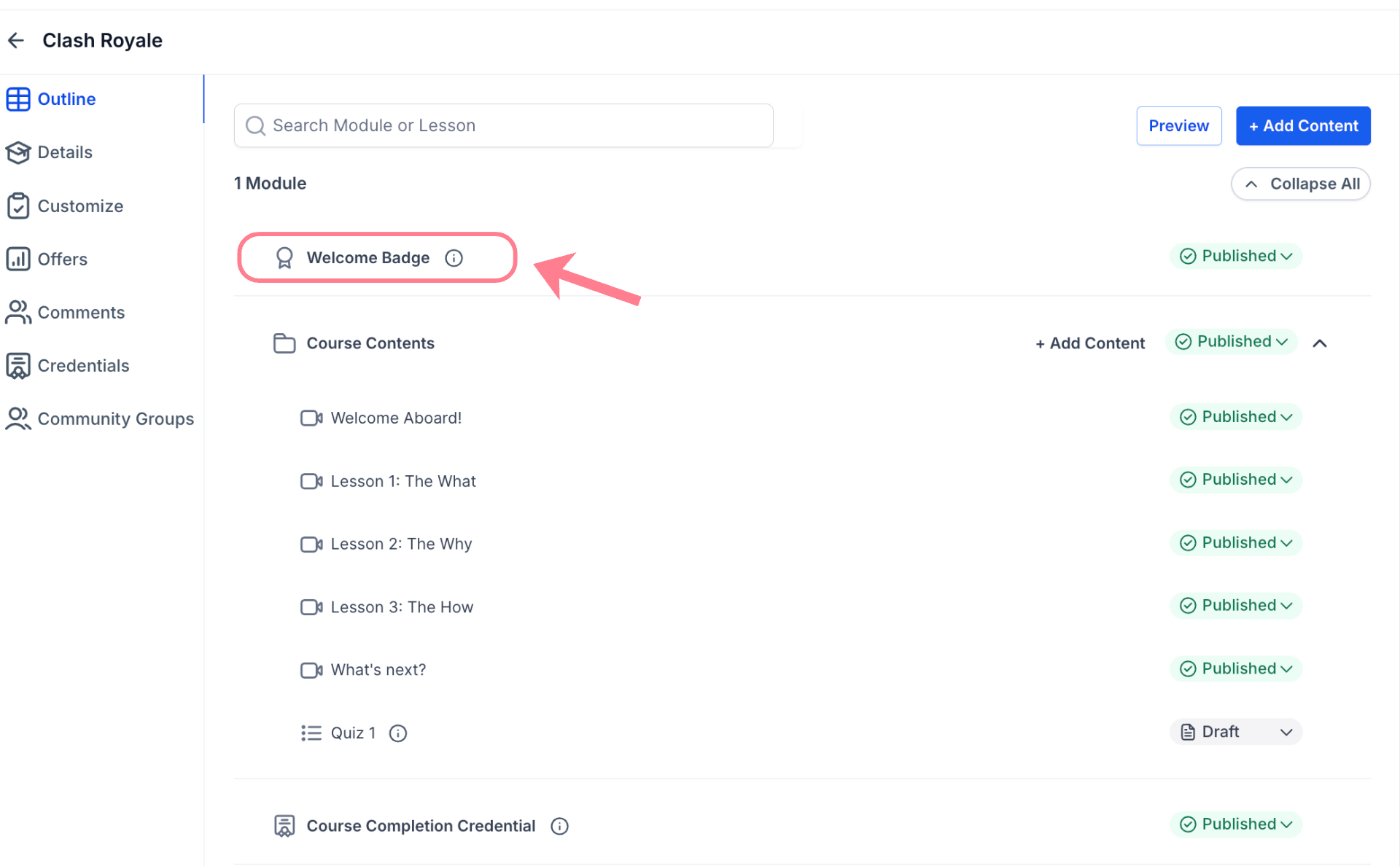
Step 3
Set the badge name, description, and design.
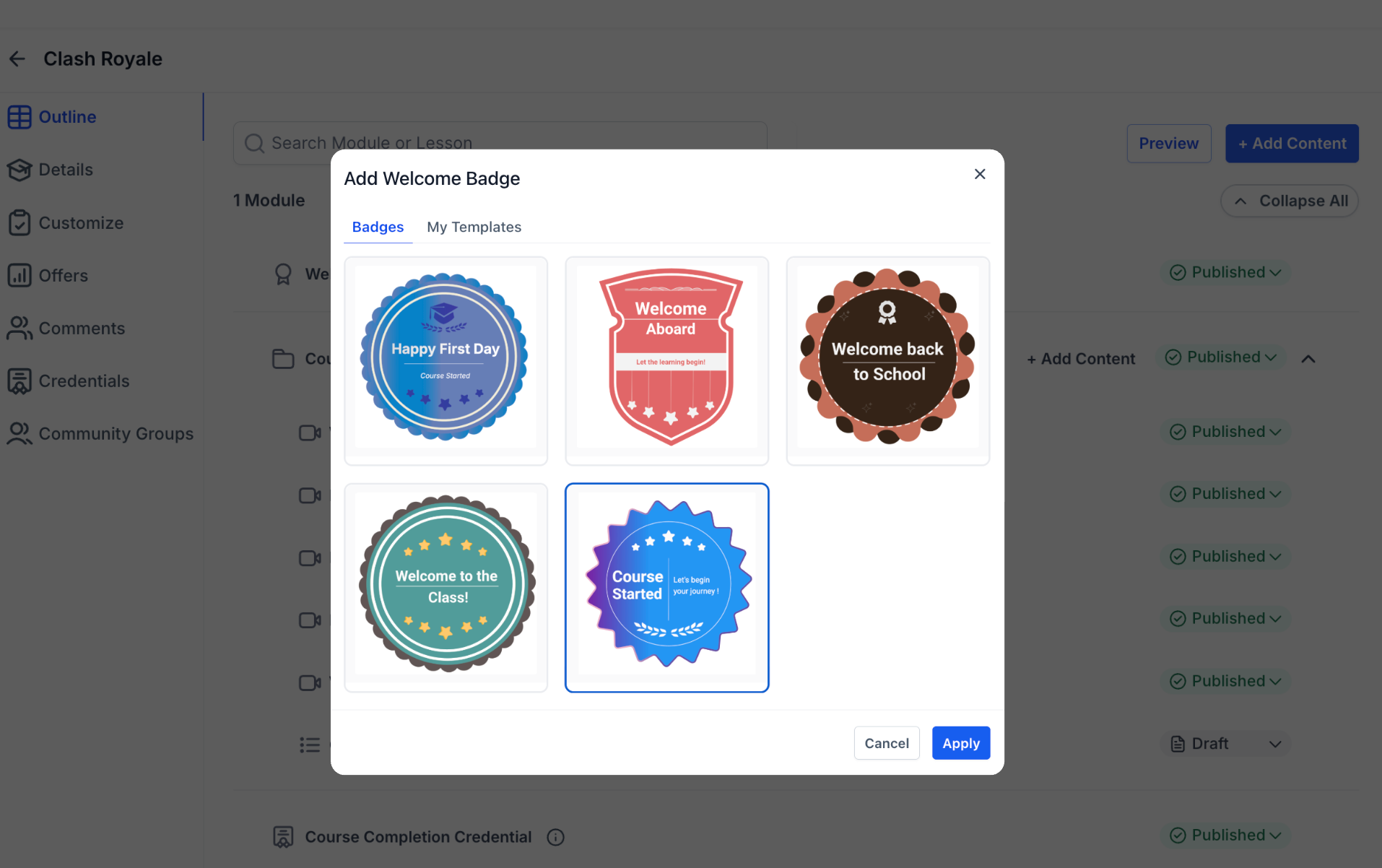
What is an automatic welcome badge for courses?
• It is a badge awarded to students immediately after enrolling in a course.
Do I need to enable this feature manually?
• Yes, it must be configured in the course settings.
When is the badge issued to students?
• The badge is issued when the student enrolls in the course.
Can badge details be changed later?
• Yes, badge settings can be updated at any time.
Does this affect existing course enrollments?
• Existing enrollments may receive badges depending on configuration.
