Workflows can now merge duplicate contacts using the new merge contact action. This helps keep contact data clean and organized by combining records that belong to the same person, reducing duplicates and improving data accuracy across automations.
• New merge contact action available in workflows
• Ability to automatically combine duplicate contact records
• Improved contact data accuracy
• Reduced manual cleanup of duplicate contacts
• Better organization of contact records
• Use merge actions when duplicate contacts are detected
• Review contact data before merging records
• Keep consistent contact identifiers, such as email or phone
• Test merge workflows with sample contacts
• Regularly monitor contact records to prevent duplicates
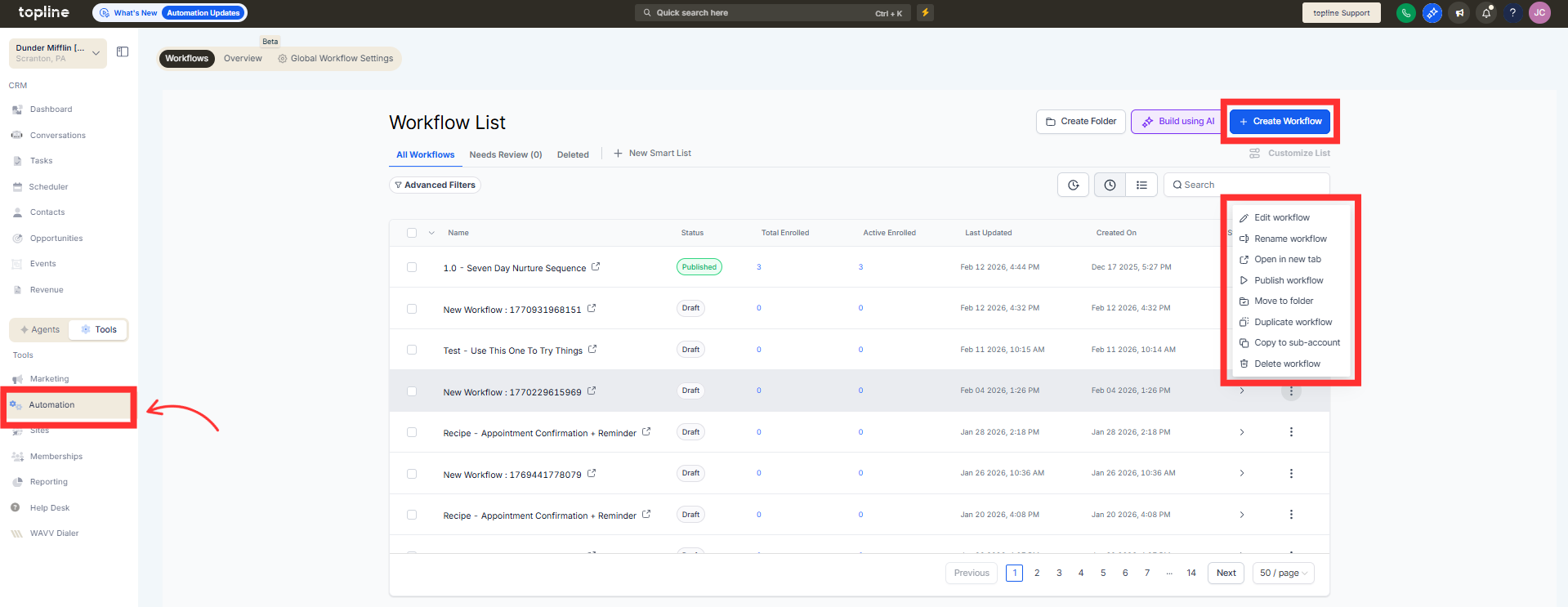
Step 1
Navigate to the automation section and create or edit a workflow.
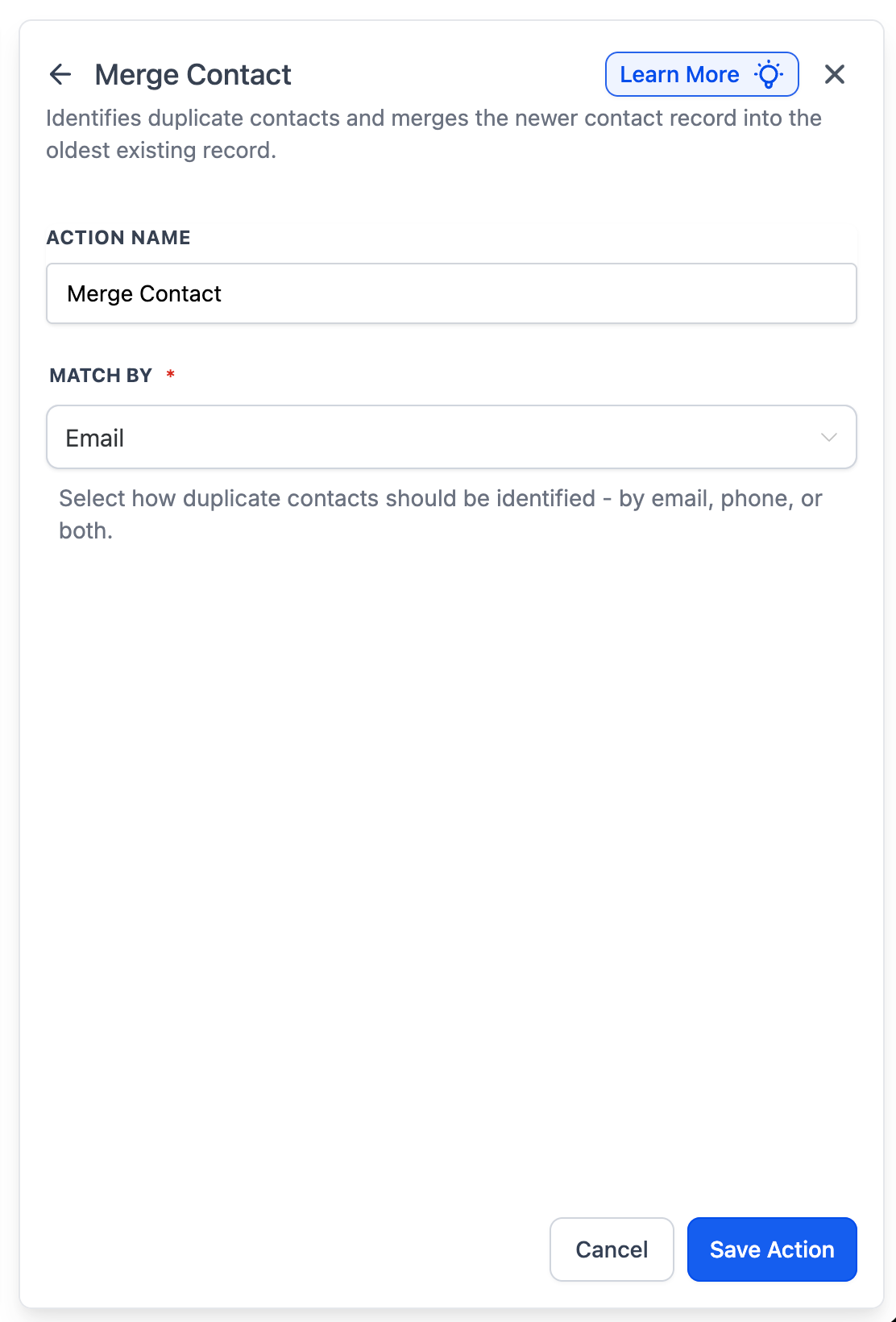
Step 2
Insert the merge contact action into the workflow.
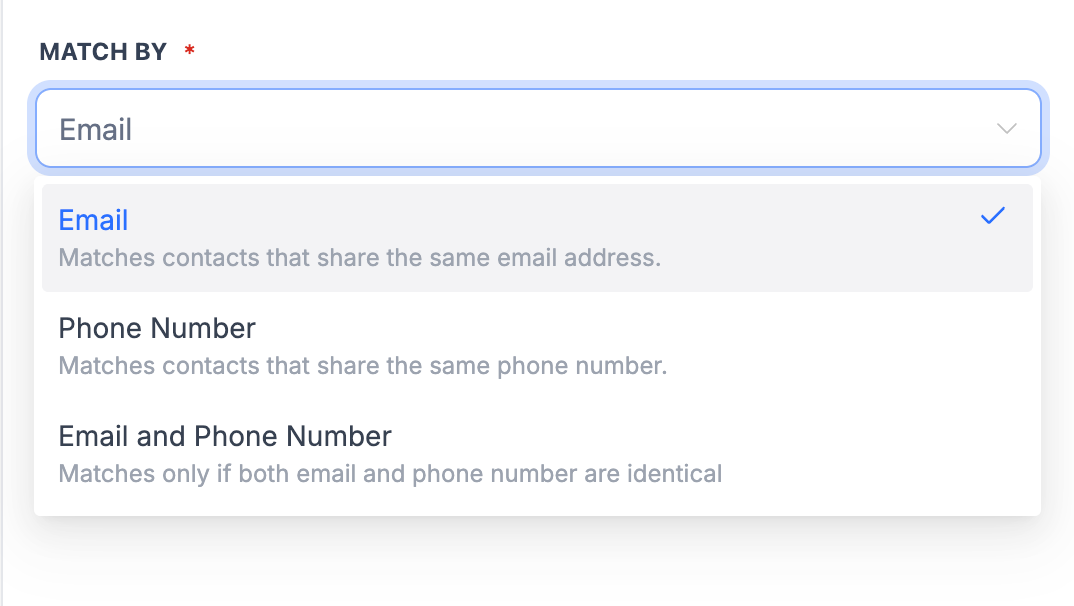
Step 3
Specify how duplicate contacts should be identified. Choose which record information should be retained.
What does the merge contact action do?
• It combines duplicate contact records into a single contact.
Do I need to enable this feature manually?
• Yes, you must add the merge contact action within a workflow.
Can I control how contacts are merged?
• Yes, merge conditions and behavior can be configured.
Does this remove duplicate records?
• Duplicate records are merged into a single unified contact.
Can this be used with existing workflows?
• Yes, the action can be added to new or existing workflows.
