Facebook posts can now sync with the social planner, ensuring consistency between published content and scheduled campaigns. This helps streamline content management improves visibility, and reduce manual tracking of posts across platforms.
• Facebook post sync with social planner
• Automatic alignment of published and scheduled posts
• Improved content management across platforms
• Reduced need for manual post tracking
• Better visibility into social media activity
• Sync posts regularly to maintain accurate records
• Review synced content to ensure consistency
• Use planner insights to optimize posting strategy
• Organize posts with clear naming and scheduling
• Monitor performance after syncing posts
How to Set It Up
Step 1
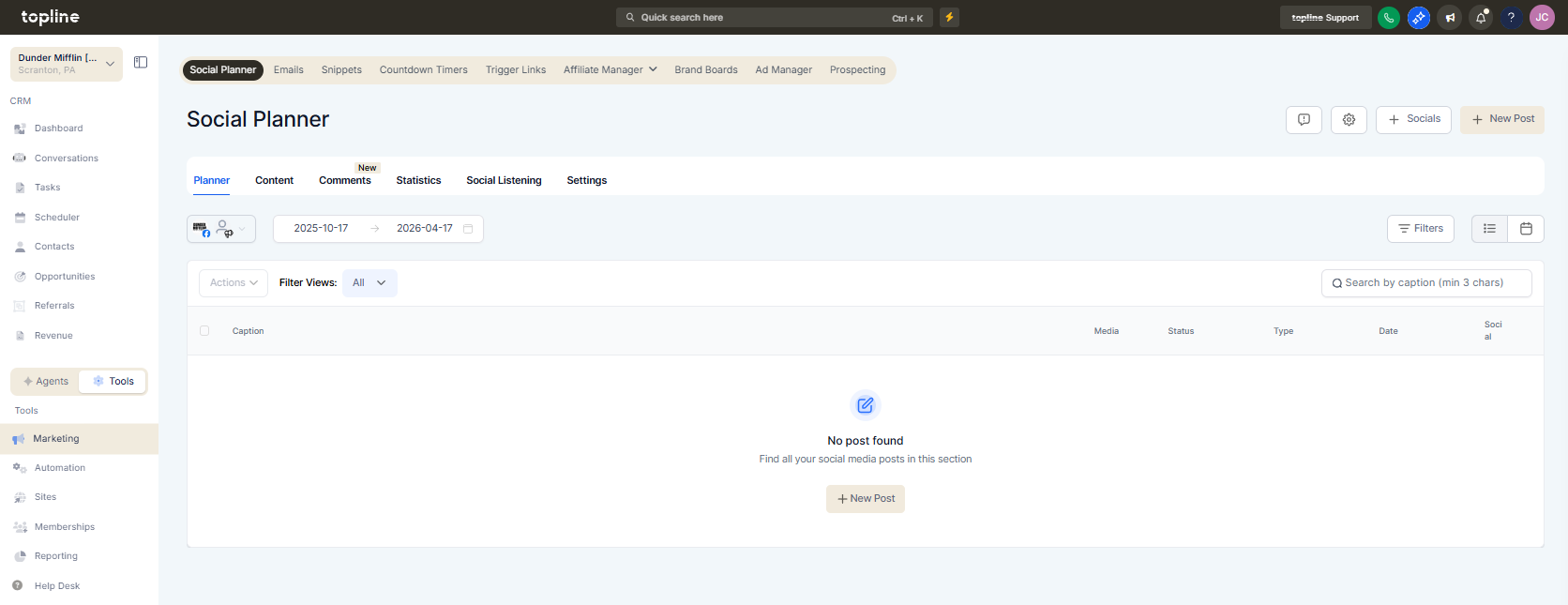
Navigate to the social planner section.
Step 2
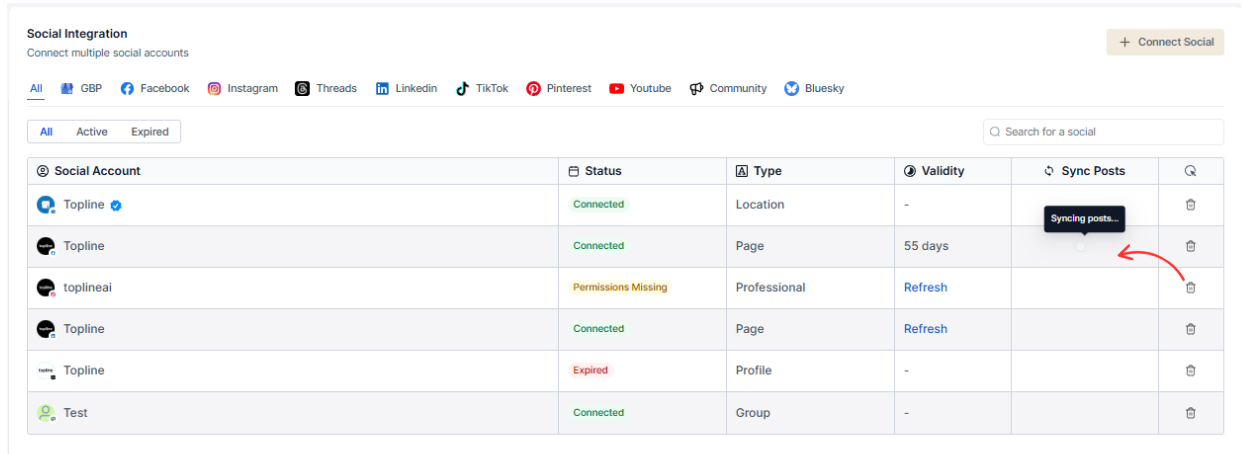
Activate the option to sync Facebook posts. Check that posts are imported or aligned correctly.
What does Facebook post sync allow?
• It syncs Facebook posts with the social planner for better content management.
Do I need to enable syncing manually?
• Yes, syncing must be activated within the planner settings.
Does this affect existing posts?
• Existing posts can be synced depending on the configuration.
Can synced posts be edited?
• Yes, posts can be adjusted within the planner after syncing.
Does this work for all Facebook pages?
• It depends on connected accounts and permissions.
