You can now generate shareable preview links for Meta ad campaigns, allowing teams and clients to review ads before they go live. This improves collaboration, speeds up approvals, and ensures campaigns are finalized with confidence.
• Shareable preview links for Meta ad campaigns
• Easier collaboration with team members and clients
• Faster approval process before campaign launch
• Improved visibility into ad creatives and formats
• Better quality control for campaign setup
• Share preview links with stakeholders before publishing
• Use previews to catch errors in ad creatives or messaging
• Gather feedback early to avoid last-minute changes
• Review ads across devices if possible
• Keep a record of approved previews for reference
Step 1
Navigate to the section where ad campaigns are created or managed.
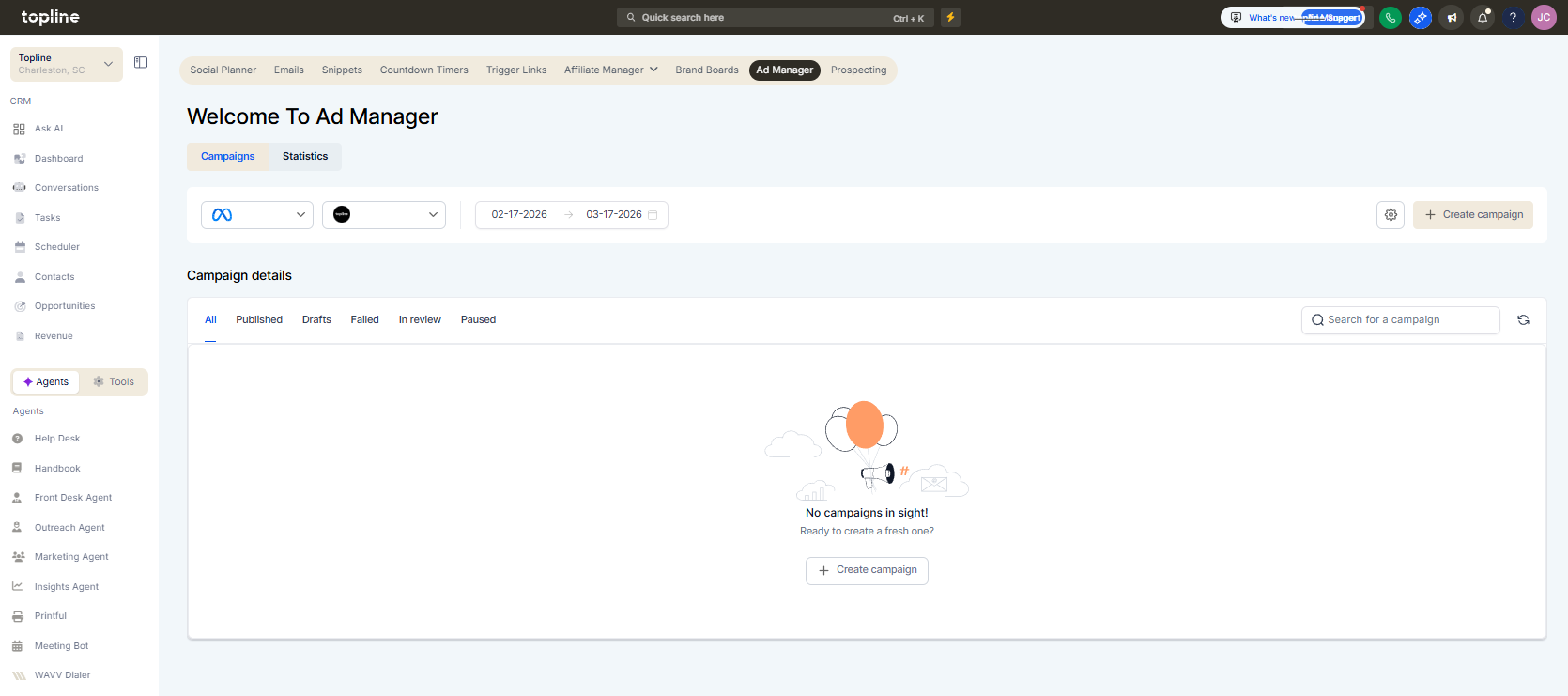
Step 2
Select the campaign you want to preview.
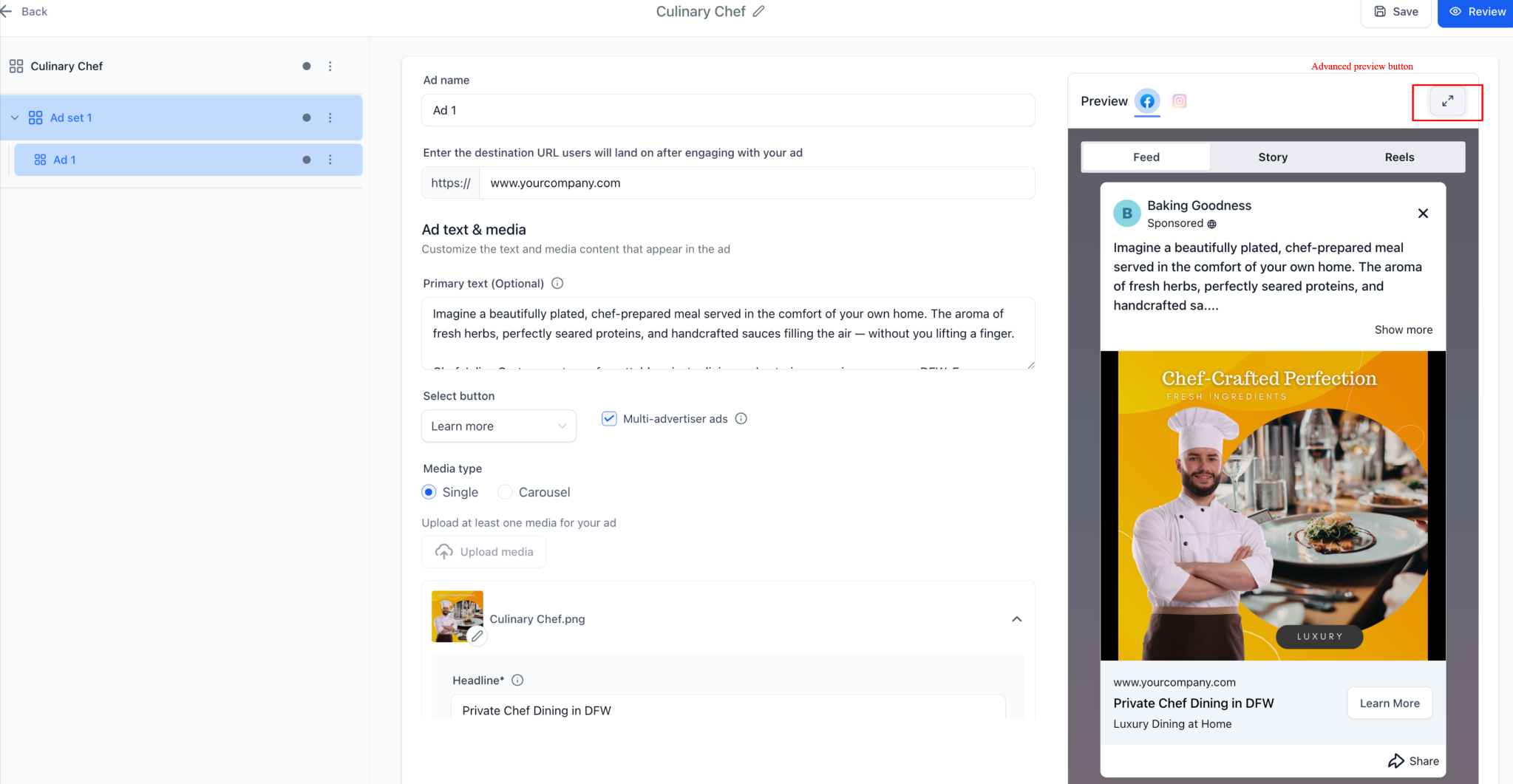
Step 3
Use the preview option to create a shareable link. Send the preview link to team members or clients for review.
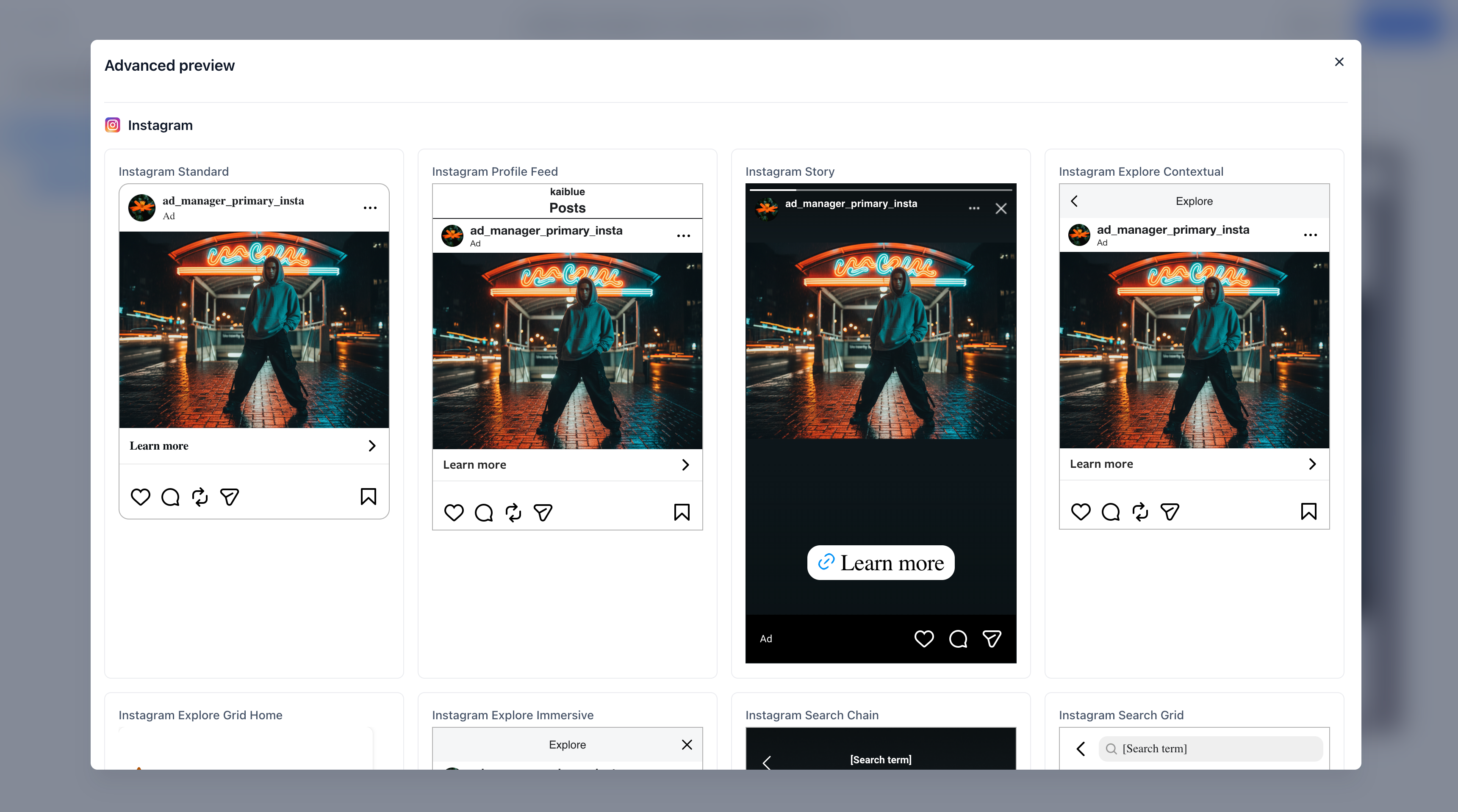
What is a shareable preview link for ad campaigns?
• It is a link that allows others to view ad creatives before they are published.
Do I need to enable this feature manually?
• No, the preview link option is available when creating or editing campaigns.
Can clients access the preview link?
• Yes, the link can be shared externally for review.
Does the preview link show live ads?
• No, it only shows a preview before publishing.
Can I update the campaign after sharing the link?
• Yes, changes can be made before final launch.
