Product images can now be zoomed in, giving customers a closer look at details before making a purchase decision. This improves the shopping experience by providing better visibility and helping users feel more confident in product quality.
• Zoom functionality for product images
• Improved product detail visibility
• Enhanced customer viewing experience
• Better presentation of product visuals
• Increased confidence during purchasing
• Use high quality images to maximize zoom clarity
• Include multiple angles for better product understanding
• Keep image resolution optimized for fast loading
• Test zoom functionality on different devices
• Update product images regularly for accuracy
Step 1
Navigate to the product management area.
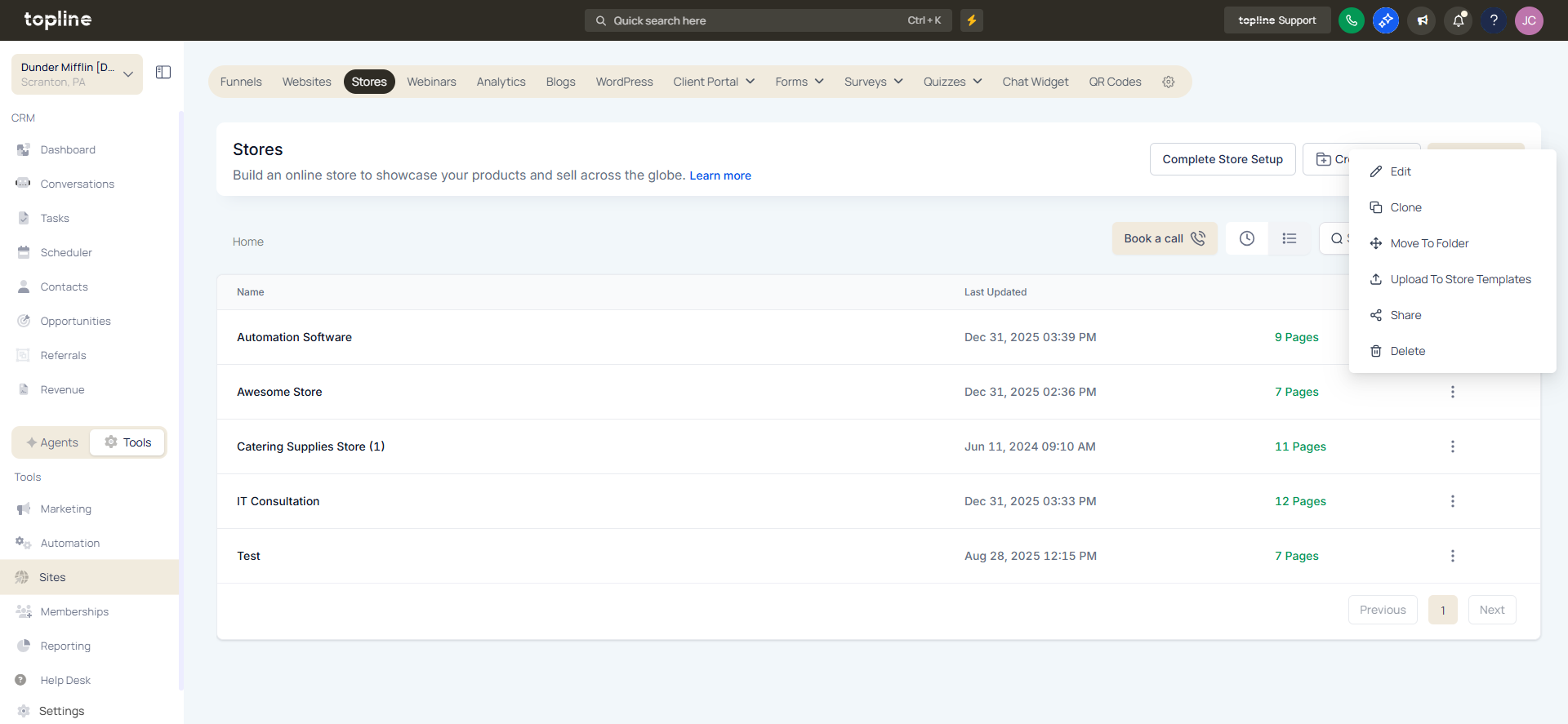
Step 2
Choose the product you want to update.
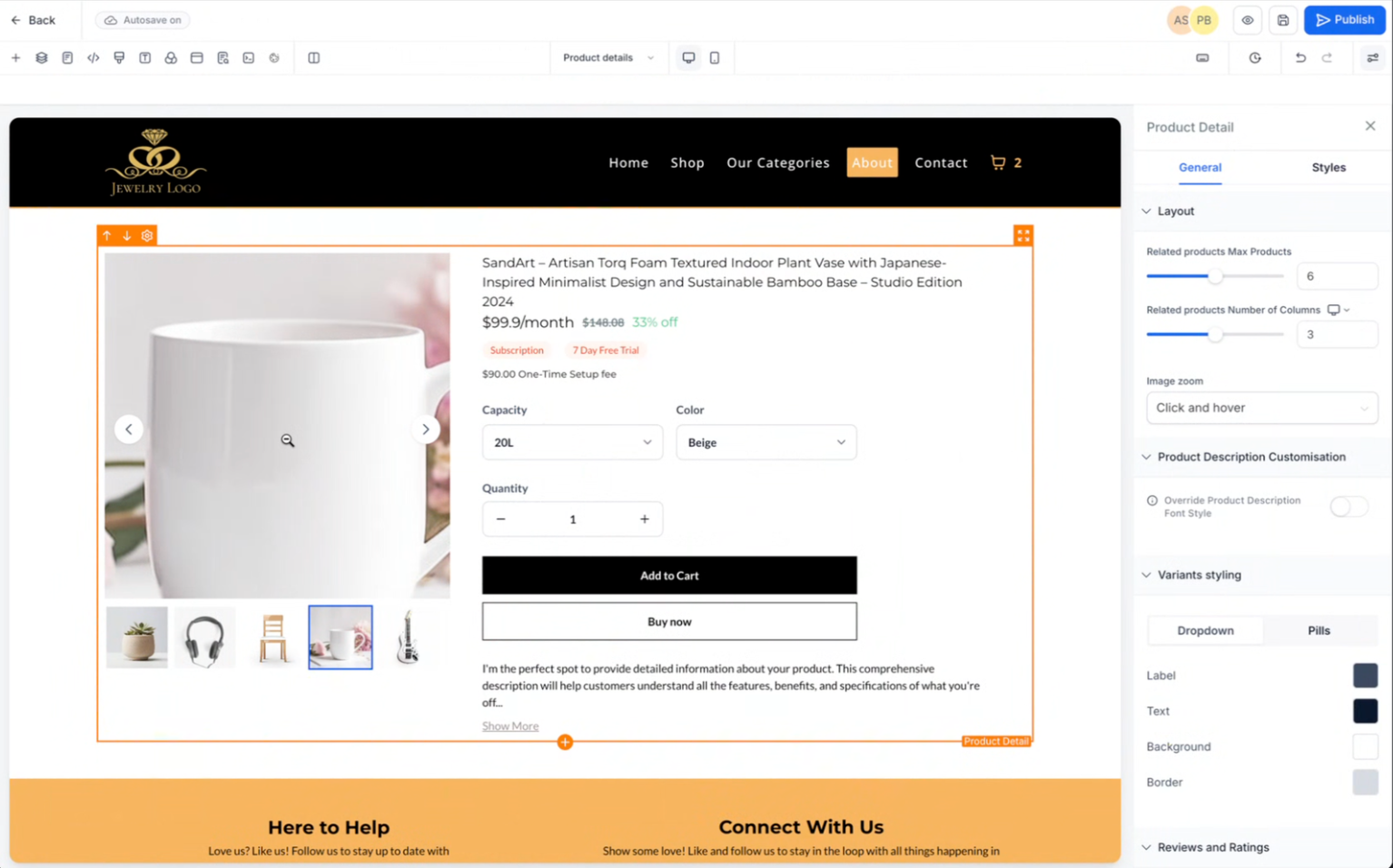
Step 3
Add clear and high resolution product images. And test it. Apply and save the updated product details.
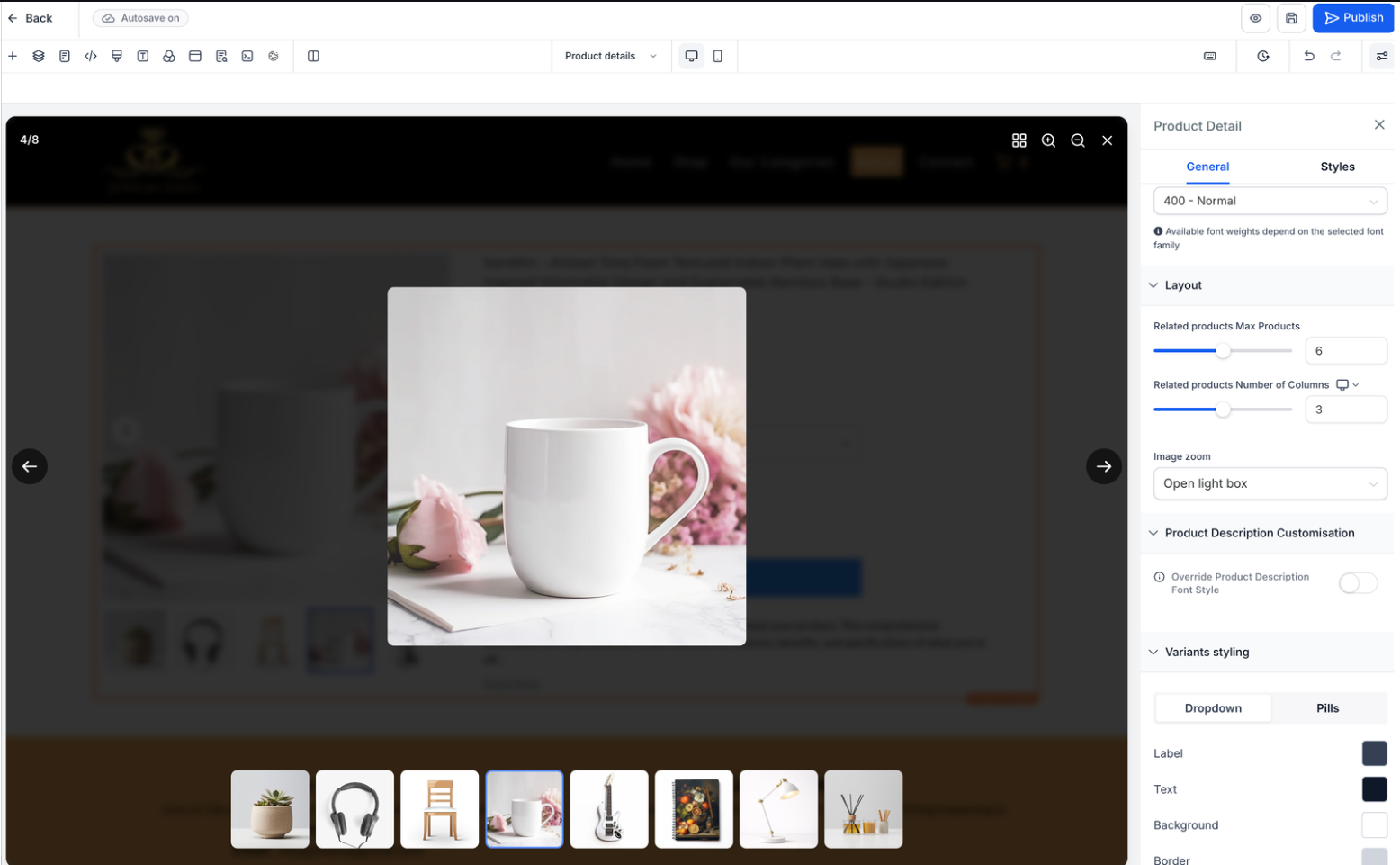
What does zoom on product images allow?
• It allows customers to view product details more closely.
Do I need to enable this feature manually?
• No, zoom functionality is available automatically for supported images.
Does image quality affect zoom performance?
• Yes, higher quality images provide better zoom clarity.
Can I add multiple images for zoom?
• Yes, multiple images can enhance the viewing experience.
Does this work on mobile devices?
• Yes, zoom is supported on both desktop and mobile.
