Product pages now support customizable variant selector display options. This allows businesses to choose how product variations, such as size or color, are shown, improving the shopping experience and making selection more intuitive for customers.
• New display options for product variant selectors
• Improved flexibility in presenting product variations
• Enhanced user experience on product pages
• Better visibility of available options, such as size or color
• More control over product page layout
• Choose a display style that matches your product type
• Use clear labels for variant options
• Keep variant selection simple and easy to understand
• Test different display options for better conversions
• Ensure all variants are properly configured before publishing
Step 1
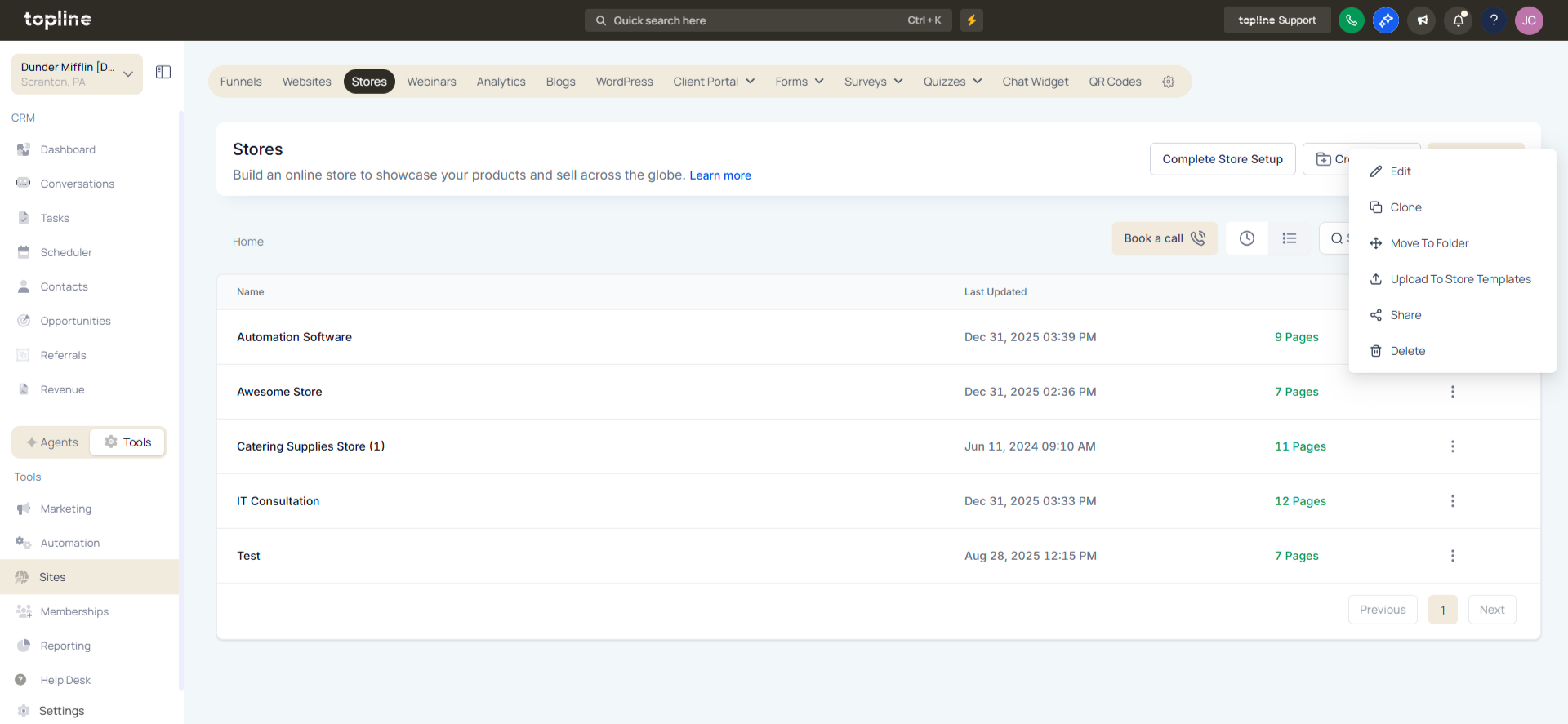
Navigate to the product management area.
Step 2
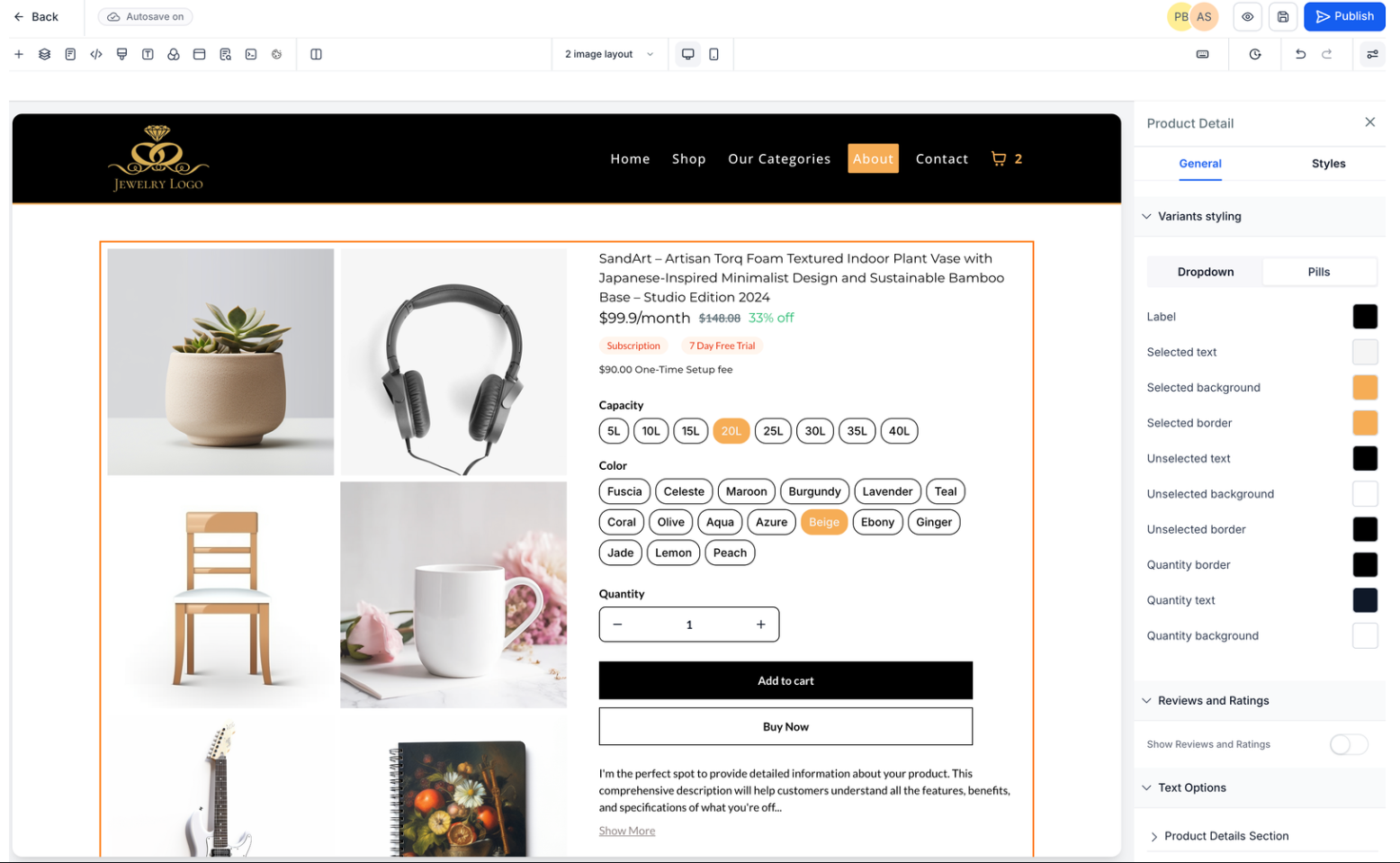
Choose the product you want to update. Locate the section where product variants are configured. Select the preferred display style for variant selection.
What are the variant selector display options?
• They control how product variations are shown on the product page.
Do I need to enable this feature manually?
• Yes, display options must be selected within product settings.
Can I change the display style later?
• Yes, display options can be updated at any time.
Does this affect existing products?
• Existing products can be updated with new display options.
Can this improve customer experience?
• Yes, a better display makes it easier to choose product variations.
