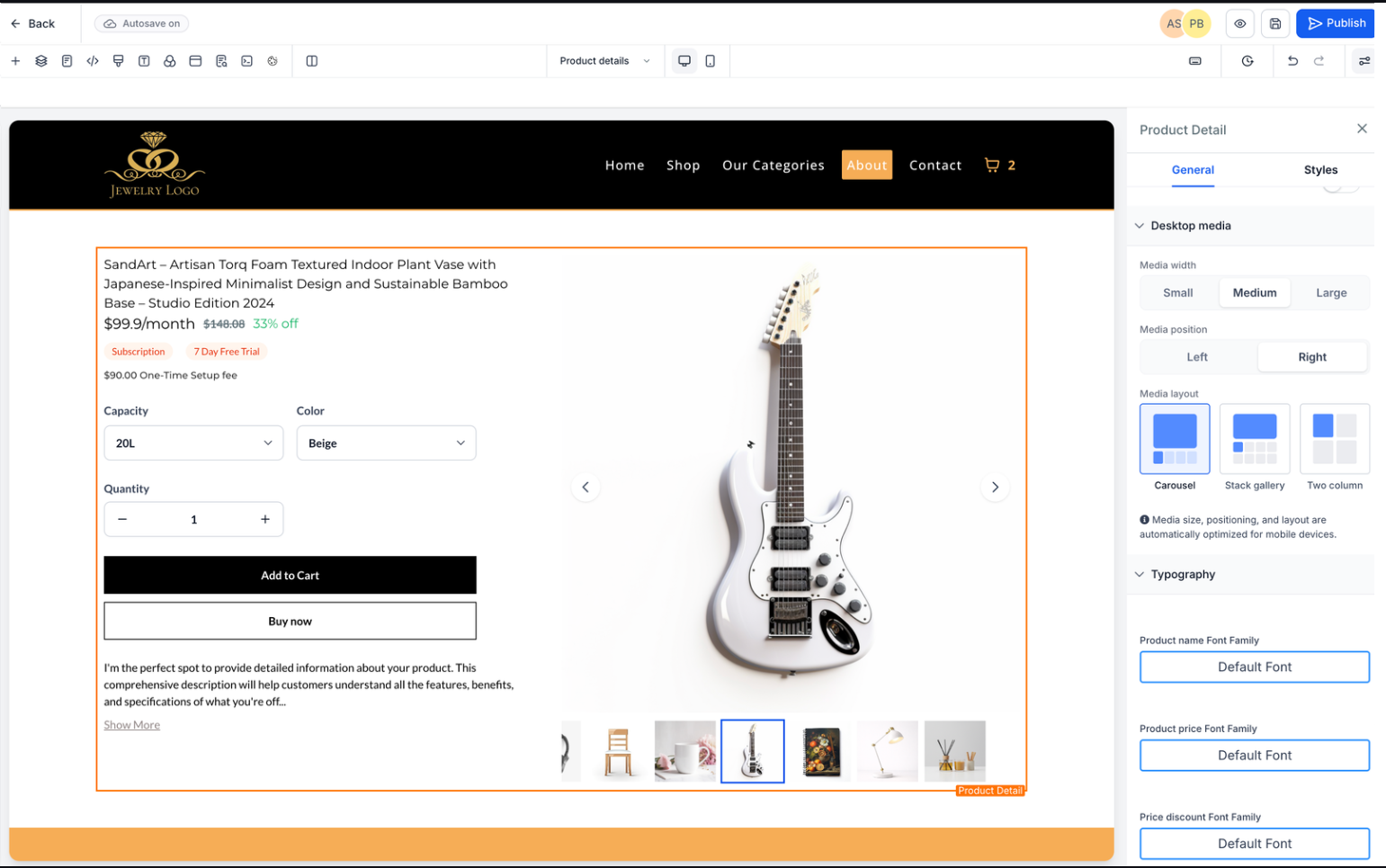
You can now customize how product detail pages appear on desktop by adjusting media size and layout structure. This gives greater flexibility in showcasing products, improving visual hierarchy, and enhancing the overall shopping experience.
• Adjustable media size for product images on desktop
• Customizable layout for product detail pages
• Improved visual presentation of product content
• Better control over page structure and design
• Enhanced desktop user experience
• Use larger media sizes for visually driven products
• Keep layout simple to avoid overwhelming users
• Align layout with your brand design style
• Test different layouts to improve engagement
• Ensure images are optimized for fast loading
Step 1
Navigate to your product management area.
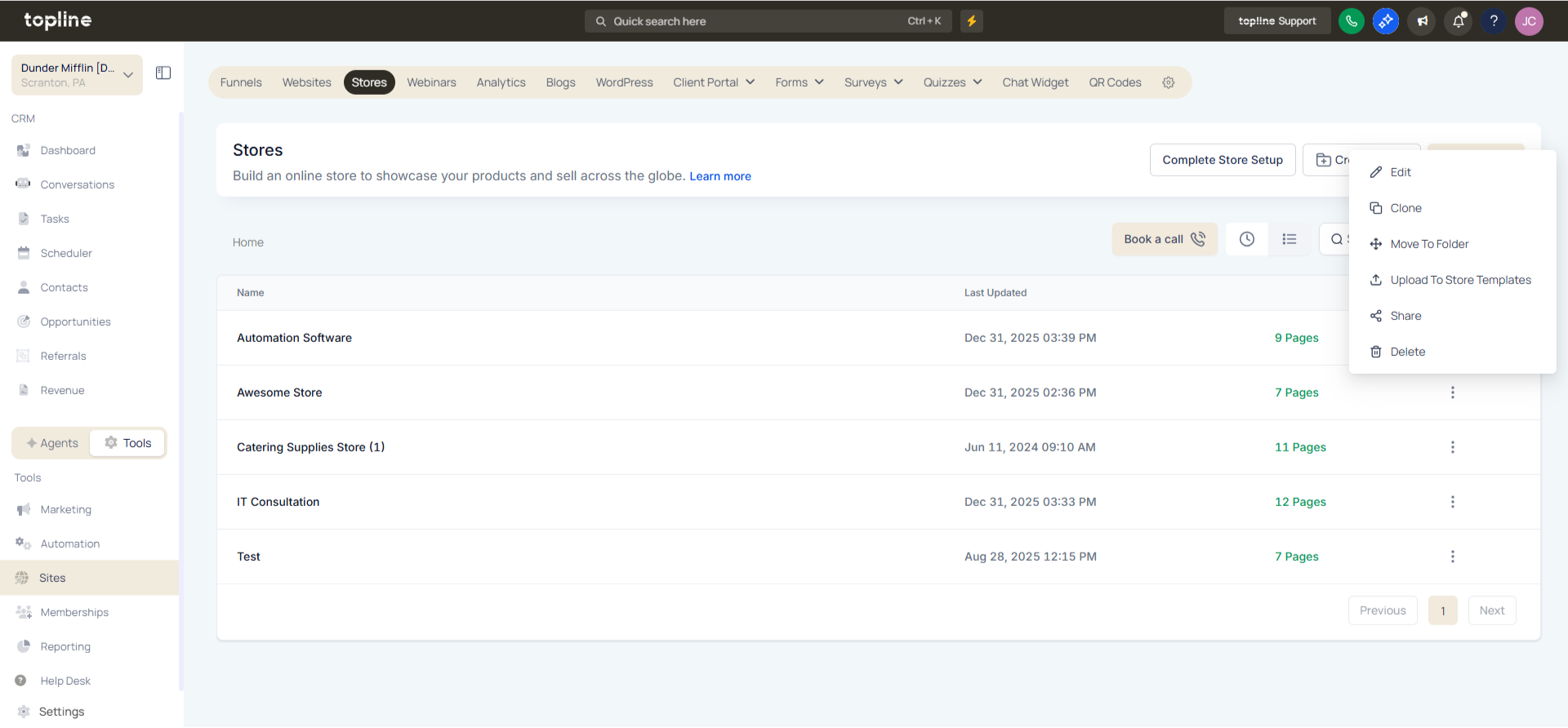
Step 2
Choose the product you want to customize. Locate the desktop customization or layout settings. Set the preferred size for product images. Choose how product details and media are arranged.
What can I customize on the product details page?
• You can adjust media size and layout on desktop views.
Do I need to enable this feature manually?
• Yes, customization is done through product page settings.
Can I change the layout anytime?
• Yes, layout and media settings can be updated at any time.
Does this affect mobile views?
• No, this update is focused on the desktop display.
Can this improve product presentation?
• Yes, it allows better visual organization and clarity.
