Product detail pages now support more media layout options, allowing businesses to better showcase product images and visual content. This improves presentation, enhances user experience, and helps customers view products more effectively before making a purchase.
• New media layout options for product detail pages
• Greater flexibility in displaying product images
• Improved visual presentation of product content
• Enhanced browsing experience for customers
• More control over product page design
• Choose layouts that highlight key product visuals
• Use consistent image styles across products
• Test different layouts to improve engagement
• Ensure images are high quality and optimized
• Keep layouts clean to avoid clutter
Step 1
Navigate to your product management area.
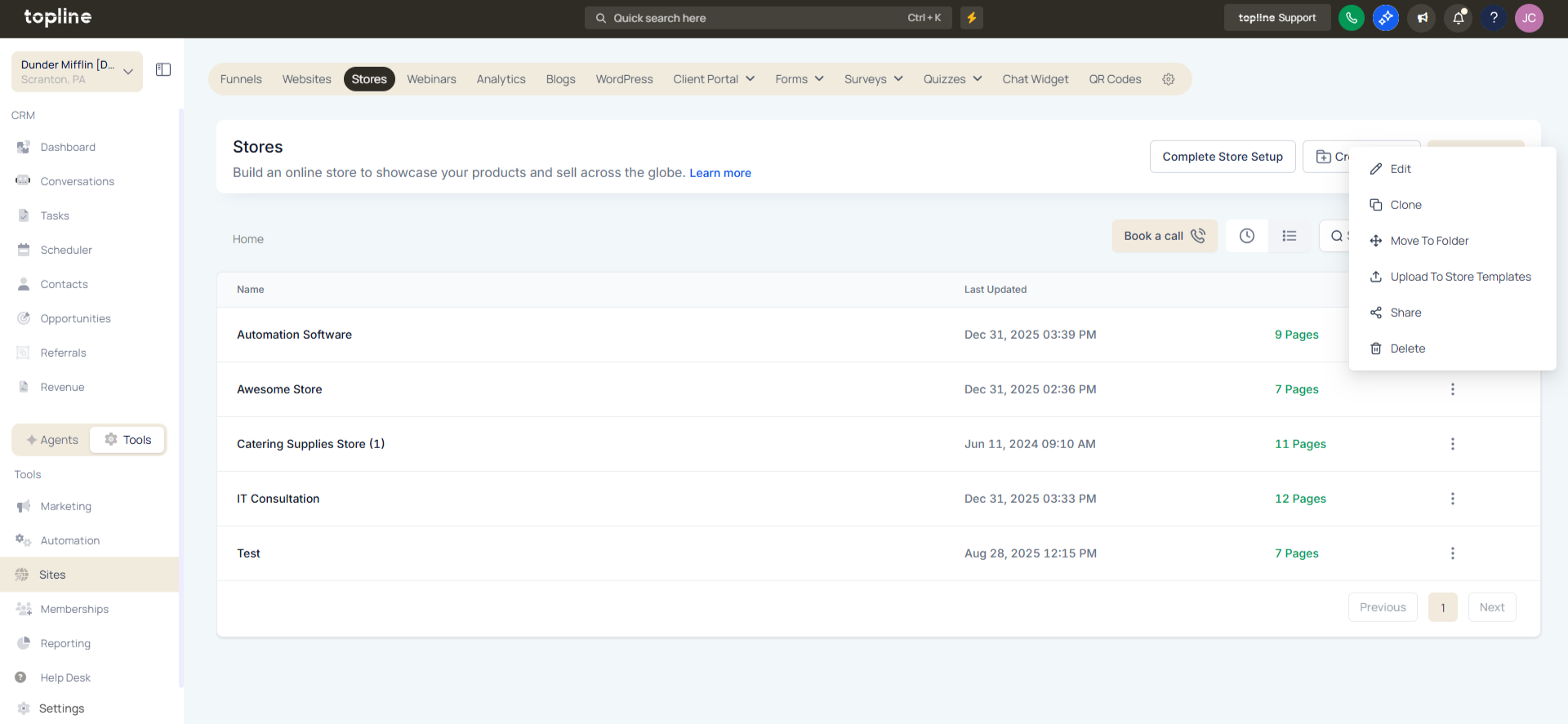
Step 2
Choose the product you want to customize. Locate the media or layout customization options. Select from the available layout styles for product images.
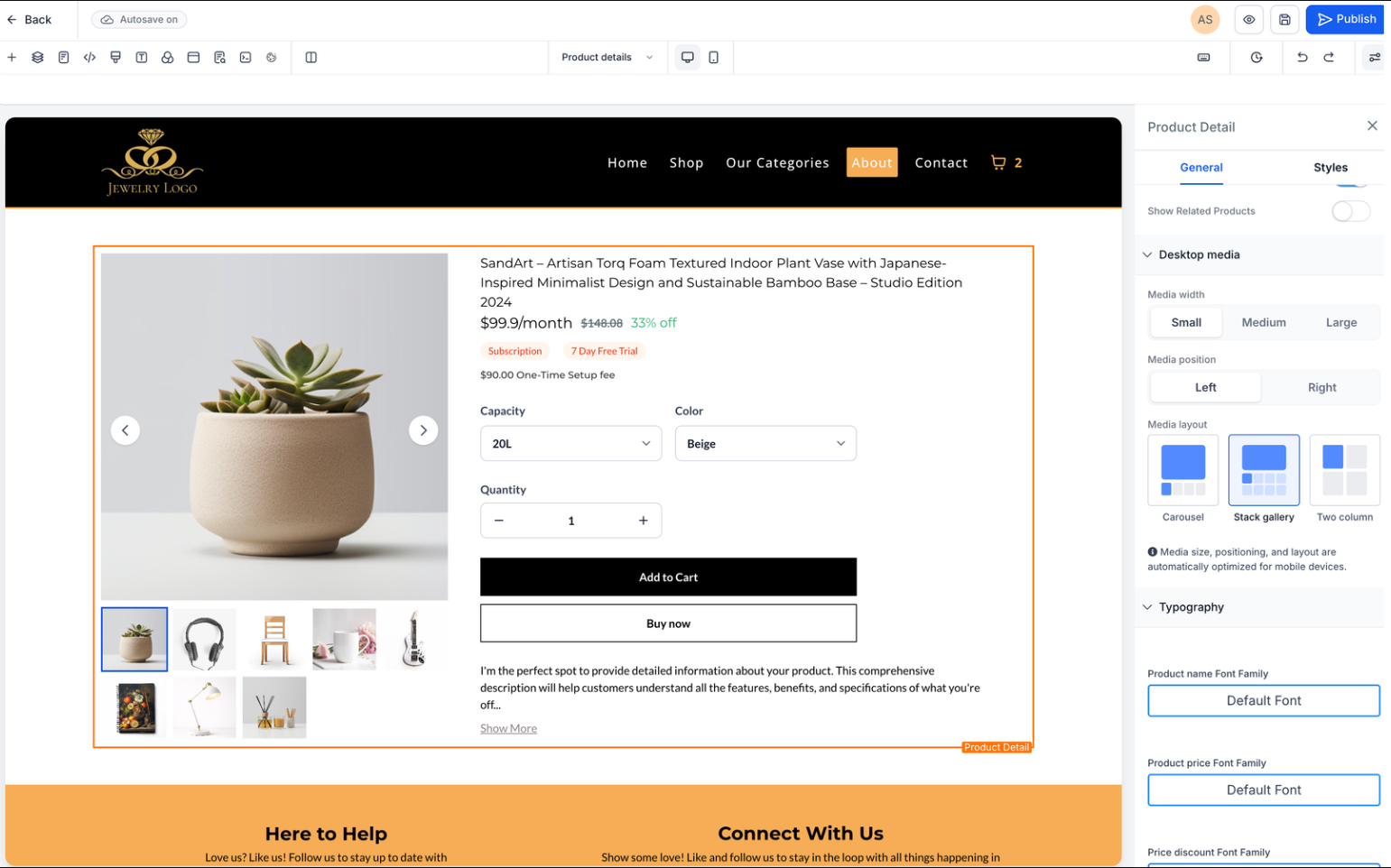
What are additional media layout options?
• They allow different ways to display product images on the product page.
Do I need to enable this feature manually?
• Yes, layout options must be selected within product settings.
Can I change layouts later?
• Yes, media layouts can be updated anytime.
Does this affect existing product pages?
• Existing pages can be updated with new layout options.
Can this improve customer experience?
• Yes, better layouts make it easier to view products.
