Advanced Filters 2.0 enhances how users filter data by adding new operators and standardizing filtering behavior. This allows more precise queries, better segmentation, and a more consistent experience when working with records across different sections.
• New filtering operators for more precise conditions
• Improved consistency across all filtering experiences
• Better data segmentation and targeting
• Enhanced usability when building filter logic
• More reliable results across different modules
• Use advanced operators to refine your data queries
• Combine multiple conditions for better segmentation
• Keep filter logic simple to avoid confusion
• Save frequently used filters for efficiency
• Test filters to ensure accurate results
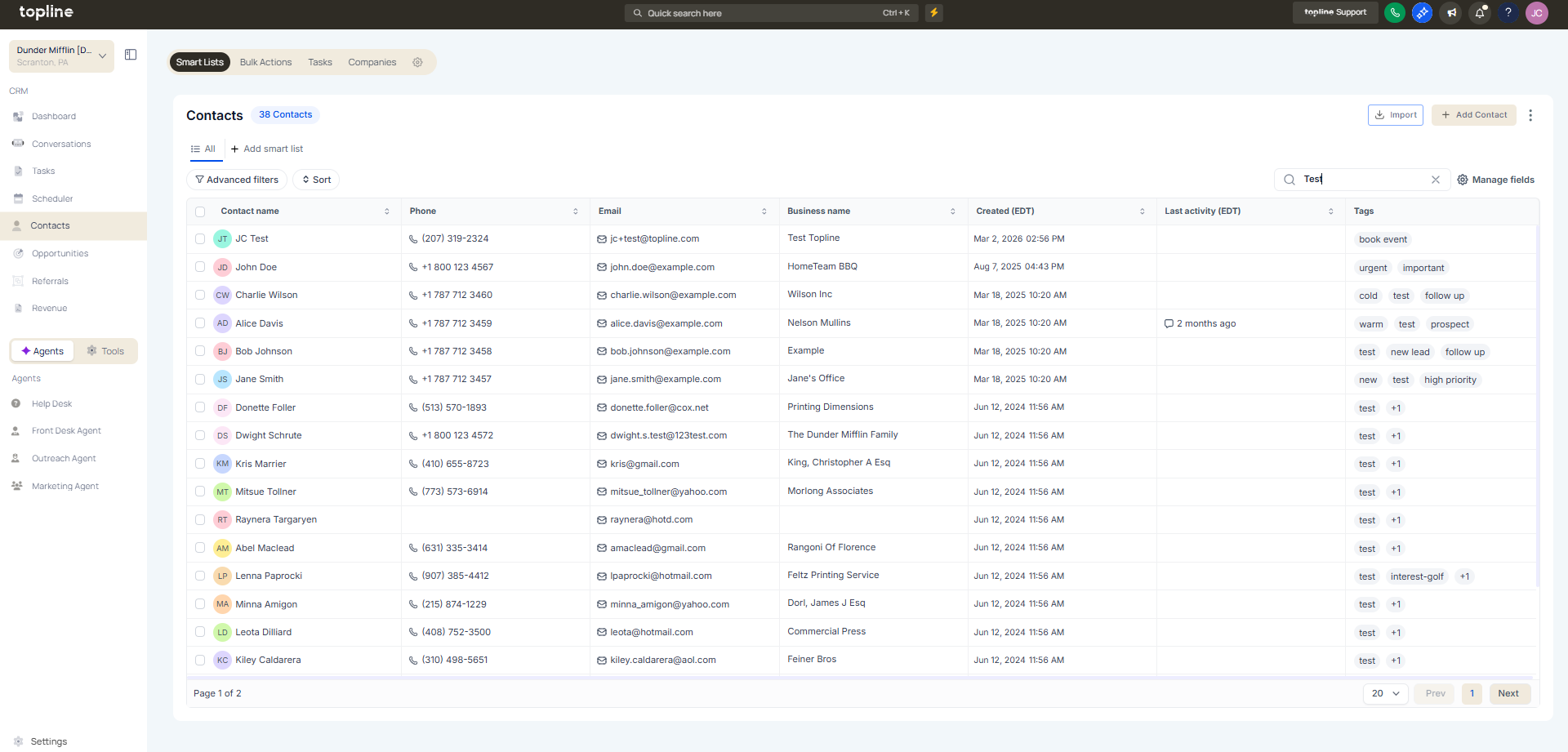
Step 1
Navigate to any section that supports filtering.
Step 2
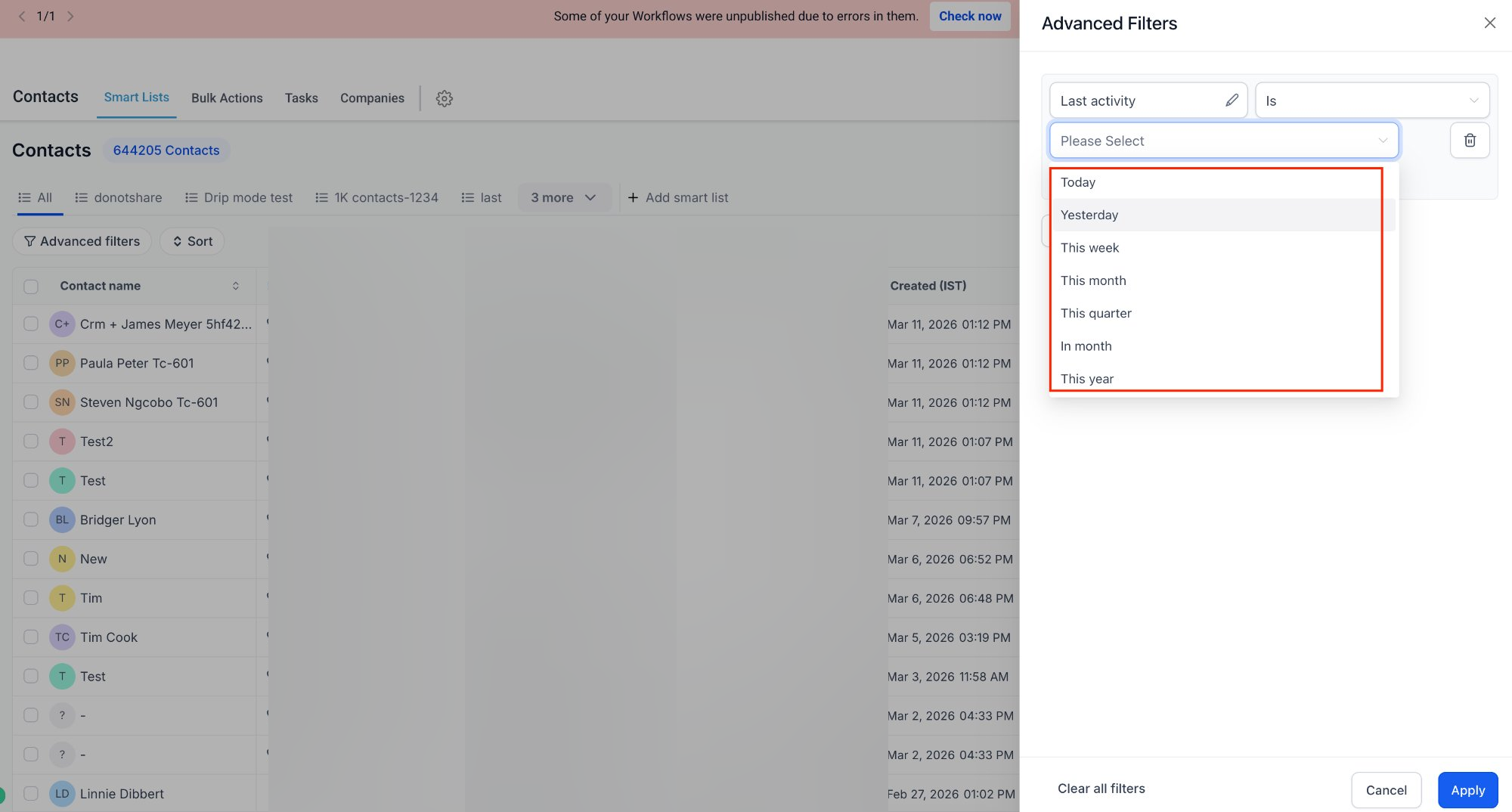
Click on the filter or advanced filter option. Choose the field and apply one of the new operators.
Step 3
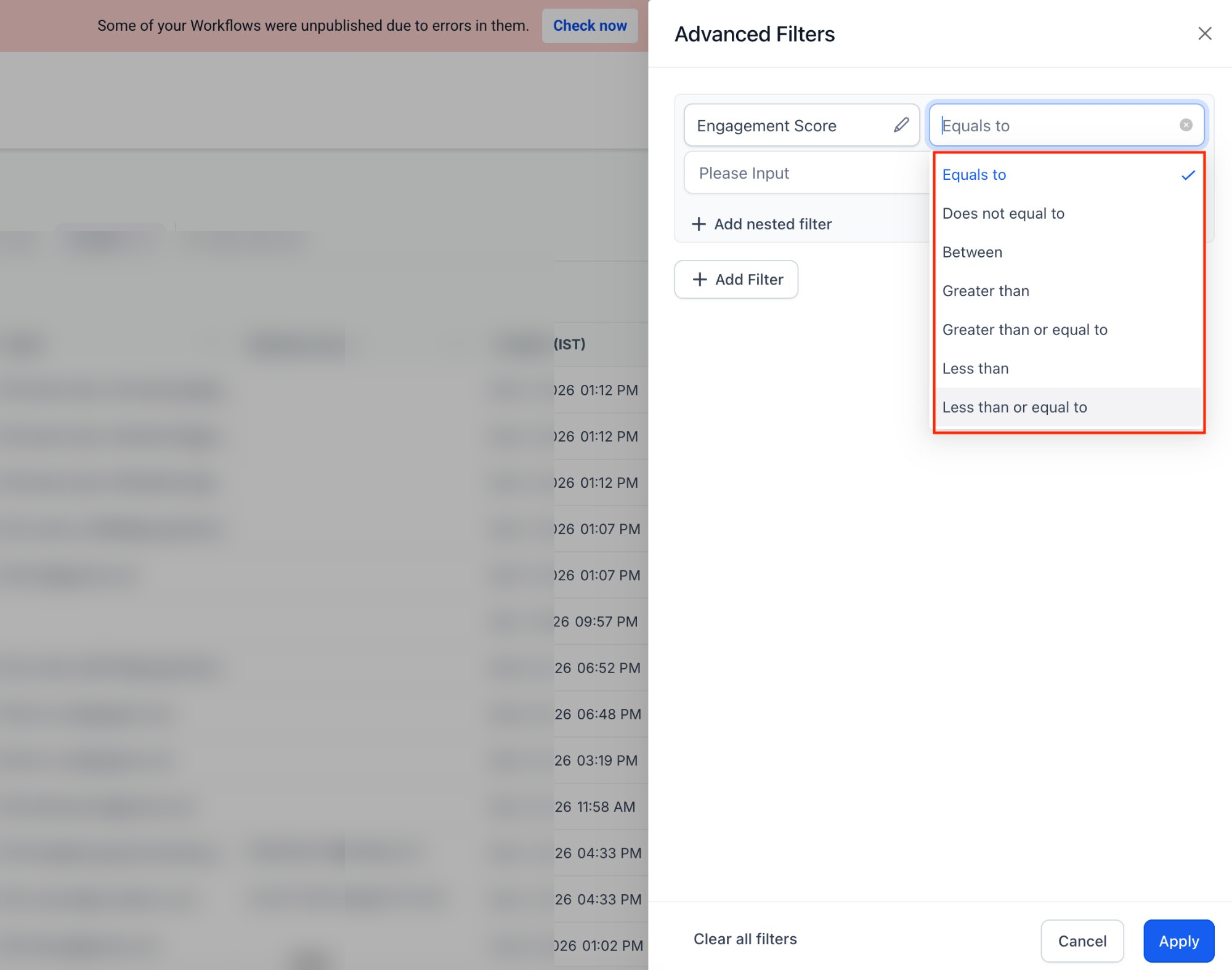
Set the values and conditions for your filter. Run the filter to view results.
What is Advanced Filters 2.0?
• It is an improved filtering system with new operators and consistent behavior.
Do I need to enable this feature manually?
• No, the updated filtering system is available automatically.
What are the new operators in filtering?
• They are additional condition types that allow more precise data filtering.
Does this affect existing filters?
• Existing filters continue to work with improved consistency.
Can filters be saved for reuse?
• Yes, saved filters can be used for repeated queries.
