The AI builder can now assist with workflow settings and naming through a dedicated skill. This makes it easier to generate clear workflow names, apply better setup standards, and improve consistency across automations, reducing manual cleanup and saving time during workflow creation.
• New AI builder skill for workflow settings
• Improved support for workflow naming
• Better consistency in automation setup
• Faster workflow organization during creation
• Reduced manual effort when configuring workflows
• Use clear naming so workflows are easy to identify later
• Review suggested settings before publishing
• Keep workflow names consistent across your team
• Use the skill to speed up setup for new automations
• Test workflow behavior after applying suggested settings
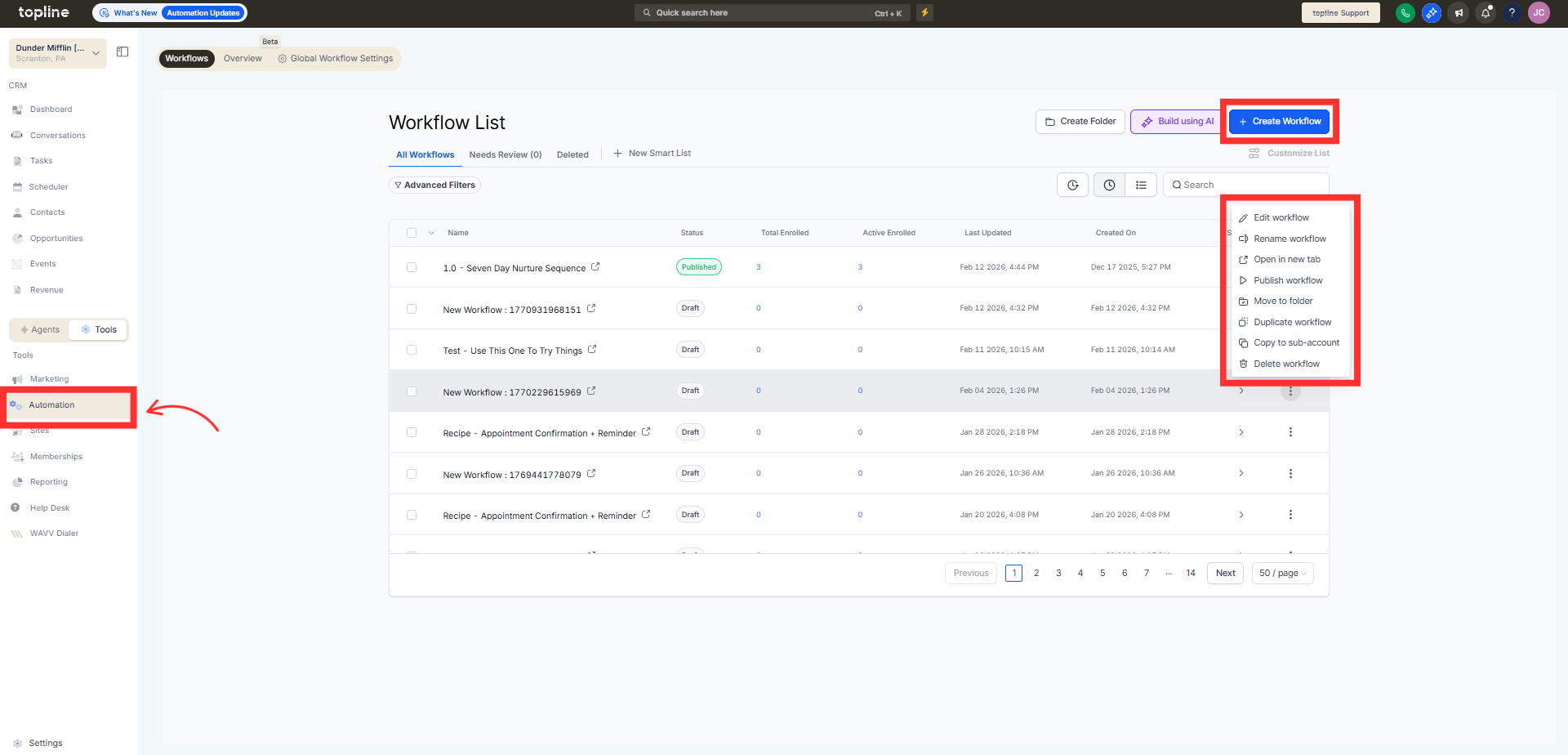
Step 1
Navigate to the AI builder in your automation section.
Step 2
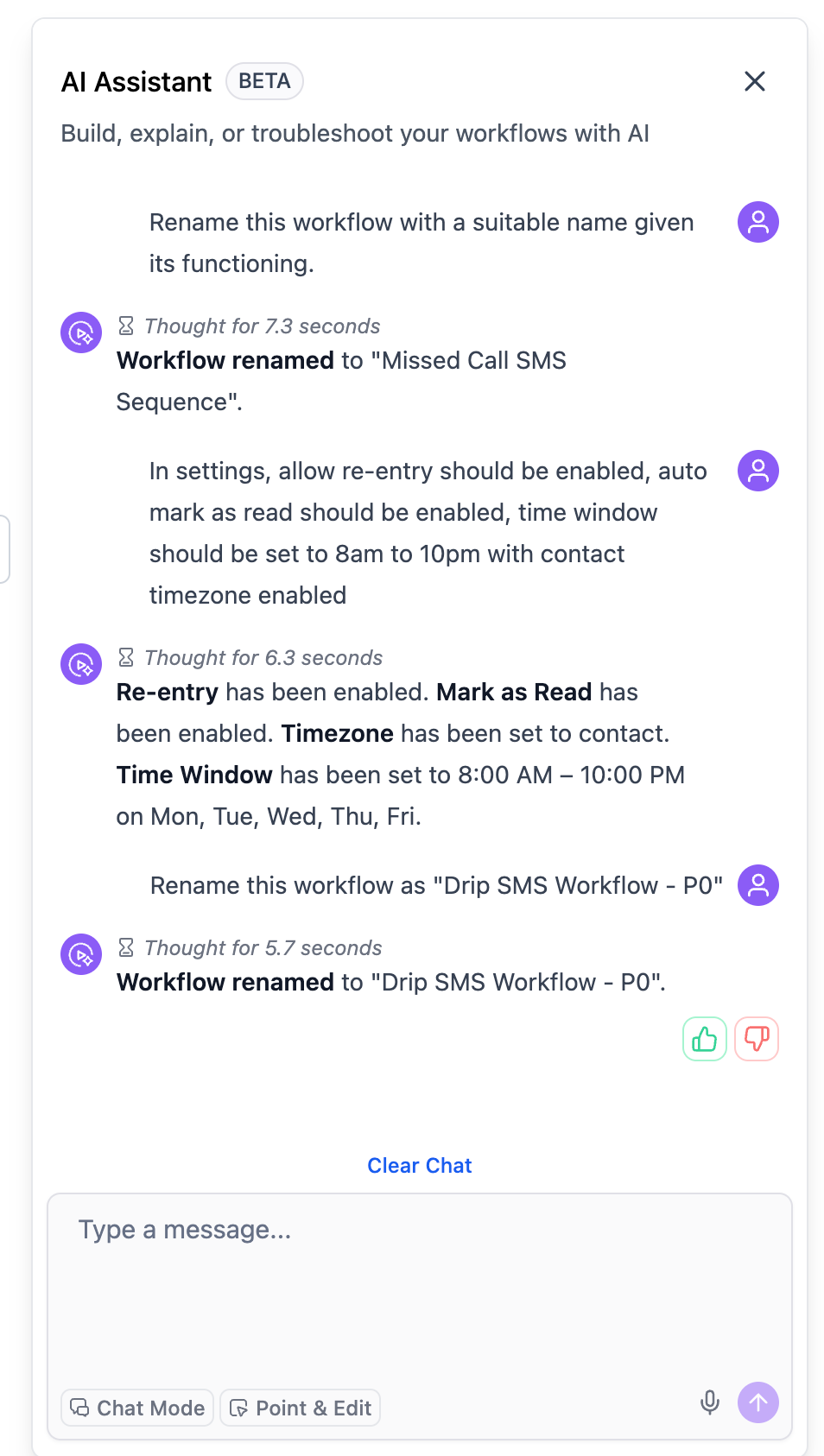
Choose the workflow you want to create or refine. Select the AI builder skill for workflow settings and naming.
Step 3
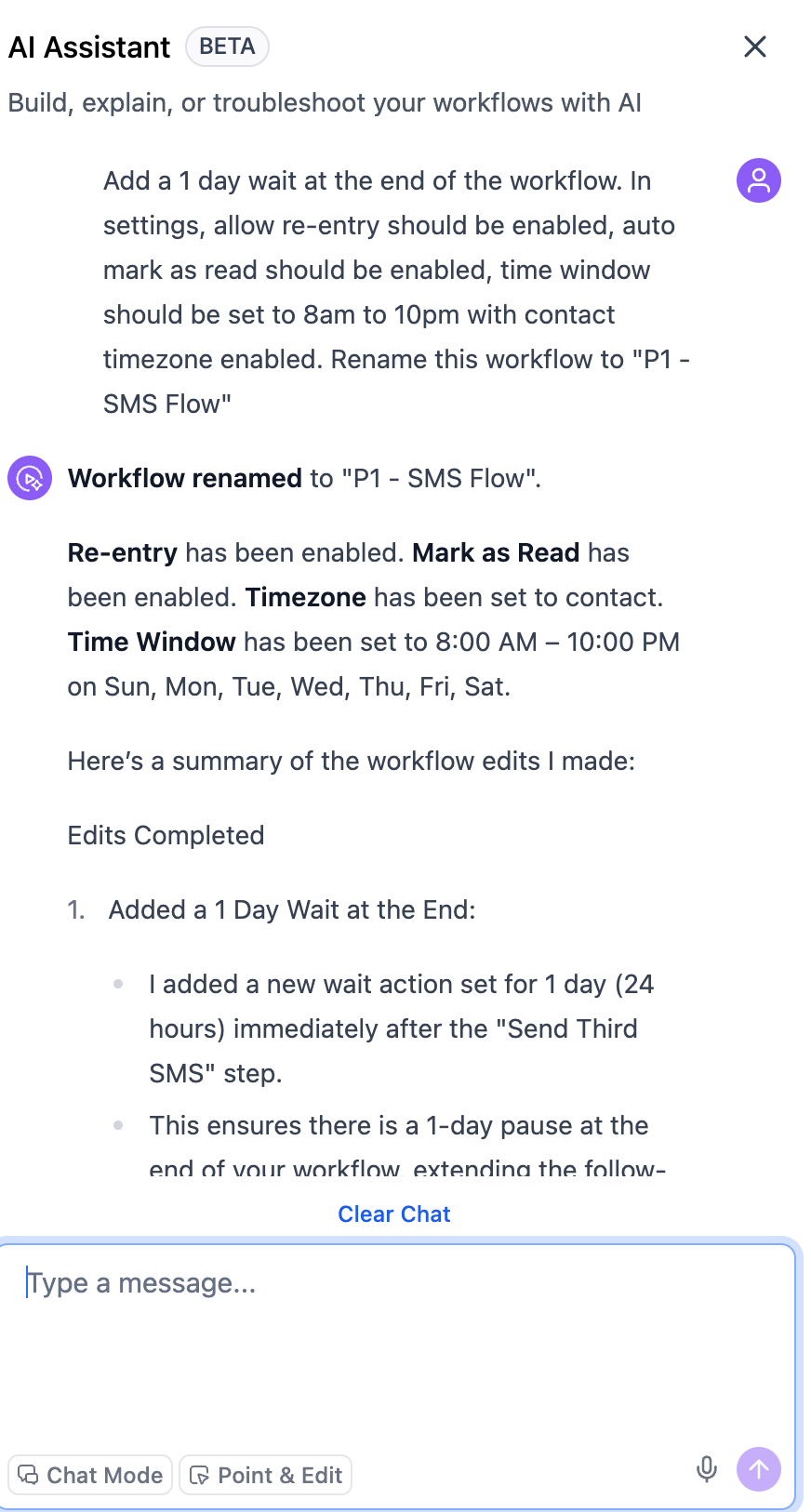
Check the recommended workflow name and configuration details. Accept the updates that match your intended workflow setup.
What does the new AI builder skill do?
• It helps with workflow settings and naming during workflow creation.
Do I need to enable this feature manually?
• No, the skill is available within the AI builder.
Can it suggest workflow names automatically?
• Yes, it helps generate clearer and more consistent workflow names.
Does this affect existing workflows?
• Existing workflows stay unchanged unless you update them.
Can I still edit settings manually?
• Yes, manual editing is still available at any time.
