You can now import email templates using AI by pasting content or providing input, and the system will automatically structure it into a ready-to-use template. This saves time, reduces manual formatting, and helps maintain consistency across email campaigns.
• AI-powered email template import
• Automatic formatting of pasted content into templates
• Faster creation of email campaigns
• Reduced manual design and setup effort
• Improved consistency across email templates
• Use clean and well-structured content for better results
• Review imported templates before sending
• Adjust formatting to match your brand style
• Test emails to ensure proper rendering
• Save templates for reuse across campaigns
Step 1
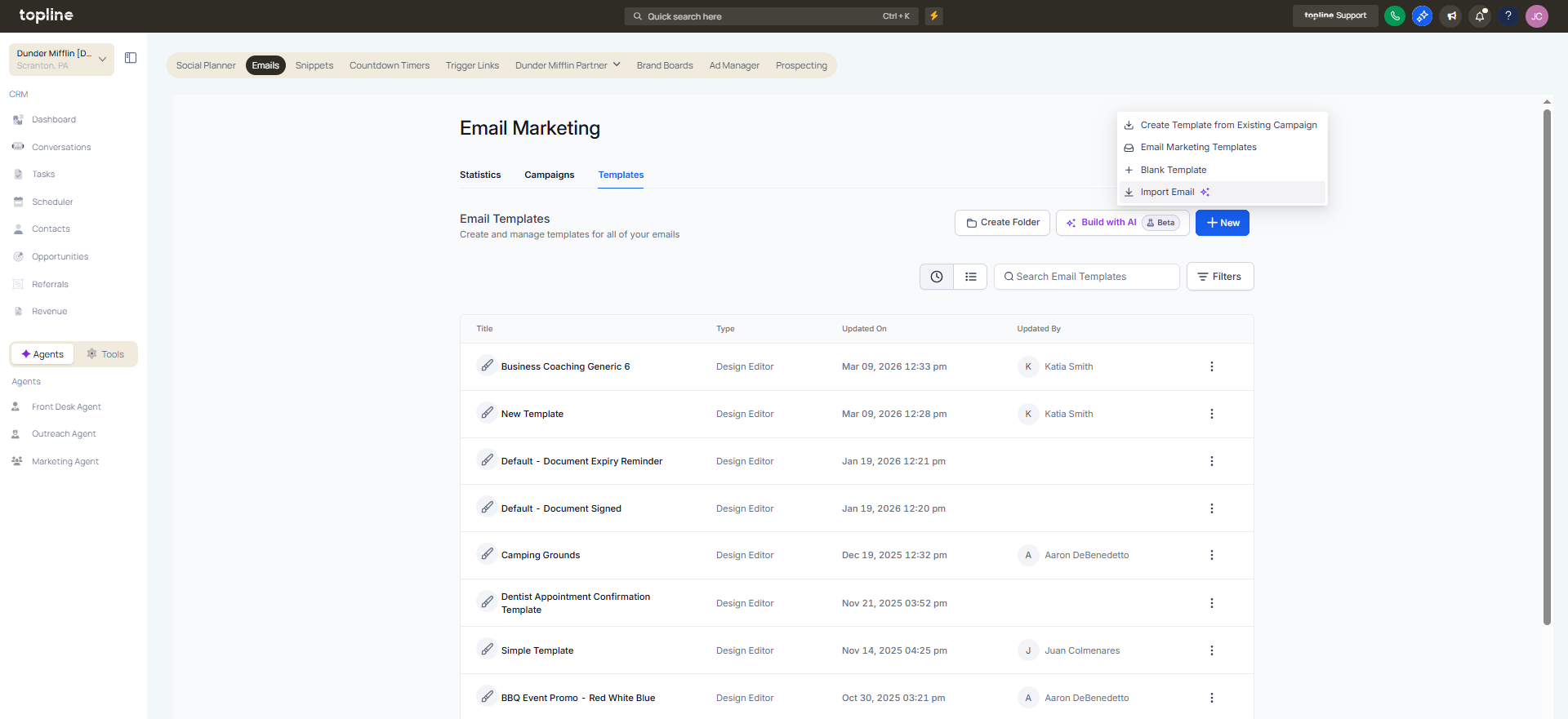
Navigate to the email marketing or template section.
Step 2
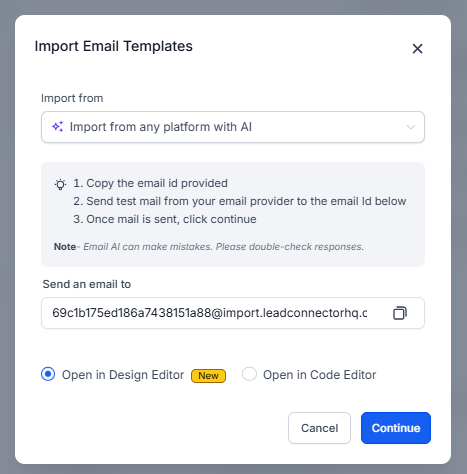
Choose the option to import a template using AI. Add the email content you want to convert into a template. Allow the AI to format and structure the template.
What does importing email templates with AI do?
• It converts existing content into a formatted email template automatically.
Do I need to enable this feature manually?
• No, the AI import option is available within the template builder.
Can I edit the template after importing?
• Yes, templates can be modified after generation.
Does this replace manual template creation?
• It speeds up creation, but manual editing is still available.
Is the formatting always accurate?
• It is recommended to review and adjust before use.
