Workflows now include new actions to find projects and sections within Asana. This enables more precise automation when creating or updating tasks, ensuring they are placed in the correct location and improving overall task organization.
• New action to find projects in Asana
• New action to find sections within projects
• Improved task placement accuracy in workflows
• Better integration between workflows and task management
• Enhanced automation for project organization
• Use the find project before creating tasks to ensure correct placement
• Use the find section to organize tasks within specific project areas
• Keep project and section names consistent for easier matching
• Test workflows to confirm correct task routing
• Combine with task creation actions for full automation
Step 1
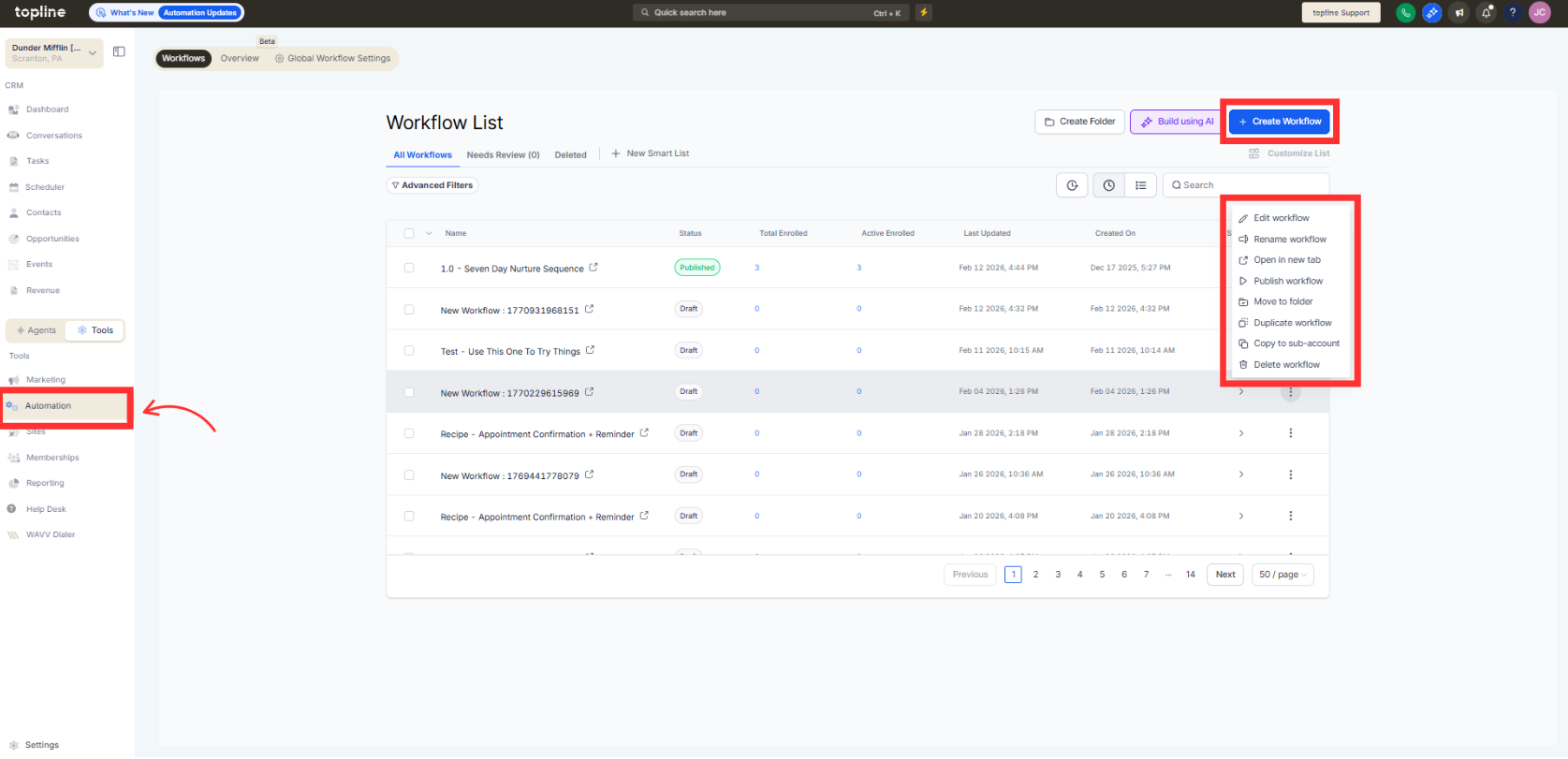
Navigate to the automation section and create or edit a workflow.
Step 2
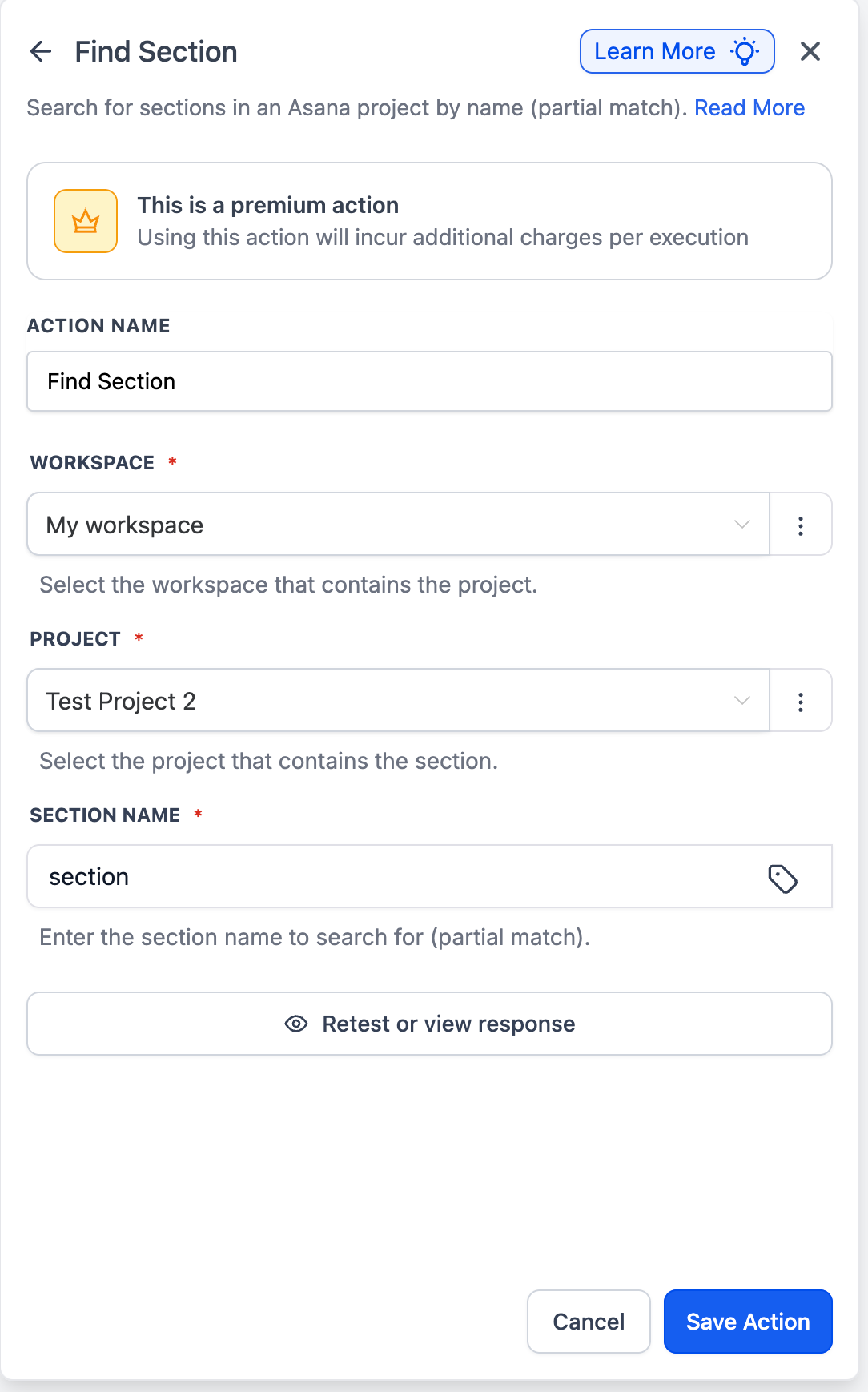
Insert an action related to Asana integration. Choose the option to locate a specific project.
Step 3
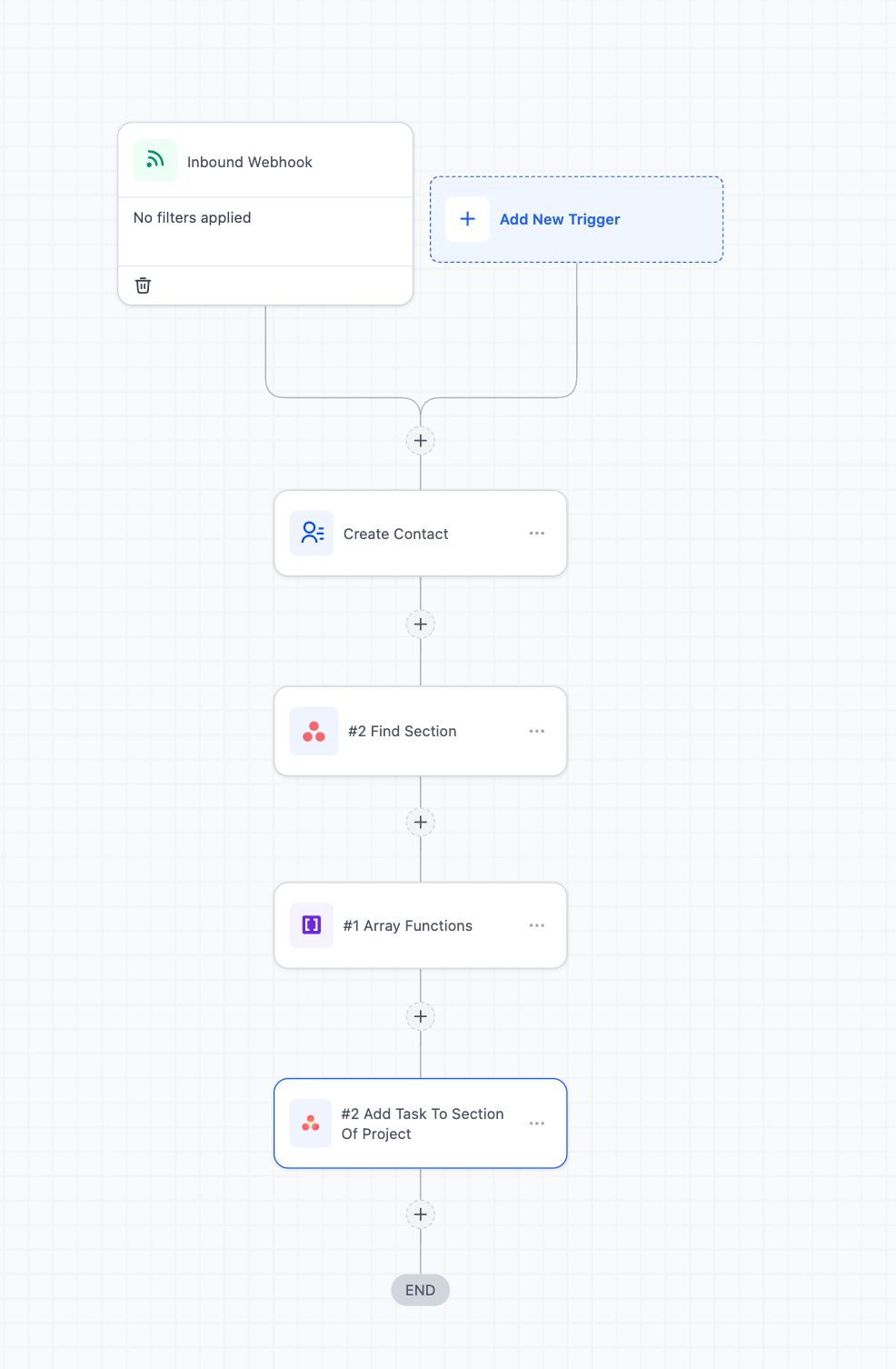
Add the action to identify the correct section within the project. Define how the project and section should be identified.
What do the new Asana actions allow?
• They allow workflows to find projects and sections for accurate task placement.
Do I need to enable this feature manually?
• Yes, you must add these actions within a workflow.
Can this improve task organization?
• Yes, it ensures tasks are created in the correct project and section.
Does this work with existing workflows?
• Yes, the new actions can be added to current workflows.
Can I automate full task creation with this?
• Yes, it can be combined with task creation actions.
