Notes on the contacts page have been improved to provide better structure visibility and usability. These enhancements help teams capture important information more efficiently and maintain clearer communication history for each contact.
• Improved notes experience on the contacts page
• Better organization and visibility of notes
• Enhanced usability when adding or reviewing notes
• More efficient tracking of contact interactions
• Improved collaboration across teams
• Use notes to document important conversations and updates
• Keep notes concise and relevant for easy review
• Update notes regularly to maintain accurate records
• Use notes to support follow-ups and task tracking
• Review notes before contacting leads or customers
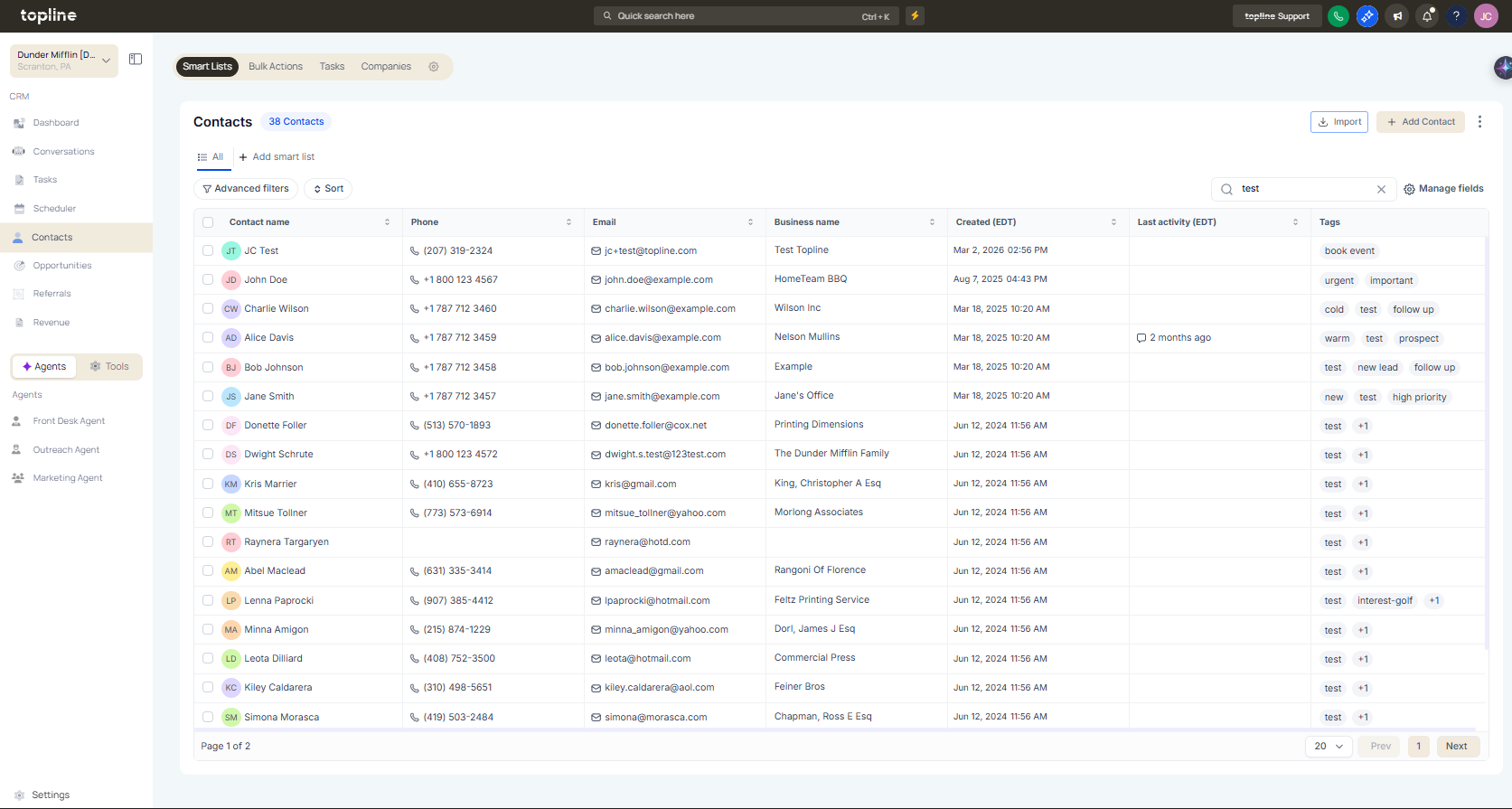
Step 1
Navigate to your contacts management area.
Step 2
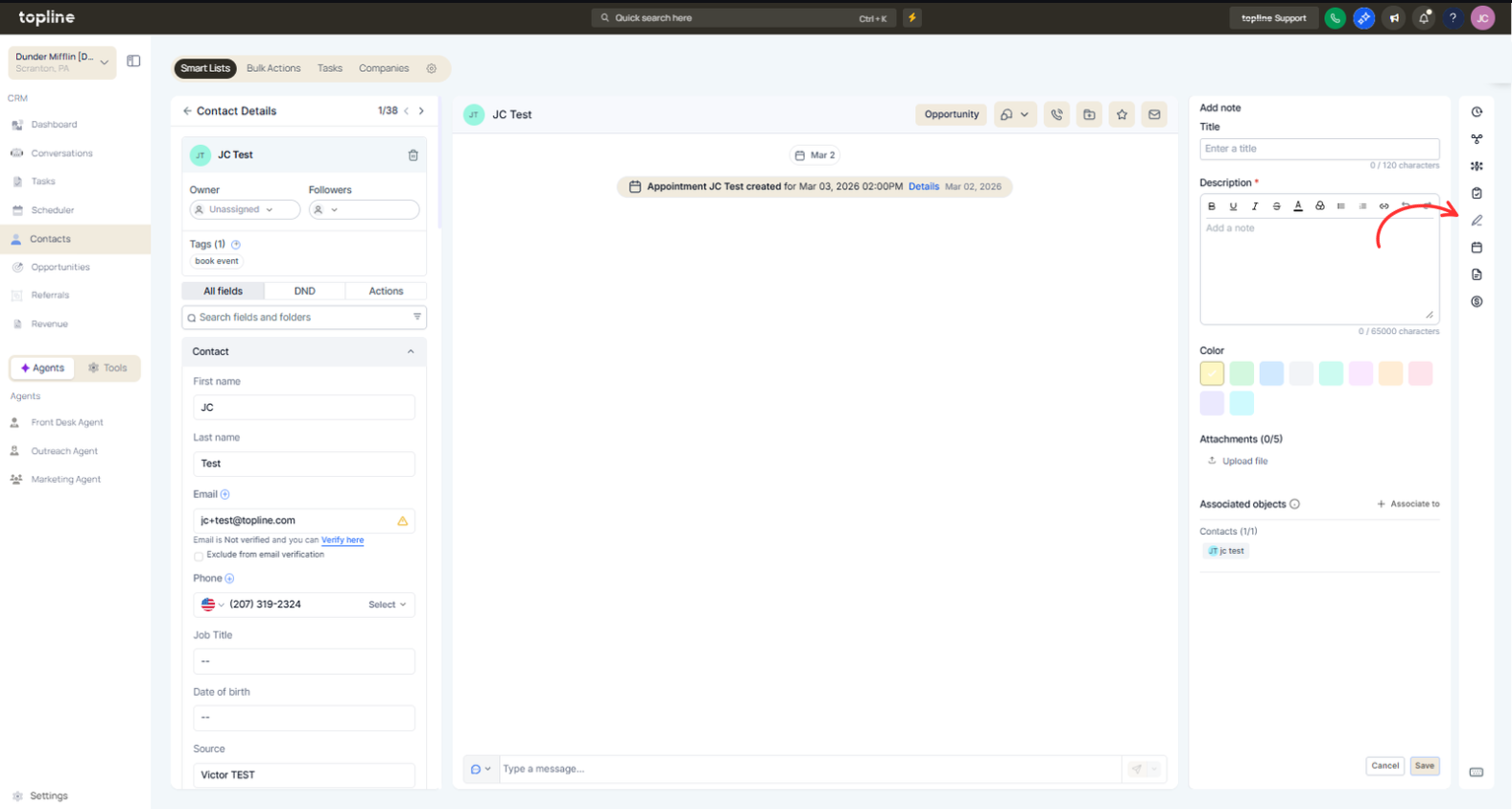
Open the contact record you want to update. Locate the notes area within the contact profile.
What improvements were made to notes on the contacts page?
• Notes are now more organized and easier to use.
Do I need to enable this feature manually?
• No, the improvements are available automatically.
Can I edit notes after adding them?
• Yes, notes can be updated anytime.
Are notes visible to team members?
• Visibility depends on user permissions.
Can notes help with follow-ups?
• Yes, they provide context for future communication.
