Appointments can now be booked directly within opportunities with an improved interface and smoother workflow. This enhancement simplifies scheduling, reduces friction, and helps teams manage bookings without leaving the opportunity view.
• Improved appointment booking interface within opportunities
• Faster scheduling without leaving the opportunity view
• More seamless workflow for managing appointments
• Reduced steps to book meetings
• Better user experience for sales and support teams
• Book appointments directly from opportunities to save time
• Ensure calendar availability is properly configured
• Confirm booking details before scheduling
• Use this feature to streamline follow-ups
• Test booking flow to ensure accuracy
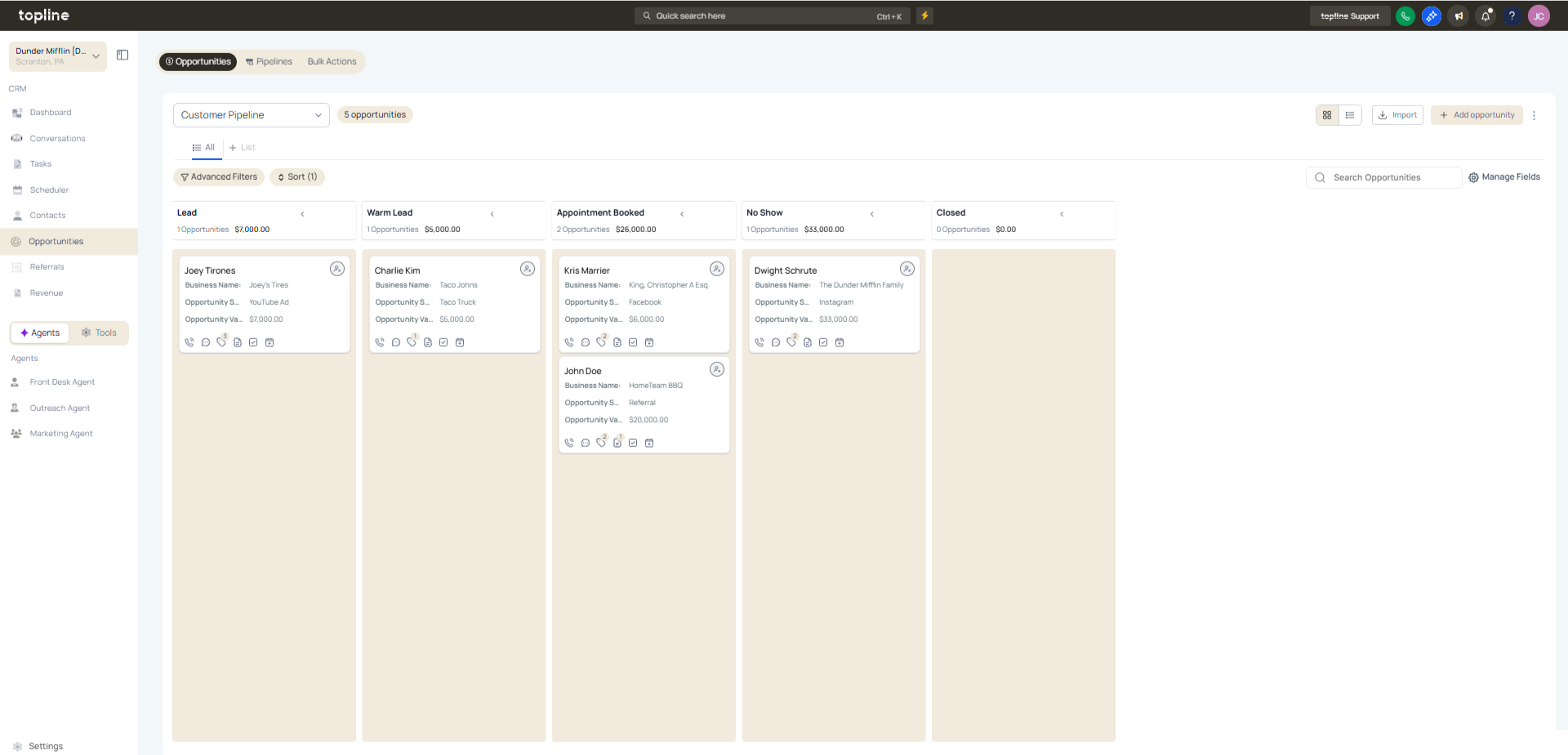
Step 1
Navigate to your opportunities or pipeline area.
Step 2
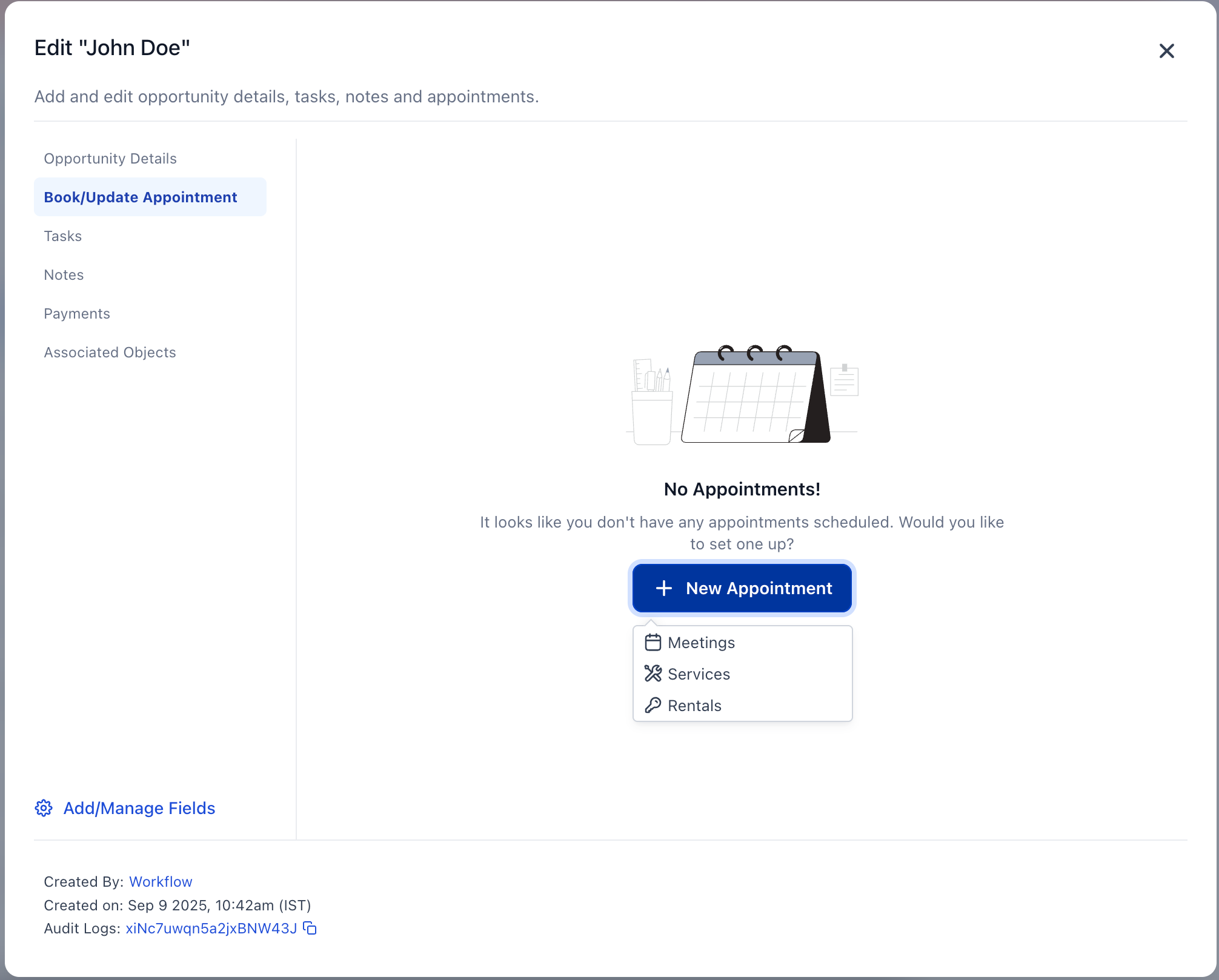
Choose the opportunity where you want to book an appointment. Locate the appointment booking feature within the opportunity.
Step 3
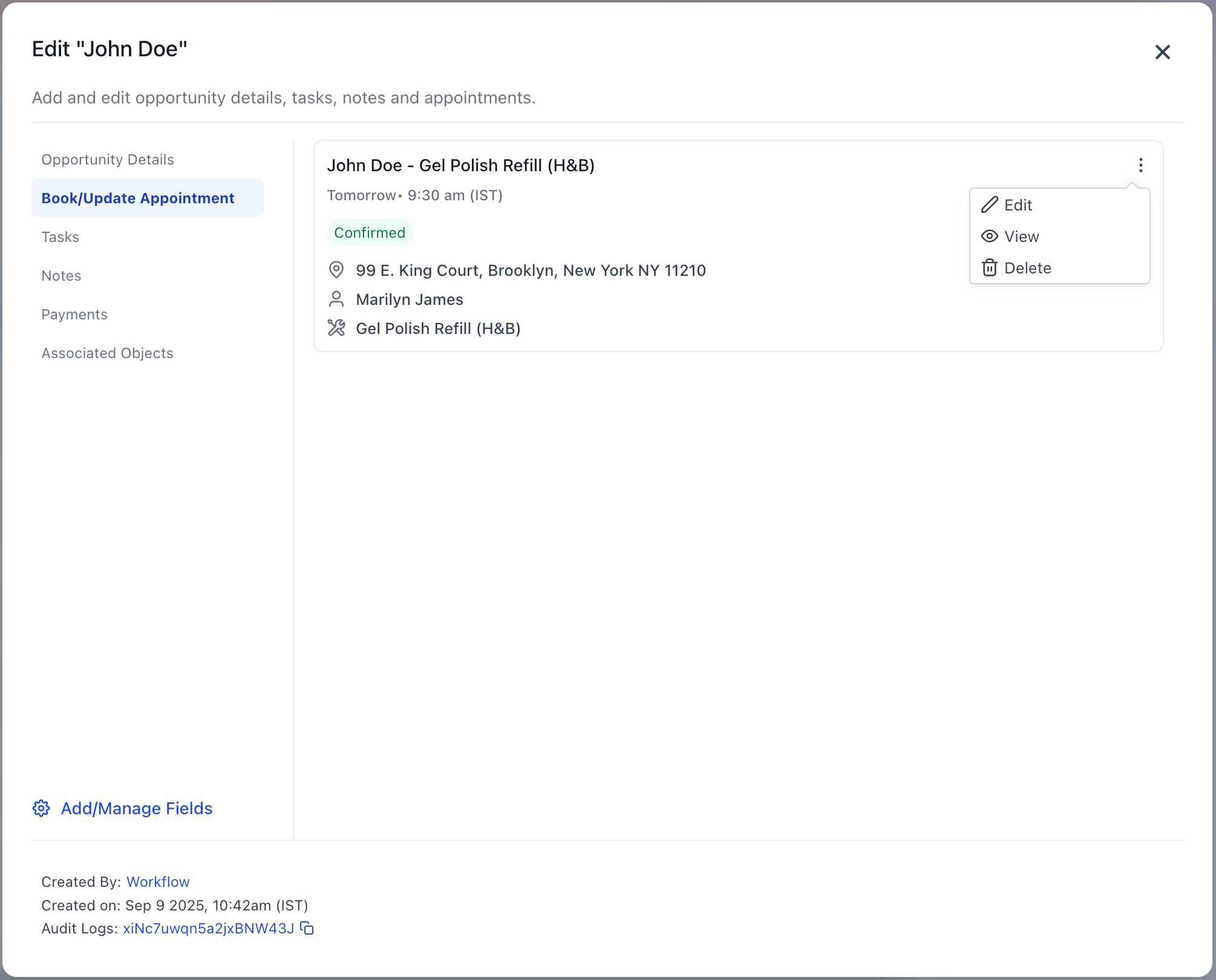
Choose an available time slot from the calendar. Review participant details and scheduling information.
What does the enhanced booking experience allow?
• It allows scheduling appointments directly within opportunities.
Do I need to enable this feature manually?
• No, the improved booking experience is available automatically.
Does this replace existing booking methods?
• No, it adds a more convenient option within opportunities.
Can I still use external calendars?
• Yes, calendar integrations continue to work.
Does this improve workflow efficiency?
• Yes, it reduces steps and keeps scheduling within one view.
