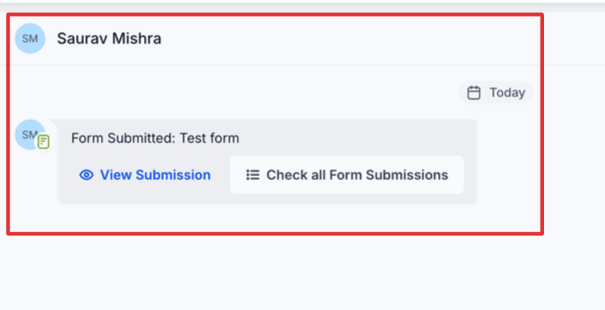
You can now access form submission data in the conversation view, making it easier to understand customer inputs as you respond. This removes the need to switch between sections and helps teams respond faster with full context.
• Form submissions visible inside conversations
• Improved context when replying to contacts
• Faster access to submitted data
• Reduced need to navigate between sections
• Better communication efficiency
• Review form submissions before replying to contacts
• Use submission data to personalize responses
• Keep forms structured for easier reading in conversations
• Train teams to use this feature for faster support
• Combine with automation for better follow-ups
Step 1
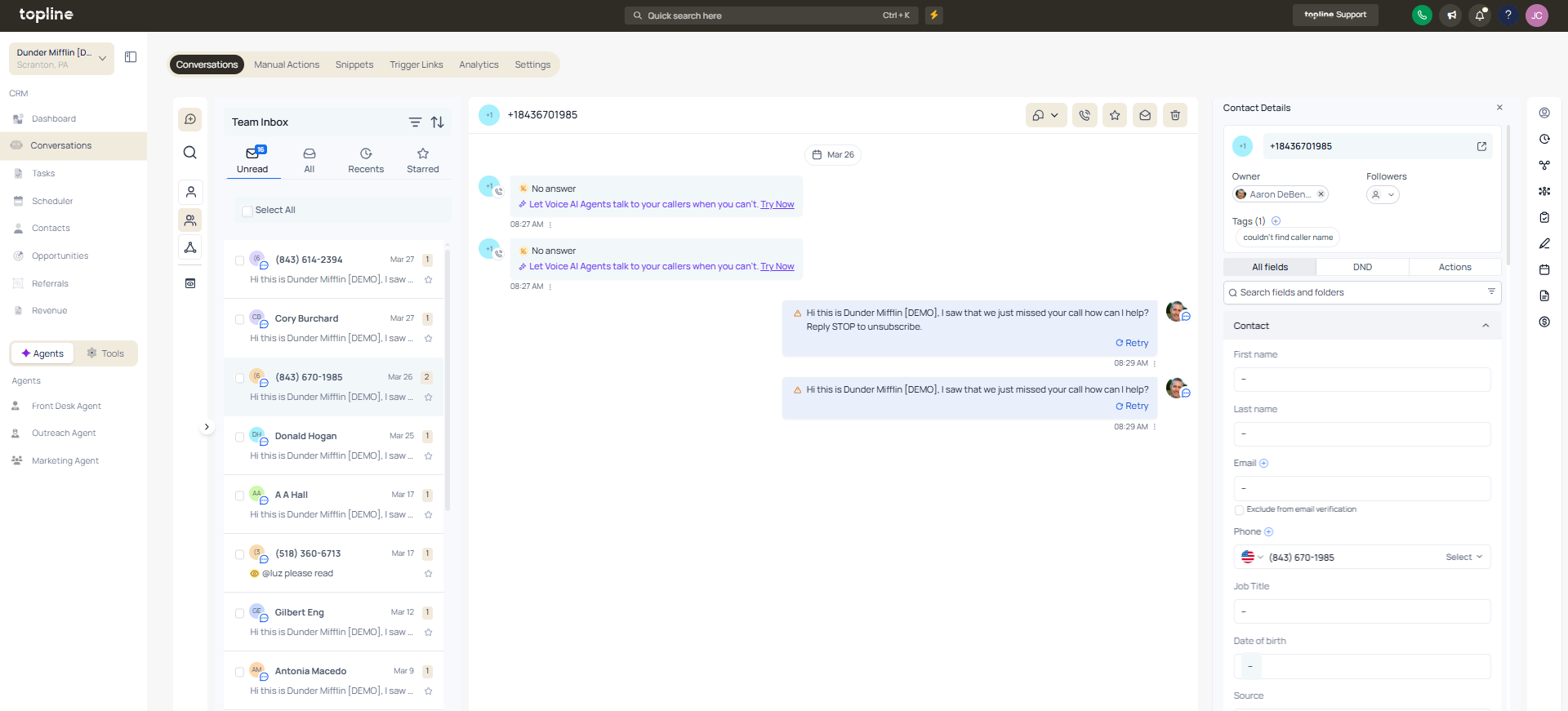
Navigate to the conversations area.
Step 2
Open a conversation where a form was submitted. Find the form submission displayed within the conversation. Read the details provided by the contact.
What does accessing form submissions in conversations allow?
• It allows viewing submitted form data directly within a conversation.
Do I need to enable this feature manually?
• No, it is available automatically when forms are submitted.
Can I see all form details in the conversation?
• Yes, submitted information appears within the conversation view.
Does this replace the forms section?
• No, forms can still be accessed separately if needed.
Can this improve response time?
• Yes, it reduces the need to switch between sections.
