Opportunities can now be sorted based on custom fields, giving teams more control over how deals are viewed and prioritized. This makes it easier to focus on key opportunities and manage pipelines more effectively using tailored data points.
• Sorting support for custom fields in opportunities
• Better control over pipeline organization
• Improved visibility of important deal data
• Enhanced prioritization using custom criteria
• More flexible opportunity management
• Use custom fields to define deal priority or status
• Sort opportunities to highlight high-value deals
• Combine sorting with filters for better segmentation
• Keep custom field data consistent for accurate sorting
• Save preferred views for faster access
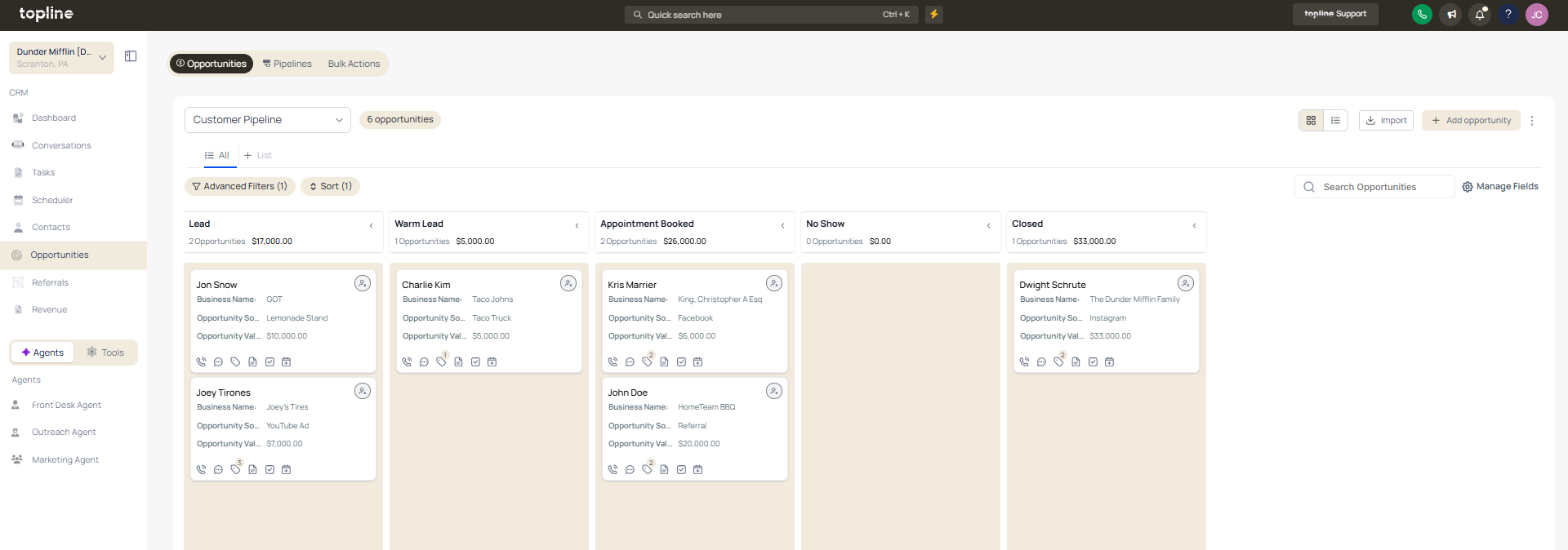
Step 1
Navigate to your opportunities or pipeline area.
Step 2
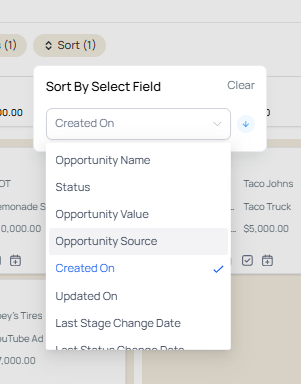
Ensure you are in a view that supports sorting. Find the custom field you want to use for sorting.
What does sorting opportunities by custom fields allow?
• It allows organizing deals based on custom data values.
Do I need to enable this feature manually?
• No, sorting is available automatically for supported fields.
Can I sort both ascending and descending?
• Yes, both sorting options are available.
Does this change the opportunity data?
• No, it only affects how data is displayed.
Can sorting be combined with filters?
• Yes, it works alongside filtering options.
