You can now link companies directly to custom objects and opportunities, creating stronger connections between records. This improves data organization, enhances reporting, and provides better context when managing business relationships.
• Ability to associate companies with custom objects
• Ability to link companies to opportunities
• Improved data relationships across records
• Better visibility into company-level activity
• Enhanced reporting and tracking capabilities
• Link companies to opportunities for better deal tracking
• Use associations to organize related records
• Keep company data updated for accurate insights
• Combine associations with custom fields for deeper analysis
• Review linked records to maintain data consistency
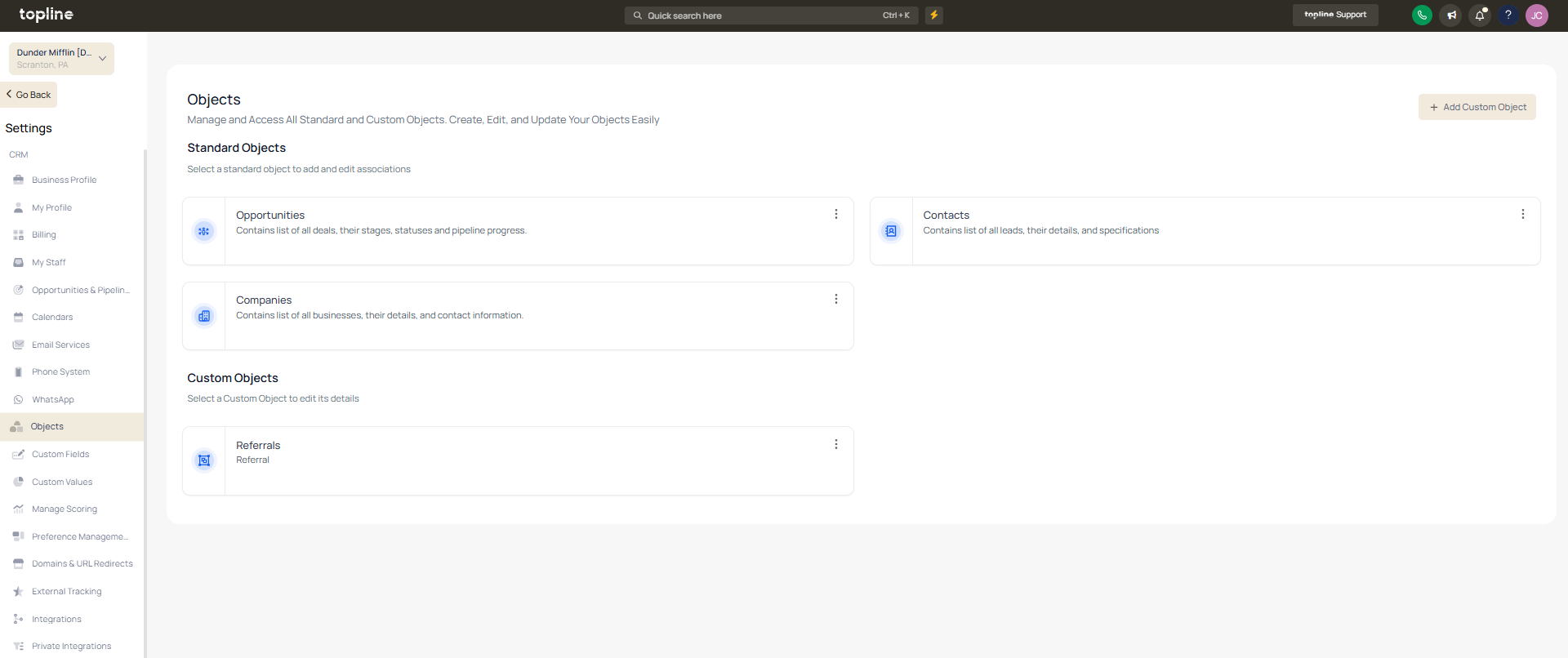
Step 1
Navigate to the companies management area.
Step 2
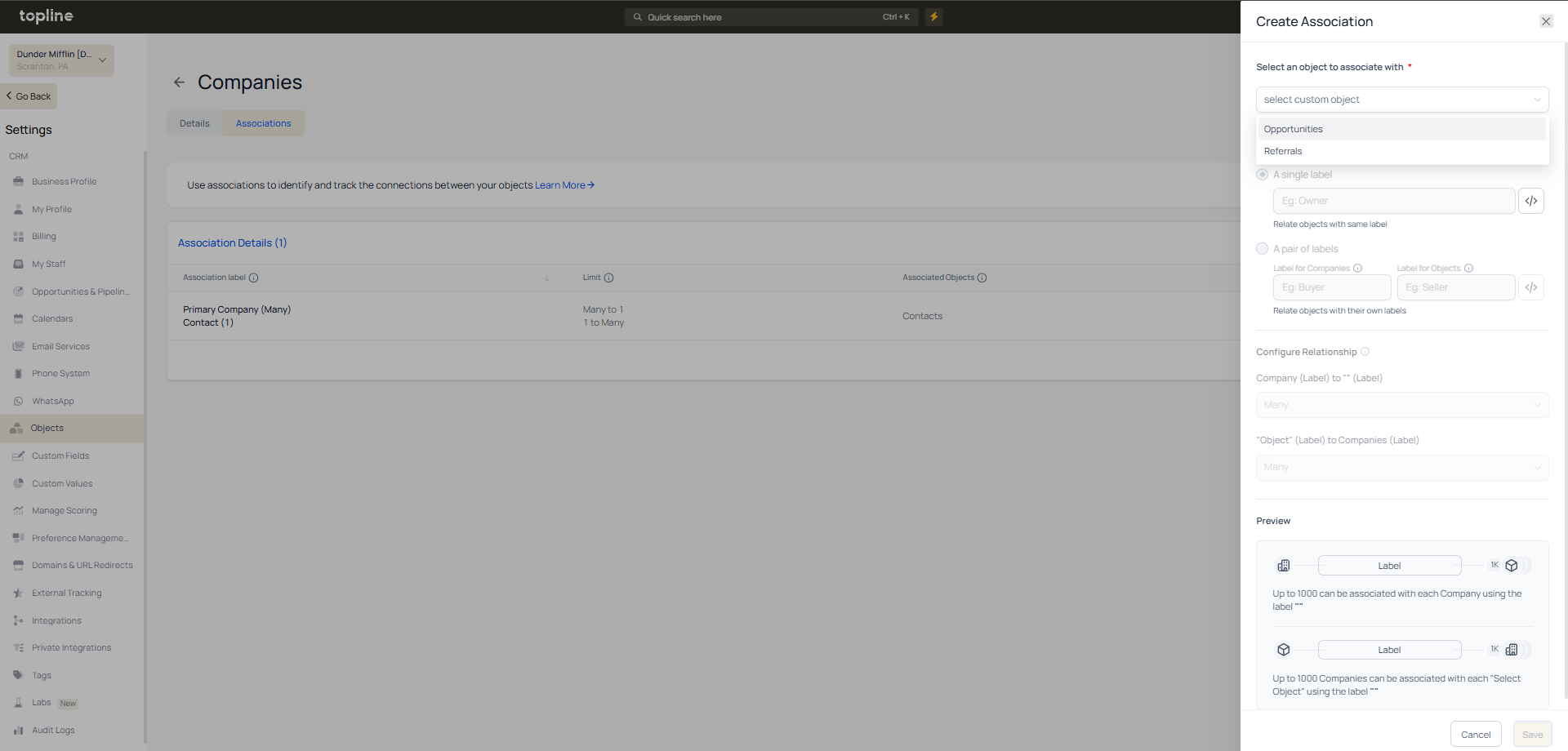
Choose the company you want to associate. Locate the area for linking records. Select and associate the relevant records.
What does associating companies with custom objects and opportunities allow?
• It links company records to related data for better organization.
Do I need to enable this feature manually?
• No, association options are available within record settings.
Can a company be linked to multiple records?
• Yes, multiple custom objects and opportunities can be associated.
Does this affect existing data?
• Existing data remains unchanged unless associations are added.
Can associations improve reporting?
• Yes, they provide better context and insights.
