Workflows can now integrate with Fathom through new actions and triggers. This allows automations to respond to call recording insights and events, improving follow-ups and streamlining processes tied to call data.
• New triggers based on Fathom call activity
• New actions to interact with Fathom data
• Improved automation using call insights
• Better follow-up workflows after calls
• Enhanced integration between calls and automation
• Use triggers to automate follow-ups after calls
• Leverage call insights to personalize communication
• Test workflows with real call data
• Keep automation logic simple for reliability
• Combine with tasks or notifications for better results
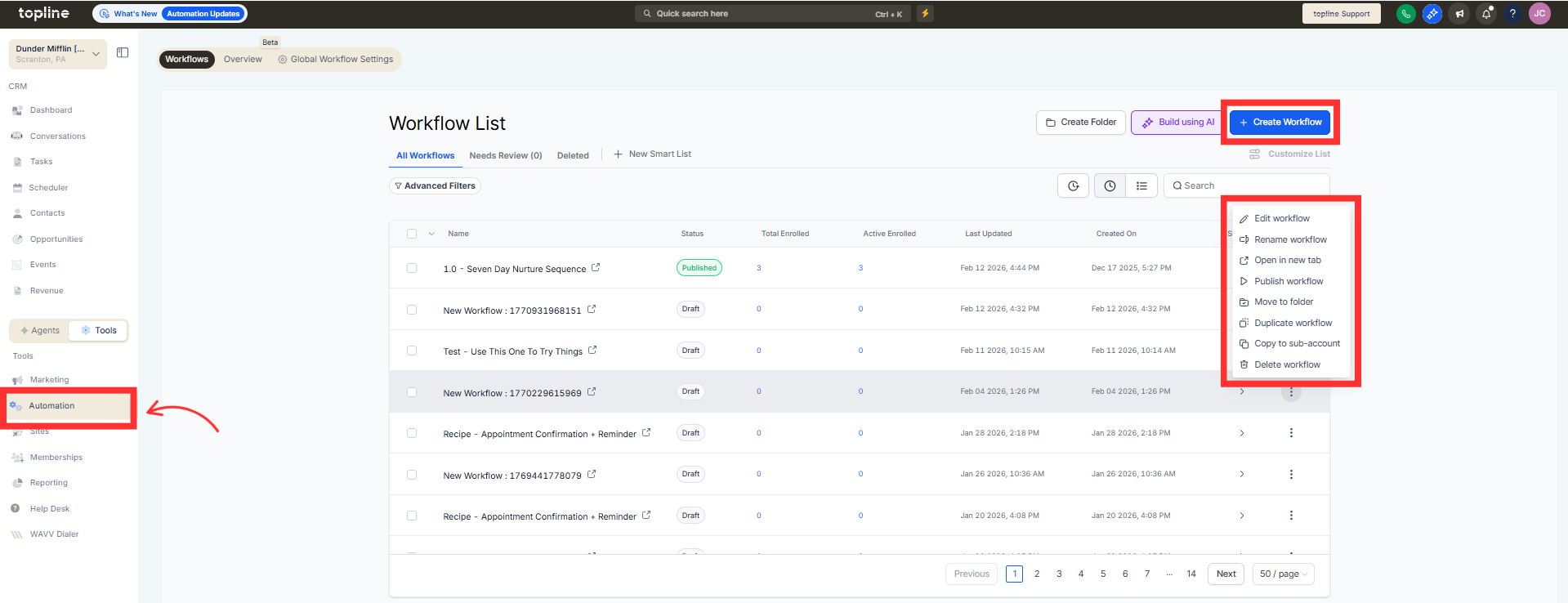
Step 1
Navigate to the automation section and create or edit a workflow.
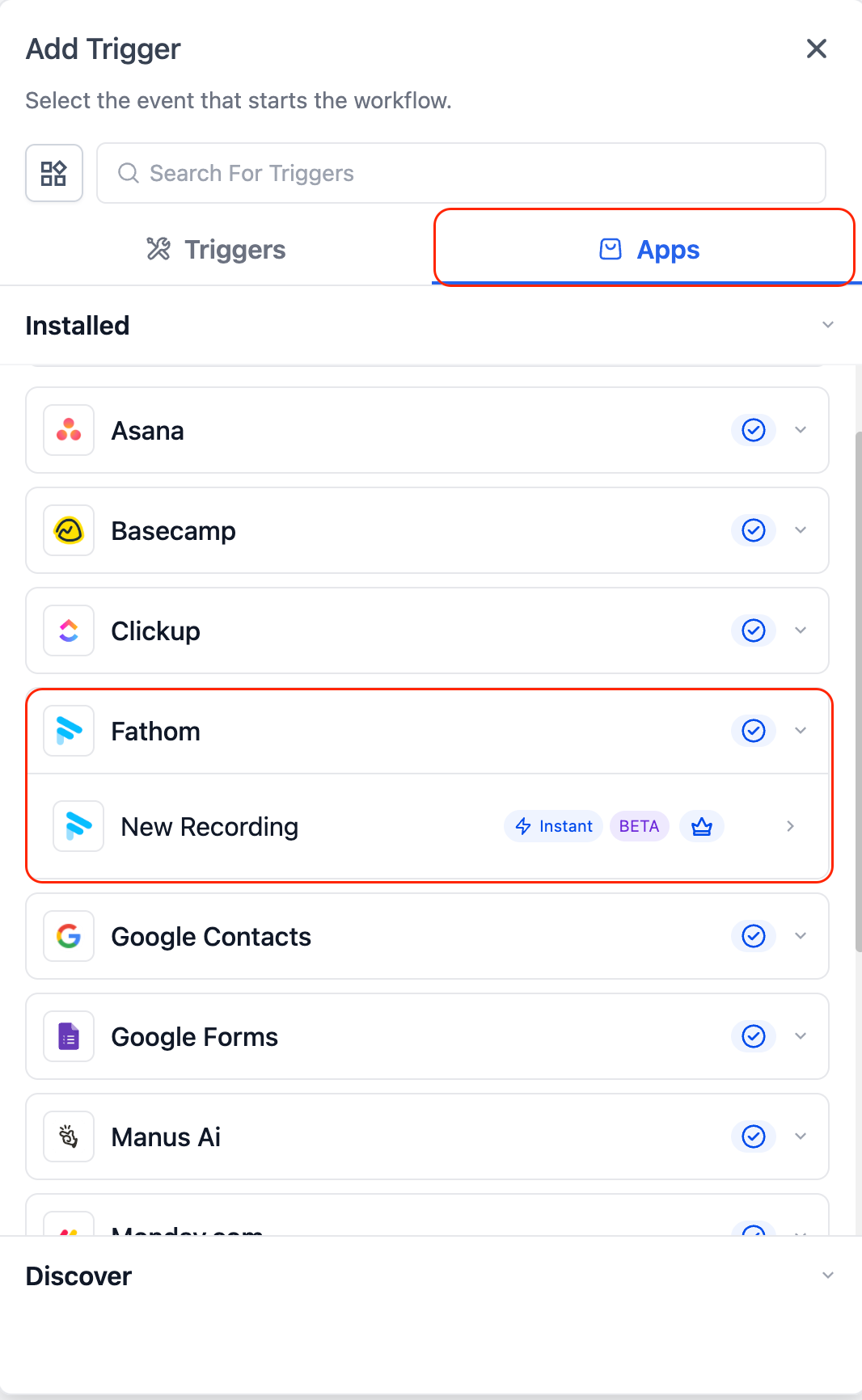
Step 2
Select a trigger based on Fathom call activity.
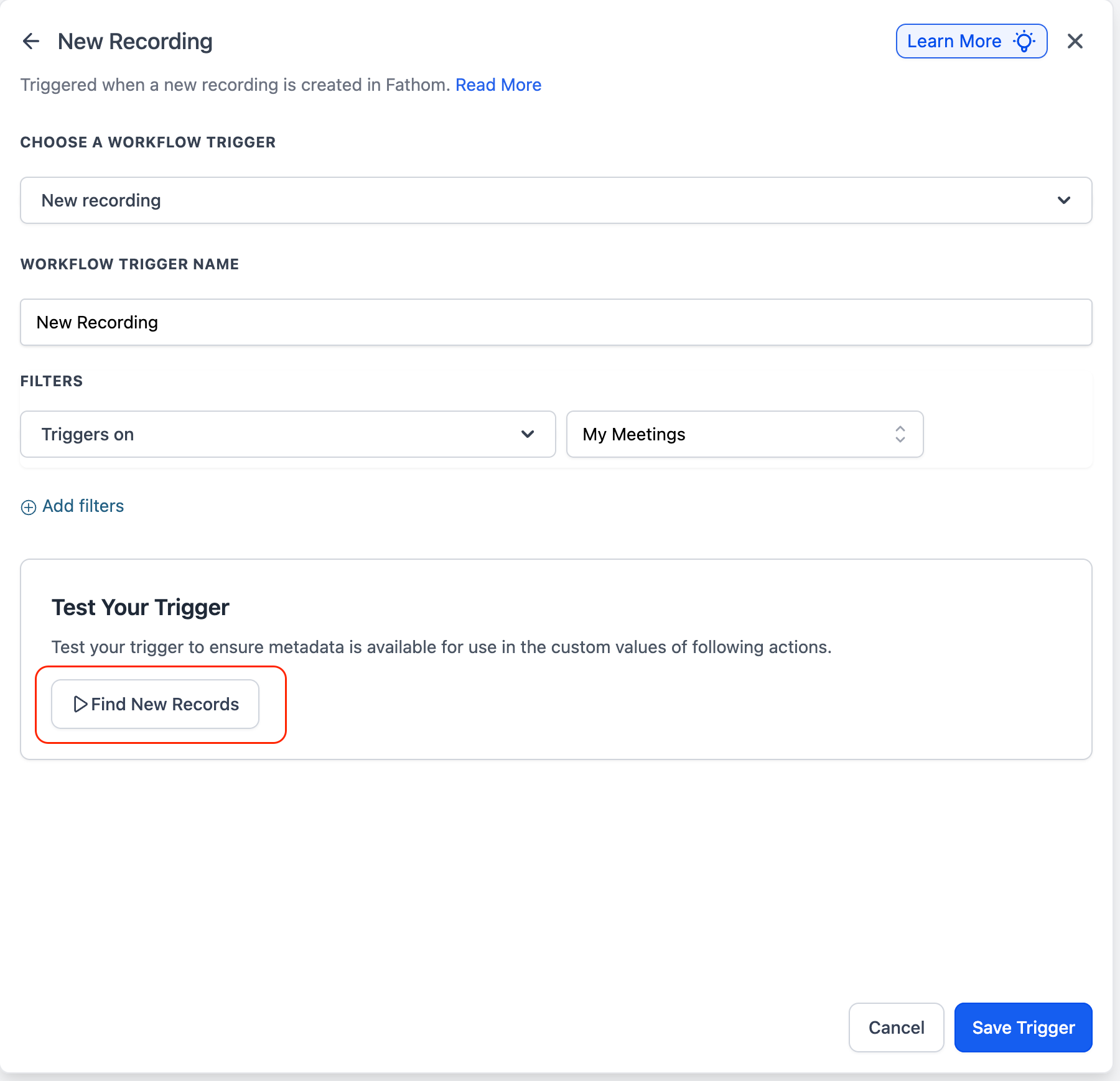
Step 3
Define when the workflow should start. Insert an action that uses or interacts with Fathom data.
What do Fathom actions and triggers do?
• They allow workflows to respond to call activity and insights.
Do I need to connect Fathom first?
• Yes, the integration must be connected before use.
Can workflows trigger after a call ends?
• Yes, triggers can be based on call events.
Can I use call data in actions?
• Yes, actions can use insights from Fathom.
Does this work with existing workflows?
• Yes, new actions and triggers can be added to current workflows.
