A2P 10DLC has two approvals that must work together:
Brand approval (your business identity + trust score)
Campaign approval (how you collect consent + what messages you send)
If Brand is incorrect → you may get rejected or a low Trust Score (lower throughput, more carrier scrutiny).
If Campaign is incomplete → manual vetting can reject or delay approval.
This is one of the biggest rejection and delay reasons.
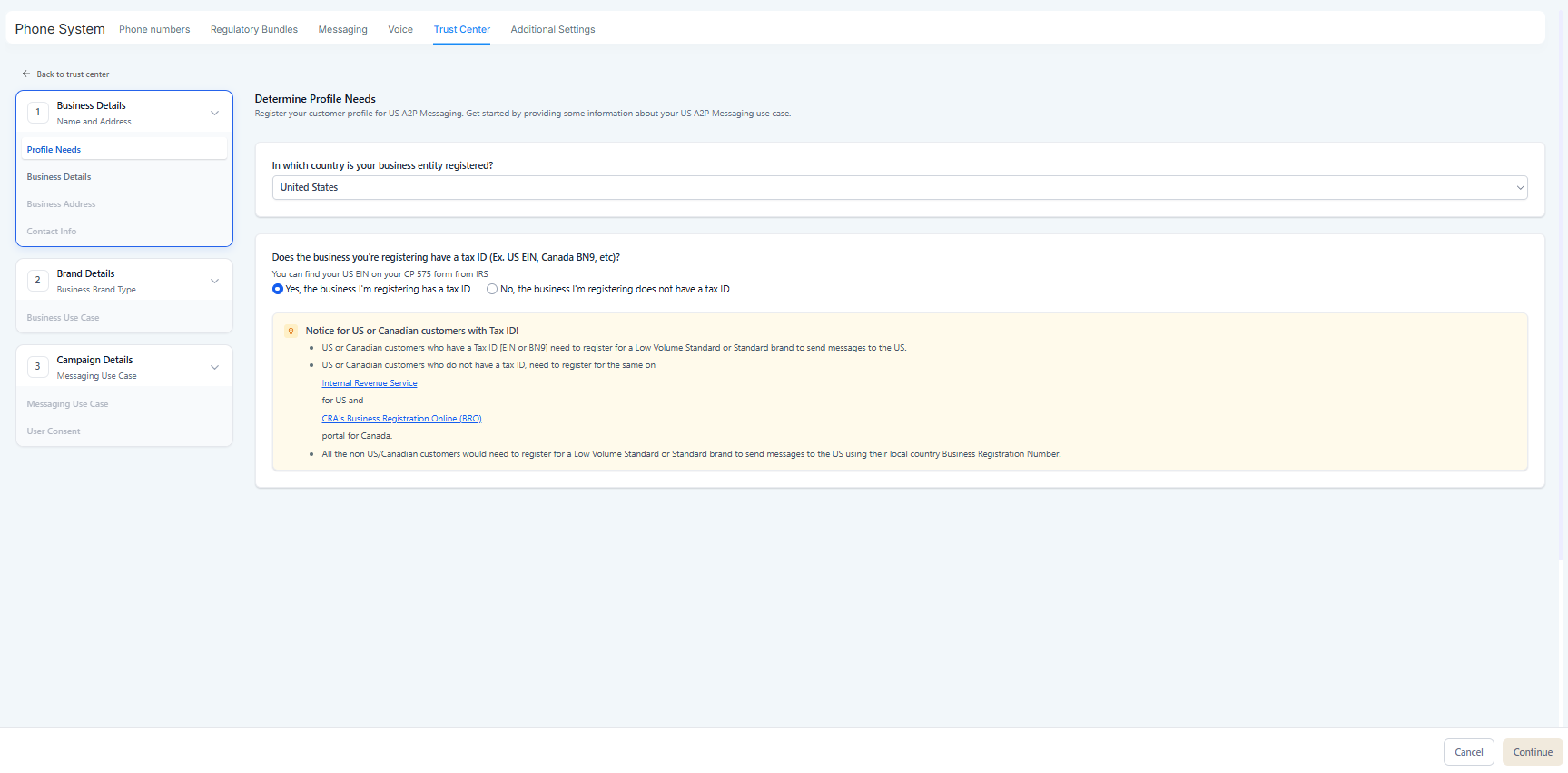
Use a valid EIN (not a DUNS number).
The EIN must match the business name exactly as filed.
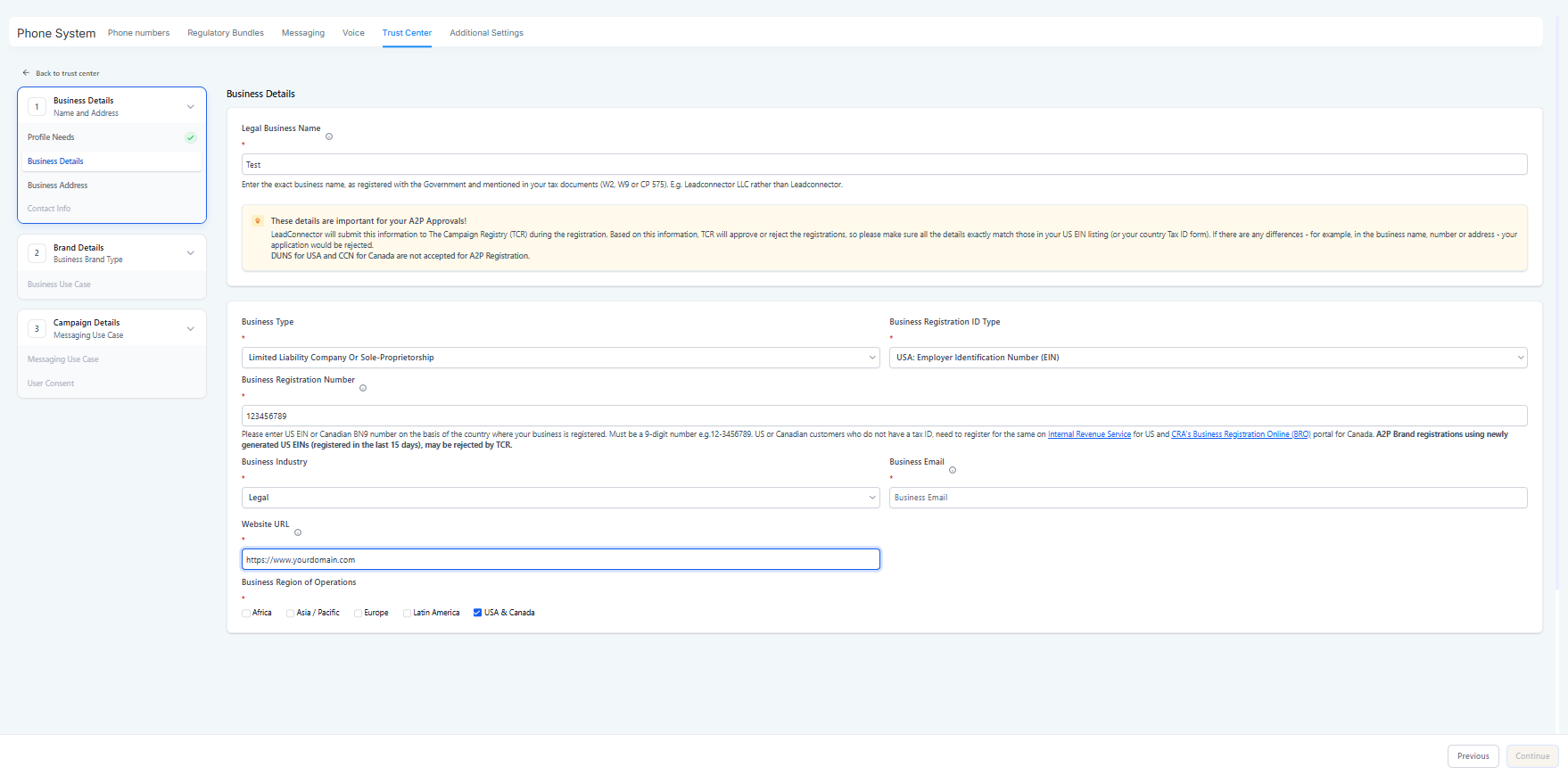
Use the correct government issued Tax ID number for your country.
Common mistake: entering the wrong number type or typos. Even one digit off can result in mismatch issues. Twilio Help Center
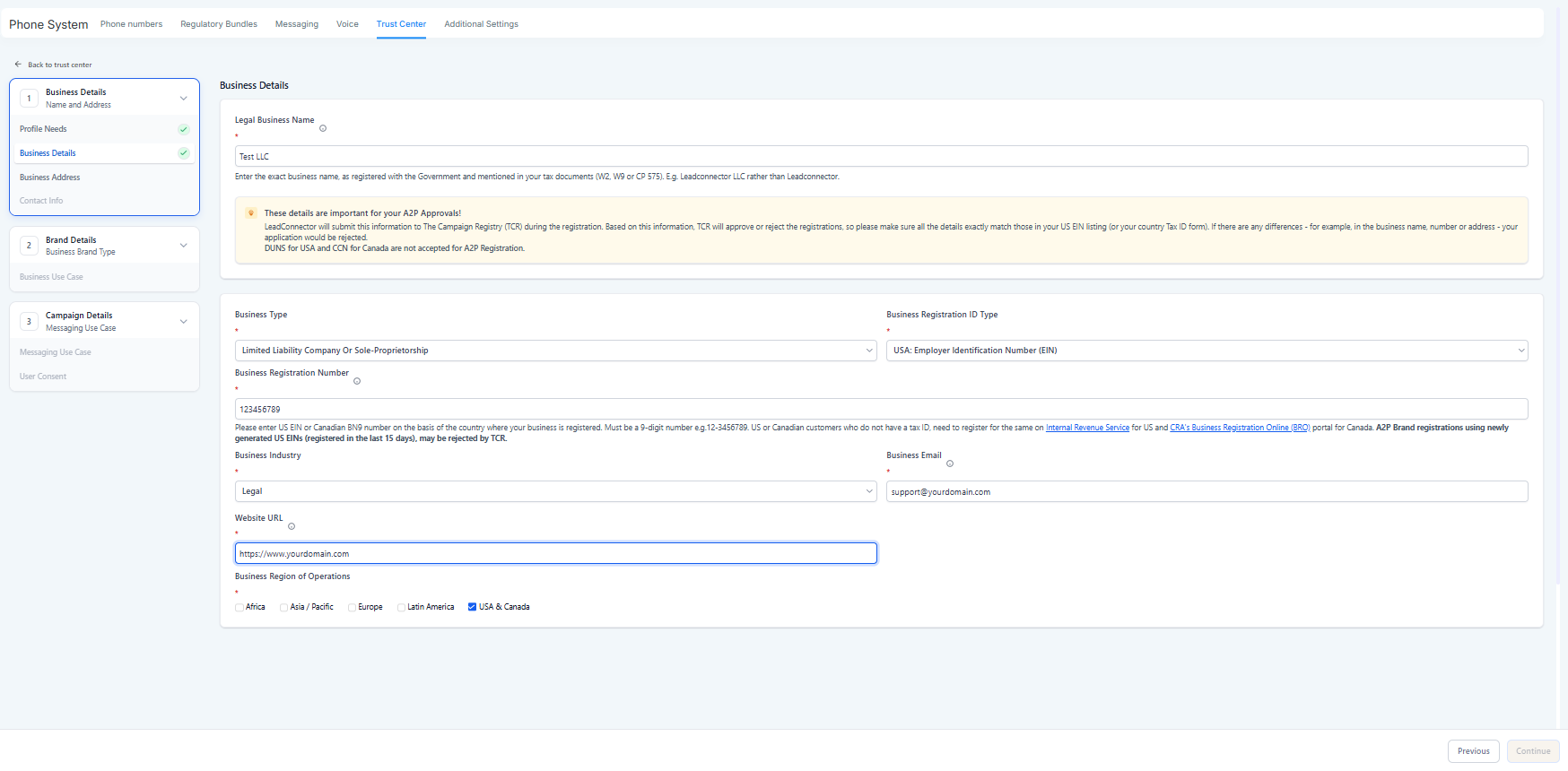
Use the legal registered name (including LLC / Inc / Ltd if part of the legal name).
Avoid abbreviations, informal versions, or brand nicknames.
If you use a DBA publicly, that’s fine — but Brand registration must reflect the legal entity as required.
Carriers and registry checks compare your address components. Mismatches can reduce trust score or trigger issues:
Use the official registered business address
Ensure accuracy in:
Street
City
State/Province
Postal/Zip
Country Twilio Help Center
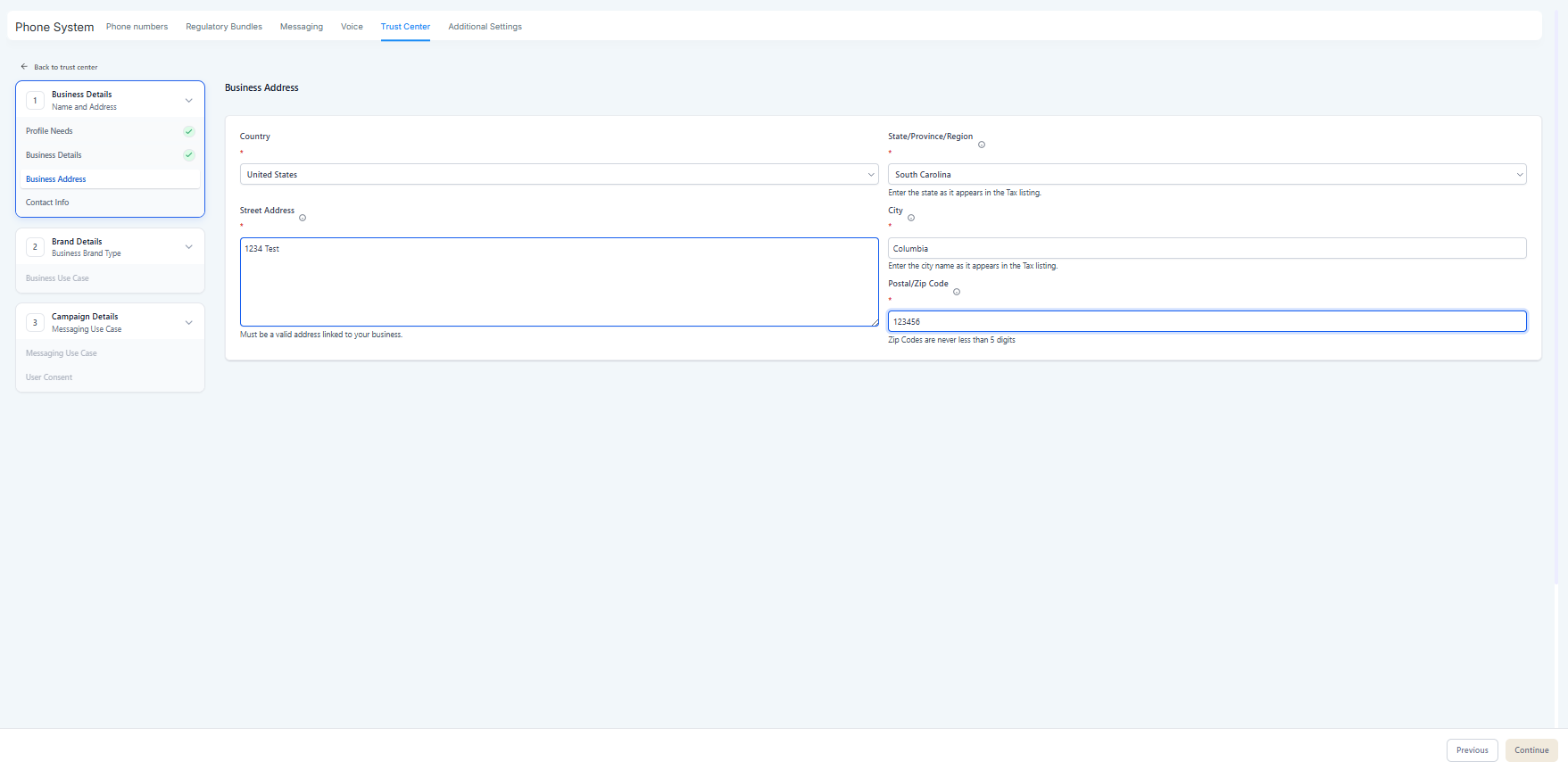
Using a random branch office or coworking address if it doesn’t match official registration, because this can cause mismatch. Twilio Help Center
Brand vetting determines your eligibility and messaging throughput.
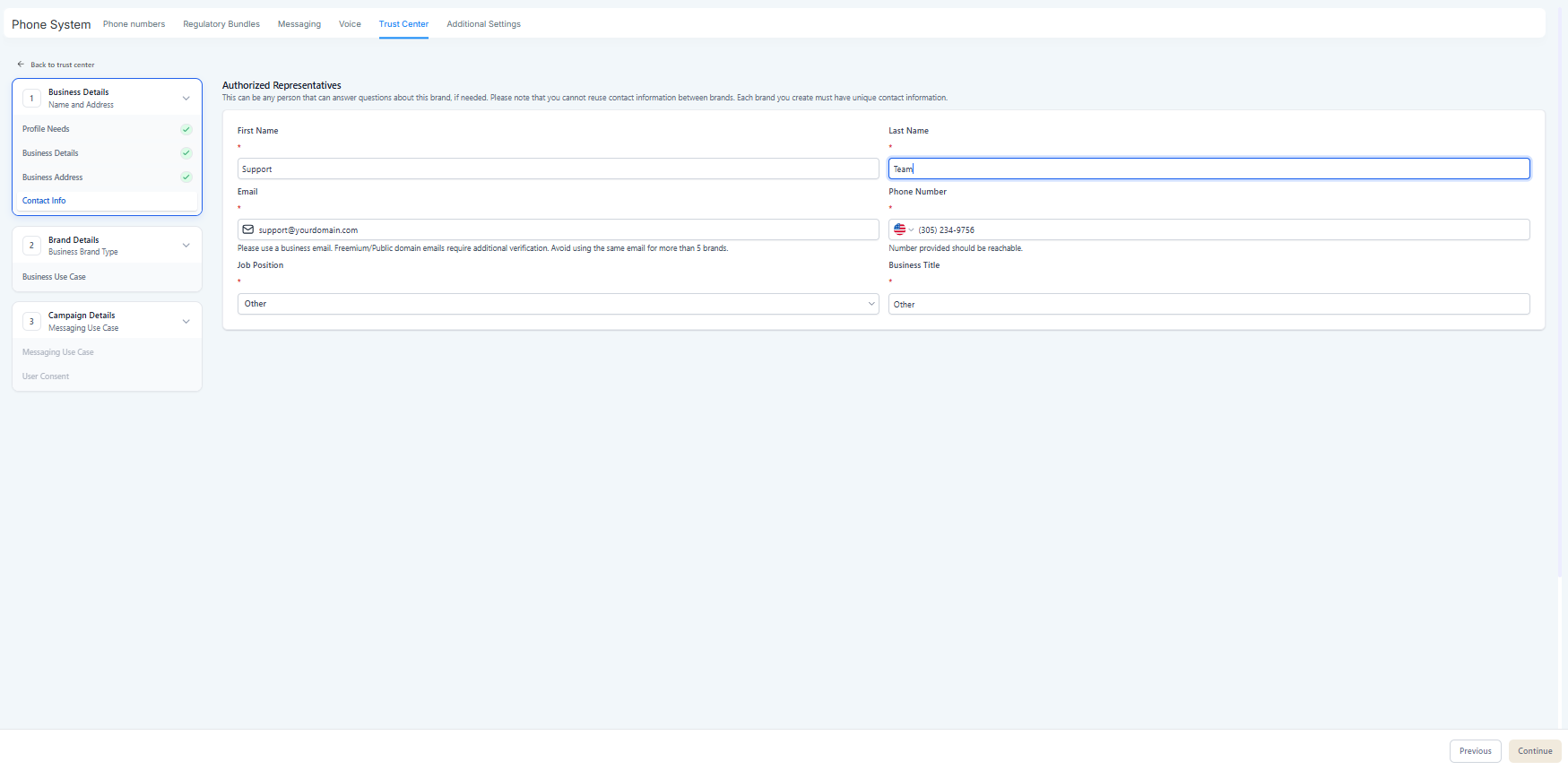
Higher trust scores typically = fewer limitations and better message deliverability. Twilio Help Center
Verify your EIN / Tax ID with official paperwork
Match Legal Name + Address exactly to business registration
Ensure your website and public branding match what reviewers will see later
Use a mismatched address
Use invalid Tax ID format
Substitute business identity fields with someone else’s business identity
(These mistakes usually cascade into Campaign rejections too.)
As of Jan 26, 2023, campaigns are subject to manual vetting.
That means a real reviewer checks your submission for compliance + consent proof.
Below are the most important steps to pass manual review.
Your use case must match your real messages.
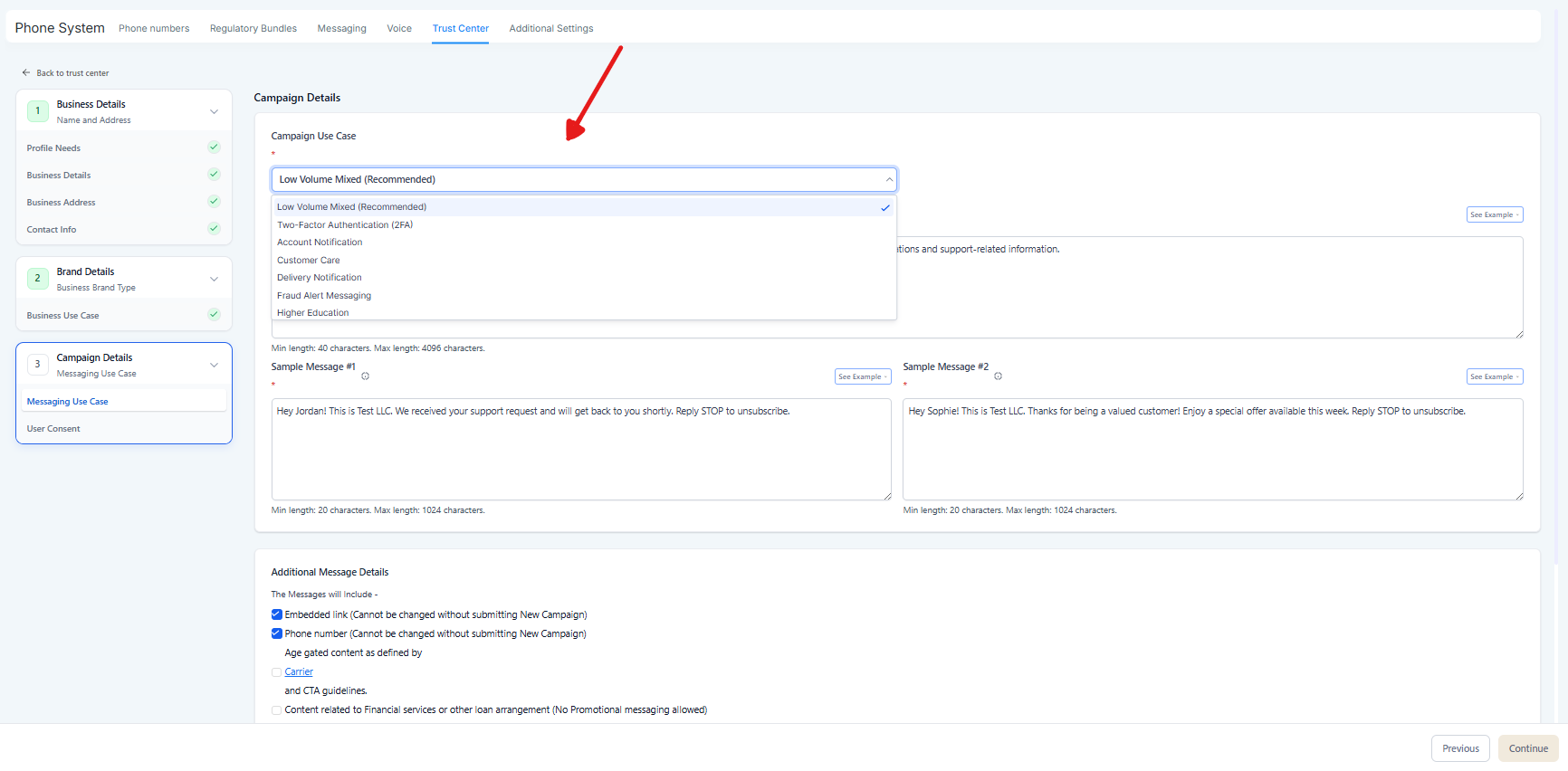
“Customer Care” or “Appointment Reminders” messages should look transactional
“Marketing” should be promotional and include marketing-related content
You register “Marketing,” but your examples look like login/OTP messages (or vice versa).
Reviewers check if everything matches your identity.
Brand name
Website domain
Sample messages
(Often) email domain consistency for recognizable brands
Brand says one business name
Website is a different brand
Sample messages reference a different company or domain
CTA = what proves users agreed to receive texts.
Your CTA must be publicly accessible to a third-party reviewer.
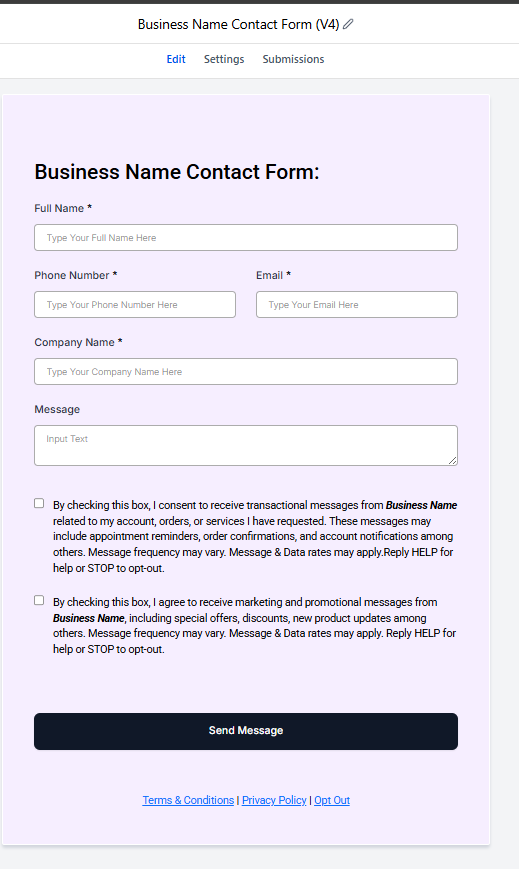
CTA must clearly show:
Program or product description
Sending phone number(s)
Identity of the sender (brand)
Opt-in language + disclosures
Privacy policy
Terms and conditions
Opt-out instructions + customer care info
If your CTA is behind a login or not public:
Provide a screenshot hosted in a publicly accessible link and share the URL.
Reviewers expect to find these easily:

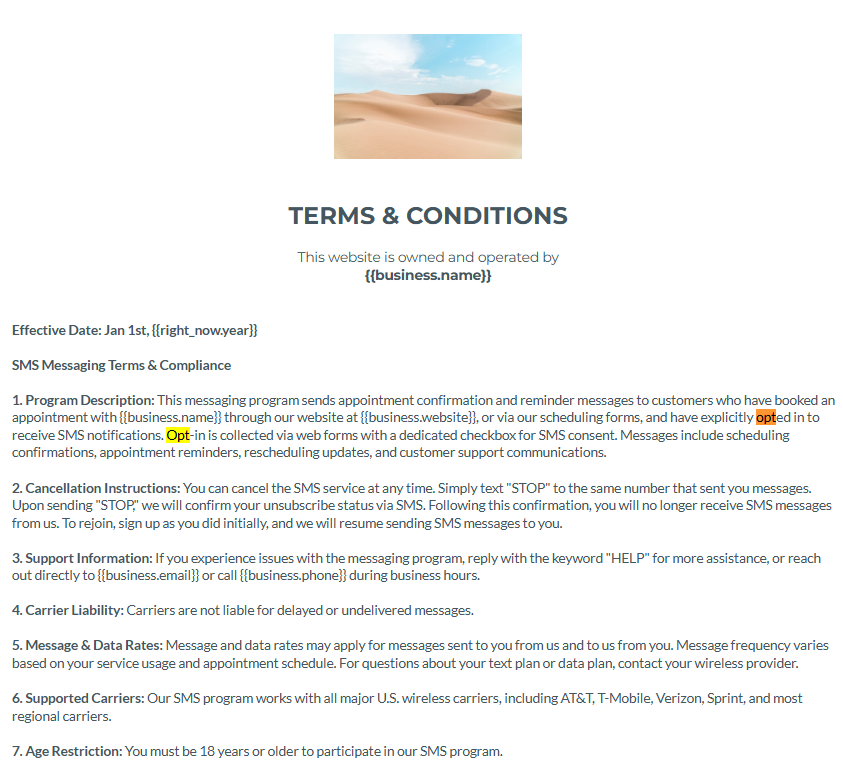
Terms & Conditions page must be publicly accessible.
Privacy Policy must also be accessible and compliant.
Best practice: Put them on your website footer, and make sure the links work.
Broken website link
Missing terms page
Missing privacy policy
Terms/Privacy exist but don’t mention messaging or consent clearly
The reviewer needs proof that consent is real and unambiguous.
Web form
Verbal opt-in (hardest to prove)
Paper or offline opt-in (needs evidence)
SMS keyword opt-in (like START, JOIN, etc.)
You claim website opt-in, but the site doesn’t show consent language
Verbal opt-in claimed but not explained
Paper opt-in claimed but no example provided
QR code claimed but no screenshot or proof shared
For web form opt-in:
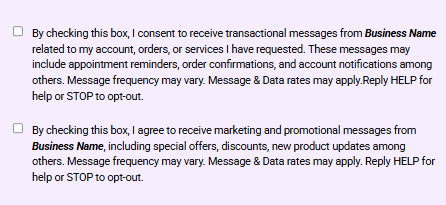
A selectable checkbox by the user (not prechecked)
A consent disclaimer next to it including key disclosures
Separation between:
transactional consent
marketing consent (if you collect marketing consent)
privacy/terms acknowledgements
After the user opts in, you must send a confirmation text immediately.
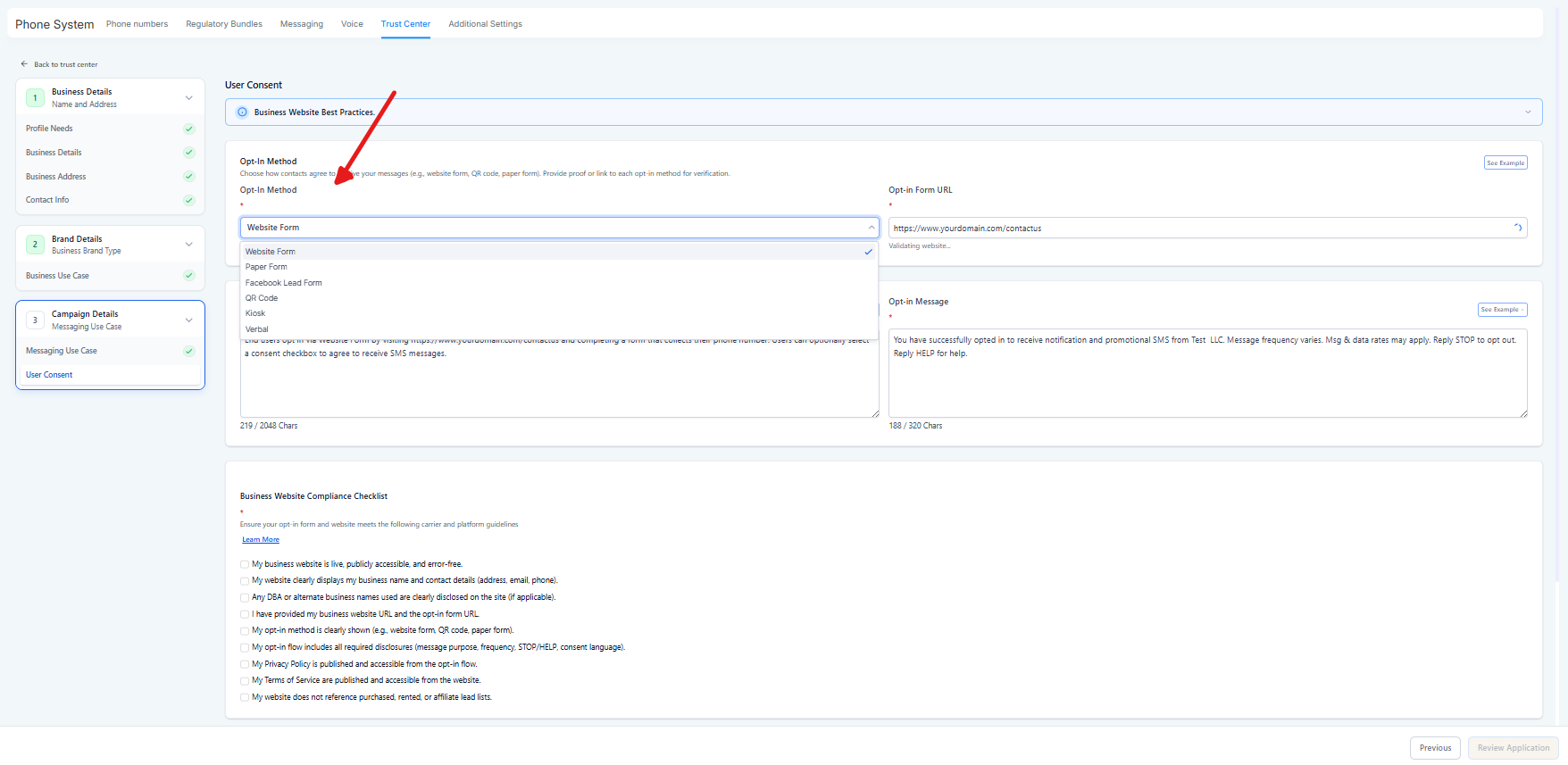
Program/product description
Customer care contact info
Opt-out instructions
Message frequency disclosure (or “message frequency varies”)
“Message and data rates may apply”
When submitting sample messages:
Sender identity (business name)
Realistic content that matches the use case
Indicate template fields like:
“Hi [First Name], your appointment is confirmed for [Date]…”
Include opt-out language in at least one sample message (highly recommended; often expected).
Generic language like “the company” or “the business” — use the actual brand name.

EIN/Tax ID is valid and correct
Legal name matches official records
Address matches business registration details Twilio Help Center
Use case matches sample messages
Website works and is live
Terms & privacy pages are public
CTA includes ALL disclosures
Opt-in method is clearly described + verifiable
Confirmation message includes required items
Sample messages include brand identity + at least one includes STOP
Double opt-in considered (recommended)
“By checking this box, you agree to receive text messages from [Brand Name] related to [Program Type: appointment reminders / support updates / offers]. Message frequency varies. Message and data rates may apply. Reply STOP to opt out. Reply HELP for help. View our Terms and Privacy Policy.”
This aligns with the CTA disclosure checklist described in the campaign best-practices guide.
“Thanks for opting in to [Brand Name] texts for [Program Description]. Message frequency varies. Msg & data rates may apply. Reply STOP to opt out. Reply HELP for help.”
Matches the confirmation message requirements.
“Hi [First Name], this is [Brand Name] — your appointment is scheduled for [Date] at [Time]. Reply STOP to opt out.”
Aligns with required elements and opt-out language best practice.
If you want to reduce approval retries, focus on avoiding these:
Consent proof missing or not publicly accessible
Website opt-in language not present where claimed
Brand identity mismatch (legal name, address, tax ID)
Use case doesn’t match sample messages
Missing Terms/Privacy pages or broken URLs
