The new pre-built A2P campaign widget helps streamline the initial registration process by providing a guided experience. It helps users complete required steps quickly and reduces setup confusion during the first campaign registration.
• Pre-built widget for A2P campaign registration
• Guided first-time registration experience
• Simplified setup flow for messaging campaigns
• Reduced confusion during campaign configuration
• Faster onboarding for messaging compliance setup
• Follow the guided steps in the widget to complete registration correctly
• Ensure business information is accurate before submitting
• Review messaging campaign details before finalizing
• Keep required documents ready during registration
• Verify campaign approval status after submission
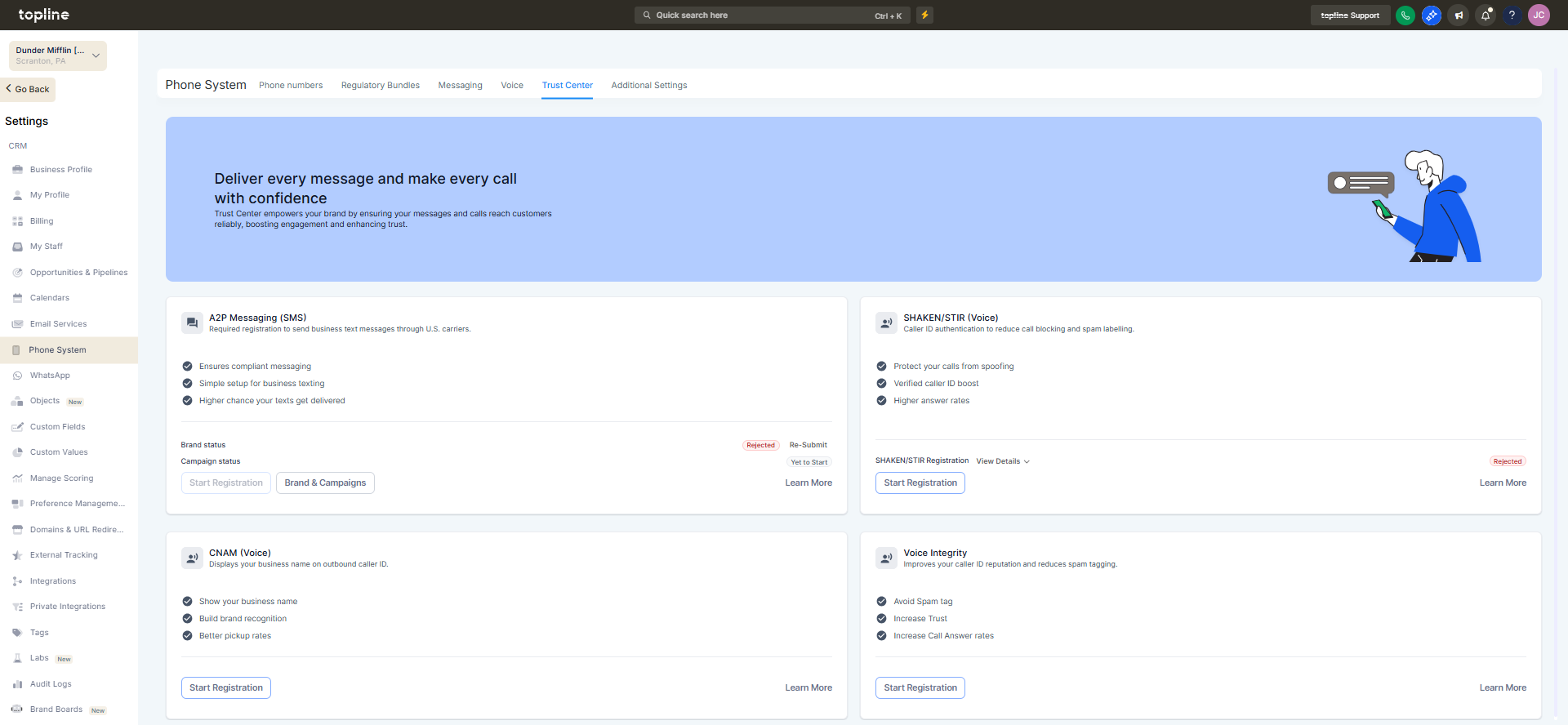
Step 1
Navigate to the Phone System and then Trust Center section.
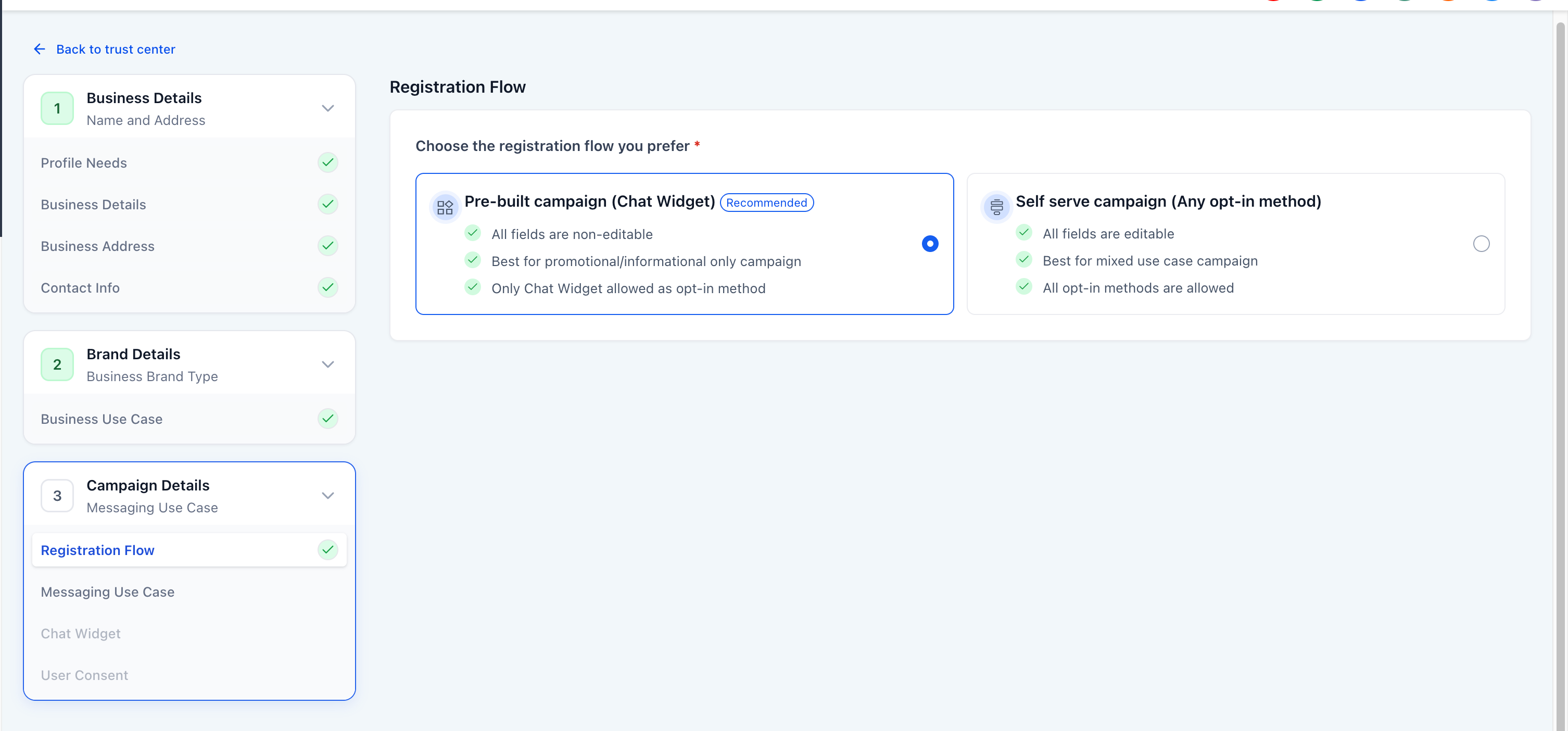
Step 2
Find the pre built widget designed for campaign registration.
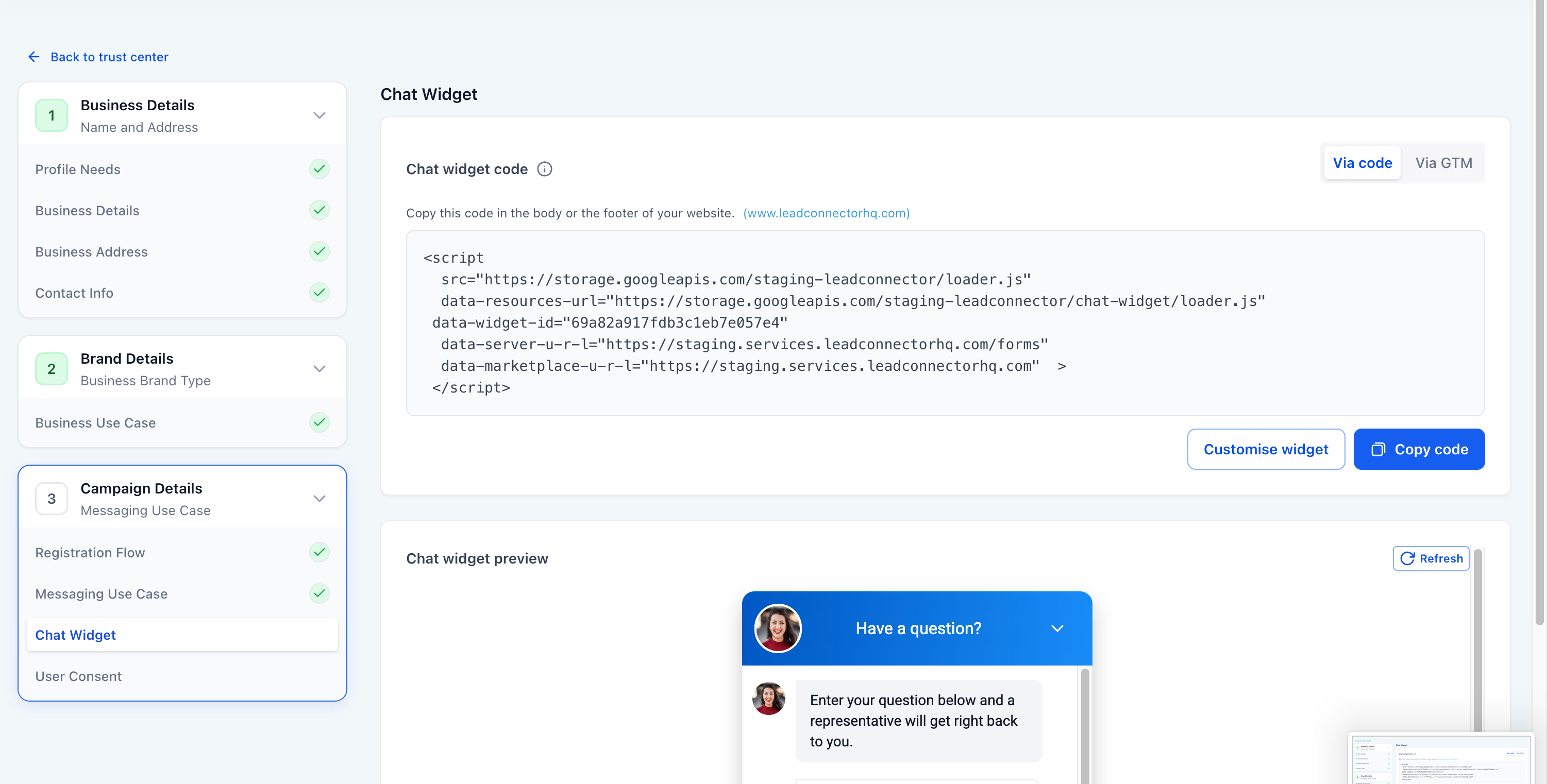
Step 3
Launch the guided setup process.
What is the pre-built A2P campaign widget?
• It is a guided tool that helps complete the first messaging campaign registration.
Do I need to use this widget for registration?
• It is recommended because it simplifies the required setup steps.
What information is required during registration?
• Business details, campaign information, and messaging use case details are typically required.
Does the widget automate campaign approval?
• No, it only helps submit the registration correctly.
Can registration details be updated later?
• Yes, updates can be made if changes are needed.
