If no call forwarding is set up, incoming calls will now go directly to voicemail instead of failing or being missed. This guarantees that every call has a fallback handling method, improving reliability and ensuring no customer inquiries are lost.
• Automatic fallback to voicemail when no forwarding is configured
• Improved call handling reliability
• Reduced risk of missed or dropped calls
• Better customer experience for unanswered calls
• More consistent call routing behavior
• Set up call forwarding rules for primary routing
• Customize voicemail messages for better communication
• Regularly check voicemail inbox for missed calls
• Use voicemail notifications to stay updated
• Test call routing to ensure proper handling
Step 1
Navigate to the calling or phone configuration area.
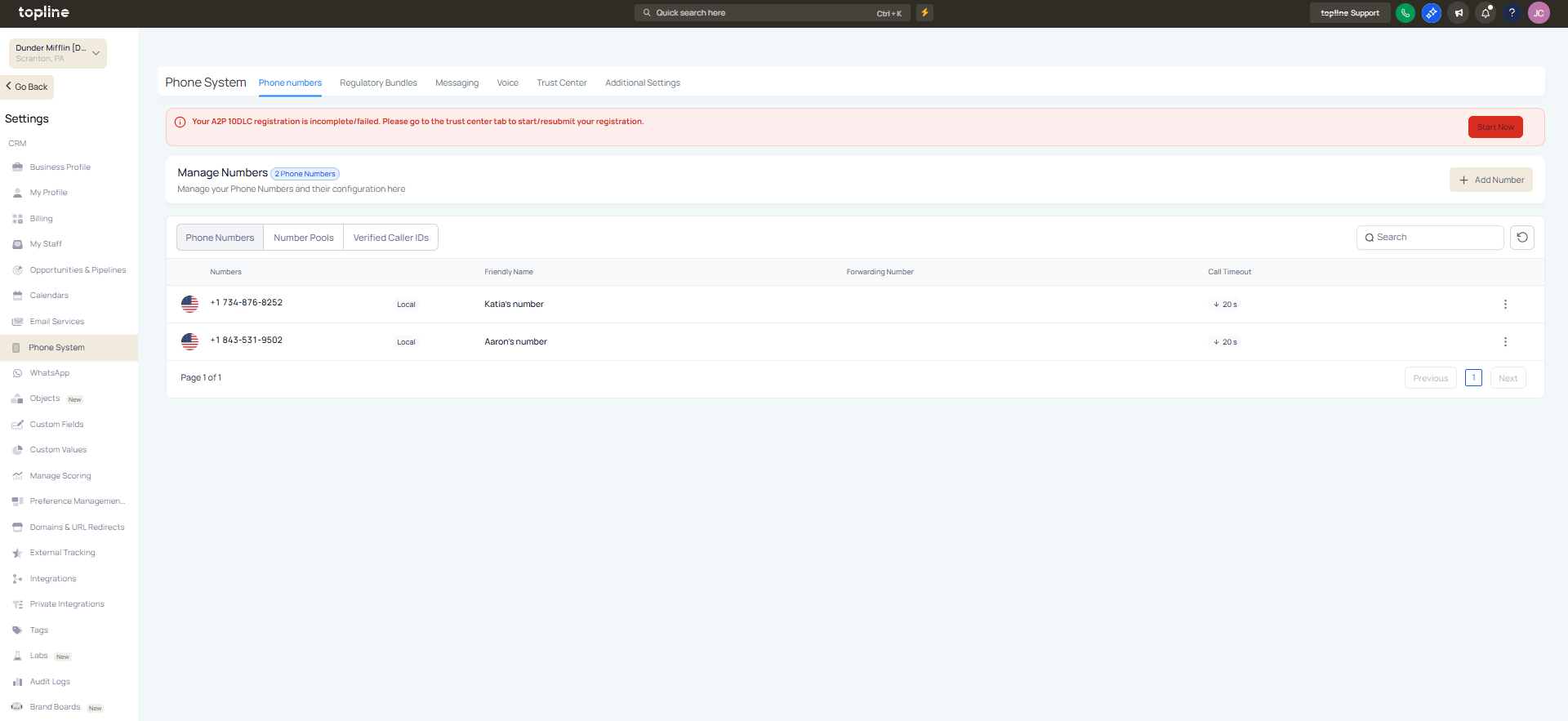
Step 2
Check if call forwarding rules are set. Ensure voicemail is enabled and properly set up.
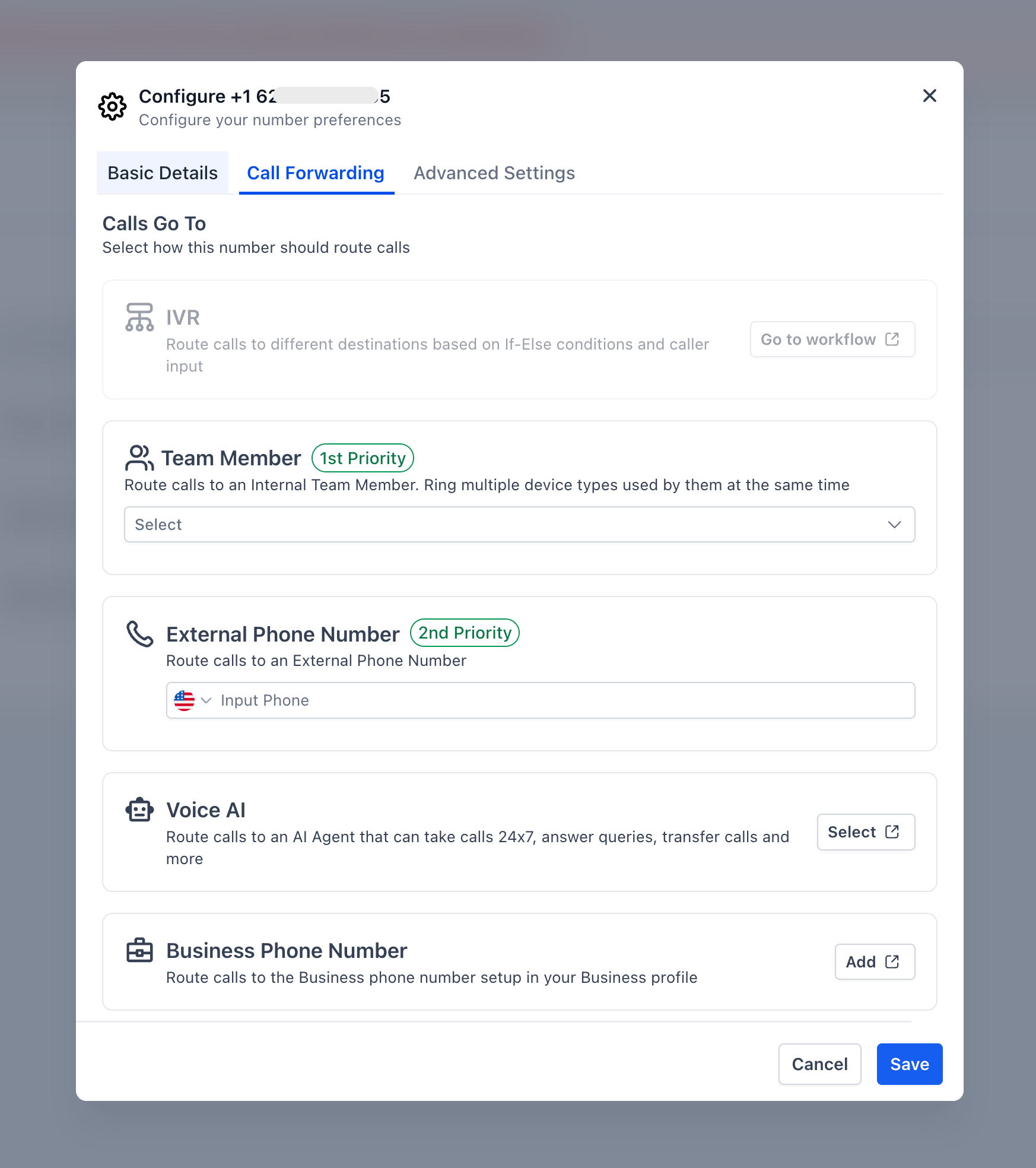
Step 3
Record or upload a message for callers.
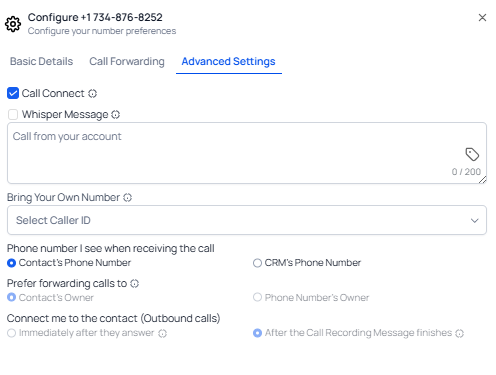
What happens if no call forwarding is set up?
• Calls will automatically go to voicemail.
Do I need to enable this feature manually?
• No, it works automatically when no forwarding is configured.
Can I still use call forwarding?
• Yes, forwarding rules will override voicemail routing.
Does this prevent missed calls?
• Yes, it ensures calls are captured through voicemail.
Can I customize the voicemail message?
• Yes, voicemail greetings can be edited.
