A2P campaign rejection messages now include more detailed feedback, helping users understand why a campaign was not approved and what needs to be fixed. This reduces guesswork, speeds up resubmissions, and improves approval success rates.
• More detailed rejection feedback for A2P campaigns
• Clearer explanations of approval issues
• Actionable guidance for fixing errors
• Faster troubleshooting and resubmission process
• Improved transparency in campaign review
• Carefully review rejection reasons before resubmitting
• Ensure campaign details match compliance requirements
• Double-check business and messaging information
• Keep documentation accurate and complete
• Use feedback to refine future campaign submissions
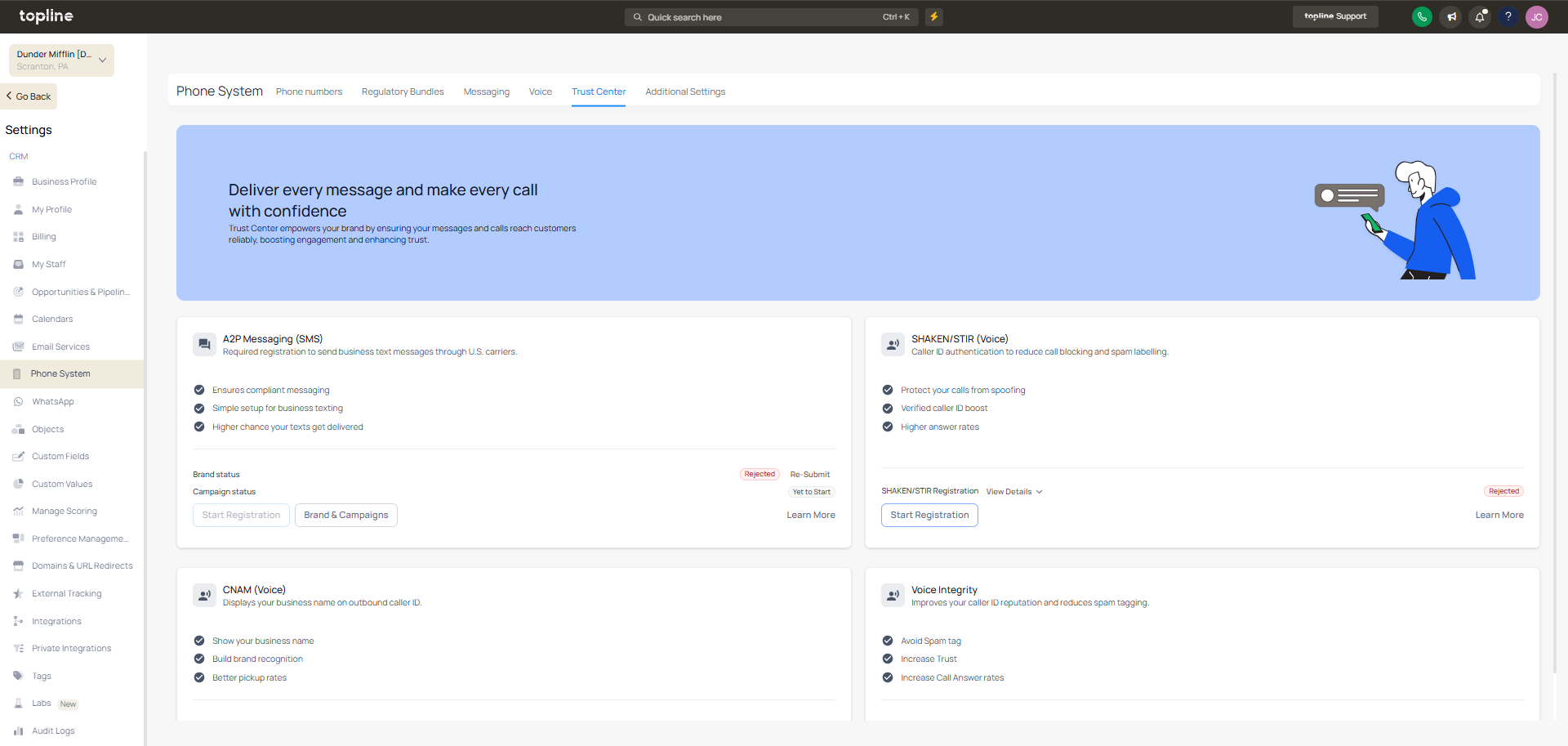
Step 1
Navigate to the section where campaigns are managed. Find the campaign that was not approved.
Step 2
Read the detailed explanation provided.
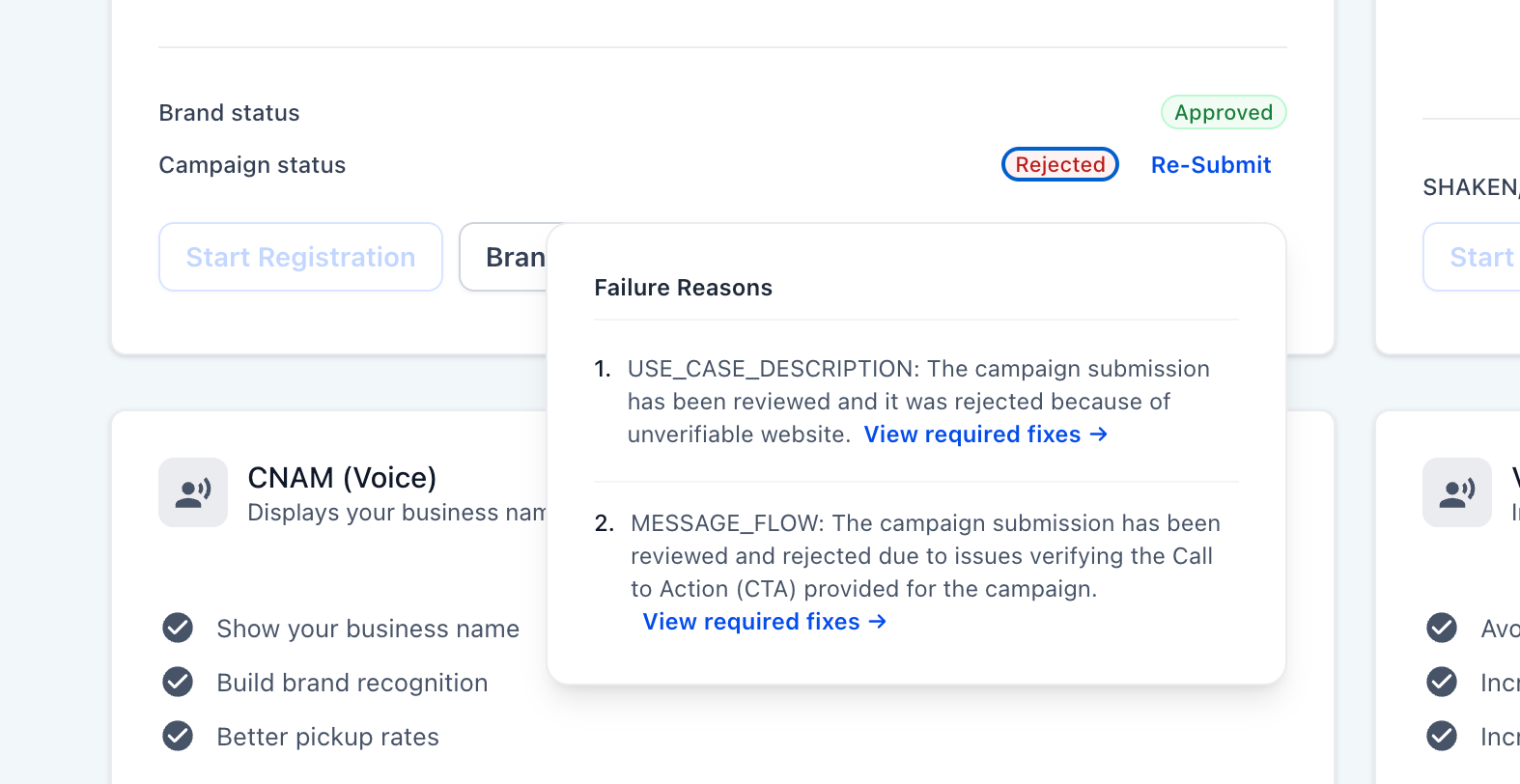
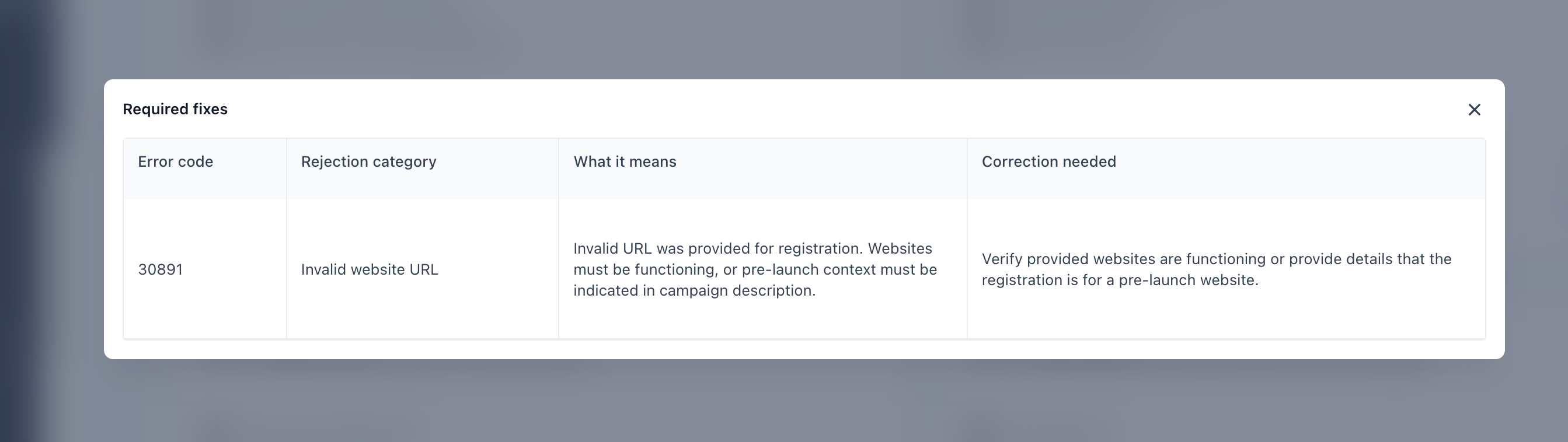
Step 2
Note the specific issues that need correction.
What improved with A2P campaign rejection feedback?
• Feedback now includes clearer reasons and guidance for fixing issues.
Do I need to enable this feature manually?
• No, improved feedback is available automatically.
Can I fix and resubmit a rejected campaign?
• Yes, campaigns can be updated and resubmitted.
Does this improve approval success rates?
• Yes, clearer feedback helps reduce errors in resubmissions.
What type of issues are highlighted?
• Messaging content business details and compliance issues.
